
Observe
Enhance your character with custom head directions and poses.
| Last updated | a month ago |
| Total downloads | 5353 |
| Total rating | 5 |
| Categories | Mods |
| Dependency string | Marioalexsan-Observe-1.3.0 |
| Dependants | 5 other packages depend on this package |
This mod requires the following mods to function

BepInEx-BepInExPack
BepInEx pack for Mono Unity games. Preconfigured and ready to use.
Preferred version: 5.4.2100
Nessie-EasySettings
A mod API for easily adding options to the settings menu.
Preferred version: 1.2.1

Soggy_Pancake-AtlyssCommandLib
[BETA] A library to easily create chat commands for Atlyss
Preferred version: 0.0.7README
Observe
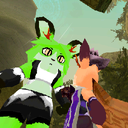
A mod that by default makes your character look in the direction your camera is looking. You can pose them to have them look in specific directions using commands or controls.
If other players have the mod installed, you'll also be able to see where they're looking!
Configuration options
These options are available under BepInEx/config/Marioalexsan.Observe.cfg or
under EasySettings's mod tab, if available.
| Setting | Description | Acceptable Values | Default Value |
|---|---|---|---|
| Enabled | Enable or disable mod functionality completely. | true / false |
true |
| VanillaMode | While active, makes your player act as a vanilla character as far as head rotations go. | true / false |
false |
| EnableNetworking | Enable sending/receiving camera directions to/from people with the mod installed. | true / false |
true |
| OwlMode | Enables full range of rotation for your player's head. This might look pretty weird in some cases! | true / false |
false |
| AllowOwlModeForOthers | Allow other players that use OwlMode to display their unconstrained head rotations. | true / false |
true |
| LookSpeed | The speed at which your character reacts to changes in direction. | Sloth, VerySlow, Slow, Normal, Fast, VeryFast, Caffeinated |
Normal |
| HoldHeadDirectionAfterStrafing | Enable to keep looking at the given direction after strafing as if you used "/observe environment" | true / false |
true |
| HoldHeadDirectionAfterStrafingDuration | How long to continue looking at the environment when HoldHeadDirectionAfterStrafing is enabled, in seconds. | min: 0. max: 120 (seconds) |
4 (seconds) |
| BackwardLookModeSetting | Configure how the character behaves in Default mode when looking at frontal angles. | FaceBehindRight, FaceBehindLeft, FaceCamera, FaceFront, NoEffect |
FaceBehindRight |
| LookAtInteractables | Have your character look at interactable objects if not already posing. | true / false |
true |
| LookAtNPCDuringDialogue | Have your character look at NPCs during dialogue if not already posing. | true / false |
true |
Look modes
There are four main look modes used by the mod:
Defaultmakes the character look in line with the cameraPosemakes the character look in the given direction relative to the character's body. If the character moves around, the head will maintain the direction relative to the body.Environmentmakes the character look in the given direction as if they were looking at the environment. If the character moves around, the head will turn to continue facing the direction.Cameramakes the character look in the direction of the camera
Behaviour explanations
- In
DefaultandCameramode, your character will temporarily look forward instead of using the camera's direction if you happen to use freecam or are in a dialogue- Currently, only Homebrewery's freecam mode is supported
- The behaviour of the camera when looking at frontal angles in
Defaultlook mode can be configured using theBackwardLookModeSettingoption:FaceBehindRight- tries to look behind over the right shoulder (current / default behaviour)FaceBehindLeft- tries to look behind over the left shoulderFaceCamera- tries to look at the camera, as ifCameralook mode were usedFaceFront- tries to look forward, as if/observe forwardwere usedNoEffect- doesn't change the behaviour in any way when looking at frontal angles (may act weird during movement!)
- In
PoseandEnvironmentmode, the direction to use is set at the time of sending the command based on the camera direction- For
/observe <direction> [seconds], the direction to use is instead the one you specify in the commmand
- For
- By default, your character's rotation range is restricted. Owl Mode allows full rotations, but this might make it look like the character snapped their neck.
- You can control whenever you can see other people's Owl Mode setting with the
AllowOwlModeForOthersconfiguration option.
- You can control whenever you can see other people's Owl Mode setting with the
- When strafing, if
HoldHeadDirectionAfterStrafingis set, then the character will act as if you used/observe environment [duration]with HoldHeadDirectionAfterStrafingDuration as the duration - While in
Defaultmode, if you setLookAtInteractablesandLookAtNPCDuringDialogue, then your character will look at interactables / NPCs if applicable instead of looking in line with the camera
Commands
| Command | Action |
|---|---|
/observe default |
Makes your character return to the Default look mode. Also usable as /observe reset. |
/observe pose [seconds] |
Makes your character use the Pose look mode. If specified, it lasts for the given duration in seconds. The pose direction to set is the camera direction at the time of calling the command. |
/observe freeze [seconds] |
Same as /observe pose. except your current head direction is used instead of current camera direction. May be useful when using Camera mode. |
/observe <direction> [seconds] |
Same as /observe pose, except a specific direction is used. You can use one of left, right, up, down, forward and backward. |
/observe camera [seconds] |
Makes your character use the Camera look mode. If specified, it lasts for the given duration in seconds. |
/observe environment [seconds] |
Makes your character use the Environment look mode. If specified, it lasts for the given duration in seconds. The direction to look at is the camera direction at the time of calling the command. |
/observe owl |
Toggles Owl Mode on/off. |
/observe vanilla |
Toggles Vanilla Mode on/off. |
/observe speed <setting> |
Changes the look speed for your character. You can use one of Sloth, VerySlow, Slow, Normal, Fast, VeryFast and Caffeinated. |
/observe tilt <direction> [angle] |
Tilts your head in the given direction for the given angle. Accepts left, right, or reset as directions. The angle must be between 0 and 35 degrees. If not specified, the default is 18 degrees. |
Mod Compatibility
Observe targets the following game versions and mods:
- v1.1.1 - v1.3.0
- ATLYSS 12026.a3
- Soggy's CodeYapper v2.1.0
- Soggy's AtlyssCommandLib v0.0.7
- Nessie's EasySettings v1.2.1 (optional, used for configuration)
- Catman's Homebrewery v4.7.3 (optional, interacts with its freecam setting)
- v1.0.0 - v1.1.0
- ATLYSS 12026.a3
- Soggy's CodeYapper v2.1.0
- Nessie's EasySettings v1.2.1 (optional, used for configuration)
- Catman's Homebrewery v4.7.3 (optional, interacts with its freecam setting)
Compatibility with other game versions and mods is not guaranteed, especially for updates with major changes.
