
InteractiveMapCompanion
Companion mod for the interactive world map. Live tracking of all characters — player, SimPlayers, NPCs, enemies, and pets — right in your browser.
By WoW_Much
| Last updated | 3 weeks ago |
| Total downloads | 155 |
| Total rating | 0 |
| Categories | Mods |
| Dependency string | WoW_Much-InteractiveMapCompanion-2026.214.1 |
| Dependants | 0 other packages depend on this package |
This mod requires the following mods to function

BepInEx-BepInExPack
BepInEx pack for Mono Unity games. Preconfigured and ready to use.
Preferred version: 5.4.2304README
Interactive Map Companion
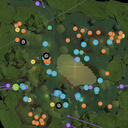
Ever alt-tab to check the wiki for an NPC location while your SimPlayer party waits patiently? Now you don't have to guess what's where - see everything alive in your zone on a real-time interactive map, right in your browser.
Interactive Map Companion broadcasts live entity positions from your game to the interactive world map, turning it into a second-screen companion for exploration, combat, and navigation.
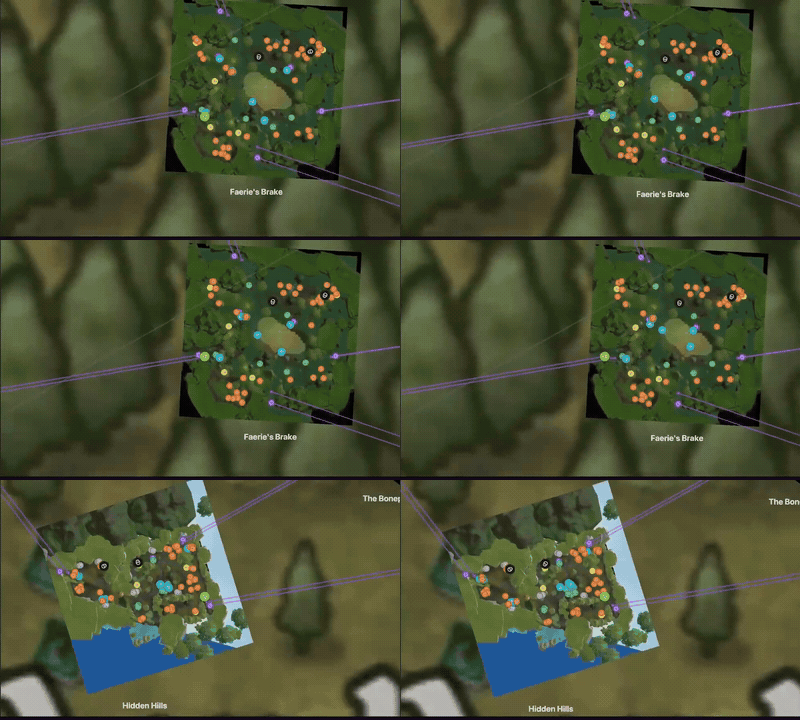
What it tracks
- Your character — live position and facing direction
- SimPlayers — party members and other SimPlayers in the zone
- NPCs — quest givers, merchants, and other friendly NPCs
- Enemies — all hostile mobs currently alive
- Pets — companion pets
All tracking updates in real-time (10 Hz by default).
Privacy
All data stays on your machine. The mod runs a local WebSocket server that your browser connects to directly - nothing is sent to any external server.
Quick Start
Requires BepInEx 5.
- Install BepInEx if you haven't already
- Copy the
InteractiveMapCompanion/folder (containingInteractiveMapCompanion.dll,Fleck.dll, andNewtonsoft.Json.dll) intoBepInEx/plugins/ - Launch the game and log in with a character
- Open the interactive world map
- Toggle Enable Live Mode in the sidebar
Reducing Clutter
To hide static markers and only see live entities, disable the regular enemy and NPC layers through the sidebar, or use this direct link: map with static markers hidden
Configuration
The config file is generated on first run at
BepInEx/config/wow-much.interactive-map-companion.cfg:
Server
| Setting | Default | Description |
|---|---|---|
Port |
18584 |
WebSocket server port |
UpdateInterval |
100 |
Broadcast interval in ms (100 = 10 Hz) |
Logging
| Setting | Default | Description |
|---|---|---|
WebSocketLogLevel |
Warning |
Debug / Info / Warning / Error |
ModLogLevel |
Info |
Debug / Info / Warning / Error |
Technical Details
The mod runs a lightweight WebSocket server on localhost:18584. Your browser
connects directly to this local server - the map website's JavaScript acts as
the client. The protocol uses JSON messages for handshake, state updates, and
zone changes.
