

Audio Mod
An audio mod that adds audio to the game for an enhanced experience.
| Last updated | 4 months ago |
| Total downloads | 303 |
| Total rating | 0 |
| Categories | Mods Audio |
| Dependency string | PatrickH-Audio_Mod-0.2.1 |
| Dependants | 0 other packages depend on this package |
This mod requires the following mods to function

BepInEx-BepInExPack
BepInEx pack for Mono Unity games. Preconfigured and ready to use.
Preferred version: 5.4.2100README
Grey Hack Audio Mod
This mod adds computer-like audio feedback to Grey Hack, enhancing immersion by simulating real system sounds.
You will hear things such as boot-up beeps, hard-drive access, system error beeps, OS alerts, and more.
Features / Included Sounds
The mod currently includes the following audio effects:
| Audio File | Description |
|---|---|
bootup-beep.wav |
Startup BIOS-style beep |
cpu-fan-loop.wav |
Looping CPU fan noise |
game-over.wav |
Failure/game-over sound |
harddrive-loop.wav |
Hard-disk idle/working loop |
harddrive-spindown.wav |
Hard-disk powering down |
harddrive-spinup.wav |
Hard-disk powering up |
os-action-fail.wav |
Action failed sound |
os-boot.wav |
OS boot chime |
os-error.wav |
OS error alert |
os-notification.wav |
Notification ping |
system-failure-loop.wav |
Critical failure loop |
trace-beep.wav |
Network trace alert beep |
Installation
✅ BepInEx 5 Manual Install (recommended)
- Install BepInEx 5 for Grey Hack
(This mod is designed for BepInEx 5) - Place the mod
.dllfile into:
Grey Hack/BepInEx/plugins/
- Place the Audio folder from this mod into:
Grey Hack/BepInEx/plugins/Audio/
- Launch the game — the sounds will play automatically.
⚠️ BepInEx 6 Support
If you require the BepInEx 6 version, download it here:
🔗 https://github.com/Patrick-van-Halm/greyhack.audio-mod/releases/latest
Custom Audio
All sounds are completely user-replaceable.
To customize audio:
-
Ensure the game is closed.
-
Go to the specific BepInEx plugin folder
- Thunderstore installation
- Go to the Settings > Locations > Browse profile folder. (This opens a new explorer folder)
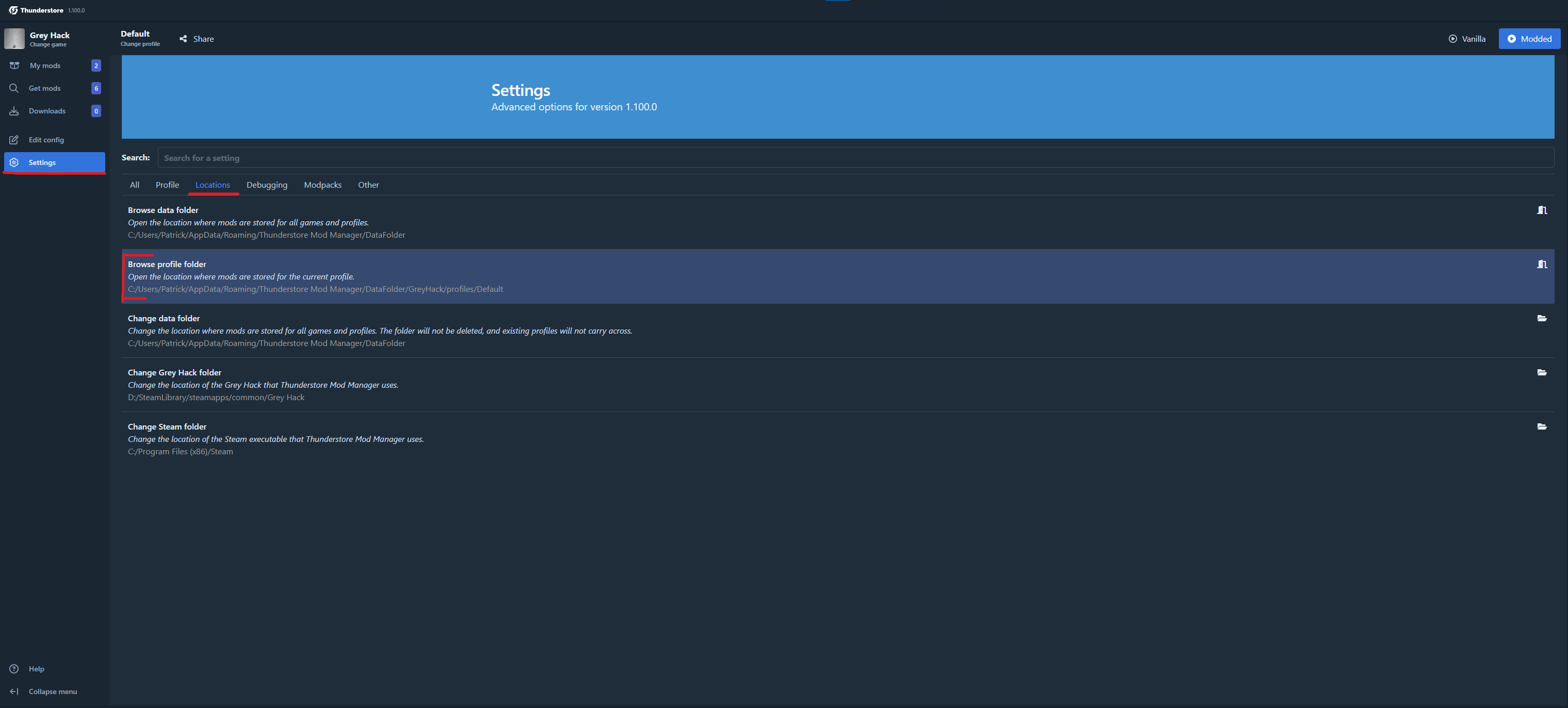
- Go to the installed mod folder:
BepInEx/plugins/AudioMod/ - Go to the Settings > Locations > Browse profile folder. (This opens a new explorer folder)
- Manual Installation
- Go to the installed mod folder:
<Grey Hack Installation Folder>/BepInEx/plugins/AudioMod/
- Thunderstore installation
-
Go into the Audio folder (here are the audio clips stored)
Audio/ -
Replace any
.wavfile with your own version using the same file name.Example: replace
os-error.wavwith your own error sound. -
Restart the game.
About
This mod aims to make Grey Hack feel more like interacting with a physical machine, adding ambient and reactive system audio to deepen immersion and atmosphere.
Enjoy the enhanced hacking experience! 🎧💻
