
TerminalCompletion
Uses LIST to populate full Tab Completions and Asterix expansion to PING, QUERY, and READ commands.
| Last updated | 4 months ago |
| Total downloads | 1439 |
| Total rating | 3 |
| Categories | Client Mods |
| Dependency string | OneOfTheLiving-TerminalCompletion-1.3.0 |
| Dependants | 0 other packages depend on this package |
This mod requires the following mods to function

BepInEx-BepInExPack_GTFO
BepInEx pack for GTFO. Preconfigured and includes Unity Base DLLs.
Preferred version: 3.2.1README
Terminal Completion
Allows for quick usage of the default PING, QUERY, and READ commands.
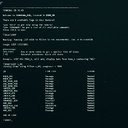
The LIST command is used in game to create, well... lists of items. This Mod leverages that created list to then help auto populate PING and QUERY (LOGS will create a completion list for READ)
The outputs seen by modded and non-modded clients will not match due to the way command syncronization occurs. The normal command channels are mostly respected though, so if you or a teammate runs a non-modded command, then your terminal output should line up correctly.
A fix for moving items between subzone locations has been included. i.e. PING will display accurate subzone information and resource packs will display as being part of the correct zone.
A config file TerminalCompletionPlugin.cfg can now be edited via R2Modman.
Tab Completion
The list is used to populate entities when pressing the Tab key (Known as "Tab Completion").
PING AM
Then pressing the Tab key, will result in
PING AMMOPACK_290
If your LIST command generates duplicates of an item:
LIST AMMOPACK
- AMMOPACK_290
- AMMOPACK_324
- AMMOPACK_686
- AMMOPACK_701
Then pressing Tab multiple times will simply cycle through each Item with the same Prexix from the LIST.
This will work with basically any item you can PING or QUERY.
Bulk Queries
Query groups of items simultaneously. Subzone and Capacity are viewable within the --ONELINE output.
Flags:
These are quick indicators to the QUERY command to alter its behavior.
-G Group the output by zone.
--ONELINE Outputs item information on a single digestable line. Sort of like a LIST command that includes zone and resource capacity.
LIST ZONE_49 RES
May create the following List which remains in effect until you run another LIST command.
- MEDIPACK_342
- TOOL_REFILL_PACK_887
- AMMOPACK_290
You can now run
QUERY *
And your terminal will query all 3 items in a somewhat condensed output. The time to complete the query goes up a bit with each item in an effort to balance this feature a bit.
LIST Filtering
The LIST command has been expanded with more powerful filtering options
Flags:
These are quick indicators to the LIST command which change its behavior a bit.
-Z Runs the search in the current zone
-C Runs the search with container items (BOX, LOCKER) removed from the output.
-D Runs the search with doors removed from the output (SEC_DOOR, DOOR).
-S Runs the search and sorts the output.
Flags can be combined, For Example:
LIST -ZCD
LIST -Z -C -D
Will both search the current zone for everything which isn't a container or door.
Inverted Filters:
Adding a ^ in front of a filter will invert its effect.
Example:
LIST RES ^DIS
Lists all resources on the map, but excludes DISINFECT
HISTORY Expansion
Added the HIST command which displays a list of previously executed commands for that terminal
Example:
0	LIST MED
1   PING MEDIPACK_738
2   LIST -CD ^RES_
Entering !1 will automatically rerun PING MEDIPACK_738
You can also use the beginning of a command in the expansion:
!LI will rerun LIST -CD ^RES
