
Netstat
Host-Independent Advanced Network Statistics
| Last updated | 3 weeks ago |
| Total downloads | 515 |
| Total rating | 2 |
| Categories | Client Mods |
| Dependency string | randomuserfood-Netstat-1.0.7 |
| Dependants | 1 other package depends on this package |
This mod requires the following mods to function

BepInEx-BepInExPack_GTFO
BepInEx pack for GTFO. Preconfigured and includes Unity Base DLLs.
Preferred version: 3.2.2
README

Netstat
Host-Independent Network Statistics
For feedback, suggestions, and issues, message @uwufood/@randomuserhi on the GTFO Modding Server on Discord
Overview
Netstat provides methods of measuring network performance and latency in GTFO in a host-independent manner (i.e. no mods etc. are required for other players in session). Both a visual layer and an API layer are available. The visual layer is toggleable and hot-adjustable.
The position, size, order of the graphs and the visibility of individual graphs can be customized in the config.
Details Bar

The details bar shows current network statistics (most of what Graphs provide) in a compact form under the player health bar.
The bar can be turned off in the config under "Details Bar," attributes shown can be selectively enabled.
Graphs
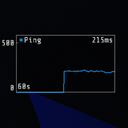
Ping ping

The ping graph shows the current roundtrip time to the host.
Two methods of measurements are available:
- Chat (works universally in lobby, might create error messages on host)
- NavMarker (only works in-game, unavailable when player pinging)
Rx/Tx rxtx

The Rx/Tx graph shows the current data transfer rates (Rx: receive, Tx: transmit) in bytes per second.
Rx Channel rxchan

The Rx Channel graph shows breakdown of incoming data in 6 different SNet channel types
- SC:
SessionOrderCritical - SM:
SessionMigration - CR:
GameOrderCritical - RC:
GameReceiveCritical - NC:
GameNonCritical - BC:
BotCommands
Tx Channel txchan

Similar to the Rx Channel graph, but for outgoing data.
CTT/STT cstt

The CTT/STT graph shows the current estimated Client Tick Time (CTT) and Server Tick Time (STT) in milliseconds. This is based on player locomotion.
Measures the time between player position updates which can be used to spot lag spikes on host (a large gap between position updates). A major limitation is that locomotion is only updated 20 times a second and while the player is moving, so the resolution is poor, and it has to extrapolate during periods when host is not moving.
API
For details, see NetstatAPI.cs
