

CustomSideDeck
Change the side deck to something other than squirrels! Lots of options for making your own side deck with JSON Loader (or C#). Works with Side Deck Selector!TVFLabs's Custom Side Deck
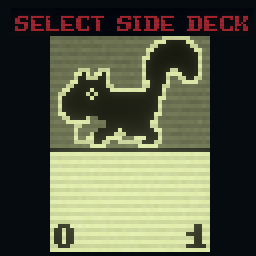
This mod lets you change the side deck to something other than squirrels, and allows changing the number of cards in the side deck, having more than one type of card in the side deck, having cards be selected when starting the run, and even displaying custom card backs.
About the Side Deck Selector mod
This mod should work alongside Side Deck Selector for the most part, but you should be aware of a few things:
- CustomSideDeck's side deck selection screen will display side decks from Side Deck Selector.
- The side deck choice node added by Side Deck Selector's challenge hasn't been tested with CustomSideDeck, but I doubt it would work at all.
- Currently, CustomSideDeck doesn't support P03 in Kaycee's Mod, and it doesn't support changing your side deck partway through a run. Aside from that, though, I'm fairly sure every other feature in Side Deck Selector exists in CustomSideDeck as well.
Config options
- GenerateDefaultCardBacks:
- How the mod should handle side deck card backs for side decks that don't add their own custom card back. If enabled, automatically generates a unique card back based on the side deck's main card's portrait. Otherwise, the default squirrel back will be used. (default: off)
- GenerateAquaVersions
- Whether to automatically add an Aqua version of all custom side decks. (default: off)
- ShowAquaSideDecksWhenSquirrelFishChallengeDisabled
- Whether or not Aquasquirrels and custom side decks marked as
CSDIsAquashould be shown as options even when the Squirrel Fish challenge isn't on. (default: off)- This does not affect which side decks are available when Squirrel Fish is enabled.
- Whether or not Aquasquirrels and custom side decks marked as
How to use:
Basic Side Deck:
JSON Loader
"extensionProperties": {
  "CSDIsSideDeck": "true",
  "CSDSideDeckType": "Basic"
}
C#
cardInfo.SetExtendedProperty("CSDIsSideDeck", "true");
cardInfo.SetExtendedProperty("CSDSideDeckType", "Basic");
Basic side decks work like most side decks: they have 10 copies of one type of card.
Set Count Side Deck:
JSON Loader
"extensionProperties": {
  "CSDIsSideDeck": "true",
  "CSDSideDeckType": "SetCount",
  "CSDNumCards": "3"
}
C#
cardInfo.SetExtendedProperty("CSDIsSideDeck", "true");
cardInfo.SetExtendedProperty("CSDSideDeckType", "SetCount");
cardInfo.SetExtendedProperty("CSDNumCards", "3");
Set Count side decks are like Basic ones, except that you can set the number of cards in the deck using the CSDNumCards extension property.
Configurable Side Deck:
JSON Loader
"extensionProperties": {
  "CSDIsSideDeck": "true",
  "CSDSideDeckType": "Configurable",
  "CSDNumCards": "10",
  "CSDNumOptions": "4",
  "CSDOption1": "Squirrel",
  "CSDOption2": "Bee",
  "CSDOption3": "Rabbit",
  "CSDOption4": "Geck",
  "CSDCanEditDuringRun": "true"
}
C#
cardInfo.SetExtendedProperty("CSDIsSideDeck", "true");
cardInfo.SetExtendedProperty("CSDSideDeckType", "Configurable");
cardInfo.SetExtendedProperty("CSDNumCards", "10");
cardInfo.SetExtendedProperty("CSDNumOptions", "4");
cardInfo.SetExtendedProperty("CSDOption1", "Squirrel");
cardInfo.SetExtendedProperty("CSDOption2", "Bee");
cardInfo.SetExtendedProperty("CSDOption3", "Rabbit");
cardInfo.SetExtendedProperty("CSDOption4", "Geck");
cardInfo.SetExtendedProperty("CSDCanEditDuringRun", "true");
Configurable side decks allow the player to choose which cards to put in the side deck before they start the run. Clicking on a card in the Configure Side Deck screen cycles through the options. There are CSDNumCards cards in the deck, each of which can be any of the CSDOptions. Make sure that the number of CSDOption properties is the same as the value of CSDNumOptions, or it won't work. CSDCanEditDuringRun makes it so that the player can edit their selected cards during a run instead of just at the very beginning, similar to how Gem Vessels work in Act 3.
Advanced Side Deck:
JSON Loader
"extensionProperties": {
  "CSDIsSideDeck": "true",
  "CSDSideDeckType": "Advanced",
  "CSDNumCards": "5",
  "CSDCard1": "Squirrel",
  "CSDCard2": "Bee",
  "CSDCard3": "Rabbit",
  "CSDCard4": "self",
  "CSDCard5": "conf",
  "CSDNumOptions": "2",
  "CSDOption1": "Cat",
  "CSDOption2": "Goat",
  "CSDCanEditDuringRun": "true"
}
C#
cardInfo.SetExtendedProperty("CSDIsSideDeck", "true");
cardInfo.SetExtendedProperty("CSDSideDeckType", "Advanced");
cardInfo.SetExtendedProperty("CSDNumCards", "5");
cardInfo.SetExtendedProperty("CSDCard1", "Squirrel");
cardInfo.SetExtendedProperty("CSDCard2", "Bee");
cardInfo.SetExtendedProperty("CSDCard3", "Rabbit");
cardInfo.SetExtendedProperty("CSDCard4", "self");
cardInfo.SetExtendedProperty("CSDCard5", "conf");
cardInfo.SetExtendedProperty("CSDNumOptions", "2");
cardInfo.SetExtendedProperty("CSDOption1", "Cat");
cardInfo.SetExtendedProperty("CSDOption2", "Goat");
cardInfo.SetExtendedProperty("CSDCanEditDuringRun", "true");
Advanced side decks can do everything that the other types of side decks can, and they also allow setting a specific amount of each type of card. In any of the CSDCard properties, you can enter the name of a card directly, or, alternatively, you can enter self or conf. CSDCards set to self will be the card the extension properties are on, while CSDCards set to conf will act like the cards in a Configurable side deck. Make sure that the number of CSDCard properties is the same as the value of CSDNumCards, and that the number of CSDOption properties is the same as the value of CSDNumOptions or it won't work. CSDCanEditDuringRun works the same as in a configurable side deck, as long as your side deck has some amount of conf cards.
Bonus Properties:
JSON Loader
"extensionProperties": {
  "CSDIsSideDeck": "true",
  "CSDSideDeckType": "Basic",
  "CSDCardBack": "AquaBee_back.png",
  "CSDIsAqua": "true",
  "CSDChallengePoints": "-5",
  "CSDAct1": "true",
  "CSDAct3": "false",
  "CSDKayceesMod": "false",
}
C#
cardInfo.SetExtendedProperty("CSDIsSideDeck", "true");
cardInfo.SetExtendedProperty("CSDSideDeckType", "Basic");
cardInfo.SetExtendedProperty("CSDCardBack", "AquaBee_back.png");
cardInfo.SetExtendedProperty("CSDIsAqua", "true");
cardInfo.SetExtendedProperty("CSDChallengePoints", "-5");
cardInfo.SetExtendedProperty("CSDAct1", "true");
cardInfo.SetExtendedProperty("CSDAct3", "false");
cardInfo.SetExtendedProperty("CSDKayceesMod", "false");
These properties can be used by any kind of side deck.
When CSDCardBack is set to a 125 by 190 pixel PNG file, that image will render in place of the standard side deck back. Check the mod's folder for a template image.
There are a few default images available. Instead of the path to a PNG file, you can choose to use these:
squirrelwill use the Squirrel side deck back from the base gamebeewill use the Bee side deck back from the base gameaquasquirrelwill use the Aquasquirrel side deck back (which is just the Waterborne card back)blankwill use a generic blank back with no icongenwill make a side deck back automatically based on the main card's portrait
If CSDIsAqua is set to true, the side deck will be selectable when the Squirrel Fish challenge is enabled. You can use this to make Aquasquirrel-style variants of your custom side decks.
The value of CSDChallengePoints will be added to the player's challenge points when they use the side deck in a run.
Setting CSDAct1, CSDAct3, or CSDKayceesMod to true will make the side deck available in that part of the game
- Currently only
CSDKayceesModhas any effect - If none are present, only
CSDKayceesModwill be true by default