
Please disclose if your mod was created primarily using AI tools by adding the 'AI Generated' category. Failing to do so may result in the mod being removed from Thunderstore.
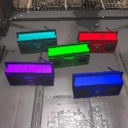
SKIMASKPersonalBoomboxes
Adds 3 personal boomboxes for me and my friends
| Last updated | 2 years ago |
| Total downloads | 3579 |
| Total rating | 0 |
| Categories | Audio |
| Dependency string | SKIMASK-SKIMASKPersonalBoomboxes-1.0.7 |
| Dependants | 0 other packages depend on this package |
This mod requires the following mods to function

BepInEx-BepInExPack
BepInEx pack for Mono Unity games. Preconfigured and ready to use.
Preferred version: 5.4.2100
Alice-YourOwnPersonalBoombox
Adds your very own boombox with your own songs separate from the in-game boombox
Preferred version: 1.1.0README
Required by ALL clients! Adds 3 personalized boomboxes for me and my group
Boombox 1 Juvi Boom Hail to the King by Avenged Sevenfold Savage by Lansdowne Kill Everyone by Hollywood Undead Never Give Up by Neffex R: 128, G: 0, B: 128
Boombox 2 Lazy Boom Chibi Chibi Chaba Chaba cat 1 hour version R: 0, B: 0, G: 0
Boombox 3 Robbie Boom In Da Club by 50 cent HK Slap by PSR R: 255, G: 0, B: 0
To make it work, follow these steps (I'm assuming you are using thunderstore mod manager):
Step 1: Download BepinEx, YourOwnPersonalBoombox and SKIMASKPersonalBoomboxes mods
Step 2: Start up Lethal Company modded
Step 3: Quit Lethal Company
Step 4: Find your BepinEx/Plugins files with your mods
Step 5: Open the SKIMASK-SKIMASKPersonalBoomboxes folder and the Your Own Personal Boomboxes folder
Step 6: Move the 3 folders Juvi, Lazy, and Robbie from the SKIMASK-PersonalBoomboxes folder to the Your Own Personal Boomboxes folder
Step 7: Enjoy
Any modifications made to the folder, all clients MUST have the same folder modifications.
