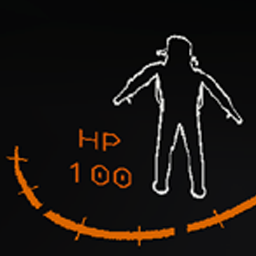
Added new config options for the location of the HP text relative to the number. The options are now Above, Below, Left, and Right.
Added a new Rainbow Mode as a config option which is false by default. Set the config to true to have the hue of the text update every frame.
Added a new RainbowSpeed config option which sets by how much the color changes each frame (aka the speed)
[1.3.2]
Added
Someone added an option to reintroduce the SystemsOnline bug as a config. This version of the release only published on GitHub but has been incorporated into 1.3.3
[1.3.1]
Fixed
Fixed a bug where the "SystemsOnline" and "OpenEyes" animation wouldn't play when joining a lobby
Fixed a bug where the Health Text would be deleted on Player Death, which should give a very, very tiny performance boost on player respawn
[1.3.0]
Added
Added Text Color as a config option. The default is the classic orange color, but you can change it to be whatever RGB color you want.
Fixed
Fixed a bug where the text color would appear red if the player was holding something heavy when the text asset was created.
[1.2.0]
Added
5 New Config Options to adjust the text to your liking
HPTextPosition: Defines if the label should be above or below the number
UnderlineTopLine: Separates the top and bottom row with a line
HPLabelName: Replaces the "HP" text with whatever you want! You could have your text say "100 men" if you wanted idk.
And in case anyone doesn't like where the text is placed, they can move it in the config
XOffset: Moves the text left and right
YOffset: Moves the text up and down
How To Configure
Navigate to your BepInEx/config directory in your Lethal Company installation folder and edit TreysHealthText.cfg in the text editor of your choice.
[1.1.0]
Fixed
Fixed a bug where the health text would scale whenever weight increases.
[1.0.1]
Fixed
Fixed a minor grammar mistake.
[1.0.0]
Added
First release of the project.
Thunderstore development is made possible with ads. Please consider making an exception to your adblock.