
Please disclose if your mod was created primarily using AI tools by adding the 'AI Generated' category. Failing to do so may result in the mod being removed from Thunderstore.
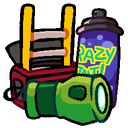
HoneeItemIcons
An addon for RuntimeIcons that replaces vanilla item icons with custom ones drawn by Honee! Includes icons for all scrap & equipment.
| Last updated | a week ago |
| Total downloads | 5521 |
| Total rating | 5 |
| Categories | Misc Client-side Equipment Items Asset Replacements Tweaks & Quality Of Life |
| Dependency string | debit_card_debit-HoneeItemIcons-1.0.6 |
| Dependants | 8 other packages depend on this package |
This mod requires the following mods to function

BepInEx-BepInExPack
BepInEx pack for Mono Unity games. Preconfigured and ready to use.
Preferred version: 5.4.2100
LethalCompanyModding-RuntimeIcons
Generate Icons for scrap at runtime, replacing the gear icon.
Preferred version: 0.3.3README
Preview
Tools / Equipment


Scrap


More:
Click to show all other icons


About
These icons were drawn by my good friend Honee! We're hoping this will be a fun addition to primarily vanilla packs, because plans for modded items are pretty limited at the moment.
Currently supported modded items:
- Elite Flashlight - EliteFlashlight by MissileMann

This IS also compatible with my other addon, RuntimeIcons_BetterRotations, keeping all those rotations/icons except for the ones replaced by this mod.
A message from Honee:
"Hey, so I like, made these for fun and enjoy making other stuffs too.
If you want to commission thingies or ask sum, you can contact me on discord as @thehonee"
(also, debbi here, you can find me in my thread in the modding discord pertaining to the icon mods)
Configuration
If you'd like to change which icons show up, you'll need to navigate to the RuntimeIcons config file, located in LethalConfig's menu (requires restart), or locally at [YourProfile]/BepInEx/config/com.github.lethalcompanymodding.runtimeicons.cfg.
- Change
List BehaviourtoWhiteList - Copy-paste one of the following strings into the
Item Listtext field:

Only keep items that had special icons in vanilla:
Vanilla/Walkie-talkie, Vanilla/Flashlight, Vanilla/Shovel, Vanilla/Lockpicker, Vanilla/Pro-flashlight, Vanilla/Stun grenade, Vanilla/Boombox, Vanilla/TZP-Inhalant, Vanilla/Zap gun, Vanilla/Jetpack, Vanilla/Extension ladder, Vanilla/Radar-booster, Vanilla/Spray paint, Vanilla/Weed killer, Vanilla/Belt bag, Unknown/clipboard, Vanilla/Key, Vanilla/Shotgun, Vanilla/Gift, Unknown/Maneater

Keep all items that have a custom icon made:
(For essentially disabling runtime-generated icons for modded scrap)
Vanilla/Walkie-talkie, Vanilla/Flashlight, Vanilla/Shovel, Vanilla/Lockpicker, Vanilla/Pro-flashlight, Vanilla/Stun grenade, Vanilla/Boombox, Vanilla/TZP-Inhalant, Vanilla/Zap gun, Vanilla/Jetpack, Vanilla/Extension ladder, Vanilla/Radar-booster, Vanilla/Spray paint, Vanilla/Weed killer, Vanilla/Belt bag, Unknown/clipboard, Vanilla/Key, Vanilla/Shotgun, Unknown/Sticky note, Vanilla/Gift, Vanilla/Ammo, Vanilla/Kitchen knife, Unknown/Body, Unknown/Maneater, Vanilla/Airhorn, Vanilla/Apparatus, Unknown/Apparatus, Vanilla/Hive, Vanilla/Big bolt, Vanilla/Big screw, Vanilla/Bone, Vanilla/Bottles, Vanilla/Bell, Vanilla/Candy, Vanilla/Cash register, Vanilla/Chemical jug, Vanilla/Clock, Vanilla/Clown horn, Vanilla/Mug, Vanilla/Comedy, Vanilla/Control pad, Vanilla/Cookie mold pan, Vanilla/Homemade flashbang, Vanilla/Dust pan, Vanilla/Ear, Vanilla/Easter egg, Vanilla/Egg, Vanilla/Egg beater, Vanilla/Fancy lamp, Vanilla/Flask, Vanilla/Foot, Vanilla/Garbage lid, Vanilla/Gold bar, Vanilla/Golden cup, Vanilla/Golden goblet, Vanilla/Brush, Vanilla/Hairdryer, Vanilla/Hand, Vanilla/Heart, Vanilla/Jar of pickles, Vanilla/Knee, Vanilla/Large axle, Vanilla/Laser pointer, Vanilla/Magic 7 ball, Vanilla/Magnifying glass, Vanilla/Old phone, Vanilla/Painting, Vanilla/Perfume bottle, Vanilla/Pill bottle, Vanilla/Plastic cup, Vanilla/Plastic fish, Vanilla/Remote, Vanilla/Ribcage, Vanilla/Toy robot, Vanilla/Rubber ducky, Vanilla/Red soda, Vanilla/Steering wheel, Vanilla/Stop sign, Vanilla/Metal sheet, Vanilla/Tea kettle, Vanilla/Teeth, Vanilla/Toilet paper, Vanilla/Toothpaste, Vanilla/Toy cube, Vanilla/Toy train, Vanilla/Tragedy, Vanilla/V-type engine, Vanilla/Ring, Vanilla/Whoopie cushion, Vanilla/Yield sign, Vanilla/Zed dog, Vanilla/Soccer ball, LethalLib/LCEliteFlashlight/Elite-flashlight

Maneater icon
Currently, due to the way this "item" works, RuntimeIcons can't replace this one icon as easily. It is still possible to see in-game, but requires a couple extra steps.
NOTE: After doing this, the icon will remain replaced until the game closes. You can switch save files or lobbies and still see it, but after closing & re-opening the game it'll have to be repeated.
1: Pick up a maneater.

2: While the maneater is still being held, navigate to the LethalConfig menu and click on RuntimeIcons. You should see an option "Refresh held item".
3: Click the "Refresh" button.

- The maneater will now have a cuter icon!

