
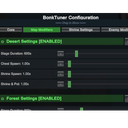
BonkTuner
Customize game difficulty with map modifiers, enemy spawn presets, shrine multipliers, and more. Features an in-game UI for real-time configuration.
| Last updated | 2 weeks ago |
| Total downloads | 1404 |
| Total rating | 0 |
| Categories | Mods Tools Misc |
| Dependency string | ZeusesNeckMeat-BonkTuner-1.1.1 |
| Dependants | 0 other packages depend on this package |
This mod requires the following mods to function

BepInEx-BepInExPack_IL2CPP
BepInEx pack for IL2CPP x64 Unity games. Preconfigured and ready to use.
Preferred version: 6.0.733README
BonkTuner
A comprehensive configuration mod for Megabonk that lets you customize difficulty, pacing, and rewards with an in-game UI.
Features
Map Modifiers (Per-Map Configuration)
- Stage Duration: Adjust how long each stage lasts (seconds)
- Chest Spawn Multiplier: Control natural chest spawn rates
- Shrine Spawn Multipliers: Adjust shrine and pot spawn rates
- Individual configs for Desert, Forest, and Graveyard maps
Enemy Spawn Presets
Five difficulty presets that modify enemy spawning behavior:
- Casual: Fewer enemies, slower spawning (0.5x targets, 1.5x spawn interval, 0.75x credit gain)
- Normal: Default game balance (1x everything)
- Intense: More enemies, faster spawning (1.5x targets, 0.75x spawn interval, 1.25x credit gain)
- Swarm: Overwhelming numbers (2x targets, 0.5x spawn interval, 1.5x credit gain)
- Apocalypse: Maximum chaos (3x targets, 0.33x spawn interval, 2x credit gain)
Shrine Multipliers
- Charge Rate: Speed up or slow down shrine charging
- Reward Multiplier: Scale stat bonuses from shrines
- Frequency-Based: Multiply effects based on player level, shrines charged, stages completed, and more
Other Modifiers
- Enemy Chest Drop Chance: Adjust the probability of enemies dropping chests on death
Installation
Install BonkTuner with a mod manager like r2modman or Thunderstore Mod Manager
Usage
- Press F5 in-game to open the configuration UI
- Can change in the mod's config file
- Changes apply immediately when you start a new run
- All settings are saved to your BepInEx config file
Core Settings Tab
- Enable/disable the entire mod
- Toggle functionality during challenge runs
Map Modifiers Tab
- Configure each map (Desert, Forest, Graveyard) individually
- Enable/disable per map
- Reset to defaults with one click
Shrine Settings Tab
- Select frequency-based multipliers (per level, per shrine, per stage, etc.)
- Adjust charge rate and reward multipliers with sliders
Enemy Modifiers Tab
- Choose from 5 enemy spawn presets
- View real-time effects of each preset
- Adjust enemy chest drop rates
Configuration
All settings are saved in BepInEx/config/ZeusesNeckMeat_BonkTuner.cfg
You can edit the file manually or use the in-game UI.
Compatibility
- BepInEx 6 (IL2CPP) required
- Should be compatible with most other mods
- If experiencing issues, try disabling other mods to isolate conflicts
Development Setup
- Clone the repository
- Create a
BonkTuner.csproj.userfile with your local R2ModMan path:
<Project>
	<PropertyGroup>
		<R2ModManProfile>YOUR_PATH_HERE</R2ModManProfile>
	</PropertyGroup>
</Project>
- Build the project
Support
Report issues on the GitHub repository
