
Mods that depend on BepInExPack PEAK

Allows you to hook into walls, resetting your momentum, and preventing fall damage.
Last updated: 6 months ago

Hungry for s'more? Adds 10 new hats, including a bald/no hat option!
Last updated: 5 months ago
Who knew that PEAK could get even more PEAK!? An all-in-one feature & fix mod for larger expeditions! Patch: 1.52.a
Last updated: 3 days ago
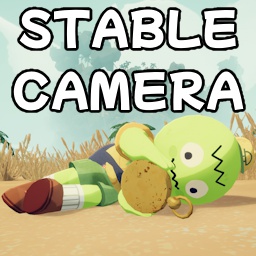
Stabilizes the camera wobble and uses contextual third-person views to prevent motion sickness.
Last updated: 2 months ago

Adds a new microphone prop item to PEAK
Last updated: 6 months ago

Lighting a campfire now spawns a few items to choose from.
Last updated: 6 months ago

Disables the Spacebar Autoclimbing
Last updated: 6 months ago

An extremely simple way to add new pages to the Settings window.
Last updated: 6 months ago

A few quality of life changes for multiplayer.
Last updated: 6 months ago

Adds an alert sound to Bing Bong based on the config
Last updated: 6 months ago

Swing on ropes you are climbing.
Last updated: 6 months ago

PEAK French (fork from RTLC)
Last updated: 6 months ago
Join lobbies seamlessly with unique invite codes. No more long steam join links.
Last updated: 5 months ago

Give you the last chance to use one item before you become unconscious.
Last updated: 2 months ago

Allows players to control their gravity by Holding [G] and scrolling the mouse wheel.
Last updated: 7 months ago

Use ancient status to revive your friends with no curse!
Last updated: 2 months ago

Mod to catchup players joining mid-session.
Last updated: 7 months ago

Makes emotes not stop until you move.
Last updated: 6 months ago

Adds new hats to PEAK!
Last updated: 2 months ago

Mod for speedrunners
Last updated: 6 months ago

Replaces PEAK Airport sounds on entering into Jet2 Holiday sound
Last updated: 7 months ago

It allows you to spawn infinite flares without needing to waste an inventory slot.
Last updated: 7 months ago

An AI-slop plugin to easily replace textures, the Tmbol special treatment. Just drop images with the same gamefile name in the "Textures" folder next to the DLL.
Use UABEA to get the name of the textures.
Last updated: 7 months ago
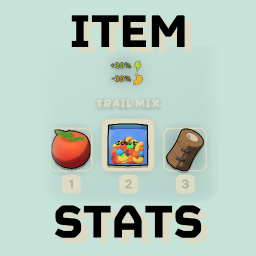
See statistics of the selected item in your inventory!
Last updated: a week ago
