
| Last updated | a month ago |
| Total downloads | 95305 |
| Total rating | 13 |
| Categories | Quality Of Life Client Side |
| Dependency string | Coomzy-Compass_UI-1.0.1 |
| Dependants | 29 other packages depend on this package |
README
Compass UI
Features:
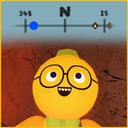
- Shows a UI strip at the top of the screen
- Players show up as dot markers (colored to match their customization)
- Suitcases/Luggage can show up as brown diamonds markers (by default, ping them "P" shows nearby suitcases for 6 seconds)
- All markers show their distance from the player
- Markers show an Up arrow if the target is above the player, and a down arrow when it is below
Options:
- Whether compass shows players or not (default: on)
- Whether suitcases show all the time, or require a "ping" button press (default: require ping)
- Distance at which suitcases will show (default 100 meters)
- What button pings for suitcases (default: P)
Installations: Click Manual Download, open the zip, drop only the Compass.dll file into the below path. <whatever>\steamapps\common\PEAK\BepInEx\plugins
Issues:
-
If you're using the "PeakStats" mod, with both the timer and altidude UI showing, it'll slightly overlap: You alevitate this a bit by turning off the altitude UI, or just put up with a slight overlap.
-
Overlapping distance text is hard to read: I know, but I don't care enough to fix it.
Here's some video of it in action: https://www.youtube.com/watch?v=Gq9sF5Jbdjw
