Zombies at Night mod WIKI

Updated 3 weeks ago

Zombies at Night

Author: Kimii | Heroes | Version: 1.0.3

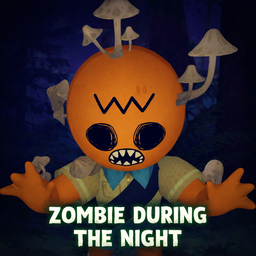
Zombie Chaos turns the night into a fight for survival. When the sun goes down, zombies begin to rise from the ground near players. They will hunt you until the sun rises, at which point they burn and vanish.

Designed for Difficult gameplay, this mod creates constant pressure, forcing you to keep climbing.


🛑 Features

  • Night Cycle Spawning: Zombies only spawn between sunset and sunrise.
  • Daylight Burning: At sunrise, all active zombies are instantly destroyed.
  • Horde Logic: Zombies spawn in groups (waves) rather than one by one.
  • Multiplayer Compatible: Fully synced using Photon. Only the Host (Master Client) handles the spawning to prevent desync.
  • Smart Positioning: Zombies spawn near random players but check for valid ground to avoid spawning in walls or mid-air.

⚙️ Configuration Guide

You can edit the settings in the BepInEx/config/Heroes.cfg file (created after you run the game once).

🧟 Spawning Behavior

Setting Default Description
MaxZombies 15 The hard limit on how many zombies can exist at once.
Interval 3.0 How many seconds between each spawn wave. Lower = More intense.
SpawnChance 100 The percentage chance (0-100) that a wave will spawn when the timer hits.
Jitter 1.0 Adds randomness to the timer. e.g., if Interval is 3s and Jitter is 1s, waves spawn every 2-4 seconds.

🌊 Wave Size

Setting Default Description
MinSpawnCount 2 The minimum number of zombies that spawn in a single wave.
MaxSpawnCount 4 The maximum number of zombies that spawn in a single wave.

📏 Positioning & Lifetime

Setting Default Description
SpawnDistMin 3.0 Minimum distance from the player (in meters). Keeps them from spawning inside you.
SpawnDistMax 8.0 Maximum distance from the player. Defines how far away the horde appears.
Lifetime 300 How long (in seconds) a zombie stays alive before naturally despawning. Default is 5 minutes.

⚠️ Notes & Compatibility

  • Multiplayer: This mod must be installed by the Host.
  • Performance: If you experience lag, try lowering MaxZombies to 10 or increasing the Interval to 60.

📥 Installation

  1. Download and install BepInEx.
  2. Drop the ZombieAtNight.dll into your BepInEx/plugins folder.
  3. Run the game once to generate the config file.