
sPEAKer
Now with YOUTUBE! — Some guy had it aboard. Does it still work?
| Date uploaded | a week ago |
| Version | 2.0.0 |
| Download link | onlystar-sPEAKer-2.0.0.zip |
| Downloads | 6898 |
| Dependency string | onlystar-sPEAKer-2.0.0 |
This mod requires the following mods to function


README
Sophisticated Pulse-Eloquent Acoustic Kymatologic Eidolon Reverberator


🎶 ...or just sPEAKer
This is sPEAKer, my first ever mod!
Unlike the bugle, sPEAKer is an independent audio source. Simply press play and enjoy your music. Drop it, toss it around, audio will just not stop!
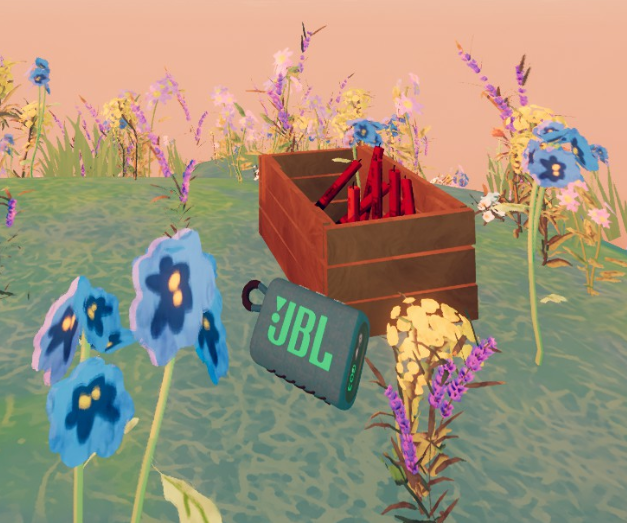
sPEAKer at the PEAK.
The main feature of this mod is that it works as a true portable speaker. Instead of playing 2D music for everyone, it leverages spatial audio to make it part of the immersive experience of PEAK.
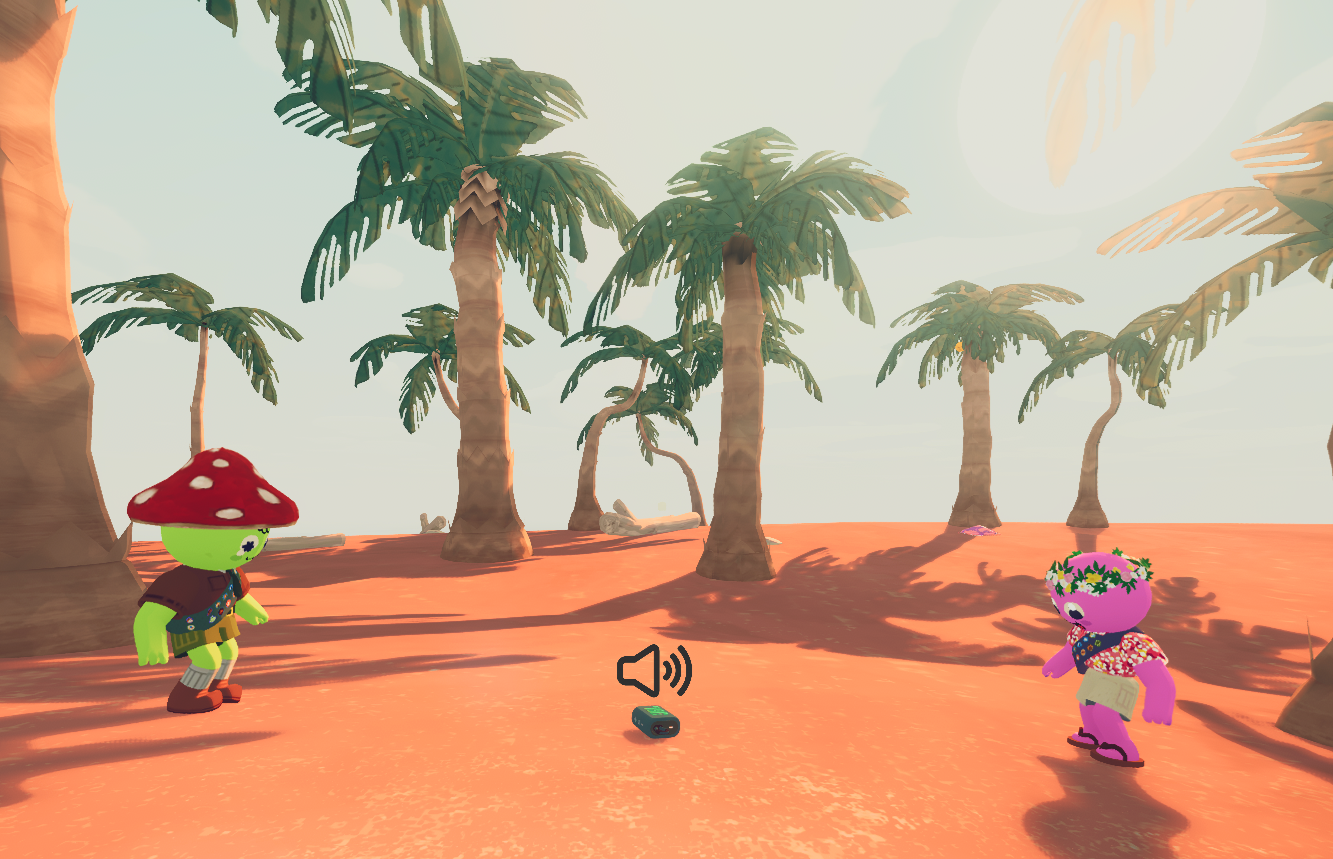
It won't stop playing if you drop it.
Additionally, it supports MP3 and WAV out-of-the-box on top of your regular OGG files.
You can also download mixtapes from the Thunderstore or put together your own and share with friends, or even upload them too!
🎮 Controls & Features
Primary playback uses your regular interaction buttons, whatever they are. Controller compatible.
-
Primary: Play/Pause toggle
-
Secondary: Next Song
-
Scroll: Volume Up/Down
The following controls are not meant for Controllers, but they might work. For rebinding, see "Keybinds" section.
-
Shift + Secondary: Previous Song
-
Ctrl + Secondary: Toggle Shuffle
-
Alt + Secondary: Cycle Loop modes
-
Y: Activate YouTube Radio / Open YouTube Input
-
Ctrl + Y: Go back to Mixtape playback (from YouTube Radio)
-
P: Activate Drone Mode
-
Ctrl + P: Activate Drone Recall
-
O: Dance Emote (when Drone Mode is active)
-
U: Bring up sPEAKer UI (queue system)
-
Local Volume Control: Is available via Pause Menu:
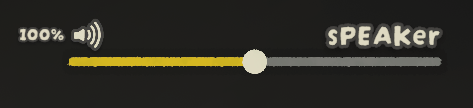
This slider only affects your own playback.
Manual Installation
- Install BepInEx for PEAK
- Install required dependencies
- PEAKLib.Items
- PEAKLib.Core
- SoftDependencyFix
- MonoDetour_BepInEx_5
- MonoDetour
- ytModule
- Place the mod files in your BepInEx plugins folder
- Launch PEAK
NOTE: Not all dependencies go into /plugins. If you have issues, use a mod manager before asking for support.
Adding Music
After launching PEAK, your default music folder will be created:
.../plugins/onlystar-sPEAKer Music
This is intended for local playback. To listen in with your friends, you should use mixtapes.
📀 Introducing: Mixtapes
A mixtape is simply a folder containing your collection of audio files.
To create one, start by creating a new folder inside your default music folder (onlystar-sPEAKer Music) and drop your songs in it. The name of the folder will be used as the mixtape's name by default.
Optionally, you can also include a mixtape.json file inside your mixtape folder:
  {
    "name":  "Undertale Bosses",
    "author":  "onlystar"
  }
This takes priority over default naming and allows you to sign your Mixtape with your name.
The mixtape name will be shown in-game when a song from your mixtape starts playing.
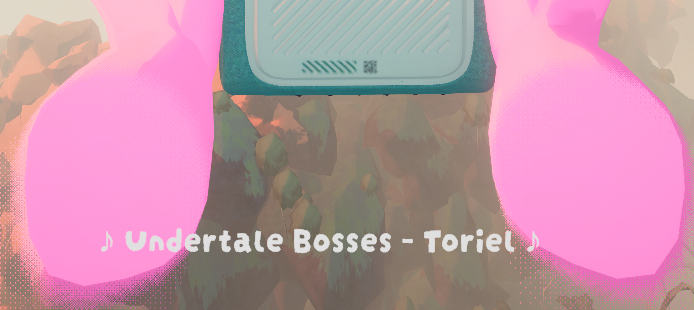
Yes, it's "Mixtape Name - Song Name"
🎧 "Mixtapes" in Thunderstore
Mixtapes are really easy to share and manage. Since release, the available catalogue of mixtapes in the Thunderstore has grown to around 500 SUBMISSIONS!! Thank you all for enjoying sPEAKer!
There are SO MANY that there's even an exclusive filter for them:
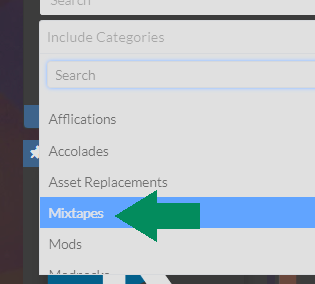
Just in case you wanna list them all or filter them out of your browsing.
Bundling a mixtape for Thunderstore 
If you want to upload your own mixtape as a mod to share with your friends, just put an empty sPEAKer.json file in the same folder as your mixtape folder.
You can refer to the general instructions for Manual Packaging as described here.
There's also an alternative explanation on how to create mixtapes here.
As a minimum, your package should include a manifest.json, a README.md, a /plugins folder and (hopefully) a 256x256 icon.png.
manifest.json is formatted as follows, and should list sPEAKer as its dependency:
  {
    "name": "Demo_Mixtape",
    "author": "onlystar",
    "version_number": "1.0.0",
    "website_url": "",
    "description": "I'm a short description!",
    "dependencies": [
      "onlystar-sPEAKer-2.0.0" // remember to add this line
    ]
  }
This way, you can point your friends to your mixtape and their mod manager will install sPEAKer along with it.
Think carefully about the "name". Once uploaded, you can't change it.
plugins/ folder is where your songs are. It should follow a structure like this:
plugins/
├── sPEAKer.json // <-- this file is empty!
└── my mixtape/
    ├── a true hero.ogg
    ├── omega flowey.mp3
    ├── ...
    └── mixtape.json
sPEAKer.json is the way to tell sPEAKer that your uploaded mod includes a mixtape, otherwise it won't find it.
Important Note: Even though MP3 and WAV are supported, it is highly recommended that you use OGG format. It's the fastest to load, smallest in size and you lose negligible quality. You can use a tool like Convertio or, if you're up for using scripts, check out the Wiki tab for the script I use for mass converting MP3 into OGG.
At this point, you should have everything to put together your package, like so:
some_folder/
├─ manifest.json
├─ README.md
├─ icon.png
└─ plugins/ <-- the folder from before!!
Your next step is to put these files inside a ZIP. This does NOT MEAN to ZIP the containing folder (like "some_folder" in this example), it should only be the contents. In other words, when opening your ZIP you should directly see the manifest.json, README.md, icon.png and plugins/ folder inside.
Once your package is ready, upload it to Thunderstore.
You should only select "Mixtapes" in the Categories field.
💡 Don't delete the files you created your package with! (manifest, README, etc)
👇 It's important for the next section
Updating your Thunderstore mixtape
If you wanna add songs to an already published mixtape, add your songs to the original (uncompressed) plugins/ folder and bump the "version_number" up that's inside your manifest.json. DON'T change the "name" field, otherwise Thunderstore will create a new mod instead of updating the existing.
  {
    "name": "Demo_Mixtape",
    "author": "onlystar",
    "version_number": "1.0.1", // previously "1.0.0"
    "website_url": "",
    "description": "",
    "dependencies": [
      "onlystar-sPEAKer-2.0.0"
    ]
  }
ZIP it once again and reupload it.
You should only select "Mixtapes" in the Categories field.
Disclaimer: Make sure you have permission to upload the audio files your mixtape contains to Thunderstore.
 YouTube Radio
This has been requested endless times, and it's finally arrived!
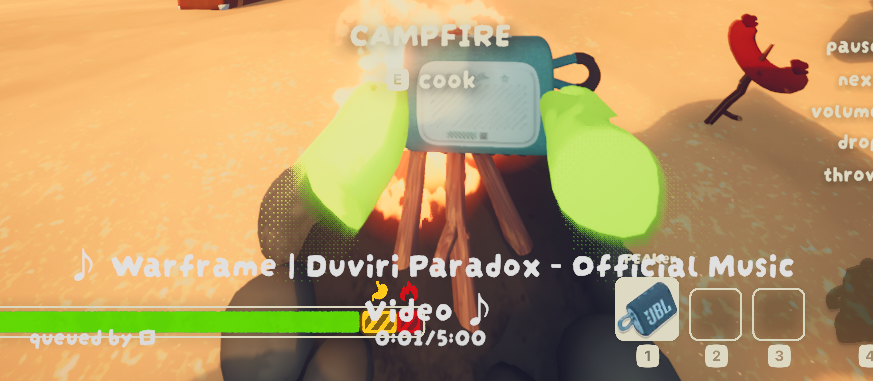
Here's how to get it started:
- After turning sPEAKer on, switch to YouTube Radio using
Y. - A small window will appear. You must enter a YouTube link into it and press Enter.
It is autoplay from here! A queue of songs will be filled with endless recommendations based on the song you entered.
The recommendations are made to be quite aggressive in their "likeness", so whatever song you pick will become the vibe.
💾 We have playlists at home
While on YouTube Radio, whoever is controlling sPEAKer can press Y to bring the link window up again. Here you can enter a new song to reset the radio from, meaning the queue will adapt to the new song you pick.
As an alternative to this, Playlist URLs are supported too!
If you enter the URL to a YouTube playlist, you skip the recommendations system altogether and the queue will fill with your playlist instead. Playlist support includes albums from YouTube Music, as they are treated as playlists as well.
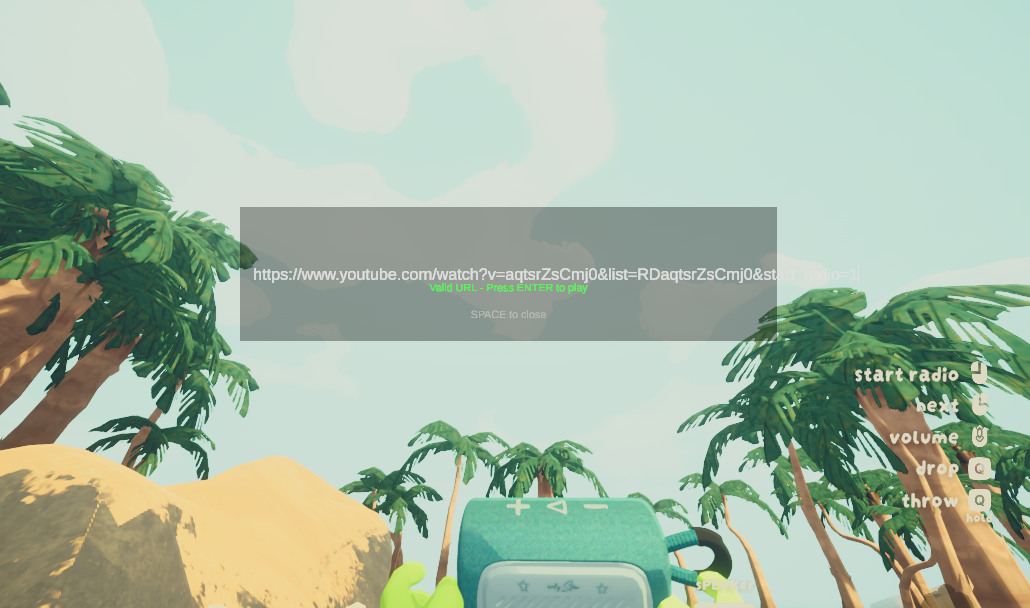
You don't need to clean URLs either, just copy and paste.
https://www.youtube.com/watch?v=s1ATTIQrmIQ&list=RDAMVMs1ATTIQrmIQ
https://music.youtube.com/playlist?list=OLAK5uy_kITj3Vy7-mmbGgBqfGT2RpY9zQ8aLg9-I
https://youtu.be/_ulQaM9c0vA?si=PTx_SxT8Jbjg2Oij
Hopefully this makes up for the lack of a proper manual queue :p
🔃 Switch it up
While on YouTube Radio, if you wanna go back to your mixtapes, you can do so with Ctrl + Y.
This will take you back exactly where you left your mixtape playing, so you always have a backup vibe just in case. Keep in mind however, YouTube Radio does not save state yet. When you enter YouTube mode, you'll have to enter a URL again.
More Features!
🪽 Featuring: Drone Mode
Instead of having a dedicated slot, you can make sPEAKer engage Drone mode and it will follow you around!
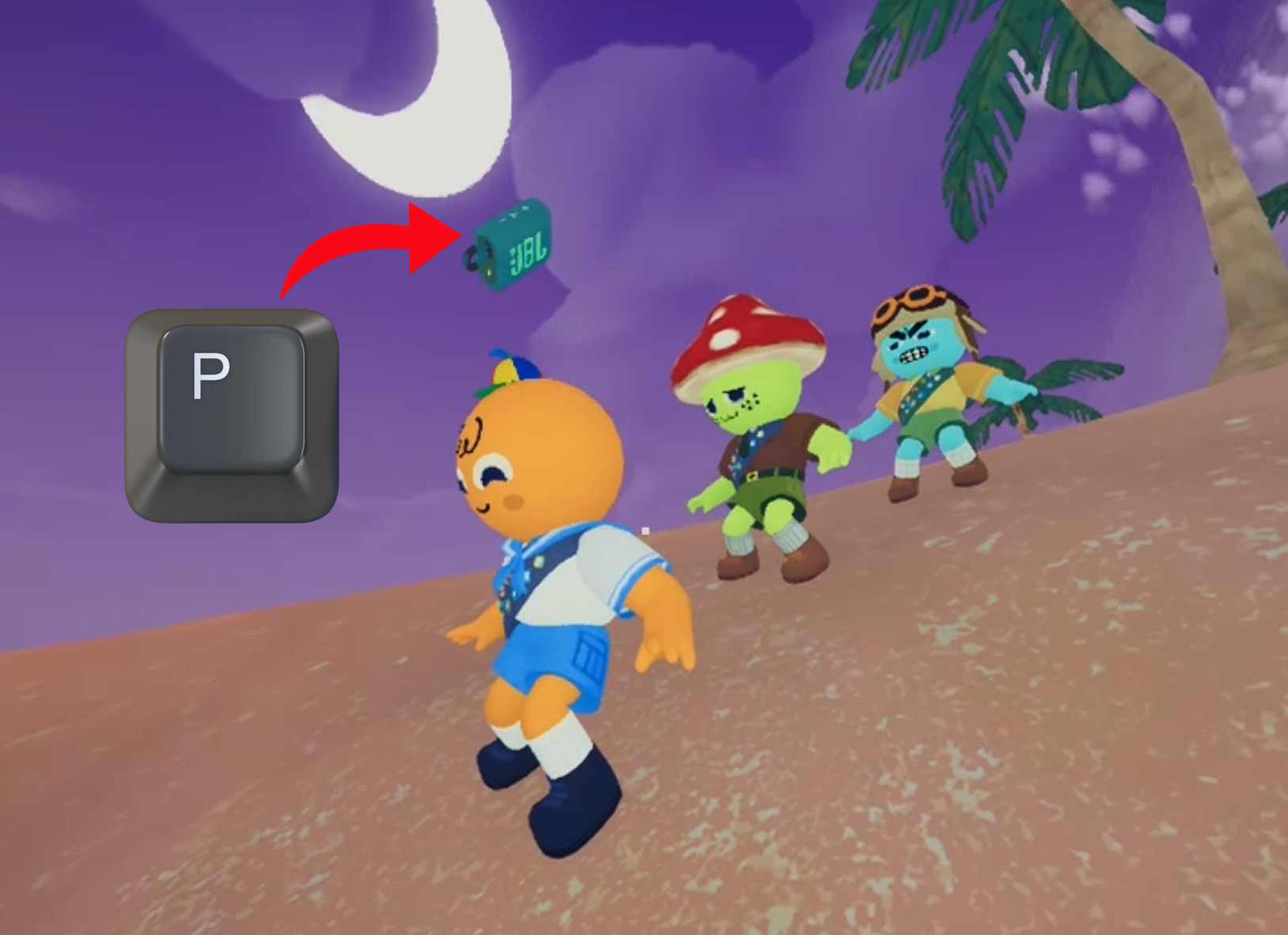
👉 Drop it, press P and you will be followed anywhere you go.
🔍 If you happen to lose it, use Ctrl + P to make it come back directly to you.
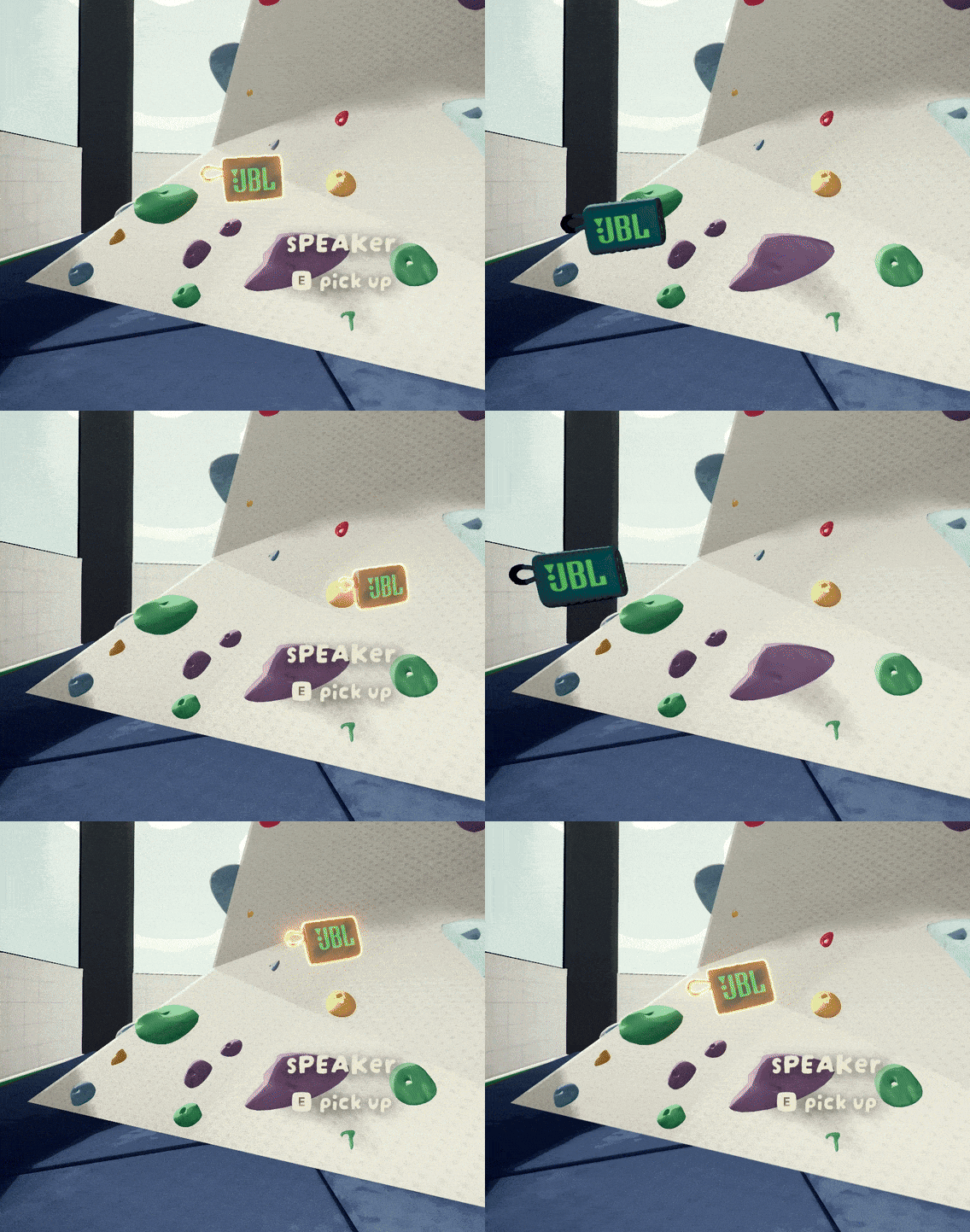
🕺 It can also Dance!
sPEAKer features 9 different dance motions / emotes.
Press O when Drone Mode is activated to strike a move!
🌠 You're in Control
Take your session in however direction you like.
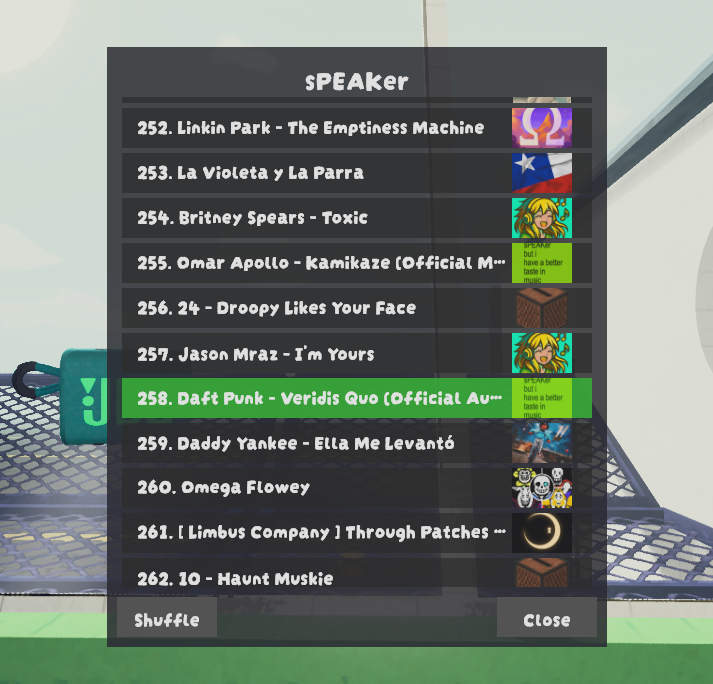
When holding or being followed by sPEAKer, you can press U to bring up the UI.
You can reorder songs by drag and dropping, or directly select one to play from.
Configuration Options 🪚🔧🔨
These are options you can change before starting your game.
You can find them in BepInEx/config/onlystar.sPEAKer.cfg or via your mod manager.
| Key | Category | Description | Default Value |
|---|---|---|---|
| ExternalAudioFolderPath | 💾 Audio Loading | Folder path where sPEAKer will mainly load mixtapes and external audio from. It's recommended to leave unchanged. | "..\onlystar-sPEAKer Music" |
| LoadDemoSong | 💾 Audio Loading | Include a demo song in your track list. | true |
| ExtendedFormatSupport | 💾 Audio Loading | Enables loading of MP3 and WAV files. May impact performance. | true |
| StartupLoadingIndicator | 💾 Audio Loading | Shows a loading text during game start. | true |
| FastLoad | 💾 Audio Loading | Makes sPEAKer load songs during gameplay instead of at game start. | true |
| ShowTrackDuration | 🔊 Playback | Shows every song's current time and length. | true |
| DisplayMixtapeAuthor | 🔊 Playback | Displays mixtape author during mixtape playback. | true |
| ShuffleOnStart | 🔊 Playback | Start with Shuffle enabled by default. Saves you a toggle if you only want shuffled playback. | false |
| TurnOnAndPlay | 🔊 Playback | Make sPEAKer start playing immediately after turning it on. | false |
| SoundEffectsEnabled | 🔊 Playback | Enables JBL sound effects. | true |
| UseSpatialAudio | 🔊 Playback | Enables proximity-based audio. If false, playback will sound globally instead of coming from the sPEAKer. | true |
| SpawnAtGameStart | 📻 Spawning | Automatically spawn a sPEAKer around the crash site when a game starts. | true |
| SpawnWithF4 | 📻 Spawning | Allows the host to spawn a sPEAKer in their hands when pressing F4. Only one sPEAKer may exist at a time. |
true |
| RecallEnabled | 📻 Spawning | Enables recalling existing sPEAKer when pressing F4. Only works if SpawnWithF4 is also enabled. Also, a sPEAKer can only be recalled if it's in the ground (not in a slot). |
true |
| DebugMode | 📜 Logging | Enables custom verbose logging. If you want to report a bug, please include your BepInEx/LogOutput.log! |
false |
⌨️ Keybinds
To change keybinds more easily, I recommend using ModConfig.
The following keybinds are currently configurable:
| Key | Description | Default Value |
|---|---|---|
| DroneToggle | Drone Mode toggle. | P |
| RecallCommand | Hold this while pressing DroneToggle key to make sPEAKer "recall" to you instead of looking for people nearby. | Ctrl(so default usage is Ctrl + P) |
| DanceEmote | Makes sPEAKer dance when Drone Mode is active. | O |
| YouTubeKey | Enter Youtube Radio mode. Hold Ctrl and this key to exit. | Y |
| SpawnKey | Key to spawn a sPEAKer if the corresponding spawning option is enabled. | F4 |
| QueueUIKey | Opens Queue UI. | U |
Keybinds are released regularly alongside new features.
️Technical Notes
Mixtape Playback
- For the best experience, everyone in the room should have the same tracks and mixtapes.
- The host always owns the tracklist canon, which means everyone must play the host's catalogue regardless if you have more music locally.
- If you're missing a song your host has, you'll hear white noise instead. Songs are content-hashed on load, so playback will resume when the host plays something you do have.
- Large files (4MB+) and MP3/WAV files cause significant lag spikes during loading. OGG is strongly recommended.
- Shuffle randomizes your list every time you toggle it on, so you might get repeated songs if you toggle it more than once.
- If you experience lag when playing music, you can load during game startup instead by setting FastLoad to
false. You'll then experience a big lag spike when game boots up until music loading finishes, but have no lag during playback. - Beware of loading too much music with FastLoad set to
false, as every song will fully load into RAM. This has been tested with up to 250 songs (a mp3/wav/ogg test mix) on a 32 GB system. Potentially more songs could be achieved by using OGG exclusively, and even more if you choose more aggressive compression methods. ExternalAudioFolderPathis set only on first mod load. When moving your game folder, the path won't automatically change. You should set it to your music's folder new location, or you can deleteconfig/onlystar.sPEAKer.cfgto regenerate the correct path (this also resets your other configs).- When importing a profile code, it copies both mods AND configs from the original profile. This includes their
ExternalAudioFolderPath, which will inevitably be an invalid path in your machine. To avoid issues, sPEAKer will automatically default to a relative path toplugins/onlystar-sPEAKer Musicwhen it detects it has been installed through a profile code. Mixtapes downloaded from Thunderstore are unaffected by this config, which is probably the main source of music for shared profiles anyway.
YouTube Radio
- This mode has been designed to be used slow. Skipping too quickly will result in a messy state. The room will eventually sync again, but it can take some time.
- If you're ever stuck in a messy state too long while in YouTube Radio, you can fix it by pressing
Yand entering an URL. This works because it kills all pending actions/downloads to prioritize the one you just entered. - Despite the name, YouTube Radio is download-based and does not stream. This may change in the future.
- Songs next in queue are always being downloaded in the background. This means that while you play a song, you are also downloading the next 10 or so in the queue to achieve a faster playback experience similar to that of mixtapes.
- YouTube Radio always keeps a small cache of songs in
%temp%/sPEAKerYT, so it's possible you won't need to download tracks you have played recently, like when using "Previous". A future update will include configs to set the size of this cache to whatever you want, be it in terms of disk space or amount of songs. - The sync strategy in YouTube Radio is host-centric. The host always starts playing first, and the rest catch up to them when they can.
✈️ 2026 Roadmap ✈️ (in no particular order)
YouTube Radio:
- Song cache size config
- Queue UI for radio playback
- Better URL input window
- Search songs by text
- Option to switch sync strategy to "Wait for everyone" instead of "Catch up to the host"
- Option to stream instead of downloading
General:
- Video playback in airport
- Other platforms support (Soundcloud, Vimeo, etc.)
- Custom achievements for Atomic's Leveling mod
Created by onlystar - Bringing music to the PEAK experience!
CHANGELOG
Changelog
[2.0.1]
- Added a sound effect when entering YouTube mode.
- Added fade out to white noise (what you hear when the host plays a song you don't have in Mixtape mode).
- Fixed stutter when playing any song in YouTube mode.
- Fixed URL window not closing when switching back to Mixtape mode.
- Fixed playback state not updating correctly between modes.
- Fixed an issue that prevented getting back to Mixtape mode without playing at least one YouTube song first.
- Fixed YouTube playing on top of Mixtape playback if switching modes during download.
- Fixed an issue where URL window would not open using
Yafter closing it withSpace.
[2.0.0] YouTube Radio
- Added YouTube playback! Press Y to start.
[1.9.9]
- Fixed Local Volume slider not showing up.
- Restored Dance emotes! I disabled them because of a breaking change back in 1.9.5. It still has some bugs though, like when you quickly spam emotes and the entire world gets progressively smaller.
[1.9.8]
- Fixed Drone mode for ROOTS update.
[1.9.7]
- NEW CONFIG: FastLoad. Will make sPEAKer not load all songs into memory at game start. Unlike other new configs, FastLoad will be
trueby default as it's a huge performance improvement if it works. If you just updated and are facing lag when playing songs during gameplay, just turn this setting tofalseto move that lag back to the game start again. Thanks to CptnObservant for the tip! Very observant indeed. - Fixed Queue UI not showing up.
- Properly refactored the module that japanesed the game in 1.9.5
[1.9.6]
- Fixed the japanese
- If I had a million dollars every time I released a "fix" that fatally breaks the game, I'd have two millions

[1.9.5]
- Fixed broken font from recent update.
- Drone pairing is now immediate.
- FINALLY FIXED invisible sPEAKer when late joining.
- FINALLY FIXED VISUAL STUTTERING!!! which unfortunately came with the trade off that Drone Dance emotes stopped working. I'm sorry to all 5 of you that used them. Also I'm still tinkering with the new way of syncing so this one is actually more like CHANGED VISUAL STUTTERING TO A DIFFERENT ONE!!!!!
- Added a hidden Laser firing mode.*
[1.9.4]
- Dance moves are now networked, me dumb forgot to back in 1.8.2
- Fixed an issue where late joining clients would become rebels and not listen to anything the host had to say.
- "Next" will now start next song even if paused.
- Simplified Technical Notes section in README.
[1.9.3]
- Revamped late joining sync to use host-client handshake so that state is properly set regardless of network conditions (up to a certain threshold). Also added extra checkpoints to ensure a bad state doesn't contaminate all the party.
- Fixed an issue where local volume value would not be reflected in the slider upon going back to main menu and starting a new game.
- Fixed an issue where networked volume would break under certain conditions.
- Fixed an issue where F4 could spawn multiple sPEAKers during item state transtitions. It should now be impossible, unless you spawn it through other methods for which you're fully responsible of :p
[1.9.2]
- Added a Help page to the UI. (Sections: Getting Started, Keybinds and Queue Usage)
- Made it far easier for myself to add new UIs. Up next: Live Settings.
[1.9.1]
- Added Reset button to Queue UI. It restores the queue to its original order. There's no "undo", so it requires a long-press to prevent accidental resets.
[1.9.0] UI UPDATE
- Added Queue UI! Press
Uto toggle. - See what's playing, what's played and what's next. Drag and Drop to reorder or Pick a song directly!
- Queue UI can be toggled by anyone who is holding or is currently being followed by sPEAKer.
- NEW CONFIG: QueueUIKey. Yeah this time the new feature comes with its keybind configurable right away lol. Default:
U - NEW CONFIG: UseSpatialAudio. If DISABLED, playback will sound globally instead of coming from sPEAKer. Default:
true - Fixed an issue where some mixtapes were not recognized as such given how they were packaged, causing metadata issues. The audio master was adjusted to account for different styles of packaging and should reliably read most if not all of existing mixtapes now.
[1.8.8]
- NEW CONFIG: SpawnKey keybind. Default:
F4 - NEW CONFIG: SoundEffectsEnabled. Default:
true
[1.8.7]
- NEW CONFIG: DroneToggle keybind. Default:
P - NEW CONFIG: RecallCommand keybind. Default:
LeftControl(used with DroneToggle key) - NEW CONFIG: DanceEmote keybind. Default:
O - Updated sPEAKer Wiki.
- Actually improved README (last time I only wrote it in the Changelog but didn't do it lol).
[1.8.6]
- NEW: Packaged mixtapes will now show their existing icon.png as mixtape art.
- Laid the foundation for upcoming playlist feature.
- Improved README.
[1.8.5]
- Hashes are now cached for a slight audio loading optimization.
- Drone search should now start following as soon as someone is within range.
- Fixed an issue where all dance moves had a small chance to become unselectable by the random picker.
[1.8.4]
- Added sound effects when sPEAKer is searching someone to follow and when it finds them.
- Added Drone Recall with
Ctrl + P. Command sPEAKer to start following you no matter the distance. - As the host, you can no longer steal sPEAKer with
F4while it's following someone else. Grabbing it manually is still fair game. - Similarly, you can't use Drone Recall if it's following someone else.
- Optimized late player sync.
[1.8.3]
- Fixed an issue where sPEAKer would just refuse to load.
[1.8.2]
- Added 9 DANCE Moves! Press
Owhen in Drone Mode. - Removed unintended minimal volume hidden setting. You can now throw sPEAKer very far away and actually enjoy silence and find inner peace.
- Changed how audio falloff curve feels. This is a manually crafted effect, so any feedback from any audiophiles out there in the wild is greatly appreaciated.
- HUGE REFACTOR for [REDACTED]
[1.8.1]
- Instead of binding to a single player forever, Drone Mode will now try to follow the nearest player in a radius every time the mode is engaged.
- This, in turn, disabled the ability to throw it far away and have it come back to you. Don't worry, it will come back as a Recall ability soon™.
- Added an indicator to show exact Drone search radius.
- Fixed an issue where if Drone sPEAKer was following someone and they died, it would follow them to the afterlife.
- Improved custom logging system.
[1.8.0] DRONE UPDATE
- Added DRONE MODE! Drop the sPEAKer and press
P. - Fixed mixtape author incorrectly displaying as unknown.
[1.7.1]
- Added Sound Effect when reaching max Volume
- Added Sound Effect when entering [REDACTED]
- Fixed UI state issues when entering [REDACTED]
[1.7.0] PLAYBACK CONTROLS
- NEW: Loop modes! Toggle with
Alt + Secondary - NEW: Previous song! Use with
Shift + Secondary - Netcode now correctly broadcasts most changes to playback state
- Updated README (it's updated every patch but just in case you only read the changelog :P)
[1.6.0] NEW CONFIGS
- NEW CONFIG: StartupLoadingIndicator, enabled by default, to show an audio loading indicator at game boot. It lasts as long as the initial lag spike does.
- NEW CONFIG: DisplayMixtapeAuthor, enabled by default, to show the mixtape author during playback.
- Fixed an issue where audio loading would break when sPEAKer had been installed through a Thunderstore profile code.
- Fixed an issue where sPEAKer would sometimes spawn below ground level at the Shore.
[1.5.0] MIXTAPE AUTHOR
- Added mixtape author below stamina bar.
- Added indicator when songs and mixtapes are loading.
- Fixed issue where in-game font would sometimes not load.
- Changed song hashing method. This should fix song-syncing issues some people were still having, but will introduce more lag while songs are loading.
- Optimized audio loading, albeit unnoticeable given the previous point.
[1.4.0] LOCAL VOLUME
- Added Local Volume control to pause menu.
[1.3.1]
- Optimized netcode handling.
- Fixed state inconsistencies when getting back to the airport or main-menuing.
- Fixed next song not starting automatically when sPEAKer is pocketed (I refactored an entire class for this 💀).
[1.3.0] TRACK DURATION
- Added Track Duration (enabled by default).
- Added new configs: ShuffleOnStart, TurnOnAndPlay, ShowTrackDuration.
[1.2.1]
- Disabled unfinished feature.
[1.2.0] SHUFFLE
- Added Shuffle.
- Added clarification to add sPEAKer as a dependency to uploaded mixtapes.
- Fixed an issue where downloaded mixtapes sometimes would not load for non-hosts.
- Fixed an issue where netcode would sometimes generate a duplicate photon ID.
- Fixed volume step being too aggressive when using a controller.
- Fixed some localization texts for Spanish, Korean and Japanese.
- Removed Herobrine.
[1.1.5]
- Many optimizations for upcoming 1.2.0
- Removed Herobrine.
[1.1.4]
- Now sPEAKer looks for music on its own folder too (onlystar-sPEAKer), just in case.
[1.1.3]
- Minor optimizations and code cleaning.
- Added instructions to update an existing Thunderstore mixtape in README.
[1.1.2]
- Bundle optimization for MESA update.
- Some groundwork for upcoming feature.
[1.1.1]
- Changed recalling with F4 to be enabled by default (host only).
- Fixed a desync when dropped while paused.
- Fixed files not loading if containing special characters.
[1.1.0] ACTUAL RELEASE
- Added MP3 and WAV support.
- Removed ZIP format requirement for mixtapes.
- Updated README.
[1.0.0] RELEASE
- Initial release, with mixtapes.
*a strange combination
