
Please disclose if any significant portion of your mod was created using AI tools by adding the 'AI Generated' category. Failing to do so may result in the mod being removed from Thunderstore.
| Date uploaded | 2 days ago |
| Version | 1.1.1 |
| Download link | Riggola-AnotherEnemyHealthBars-1.1.1.zip |
| Downloads | 4356 |
| Dependency string | Riggola-AnotherEnemyHealthBars-1.1.1 |
This mod requires the following mods to function

BepInEx-BepInExPack
BepInEx pack for Mono Unity games. Preconfigured and ready to use.
Preferred version: 5.4.2305README
AnotherEnemyHealthBars
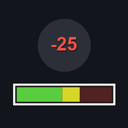
Adds enemy health bars and floating damage numbers to R.E.P.O.
- A health bar appears above an enemy when you hit it (and, optionally, while you grab it).
- The bar shows current/max health, a colour gradient (green → red), and fades out by distance.
- Floating
-damagenumbers pop up on every hit. - Colours and sizes are fully customizable via the config.
This is an independent re-implementation of the idea — it shares no code with other health‑bar mods.
Configuration
All options are under the BepInEx config (com.riggola.anotherenemyhealthbars.cfg).
Bar
| Setting | Default | Description |
|---|---|---|
HeightOffset |
0.6 |
Extra height above the auto-detected top of the enemy. |
DisplaySeconds |
8 |
How long the bar stays after the enemy was last hit/grabbed. |
FadeDistance |
40 |
Distance at which the bar fully fades out. |
ShowOnGrab |
true |
Also show the bar while grabbing the enemy. |
AlwaysVisible |
false |
Keep every enemy's bar visible at all times. |
Size
| Setting | Default | Description |
|---|---|---|
BarScale |
1.0 |
Overall size multiplier for the health bar (and its text). Range 0.25–5. |
DamageNumberScale |
1.0 |
Size multiplier for the floating damage numbers. Range 0.25–5. |
Colors
Colours are hex strings — #RRGGBB or #RRGGBBAA (the alpha channel controls transparency). An invalid value falls back to the default.
| Setting | Default | Description |
|---|---|---|
BarColorHigh |
#33D933 |
Bar colour at full health. |
BarColorLow |
#D91A1A |
Bar colour at (near) zero health; the fill blends between this and BarColorHigh. |
BarBackground |
#000000A6 |
Bar background / frame colour (alpha = transparency). |
TextColor |
#FFFFFF |
Colour of the "current / max" text. |
Damage Numbers
| Setting | Default | Description |
|---|---|---|
Enabled |
true |
Show floating damage numbers. |
ColorSmall |
#FF8C26 |
Colour of small hits (damage < 20). |
ColorMedium |
#FFCC33 |
Colour of medium hits (damage 20–49). |
ColorLarge |
#FF4033 |
Colour of large hits (damage ≥ 50). |
Colours can be edited live with ConfigurationManager — changes apply immediately.
Multiplayer
Purely client-side / visual. Each player who installs it sees the bars; players without it are unaffected. No host requirement.
Changelog
- 1.1.1 — Fully customizable colours (bar, background, text, damage numbers) and configurable bar / damage-number sizes.
- 1.0.0 — Initial release.
Credits
Made by AI.
CHANGELOG
Changelog
1.1.1
- Added fully customizable health bar colours.
- Added configurable health bar background and text colours.
- Added customizable floating damage number colours for small, medium, and large hits.
- Added
BarScaleandDamageNumberScaleconfig options. - Applied colour changes live when edited through compatible config managers.
1.0.0
- Initial release.
