
Please disclose if any significant portion of your mod was created using AI tools by adding the 'AI Generated' category. Failing to do so may result in the mod being removed from Thunderstore.

ScalerCore
Scaling library for shrink/grow mods in R.E.P.O. Handles physics, audio, NavMesh, animation, and multiplayer sync. v0.4 cosmetic boxes and vehicles supported. Vehicles stay drivable and pocketable when shrunk. API for building shrinker mods.
| Date uploaded | 3 days ago |
| Version | 0.6.1 |
| Download link | Vippy-ScalerCore-0.6.1.zip |
| Downloads | 11890 |
| Dependency string | Vippy-ScalerCore-0.6.1 |
This mod requires the following mods to function

BepInEx-BepInExPack
BepInEx pack for Mono Unity games. Preconfigured and ready to use.
Preferred version: 5.4.2305README
ScalerCore
A scaling library for R.E.P.O. modders. Handles the hard parts of scaling game objects -- physics, audio, animation, colliders, NavMesh, multiplayer sync -- so you don't have to.
v0.6.0: Loom's arms finally track a shrunken body. Six new
ScaleOptions(separate restore speed, impact flash, camera shake, voice pitch, bonk-expand, external Apply lock) plusScaleManager.ForceApply/ForceRestorefor the owning mod to bypass the lock. Held forceGrabPoint items sit at eye height when shrunken instead of waist.ScaleController.CurrentOptionsexposes the active session's option snapshot.
If you're building a mod that changes the size of things (shrink rays, growth potions, whatever), ScalerCore gives you a clean API and takes care of the edge cases.
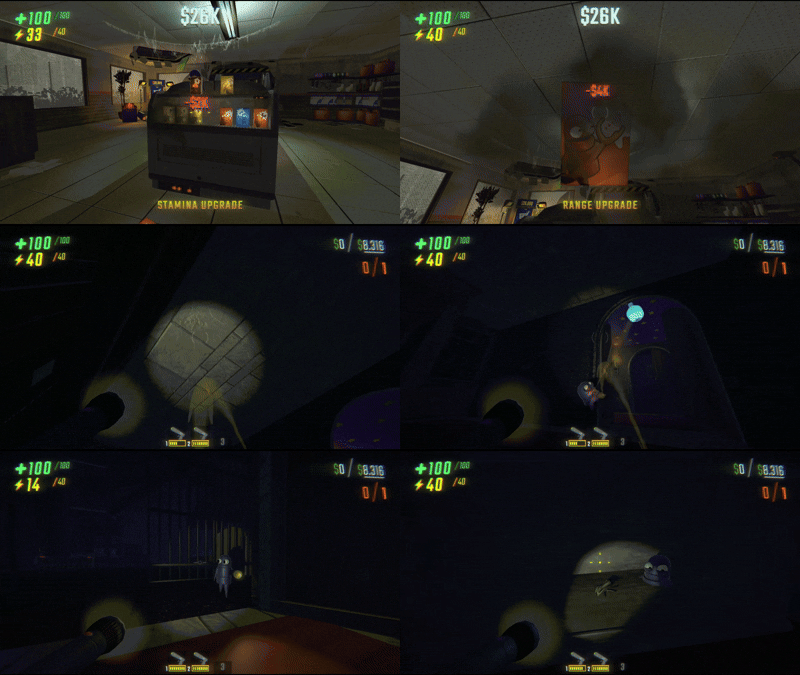
This is a library, not a standalone mod. End users don't need to interact with it directly. If you're a player, you probably got here because a mod like ShrinkerGun: COMPRESSOR depends on it.
For modders building size-changing mechanics. If you're looking for a shrink ray, check out ShrinkerGun: COMPRESSOR which is built on ScalerCore.
Installation
Reference ScalerCore.dll in your project. Add a hard dependency in your plugin:
[BepInDependency("Vippy.ScalerCore", BepInDependency.DependencyFlags.HardDependency)]
ScalerCore automatically attaches ScaleController components to all enemies, players, valuables, items, carts, and doors at runtime via Harmony patches. You don't need to add them yourself.
Quick Start
using ScalerCore;

// Shrink with default options (40% scale)
ScaleManager.Apply(targetGameObject);

// Shrink with custom options
var opts = ScaleOptions.Default;
opts.Factor = 0.5f;
opts.Duration = 60f;
ScaleManager.Apply(targetGameObject, opts);

// Restore with animation
ScaleManager.Restore(targetGameObject);

// Restore instantly (for bonk/damage reactions)
ScaleManager.RestoreImmediate(targetGameObject);

// Check state
bool tiny = ScaleManager.IsScaled(targetGameObject);
ScaleManager.Apply is host-authoritative. The host calls it, and RPCs propagate to all clients automatically. Late-joining players receive the current state on connect.
How It Works
ScalerCore attaches a ScaleController (a MonoBehaviourPunCallbacks) to every enemy, player, valuable, item, and door. On the first scale operation, the controller:
- Resolves a handler via
ScaleHandlerRegistrybased on what the object is - Applies the target scale with a smooth animation (back-out easing for players, linear interpolation for objects)
- Adjusts physics (mass, grab force, collider radius), audio pitch, and NavMesh speed
- Syncs state to all clients via Photon RPCs
- Force-applies the target scale every
LateUpdateto fight game code that resetslocalScale
Built-in handlers cover enemies, players, valuables, items, carts, and doors.
Custom Handlers
Implement IScaleHandler and register it with a predicate:
using ScalerCore;
using ScalerCore.Handlers;

public class MyBossHandler : IScaleHandler
{
    public void Setup(ScaleController ctrl)
    {
        // Cache components, set ScaleTarget if the visual root
        // is different from the physics root
    }

    public void OnScale(ScaleController ctrl)
    {
        // Called when the object is scaled down
    }

    public void OnRestore(ScaleController ctrl, bool isBonk)
    {
        // Called when restored. isBonk = true means instant (damage),
        // false means animated (timer/gun toggle)
    }

    public void OnUpdate(ScaleController ctrl)    { }
    public void OnLateUpdate(ScaleController ctrl) { }
    public void OnDestroy(ScaleController ctrl)    { }
}
Register it at plugin startup. Use priority > 0 to override built-in handlers:
ScaleHandlerRegistry.Register(
    new MyBossHandler(),
    go => go.GetComponentInParent<EnemyParent>()?.name.Contains("MyBoss") == true,
    priority: 10
);
The registry resolves handlers by checking predicates in descending priority order. First match wins.
API Reference
ScaleManager (static)
| Method | Description |
|---|---|
Apply(GameObject target) |
Scale with default options (ScaleOptions.Default). |
Apply(GameObject target, ScaleOptions options) |
Scale with custom options. Same factor on an already-scaled target toggles it back; different factor rescales. |
ApplyIfNotScaled(GameObject target) |
Scale only if not already scaled. No-op if already scaled. Returns true if scaling was applied. |
ApplyIfNotScaled(GameObject target, ScaleOptions options) |
Same with custom options. Ideal for cart mods and continuous triggers. |
GetController(GameObject target) |
Get the ScaleController for a game object (resolves through PlayerShrinkLink). Returns null if none. |
Restore(GameObject target) |
Restore with smooth animation. No-op when locked via RejectExternalApply. |
RestoreImmediate(GameObject target) |
Restore instantly (respects bonk immunity timer). No-op when locked via RejectExternalApply. |
ForceApply(GameObject target, ScaleOptions options) |
Apply without the RejectExternalApply check. For the mod that owns the lock. |
ForceRestore(GameObject target) |
Restore without the RejectExternalApply check. For the mod that owns the lock. |
UpdateOptions(GameObject target, ScaleOptions options) |
Replace the stored options on a live session without re-dispatching scale. Read CurrentOptions, mutate, pass back. Useful when restore-direction fields (RestoreSpeed, SuppressImpactFlash, SuppressCameraShake) need to track a config change mid-session. Returns false on missing controller, no active session, or RejectExternalApply lock. |
ForceUpdateOptions(GameObject target, ScaleOptions options) |
UpdateOptions without the lock check. For the mod that owns the lock. |
IsScaled(GameObject target) |
Returns true if the object is currently scaled. |
CleanupAll() |
Restore all scaled objects. Called automatically on level change. |
ScaleController (MonoBehaviourPunCallbacks)
Attached automatically to game objects. Key public members:
| Member | Description |
|---|---|
IsScaled |
Whether the object is currently scaled. |
OriginalScale |
The object's scale before any modification. |
CurrentOptions |
Snapshot of the active session's options. Read-only. |
TargetType |
What kind of object this is (ScaleTargets.Players, .Enemies, etc.). |
ScaleTarget |
Override in handler's Setup to scale a different transform than the controller's. |
AllowManualScale |
Static bool, gates debug shrink/expand requests. Host sets it. |
RequestBonkExpand() |
Client-safe expand request (sends RPC to host if called on non-host). |
RequestManualExpand() |
Manual expand (skips bonk immunity). |
RequestManualShrink() |
Manual shrink request. |
IScaleHandler
public interface IScaleHandler
{
    void Setup(ScaleController ctrl);
    void OnScale(ScaleController ctrl);
    void OnRestore(ScaleController ctrl, bool isBonk);
    void OnUpdate(ScaleController ctrl);
    void OnLateUpdate(ScaleController ctrl);
    void OnDestroy(ScaleController ctrl);
}
ScaleHandlerRegistry (static)
| Method | Description |
|---|---|
Register(IScaleHandler handler, Func<GameObject, bool> predicate, int priority = 0) |
Register a handler. Higher priority wins. Built-ins use priority 0. |
Resolve(GameObject target) |
Returns the highest-priority matching handler, or null. |
ScaleOptions
Each Apply() call takes a ScaleOptions struct. Use ScaleOptions.Default as a starting point and override what you need.
| Field | Default | Description |
|---|---|---|
Factor |
0.4 |
Scale multiplier (0.4 = 40% of original size) |
Duration |
0 |
Seconds until auto-restore (0 = permanent) |
Speed |
2.0 |
Scale animation speed (used for both directions when RestoreSpeed is 0) |
RestoreSpeed |
0 |
Animation speed for the expand direction. 0 falls back to Speed. |
BonkImmuneDuration |
5.0 |
Grace period after scaling before damage can restore |
MassCap |
50.0 |
Max rigidbody mass while scaled |
SpeedFactor |
0.75 |
Enemy NavMesh speed multiplier |
AnimSpeedMultiplier |
1.5 |
Player animation speed while scaled |
FootstepPitchMultiplier |
1.5 |
Player footstep pitch while scaled |
AllowedTargets |
All |
Flags: Players, Enemies, Items, Valuables, All |
InvertedMode |
false |
If true, scaled state is the default and bonk temporarily grows back |
SuppressValueDropExpand |
false |
If true, valuables won't expand when damaged while scaled (for cart mods) |
PreserveMass |
false |
If true, rigidbody mass stays at original value while scaled (for cart mods) |
SuppressImpactFlash |
false |
Skips the impact flash on shrink/expand (for cart-style mods that fire constantly) |
SuppressCameraShake |
false |
Skips the camera shake on expand (pair with SuppressImpactFlash for a silent restore) |
SuppressVoicePitch |
false |
No audio pitch shift on the controller's sounds or player's voice chat |
IgnoreBonkExpand |
false |
Damage does not restore the controller. Covers every bonk path. |
RejectExternalApply |
false |
External Apply/Restore/RestoreImmediate calls from other mods no-op. Owning mod uses ForceApply/ForceRestore. |
ScaleTargets
Flags enum for filtering what Apply() affects:
var opts = ScaleOptions.Default;
opts.AllowedTargets = ScaleTargets.Enemies | ScaleTargets.Valuables;
ScaleManager.Apply(target, opts); // skips players and items
Configuration
ScalerCore is a pure library with no user-facing config. All scaling behavior (factor, speed, duration, etc.) is controlled per-call via ScaleOptions -- consuming mods expose whatever settings make sense for them.
What ScalerCore Handles
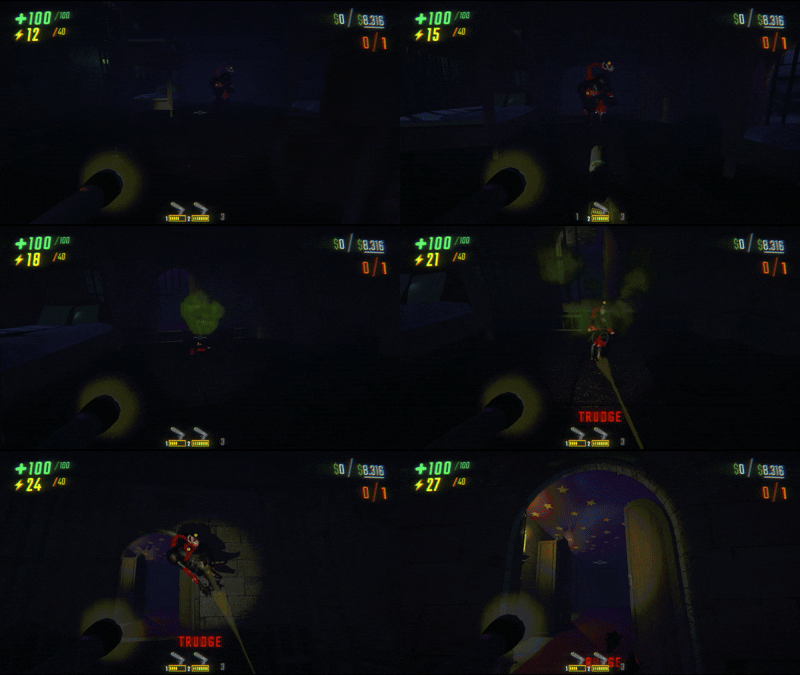
For enemies:
- Visual mesh + physics rigidbody scaled separately (EnemyParent is never scaled)
- NavMesh agent speed and radius
- Grab force reduced to zero (instantly grabbable when shrunken)
- Follow force scaled so grabbed enemies don't fight back
- Damage output reduced
- Knockback force reduced
- Bonk restore on taking damage (with immunity window)
For players:
- Camera offset, crouch/crawl positions, vision targets
- Collision capsules (stand, crouch, stand-check)
- Grab strength, range, throw strength
- Movement speed
- FOV adjustment
- Voice chat pitch
- Footstep sound pitch
- Animation speed
- Enlarged pupils (big cute eyes)
- Pause menu avatar scaled to match
- Near clip plane adjusted
For valuables:
- Mass scaled and clamped
- Extraction zone detection box scaled
- Brief indestructibility after shrinking (prevents fall damage from collider resize)
- Value-drop detection triggers bonk restore
- ForceGrabPoint disabled to prevent grab oscillation
For items:
- Effect fields auto-scaled (explosion size, orb radius, damage)
- Inventory system compatibility (yields during equip/unequip)
- ForceGrabPoint handling
For non-pocketable items (carts, cart cannon, cart laser, tracker):
- Become pocketable while shrunken (press inventory key to stash)
- Shrunken players can't pocket shrunken items. If you get shrunk while holding one, it drops
- Restoring removes the equip ability so full-size items stay on the ground
For all types:
- Audio pitch shifted on all Sound objects
- Smooth scale animation with force-apply in LateUpdate
- Multiplayer sync via Photon RPCs
- Late-join state sync
- Automatic cleanup on level change
Dependencies
- BepInEx 5 (5.4.2100+)
Reference Implementation
ShrinkerGun: COMPRESSOR is a shrink ray gun built on ScalerCore. Shows how to build ScaleOptions, call Apply, and handle per-target-type durations.
CHANGELOG
Changelog
0.6.1
New
ScaleManager.UpdateOptions(GameObject, ScaleOptions)plus aForceUpdateOptionsvariant that skips the lock check. Replaces the stored options on a live session so cart mods can retuneRestoreSpeed/SuppressImpactFlash/SuppressCameraShakewhen a config slider moves mid-session, instead of reflecting into the private_optionsfield. Pairs with the existing read-onlyCurrentOptionsgetter: read, mutate, pass back. Fields consumed once at dispatch (Factor, MassCap, BonkImmuneDuration) don't reapply retroactively, the nextApplypicks them up.
0.6.0
New
- Added
ScaleOptions.RestoreSpeed, animation speed for the expand direction. 0 falls back toSpeed. - Added
ScaleOptions.SuppressImpactFlash, skips the impact flash on shrink/expand. - Added
ScaleOptions.SuppressCameraShake, skips the camera shake on expand. Pair withSuppressImpactFlashfor a silent restore. - Added
ScaleOptions.SuppressVoicePitch, skips the audio pitch shift and per-frame voice chat overrides. - Added
ScaleOptions.IgnoreBonkExpand, damage doesn't restore the controller. Gated insideDispatchExpandNowso every bonk path honors it (player, valuable, enemy, cosmetic). - Added
ScaleOptions.RejectExternalApplyplusScaleManager.ForceApply/ScaleManager.ForceRestore. Opt-in lock so other mods'Apply/Restore/RestoreImmediateno-op on your controller; theForce*variants bypass. - Added
ScaleController.CurrentOptions, read-only snapshot of the active session's options.
Bug fixes
- Fixed Loom's arms when shrunken (finally). The IK solver (
BotSystemSpringPoseAnimator) walks down a cachedLimbChain.lenBind[]to place joints in world space, those values are full-size, the body wasn't. Idle path put joints outside the shrunken body, reach path left a gap between elbow mesh and the hand target.LoomVisualHandlernow snapshotslenBindat Setup and writesorig * ratioevery LateUpdate while shrunken, restoring the originals on expand. - Fixed shrunken players holding guns (or any forceGrabPoint item) at waist height instead of eye height. The game bakes a fixed
-up*0.3offset inStartGrabbingPhysObjectthat doesn't scale, the new postfix lifts the puller back proportionally to player size. - Fixed shrunken players ending up mis-sized after a rescale.
Applywith a different factor on an already-scaled controller re-firedHandler.OnScaleon non-host clients, which read already-scaled singleton values as the new originals and compounded to factor².ApplyLocalPlayerShrinkEffectsandRestoreLocalPlayerShrinkEffectsare now guarded by aLocalEffectsAppliedflag. - Shrunken players who died and got revived stayed shrunken on everyone else's screen but looked normal on their own. The bonk-expand path normally cancels the shrink on damage, but the bonk-immunity timer blocks the expand for the duration of the shrink animation, so anything that kills you in that window (most often the kill plane after falling out of map while shrunken) puts you into the death sequence still shrunken, and revive doesn't resync the scale state. Host now auto-cancels the shrink on
PlayerAvatar.PlayerDeathRPC. Inverted/challenge mode skipped so dying small in that mode stays small.
Internal
- RPC payload extended for the new options (
PackOptsslot 7,PackBoolsslots 2-6). Decoder length-guards every slot, old hosts can still drive new clients. EnemyBonkPatchnow callsctrl.DispatchExpandNow()directly instead of going throughScaleManager.RestoreImmediate. Internal bonk paths bypass theRejectExternalApplylock, only external mod calls honor it. Matches whatValuableHandlerandCosmeticHandleralready did.ScaleManagerdeduplication, the handler-type filter and lock check moved intoIsTargetAllowed/IsLockedFromExternalhelpers used byApply/ApplyIfNotScaled/Restore/RestoreImmediate.ScaleControllerdeduplication,PlayImpactEffect(),PlayCameraShake(), andResolveExpandSpeed()helpers replace the repeated gate + ternary that had been inlined at every dispatch site.
0.5.2
PlayerHandler.GetBaseGrabStatswas guarding only one of three StatsManager upgrade dictionaries withContainsKeybefore indexing all three. v0.4 (or some combination of mods + game state) leaves players with a strength entry but no range/throw entry, so the indexer threwKeyNotFoundException. The throw abortedOnRestorebeforeRPC_PlayerPitchCancelcould fire, killedApplyLocalPlayerShrinkEffectspartway through (camera/FOV/collision/grab range never scaled, so shrunken players looked tiny but played full-size), and insideCleanupAll's foreach it killed the whole loop after the first bad controller — leaving every player past that one stuck in shrunken state across level transitions. Switched toTryGetValue, missing entries default to 0 which matches the "no upgrades purchased" baseline.- Non-host clients didn't reset shrink state on level transitions.
RunManager.ChangeLevelearly-returns on non-host during gameplay, so the existingLevelChangePatchpostfix never reachedCleanupAllfor them. TheirOnUpdatekept re-asserting voice pitch every frame, overriding the cancel the host RPC'd in. Added aRunManagerPUN.UpdateLevelRPCpostfix gated to non-host — that RPC fires on every client viaAllBuffered, so the cleanup runs everywhere.
0.5.1
New v0.4 content support
- Cosmetic boxes (
CosmeticWorldObject) are shrinkable. They havePhysGrabObjectbut noValuableObjectorItemAttributes, so neither the handler predicates nor theScaleControllerattach patch matched, added aCosmeticHandlerand extendedAttachToValuablePatchto also pick upCosmeticWorldObject. Handler tracksNotValuableObject.healthCurrentfor bonk-on-damage expand, same patternValuableHandleruses for dollar value. - Vehicles now actually shrink visually instead of leaving the mesh full-size with a tiny collider hidden inside.
ItemVehicle.DeparentMeshrunsmeshTransform.SetParent(null, true)whenever a player sits in the vehicle. The visible mesh becomes a scene-root object that no longer inherits the vehicle's transform scale, while ItemVehicle drivesmeshTransform.positiondirectly each frame. Shrinking the root therefore shrunk the colliders but left a normal-size mesh visibly floating around them; worse, the next time the game ranReparentMesh(SetParent(originalParent, worldPositionStays: true)) Unity rewrote the child's localScale to 1/factor to preserve world scale, so when expand fired the mesh ended up at 1/factor times original size. Added aVehicleHandlerthat matchesItemVehicleahead ofItemHandlerand per-frame enforcesmeshTransform.localScaleto track the intended world scale regardless of current parent state. Pocketing is picked up from the same path ItemHandler used. - Shrunken vehicles (
ItemVehicle,ValuableArcticSnowBike) now drive at proportionally lower top speed instead of full speed on a tiny chassis. Scaling the transform but leavingmaxSpeedKmh/bikeForwardSpeedat their full 100 / 10 values made a half-size car try to do 100 km/h with full-size forces. Felt like driving a brick on ice. Added vehicle speed-cap fields (maxSpeedKmh,softMaxSpeedKmh,maxForwardSpeed,maxReverseSpeed,hyperMaxSpeed,bikeForwardSpeed) to the existing reflection-based field-scaling pass; they're restored verbatim on expand. Vehicles stay pocketable via the same path they did under ItemHandler.
Bug fixes
- Carts vanished on the second shrink.
PocketHelper.CreateIconMakerwas adding aSemiIconMakercomponent on an active GameObject, which firesOnEnablesynchronously insideAddComponent, before we'd assignediconCameraandrenderTexture.OnEnable'sif (renderTexture)branch skipped,renderTextureInstancestayed null, then the game'sCreateIconFromRenderTextureNRE'd after teleporting the item to(-1000, -1000, -1000)for the render. The position-restore line never ran, the item fell out of world, the kill-zone destroyed it. The IconMaker is now created inactive, configured, then activated so OnEnable fires with everything in place. - Shrunken
ItemVehicle.Semiscooterhad no inventory icon (the small Semiscooter did). The icon-camera bounds calculation useditem.GetComponentsInChildren<Renderer>on the vehicle root, which missed the deparentedmeshTransformand rendered an empty 5 KB PNG. Bounds now traversesmeshTransformseparately when it isn't a descendant of the root. - Vehicles could be pocketed while the player was shrunken (carts and items already blocked this).
ShrunkEquipBlockPatchwas checkingCartHandler.StateandItemHandler.StateforAddedEquippablebut notVehicleHandler.State, vehicles fell through and the block didn't fire. Added the missing case. - Shrunken vehicles wouldn't steer. Throttle still applied, so they accelerated straight forward with no turn input response.
ItemVehicle.UpdateSteeringgates onDriverFullyMounted, which only becomes true once the player's tumble body comes within a hardcoded 0.05 world units offirstMountTransform. On a 0.4-scale vehicle that's basically inside the seat geometry; the player couldn't reach it,reachedFirstMountstayed false, steering clamped to 0. Postfixed the getter to return true when the vehicle has a seated player and is scaled.
0.5.0
Updated for R.E.P.O. v0.4
- Rebuilt against the latest game release. 0.4.4 will not load on v0.4 (recompile is required because of internal type changes on the game side). All 22 patch points checked, 20 OK and 2 transpilers (
PhysGrabCart.CartSteer,EnemyVision.Vision) verified intact.
Bug fixes
- Map collapse messages, sirens, and the truck-arrival cascade ran way too fast in multiplayer. Every client was firing them locally; host-only now, so each fires exactly once and PUN broadcasts.
- Final crush damage was stacking on every player in multiplayer. Every client was running the kill loop and
PlayerHealth.Hurtroutes throughHurtRPC. Host-only now.
Improvements
- Map collapse network sync moved from
PhotonNetwork.RaiseEventbyte codes (198/199) to a[PunRPC]component piggybacked onPunManager, no more arbitrary 0–199 numbers that could collide with another mod. - Map collapse chat is more chaotic now: taxman reacts in emojis only, panic messages come from random players in the lobby, larger pool of lines, no immediate repeats.
0.4.4
Bug fixes
- Fixed non-host clients running Dispatch methods (DispatchShrink, DispatchExpand, DispatchExpandNow), these are now gated behind a host/singleplayer check
0.4.3
New
MapCollapseis now public, other mods callMapCollapse.OnMapHit()to trigger the collapse eventScaleController.ChallengeModepublic property, implementations set this to enable challenge mode- Runtime
SemiIconMakergeneration for pocketed items, no more embedded PNGs, works for any item
Bug fixes
- Fixed map collapse audio ignoring master volume (now routes through the game's SFX mixer group)
- Fixed map collapse alarm doubling when the truck had no unique sounds
- Fixed camera glitch effect not covering the full screen while shrunken
- Fixed shrunken players getting crushed too early during map collapse (raycast distances now scale with player size)
- Fixed pocketed item icons disappearing after level transitions
- Map collapse crush sequence reworked, FOV slam, heavy shake, vignette, and a brief hold before death
Improvements
- ScalerCore is now a pure library with no user-facing config entries
ShrinkChallengeModeandMapCollapseconfig removed, implementations own their settingsMapCollapseHitPatchremoved, implementations provide their own hit detection- Map collapse enemy speed toned down (1.3x base, up to 1.8x, was 2.5x to 6.5x)
- Map collapse no longer unshrinks everything when it starts
- Map collapse FOV narrows during collapse for a claustrophobic feel
- Embedded cart/cannon/laser icon PNGs replaced with runtime SemiIconMaker
0.4.2
Improvements
- Added MapCollapse config option (Auto/On/Off). You'll know it when you see it. Turn it on and shoot the map, go ahead, I dare you.
- No, Loom's arms still aren't fixed. I was busy with the super ultra important above feature for next year's april fools.
- Removed Herobrine
0.4.1
New
- Any non-pocketable item becomes pocketable while shrunken, carts, cart cannons, cart lasers, trackers. Press an inventory key to stash, shoot again to restore.
- Shrunken players can't pocket shrunken items. If you get shrunk while carrying one, it drops automatically.
Bug fixes
- Fixed shrunken players being able to wall-jump infinitely by touching walls
- Fixed Shrink Challenge mode not working on clients (inverted re-shrink was blocked by debug key gate)
- Fixed Shrink Challenge mode not working in singleplayer (was stuck waiting for voice chat)
- Fixed Shrink Challenge mode firing in the lobby instead of waiting for the level to load
- Fixed voice pitch not cleaning up when returning to lobby
- Fixed camera occasionally clipping through walls at shrunken size
- Pupil override priority and spring speed now match vanilla ranges
- Items now stay shrunken permanently until shot again (was 5 minutes)
- Enemy speed while shrunken is now 75% (was 65%)
Improvements
- Shrink Challenge mode config changes apply instantly in the lobby
- Shrunken items show as smaller dots on the map
- Smoother pupil transition when expressions end
- Embedded inventory icons for cart, cart cannon, and cart laser
- Logging cleaned up, only warnings and errors in the console
- InvertedMode synced to clients via RPC for proper multiplayer challenge mode
0.4.0
New
- Added
SuppressValueDropExpandoption to ScaleOptions, valuables won't expand on damage while scaled. For cart mods where items bump into each other constantly. - Added
PreserveMassoption to ScaleOptions, rigidbody mass stays at its original value while scaled. For cart mods where items should weigh the same regardless of visual size. - Added
ScaleManager.ApplyIfNotScaled(), scales only if not already scaled, no-op otherwise. Safe to call every frame from continuous triggers. - Added
ScaleManager.GetController(), returns the ScaleController for a game object, resolving through PlayerShrinkLink.
Bug fixes
- Fixed shrunken objects appearing full-size on non-host clients. The RPC was only sending the target vector without ScaleOptions fields, so clients had all-zero options and the animation never ran. Also broke late-join sync.
- Fixed shrunken player mesh freezing in place on the host. AnimSpeedMultiplier wasn't synced to clients, so the client sent a zero-speed animation override back via RPC, killing the host's visual position interpolation.
- Fixed players reverting to full size when another player jumped or tumbled into them. Bonk expand now only triggers when health actually decreases, not on zero-damage contact.
0.3.0
New
- Shrink Challenge Mode: players start shrunken, guns temporarily grow you, damage shrinks you back
- Shooting an already-shrunken target with the same factor toggles it back
- Shooting an already-shrunken target with a different factor rescales it smoothly (no flash)
API changes
- ScaleManager.Apply() now takes a ScaleOptions struct, per-call config replaces global ShrinkConfig
- ScaleManager.Apply() without options uses ScaleOptions.Default
- Added ScaleTargets flags enum for filtering what object types can be scaled
- Added ScaleController.TargetType for mods to check what kind of object a controller manages
- Removed ShrinkConfig and ScaleFactor (replaced by ScaleOptions)
- Zero Factor/Speed in ScaleOptions falls back to defaults
Bug fixes
- Fixed players in tumble/object mode (Q) not being shrinkable by guns
- ScaleManager API now resolves PlayerShrinkLink when target GO doesn't have ScaleController directly
- Fixed Tricycle (Bella) trike mesh not scaling, rider shrank but the bike stayed full size
- Single doors now cleanly break off their hinges when shrunken instead of floating in place
- Birthday Boy's balloons now shrink along with him
- Enemies killed or despawned while shrunken no longer respawn at shrunken size
- HeartHugger mesh and collision now align properly when shrunken (including when tipped)
- HeartHugger gas pull distance scales with enemy size
- Loom attack distance scales with enemy size
- Fixed bonk expand not restoring visual scale on enemies with handler-owned scaling
- Replaced most reflection with direct publicizer access for better performance
- Fixed Loom (Shadow) NRE spam in EnemyShadow.HandLogic after unshrinking
0.2.0
Bug fixes
- Pupils no longer stay huge after unshrinking
- Animation speed resets properly on unshrink
- Grab range actually scales down while shrunken now
- Voice pitch no longer gets nuked by spewer/hourglass events
- Menu preview shows big pupils while shrunken
- Host now enforces grab stats for all shrunken players, not just local
- Remote players see big pupils in the shop
- Menu preview only shrinks for the shrunken player, not everyone
- Non-host sees their own big pupils in menu preview
- Non-host grab strength/range/throw restores properly after unshrinking
- Big pupils yield to expressions while shrunken (no more bleeding through eyelids)
- Cart pull distance no longer leaks the host's shrink state to other players
- Shrunken enemies deal scaled damage across the board (mace swings, tumble impacts, instakills)
- Enemies like Trudge whose mace has
playerKillno longer instakill when shrunken - Damage scaling works even when the HurtCollider doesn't have
enemyHostset - NavMesh agent radius scales with enemy size
- Fixed Chef, Mentalist, Reaper, Trudge, and Elsa sinking into the ground when shrunken
- Fixed Loom (Shadow) arms detaching from body when shrunken
- Fixed AnimTarget discovery walking up to Enable container on enemies with renderers on the Rigidbody (caused double-scaling on Hearthugger and Loom)
- Known: Hearthugger still has visual/grab misalignment when shrunken (cosmetic, gameplay unaffected)
Balance
- Grab strength less punishing (1.5x scale factor, capped at 100% when shrunk)
- Added MinimumStrength and MaximumStrength config options
- Grab range and throw scale directly with size (no mercy bonus)
- Enemy damage scales by shrink factor directly (was a flat 0.1x)
- Enemy bonk immunity down from 5s to 3s
- Items stay shrunk indefinitely (was 300s)
Improvements
- Menu avatar animates smoothly when shrinking/unshrinking instead of snapping
- Negative shrink durations from bad configs get clamped to 0
- Version auto-stamped from csproj via BuildInfo
Internal
- Assembly publicizer replaces all reflection in PlayerHandler
- ItemHandler uses standard GetField instead of AccessTools
- All enemy-to-player damage scaling lives in one patch now (KnockbackPatch)
- Deduplicated grab strength formula into GetGrabFactors helper
- Noisy item field logs downgraded to LogDebug
- Dropped REPOLib dependency (wasn't actually used)
- Updated Thunderstore description
0.1.0
Initial early access release.
