
InterprocessLib
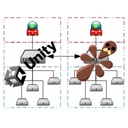
Library for mods to send data to the renderer and back.
| Date uploaded | 2 months ago |
| Version | 3.0.0 |
| Download link | Nytra-InterprocessLib-3.0.0.zip |
| Downloads | 73 |
| Dependency string | Nytra-InterprocessLib-3.0.0 |
This mod requires the following mods to function

ResoniteModding-BepisLoader
A mod loader which allows using BepInEx with Resonite
Preferred version: 1.5.1
ResoniteModding-RenderiteHook
Allows passing custom command-line arguments to Resonite's Unity renderer process
Preferred version: 1.1.1README
InterprocessLib
A library for Resonite that allows mods to send data to other processes such as the Unity renderer.
The library only depends on Renderite.Shared.
BepisLoader, BepInEx, RML and Standalone example projects are included in the Tests folder.
Usage
After including the library in your project, all you have to do is create your own instance of the Messenger class. You can do this at any time, even before Resonite starts.
!!! Make sure both processes register with the same name !!!
var messenger = new Messenger("PluginName");
From here you can use the messenger to send data or receive data.
messenger.SendValue<int>("TestValue", 637);
messenger.ReceiveValue<int>("TestValue", (val) =>
{
	Log($"TestValue: {val}");
});
For BepisLoader, BepInEx and RML, if you have a config entry in both processes with the same type and name, you can sync them like this:
messenger.SyncConfigEntry(MyConfigEntry);
You can also work with lists:
var list = new List<float>();
list.Add(2f);
list.Add(7f);
list.Add(21f);
messenger.SendValueCollection<List<float>, float>("TestValueList", list);
messenger.ReceiveValueCollection<List<float>, float>("TestValueList", (list) =>
{
	Log($"TestValueList: {string.Join(",", list!)}");
});
You can send any class or struct that has the IMemoryPackable interface:
var cmd = new TestCommand();
cmd.Value = 2932;
cmd.Text = "Hello world";
cmd.Time = DateTime.Now;
messenger.SendObject("TestCustomRendererCommand", cmd);
messenger.ReceiveObject<TestCommand>("TestCustomRendererCommand", (recvCmd) =>
{
	Log($"TestCustomRendererCommand: {recvCmd?.Value}, {recvCmd?.Text}, {recvCmd?.Time}");
});
For more examples, you can check the tests files:
https://github.com/Nytra/ResoniteInterprocessLib/blob/main/InterprocessLib.Shared/Tests.cs
Installation (BepisLoader/BepInEx) (Manual)
- Install BepisLoader and BepInExRenderer and RenderiteHook for Resonite.
- Download the latest release ZIP file (e.g.,
Nytra-InterprocessLib-1.0.0.zip) from the Releases page. - Extract the ZIP and copy the
pluginsfolder to your BepInEx folder in your Resonite installation directory and the renderer directory:- Default location:
C:\Program Files (x86)\Steam\steamapps\common\Resonite\BepInEx\ - Renderer default location:
C:\Program Files (x86)\Steam\steamapps\common\Resonite\Renderer\BepInEx\
- Default location:
- Start the game. If you want to verify that the mod is working you can check your BepInEx logs.
Installation (RML) (Manual)
- Install ResoniteModLoader for Resonite.
- Download the latest release file
InterprocessLib.FrooxEngine.dlland optionally the RML extensionsInterprocessLib.RML_Extensions.dllfrom the Releases page. - Put those downloaded files into your 'rml_libs' folder in your Resonite installation directory:
- Default location:
C:\Program Files (x86)\Steam\steamapps\common\Resonite\rml_libs\
- Default location:
- Start the game. If you want to verify that the mod is working you can check your Resonite logs.
CHANGELOG
Changelog
[3.0.0] - 29-12-2025
- Fixes occasional startup crashes
- Big rewrite of the backend - adds on-demand type registering, so you don't need to register types in advance anymore. Also changes library initialization to happen immediately (no delay in sending messages on startup)
- Adds standalone project and allows using a custom queue name to connect to other processes, not just Unity
- Adds a way to send and receive Type
- Adds ways to send generic collections and arrays
- Performance optimizations and memory optimizations (Now 0.1 millisecond message latency on average)
[2.0.1] - 28-10-2025
- Fixed folder structure of the Thunderstore package
[2.0.0] - 02-10-2025
- Changed the library initialization to no longer need dedicated bootstrapper mods, now it can instantiate on its own whenever it's called
- Added RML projects
- Now builds to InterprocessLib.FrooxEngine.dll and InterprocessLib.Unity.dll (No dependency on mod loaders or Harmony)
- Added extra extension libraries for each mod loader
- The new project setup allows for multiple 'instances' of the library per-process
[1.0.1] - 02-10-2025
- Fixed an error that occured when multiple messenger instances registered the same extra types
- Fixed crashes on startup due to not initializing types correctly (now using a patch for this which is more reliable)
[1.0.0] - 02-10-2025
- Initial release
