
RUMBLE does not support other mod managers. If you want to use a manager, you must use the RUMBLE Mod Manager, a manager specifically designed for this game.
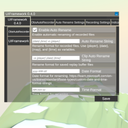
UIFramework
UI for MelonPreferences and more in Rumble VR
| Date uploaded | 3 weeks ago |
| Version | 0.4.0 |
| Download link | Reverb_and___and_Spice-UIFramework-0.4.0.zip |
| Downloads | 50 |
| Dependency string | Reverb_and___and_Spice-UIFramework-0.4.0 |
This mod requires the following mods to function

LavaGang-MelonLoader
The World's First Universal Mod Loader for Unity Games compatible with both Il2Cpp and Mono
Preferred version: 0.7.2README
For Users
Drop the dll in your mods folder.
Default toggle is the F9 key
Changing a value of an entry automatically updates the value of the preference and is applied. How that preference's parent mod reacts depends on the modder's implementation.
The save button writes it to the file for permanent storage. Closing your game might also save preferences to file automatically depending on whether it's closed from the game window or through Steam. Stopping through Steam doesn't save because it force closes it.
For Modders
Add [assembly: MelonAdditionalDependencies("UIFramework")] to your AssemblyInfo. This prevents your mod from calling on UIFramework before it's been initialized.
Declare your MelonPreferences in OnInitializeMelon and then register them to the UI.
UI.Register(this, TestCategory1, TestCategory2...);
Right now, support is limited to common types like string, int, bool, double, float, and enums without the flags attribute. Working on expanding this.
If you haven't used melonpreferences before
Here's instructions for basic usage as well as a link to the official documentation for MelonPreferences from the MelonLoader wiki
- Set a file location. Make sure the directory exists for your mod. Otherwise, it will not cause an error but your preferences don't save at all.
private const string USER_DATA = "UserData/TestMod/";
private const string CONFIG_FILE = "config.cfg";
if (!Directory.Exists(USER_DATA))
    Directory.CreateDirectory(USER_DATA);
- Declare, create, and set a file path for your categories
private MelonPreferences_Category TestCategory1;
TestCategory1 = MelonPreferences.CreateCategory("Test Cat 1");
TestCategory1.SetFilePath(Path.Combine(USER_DATA, CONFIG_FILE));

private MelonPreferences_Category TestCategory2;
TestCategory2 = MelonPreferences.CreateCategory("Test Cat 2");
TestCategory2.SetFilePath(Path.Combine(USER_DATA, CONFIG_FILE));
- Declare your entries.
private MelonPreferences_Entry<string> TestEntry11;
private MelonPreferences_Entry<int> TestEntry12;

private MelonPreferences_Entry<float> TestEntry21;
private MelonPreferences_Entry<bool> TestEntry22;
- Create Entries by calling the .CreateEntry method on the category they go in. Parameters are
Identifier,Default Value,Display Name, andDescription
TestEntry11 = TestCategory1.CreateEntry("Entry 1-1", "Test Val", "Display Name1", "Test String");
TestEntry12 = TestCategory1.CreateEntry("Entry 1-2", 1, "Display Name2", "Test Int");

TestEntry21 = TestCategory2.CreateEntry("Entry 2-1", "0.5126", "Display Name 3", "Test float");
TestEntry22 = TestCategory2.CreateEntry("Entry 2-2", true, "Display Name 4", "Test bool");
https://melonwiki.xyz/#/modders/preferences?id=melon-preferences
Ongoing Development Discolosure
This mod is in active development. The plan is to increase extensibility. Basic MelonPreferences registration is stable and should always be backwards compatible. So while advanced API usage will have a lot of changes for the time that this mod is in Version 0.x.x, mods that implement the basic usecase of this framework don't have to worry about breaking in the future (as long as I don't mess up too bad).
CHANGELOG
New in 0.7.1
New setting: VR Toggle
Toggle UI Framework window using your controllers by pressing both grips on both hands and pressing both primary buttons on both hands (X and A)New setting: Force Hide ModUI
Never leave ModUI accidentally open again. Enabling this setting will make UI Framework hide the ModUI window when UI Framework hides. This setting does not support the inactivity timer if ModUI is open by itself but does support hide on scene loadBug fix: (hopefully) Fix layout quirks involving scroll views
Hopefully, this fixes the issue with tabs all being squished to one side or only half showing.New in 0.6.2
New Feature: Plugin support
I just completely forgot about those.I did have to change the .Register() function's signature. Right now, I have an overload for the old function for backwards compatibility. More details at the bottom of the page
New Feature: Exposed UI.IsVisible Property
Your mod can now check if UIFramework is currently open.Version 0.6.1
New Feature: Exposed OnModSaved event for modders
You can now subscribe to the OnModSaved event that triggers when the saved button is clicked while your mod is selected.
This is an alternative for OnPreferencesSaved from MelonPreferences which gets called per category.
This one is called once and only if your mod is selected.
UI.Register(this, OBSAutoRecorderSettings, TestCategory1, TestCategory2...).OnModSaved += MyModSaved;
Bug Fix: Increased Supported Mod Name Length
Longer mod names can now fit into the mod list*btw while text wrapping is disabled in mod list buttons, your MelonInfo name property does support spaces and line breaks that you can add manually if your mod name is still too long to fit into one line
Bug Fix: Fixed bug that called the selected category save action twice
Version 0.6.0
New Feature: Hide UI on inactivity
Added settings to hide the UI after a certain amount of inactivity with keyboard and mouse.Comes with new settings:
Auto Hide on InactivityInactivity Timeout
New Feature: Remembers last category opened for each mod
Moving between mods will now show the last category you were on for that mod. Will default to the first category. No more having to select the same category again when switching between mods.New Feature: Selection highlighting
Selected mods and categories will now be colored in the UI.Version 0.5.1
New Feature: Non-contiguous enum support
You can now use enum types that are non-sequential and non-zero-based for your dropdownsNew Feature: Discard button
Made discard button visible to load the saved values from the preferences file
Version 0.5.0
- Added support for enum display names
- Save button now saves the entire mod, not just the selected tab
Version 0.4.0
- Created
