
RUMBLE does not support other mod managers. If you want to use a manager, you must use the RUMBLE Mod Manager, a manager specifically designed for this game.
You are viewing a potentially older version of this package.
View all versions.
| Date uploaded | 2 weeks ago |
| Version | 1.1.3 |
| Download link | tacoslayer36-SpeedEffects-1.1.3.zip |
| Downloads | 36 |
| Dependency string | tacoslayer36-SpeedEffects-1.1.3 |
This mod requires the following mods to function

Baumritter-RumbleModUI
Adds a pop-up window for centralized management of mod settings
Preferred version: 2.1.2
UlvakSkillz-RumbleModdingAPI
API to Help Modders Get Started and to remove the necessity of GameObject.Find
Preferred version: 5.0.1README
Installation
- Install MelonLoader
- Drop
Modsfolder into Rumble Source Directory - Go fast
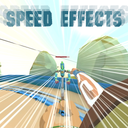
This mod add speed effects to the Legacy Camera. They are not visible in-game
Speed lines are now (optionally) visible in-game. FOV changes still are not
Features
- Dynamic FOV
- Anime speed lines
- Mostly adjustable
Help And Other Resources
Get help and find other resources in the Modding Discord: https://discord.gg/fsbcnZgzfa
CHANGELOG
Version 1.1.3
- Updated for RUMBLE 0.5
- Slightly changed the look of the speed lines
Version 1.1.2
- Made the in-game speed lines more visible
- This comes with a configurable multiplier in ModUI
Version 1.1.1
- Removed logging I forgot about
Version 1.1.0
- Added the option to show speed lines in-game (enabled by default)
- Added the option to track the speed lines effect to the direction you're moving
Version 1.0.2
- Added more settings for greater control
- Minimum Speed determines how fast you must be going before the calculations begin
- Air Bias reduces speed effects when you're on the ground
Version 1.0.1
- Updated the Readme
Version 1.0.0
- Uploaded
