
Some mods target the Mono version of the game, which is available by opting into the Steam beta branch "alternate"
OverTheCounter
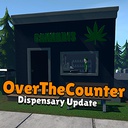
Build your dream dispensary empire with the OverTheCounter mod! Design fully custom storefronts, hire budtenders for autonomous checkouts, and watch live customer NPCs walk in to consult and buy. Manage it all seamlessly from an in-game phone app!
| Last updated | 4 hours ago |
| Total downloads | 5576 |
| Total rating | 4 |
| Categories | Mods Mono IL2CPP |
| Dependency string | hdlmrell-OverTheCounter-2.0.6 |
| Dependants | 0 other packages depend on this package |
This mod requires the following mods to function

LavaGang-MelonLoader
The World's First Universal Mod Loader for Unity Games compatible with both Il2Cpp and Mono
Preferred version: 0.7.2
ifBars-S1API_Forked
S1API is an open source collaboration project to help standardize Schedule One modding processes.The goal is to provide a standard place for common functionalities so you can focus on making content versus reverse engineering the game.
Preferred version: 3.0.1
ifBars-SteamNetworkLib_Il2Cpp
A streamlined, object-oriented Steam networking library designed specifically for Schedule 1 mods.
Preferred version: 1.2.3
ifBars-SteamNetworkLib_Mono
A streamlined, object-oriented Steam networking library designed specifically for Schedule 1 mods.
Preferred version: 1.2.3
hdlmrell-OTCLoader
MelonLoader plugin that auto-detects your game branch (IL2CPP or Mono) and disables incompatible mod DLLs before they crash. Works for all mods, not just OverTheCounter.
Preferred version: 1.0.5

hdlmrell-MeshVault
Shared mesh database plugin for Schedule I mods. Provides a public API for loading, spawning, and managing mesh entries from a JSON database.
Preferred version: 1.0.9
ifBars-S1MAPI
S1MAPI is a mapping and construction library for Schedule 1 mods. Create procedural meshes, build structures, and load GLTF assets without depending on game assemblies.
Preferred version: 2.0.0README
OverTheCounter for Schedule I
OverTheCounter is now a dispensary simulation mod packed with other additions. Build and run your own storefronts where customer NPCs physically walk in, consult with a budtender, and buy product at the counter. Hire budtenders to handle checkout autonomously, customize your interiors, and manage everything from a phone app. Stack it with the existing Manager automation, Smart Fill logistics, and dynamic world events for a full empire.
DUAL BUILD: This mod ships both
OverTheCounter.Il2Cpp.dllandOverTheCounter.Mono.dll. Install OTC Loader (optional, recommended) to automatically detect your game branch and load the correct DLL. If installing manually without the loader, only copy the DLL that matches your game branch. See instructions below.
Features
1. Dispensaries
Build your storefronts for customers.
Three new buildings you can purchase, furnish, and operate:
- Westville Shack is a small, cheap starter dispensary that gets you in the game.
- Big Dispensary is the next step up, with more floor space, more counters, and higher customer capacity.
- Supplier Warehouse is a black market warehouse with supplier delivery bays and bulk storage.
Purchase properties through an encrypted messaging thread with Static, a completely rewritten quest system built on threaded conversations with unread tracking and property listing cards.
- Walk-In Customers: Random customers visit your store throughout the day (3-24 per day, scaling with your rank). Vanilla deal NPCs are also redirected to your store when you have matching stock. NPCs physically enter through the front door, consult with a budtender, pick products based on their preferences, queue at checkout counters, and pay.
- Preserve Vanilla Deals (opt-in): Prefer keeping the vanilla deal flow? Enable this setting and vanilla NPCs keep their normal behavior. A configurable percentage of those deals also spawn a random walk-in customer at your store.
- Unit-Based Orders: Preferences factor in product type, quality, and effects. Purchase volume scales with your rank and relationship.
- Region-Locked Traffic: Customer flow is gated by the regions you control, with daily caps to keep things balanced.
- Dispensary Signage: Rename your dispensary and customize the sign color from the GreenTab app.
- Interior Placement: Full placement grid system for furnishing your buildings with storage, shelves, and equipment.
- Weather Protection: Rain visuals, audio, and NPC umbrellas are suppressed inside your buildings.
- Guided Quests: Each building has its own progressive questline. See Storefront Quests below.
2. Budtenders
Hire employees. Automate checkout.
- Autonomous Checkout: Budtenders consult with customers, fetch the products customers want, return to the counter, and complete the sale.
- Per-Counter Staffing: Assign budtenders to specific checkout counters from the GreenTab POS app.
- Store Alerts: Get notified when a customer is queued at a register without a cashier.
- Daily Wages: Budtenders cost $200/day, visible in the GreenTab employees widget.
3. GreenTab POS App
Your dispensary management hub, right on your phone.
A dedicated phone app for running your storefronts:
- Overview Dashboard: 7-day sales revenue and inventory charts, daily wage totals, property summary cards, and store diagnostic warnings.
- Auto-Pricing: Set per-product pricing from the inventory tab. Prices sync in multiplayer and persist across saves.
- Sales Log: Every transaction grouped by checkout, with customer name, products, subtotal, tip, and total. Filter by property.
- Employees Tab: Monitor budtenders, view daily wages, and current status.
- Customization: Swap desk styles, wall finishes, floor materials, and lighting setups. All furniture/building customizations loaded through the S1MAPI and the MeshVault system.
- Per-Property Filter: Dropdown to view stats and customize any owned building.
4. Storefront Quests
A guided path from empty building to running business.
Each building has its own progressive questline that walks you through setup: acquire the property, stock your shelves with packaged product, install lighting, hire your first budtender, and complete your first sale. The dispensary expansion quest adds guided pricing stages and a tutorial customer to get you started.
5. The Manager Update (Endgame Automation)
Stop running errands. Start running an empire.
A complete, simulation-based automation system built on S1API for maximum compatibility (works seamlessly alongside k0Mods).
- True Logistics: Hire physical Manager NPCs at your Laundromat, Post Office, Car Wash, or Taco Ticklers.
- Supply Routes: Managers automatically physically visit stores to keep your shelves stocked with essential ingredients (fertilizer, chemicals, etc.).
- Distribution Routes: Assign up to 3 custom logic routes per manager. They move product between storage containers or to and from dead drop locations, allowing you to chain logistics across the map.
- Manager Upgrades: Purchase walk speed and carry capacity tiers from the manager detail page. Faster managers = more runs per day. Higher capacity = fewer trips per route.
- The Cost of Business: Managers cost $350/day (paid from their locker's petty cash) and report their status via a daily summary text.
- Cascading Pathfinding: Managers use a multi-stage walk fallback chain, reducing teleports when NavMesh pathfinding fails.
- "Executive Privilege" Quest: A new endgame questline. Prove your worth to the Night Market Boss by crafting high-value Weed ($105+), Meth ($200+), and Cocaine ($400+) mixes. Success unlocks 24/7 Night Market access for your automation network.
6. Smart Logistics UI (Quality of Life)
No more mental math. No more clicking back and forth.
- Recipe Pin Overlay: Pin any product from the Product Manager app to see its full mixing chain on screen, showing every ingredient and step at a glance while you work.
- The Contract Aggregator: Merges all active orders into a single "Pending Deliveries" list, grouped by time window.
- Smart Fill (Storage): Open any container to see a live manifest of what you need vs. what you have. One click pulls the exact product into your inventory, prioritizing jars over baggies. If Pack Rat (Nexus) is installed, backpack items count toward your totals and a Fill Backpack First toggle controls placement priority.
- Smart Fill (Handover): During a contract handover, click once to fill the bare minimum (quality-aware, smallest packaging first). Click again to boost until acceptance hits 95%+. If Pack Rat is installed, the backpack is checked as a fallback source.
- Stack Size Multiplier: Configurable scaling for item stacks, manager thresholds, and supply picker quantities.
7. Dynamic World Events
The city feels alive, and the market is volatile.
- The "Desperation" System: Breaks the "wait for night" meta.
- Daytime Rush: High-addiction "Fiends" trigger urgent orders between 08:00 and Curfew.
- High Risk/High Reward: Strict 2-hour deadlines with a +45% payout bonus. Missing the deadline boosts the Cartel's reputation, not yours.
- Drifter Encounters: Random NPCs spawn throughout the city offering one-time deals via text.
- The Risks: Encounter Whales (bulk buyers), Robbers (ambushes), or Narcs (police stings).
- Scaling: Spawn rates increase as you unlock more regions.
- Graffiti Re-Edit: Re-edit placed graffiti while preserving your spray cans, with a config toggle to enable/disable.
8. HUD & Minimap
Information where you need it.
- HUD Overlay: Health, Stamina, and XP bars displayed above the hotbar with floating +/- indicators for damage, healing, and XP gains. Configurable show/hide toggles.
- Map Overlay: Custom building footprints rendered on both the phone map and the minimap.
- Customizable Minimap (opt-in): Turned off by default. Choose circular or square, adjust size, free-form positioning with X/Y sliders, compass labels, off-screen POI arrows, icon filtering, and a zoom cycle hotkey (Default: N).
9. Progression & Economy
You have to earn your tools.
- Rewritten Static Questline: The entire Static quest flow has been rebuilt around a threaded messaging system with encrypted conversations, property purchase cards, and a dead drop network.
- "OverTheCounter" (OTC) App: A dedicated phone app for managing your operations, automation network, and customer intel, locked behind a paygate until Static sells you access.
- Customers Tab: Your full customer searchable roster as a mugshot grid. Click any card for relationship health, addiction level, preferred effects, connections, and weekly purchase history. Regions unlock progressively.
- Employees Tab: Monitor your workforce. View current status, daily wage, locker balance, and carried inventory. Filter by type or group by property. Click any employee for detail view with minimap tracking. If HireMe (Nexus) is installed, a Hire / Transfer button appears.
- Managers Tab: Full visibility into your Manager NPC network. View active supply and distribution routes, read daily activity logs, and track each manager on the minimap.
- SaaS Model: Purchase software tiers ($1.5k to $12k) to expand customer region access and unlock features like GPS customer tracking.
- Subscription: Failure to pay the $1,000/week server fee disables the app until renewed with Static at the Casino.
- Early Game Laundering:
- Meet Vic: A corrupt associate who offers manual cash laundering once you hit the $10k weekly ATM limit.
- Risk vs. Reward: Pay a 17-20% fee to clean dirty cash early, bridging the gap between street dealing and owning legitimate businesses.
Multiplayer Support
Built from the ground up for co-op.
- Host-Authoritative: Quest progress, Manager routes, dispensary state, budtender staffing, and OTC subscriptions sync between host and clients.
- P2P Networking: Direct Steam relay messaging for latency-sensitive operations like checkout locking.
Requirements & Installation
Dependency Checker: If any required mod is missing, OverTheCounter shows a popup on the main menu telling you exactly what's needed and where to install it.
IL2CPP vs. Mono: Schedule I runs on two different Unity backends. Most players are on IL2CPP (the Steam default). Mods built for one backend are incompatible with the other and will crash MelonLoader if loaded together. OTC Loader (optional, recommended) automatically detects which version you're running and disables any incompatible mod DLLs across your entire mod list.
Using a mod manager (recommended)
Install OverTheCounter from Thunderstore using r2modman, Vortex, or Gale. When prompted to install dependencies, click Yes. The mod manager will download and configure everything for you, including:
- S1API for the modding API layer
- S1MAPI Thunderstore/Nexus for building interior navigation and NavMesh construction
- MeshVault Thunderstore/Nexus for the furniture and mesh loading system
- OTC Loader (optional, recommended) to automatically detect your game branch (IL2CPP or Mono) and disable incompatible DLLs
- SteamNetworkLib for multiplayer sync (single-player works fine without it, but there's no harm in having it installed)
Launch the game. That's it.
Manual installation
If you prefer not to use a mod manager, you'll need to install each dependency yourself.
- Install MelonLoader v0.7.0.
- Install S1API (ifBars fork) from Nexus or Thunderstore. This is the modding API layer. Make sure to pick the version matching your game branch (IL2CPP or Mono).
- Install S1MAPI from Nexus or Thunderstore for building interior navigation. Place the DLL matching your game branch in your
UserLibsfolder. - Install MeshVault from Nexus or Thunderstore for the furniture mesh system. Place the DLL matching your game branch in your
Modsfolder. - Multiplayer Only - Install SteamNetworkLib from Nexus or Thunderstore [il2cpp/mono] for multiplayer sync. Pick the version matching your game branch.
- Download the latest OverTheCounter release. It includes two files:
OverTheCounter.Il2Cpp.dllfor the IL2CPP branchOverTheCounter.Mono.dllfor the Mono branch
- Copy only the DLL that matches your game branch into your
Modsfolder. Do not install both. Loading the wrong-branch DLL will crash MelonLoader. - (Optional, recommended) Install OTC Loader separately. It automatically disables wrong-branch DLLs for all mods. See the dedicated section below.
- Launch the game. If anything is missing, the dependency checker popup will tell you what and where.
Configuration
Settings are stored in MelonLoader's config file and organized into the following categories:
- Desperation System: Enable/disable toggle, fiend addiction threshold, trigger chance per hour, max daily events, response/delivery deadlines, bonus multiplier, relationship penalty, cooldown, and active hours.
- Vic Laundering: Tier costs, returns, trust unlock threshold, deposit trigger amount, and intro quest requirements.
- Static Subscription: Weekly billing cost, cycle length, and tier upgrade costs/requirements.
- Contract Notifications: Enable/disable toggle, consolidation threshold (minimum contracts before grouping kicks in).
- Manager System: Daily wage, signing fee, and alternate hire mode toggle.
- Bella Protocol: Minimum weed, meth, and cocaine mix value thresholds for the quest.
- Drifter System: Enable/disable toggle, spawn chance per hour, max active drifters, active hours, offer window, delivery deadline, linger duration, and minimum deal value.
- World: Stack size multiplier, graffiti re-edit toggle, recipe pin toggle, shack daily customer cap, preserve vanilla deals toggle, and mirror spawn rate.
- HUD Overlay: Show/hide toggles for XP bar, health bar, stamina bar, and store checkout alerts.
- Minimap: Enable/disable toggle (off by default), size, zoom level, toggle key (default: N), X/Y position offsets, circle/square shape, rotate-with-player, compass labels, edge indicators, border color/width, icon scale, time/day display, and 24-hour clock.
- Minimap POIs: Per-category toggles for potential customers, unlocked customers (off by default), dealers, dead drops, contracts, quests, properties, and managers.
- Debug: Per-system verbose logging toggles (Manager, Drifter, Desperation, NPC, Network, Quest, Notification, Patch) and a general verbose catch-all.
Every setting includes a full description visible in ModsApp by k0mods Thunderstore/Nexus (recommended, open-source, recently updated). Also compatible with other config editors. You can always edit the config file directly if you prefer.
In multiplayer, the host's settings are automatically synced to all clients (except local-only preferences like minimap and HUD settings).
Mod Compatibility
HireMe (built-in soft integration)
Provides a dedicated UI for hiring and transferring employees through Manny's network. Hire multiple at once, assign them across properties, transfer between locations, and fire with one click.
When HireMe is installed alongside OverTheCounter, a Hire / Transfer button appears in the OTC app's Employees tab for quick access. No configuration needed. The integration is detected automatically at runtime.
Pack Rat (built-in soft integration)
Adds a persistent, tiered backpack that grows alongside your criminal rank, giving you extra inventory slots beyond the hotbar.
When Pack Rat is installed alongside OverTheCounter, the backpack is treated as an inventory extension:
- Delivery Manifest: "Have" counts include items in the backpack. A Fill Backpack First checkbox lets you choose whether Smart Fill routes product to the backpack or hotbar first (overflow always spills into the other).
- Smart Fill (Handover): If matching product isn't found in the hotbar, the backpack is checked as a fallback source.
No configuration needed. The integration is detected automatically at runtime. If Pack Rat is removed or updated incompatibly, all backpack features silently degrade.
License
Creative Commons Attribution-NonCommercial-ShareAlike 4.0 International (CC BY-NC-SA 4.0)
You are free to:
- Share. Copy and redistribute the material in any medium or format.
- Adapt. Remix, transform, and build upon the material.
Under the following terms:
- Attribution. You must give appropriate credit to the original author (hdlmrell) and indicate if changes were made. You may not suggest the author endorses you or your use.
- NonCommercial. You may not use the material for commercial purposes.
- ShareAlike. If you remix, transform, or build upon the material, you must distribute your contributions under the same license as the original.
