
Some mods target the Mono version of the game, which is available by opting into the Steam beta branch "alternate"
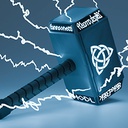
ThorHammer
Thor's Hammer mod for Schedule I.
| Last updated | a day ago |
| Total downloads | 68 |
| Total rating | 0 |
| Categories | Mods Mono IL2CPP |
| Dependency string | hdlmrell-ThorHammer-1.0.4 |
| Dependants | 0 other packages depend on this package |
This mod requires the following mods to function

LavaGang-MelonLoader
The World's First Universal Mod Loader for Unity Games compatible with both Il2Cpp and Mono
Preferred version: 0.7.2
ifBars-S1API_Forked
S1API is an open source collaboration project to help standardize Schedule One modding processes.The goal is to provide a standard place for common functionalities so you can focus on making content versus reverse engineering the game.
Preferred version: 3.0.0
ifBars-S1MAPI
S1MAPI is a mapping and construction library for Schedule 1 mods. Create procedural meshes, build structures, and load GLTF assets without depending on game assemblies.
Preferred version: 2.0.0
hdlmrell-OTCLoader
MelonLoader plugin that auto-detects your game branch (IL2CPP or Mono) and disables incompatible mod DLLs before they crash. Works for all mods, not just OverTheCounter.
Preferred version: 1.0.5README
Mjolnir
A Schedule I mod that adds Mjolnir (Thor's Hammer) as a purchasable weapon with melee combat, throwable mechanics, lightning powers, and flight.
Features
- Melee Combat — Left-click to swing. Hits NPCs with blunt impact and triggers a lightning strike on contact.
- Wind-Up & Throw — Hold right-click to spin the hammer. Release when fully charged to throw it. The hammer flies forward, hits the first target, then returns to you.
- Flight — While the hammer is fully charged (hold right-click until electrified), press and hold Space to fly in the direction you're looking. Release Space to stop.
- Lightning Zap — Press X (configurable) to shoot lightning from the hammer toward whatever you're aiming at. Damages and electrifies NPCs. Works on any surface.
- NPC Panic — Lightning strikes cause nearby NPCs to panic and flee (configurable radius).
- Electrified Effect — When the hammer is fully charged during wind-up, the player gets an electrified visual effect.
- Stamina System — All hammer actions consume stamina (melee, lightning, wind-up, flight). Fully configurable per-action costs with a toggle to disable.
- Live Configuration — All settings update in real-time via ModsApp or any config editor — no restart required.
Controls
| Action | Input |
|---|---|
| Melee swing | Left-click |
| Wind-up spin | Hold right-click |
| Throw | Release right-click (when charged) |
| Fly | Space (while charged, hold right-click) |
| Lightning zap | X (configurable) |
Installation
IL2CPP vs. Mono
Schedule I runs on two different Unity backends. Most players are on IL2CPP (the Steam default). Mods built for one backend are incompatible with the other and will crash MelonLoader if loaded together. This mod ships both ThorHammer.Il2Cpp.dll and ThorHammer.Mono.dll.
Install OTC Loader (optional, recommended) to automatically detect your game branch and load the correct DLL. It works for all mods, not just OverTheCounter. If installing manually without the loader, only copy the DLL that matches your game branch — see instructions below.
Requirements
- MelonLoader 0.7.2+
- S1API Forked 3.0.0+ (NexusMods)
- S1MAPI 1.0.0+ (NexusMods)
- OTC Loader (optional, recommended) — auto-detects your game branch and disables incompatible DLLs
Using a mod manager (recommended)
- Open r2modman, Vortex, or Gale and select Schedule I.
- Search for Mjolnir in the online tab.
- Click Download — when prompted to install dependencies, click Yes. The mod manager will download and configure everything for you.
- Launch the game.
Manual installation
- Install MelonLoader 0.7.2+ on your Schedule I game.
- Install S1API Forked and S1MAPI into your
Modsfolder. Make sure to pick the versions matching your game branch (IL2CPP or Mono). - Download the latest Mjolnir release. It includes two files:
ThorHammer.Il2Cpp.dll— for the IL2CPP branch (Steam default)ThorHammer.Mono.dll— for the Mono branch
- Copy only the DLL that matches your game branch into your
Modsfolder. Do not install both — loading the wrong-branch DLL will crash MelonLoader. - (Optional, recommended) Install OTC Loader — drop
OverTheCounter-Loader.dllinto yourPluginsfolder. It automatically disables wrong-branch DLLs for all mods. - Launch the game.
Configuration
Settings are stored in MelonLoader's config file and organized into the following categories:
- Controls — Lightning key binding (any valid Unity KeyCode name, e.g.
X,F,G,T). - Shop — Price (default $10,000) and a toggle to sell at hardware stores (Handy Hank's, Dan's) in addition to the Arms Dealer.
- Combat — Melee damage/force, throw damage/force, lightning damage/force, and lightning panic radius (NPCs within this radius flee when lightning strikes).
- Mechanics — Flight speed, throw speed, max throw range, and wind-up duration (minimum 0.1s).
- Stamina — Enable/disable toggle for stamina consumption, plus per-action costs: swing cost, lightning cost, wind-up drain rate, and flight drain rate.
Every setting includes a full description visible in ModsApp by k0mods Thunderstore/Nexus (recommended, open-source, recently updated). Also compatible with other config editors. You can always edit the config file directly if you prefer.
In-Game
Mjolnir can be purchased from the Arms Dealer for $10,000. Optionally, it can also be sold at Handy Hank's Hardware and Dan's Hardware (disabled by default — enable in config).
Credits
- Author: hdlmrell
- 3D Hammer Model: Fannsonetti
