
Some mods target the Mono version of the game, which is available by opting into the Steam beta branch "alternate"

| Date uploaded | a month ago |
| Version | 1.2.1 |
| Download link | k0Mods-ModsApp-1.2.1.zip |
| Downloads | 5770 |
| Dependency string | k0Mods-ModsApp-1.2.1 |
This mod requires the following mods to function

LavaGang-MelonLoader
The World's First Universal Mod Loader for Unity Games compatible with both Il2Cpp and Mono
Preferred version: 0.7.0
ifBars-S1API_Forked
S1API is an open source collaboration project to help standardize Schedule One modding processes.The goal is to provide a standard place for common functionalities so you can focus on making content versus reverse engineering the game.
Preferred version: 3.0.1README
Mods App
Convenient preferences management for Schedule I mods.
Note: This mod requires Bars' fork of S1API (>=v2.8.8). You can get it on GitHub, Thunderstore or NexusMods.
Features
- New "Mods" app in the phone for easy access
- See all loaded mods, including their name, version, author and compatibility status (S1API/Mono/IL2CPP)
- Search through the mod list
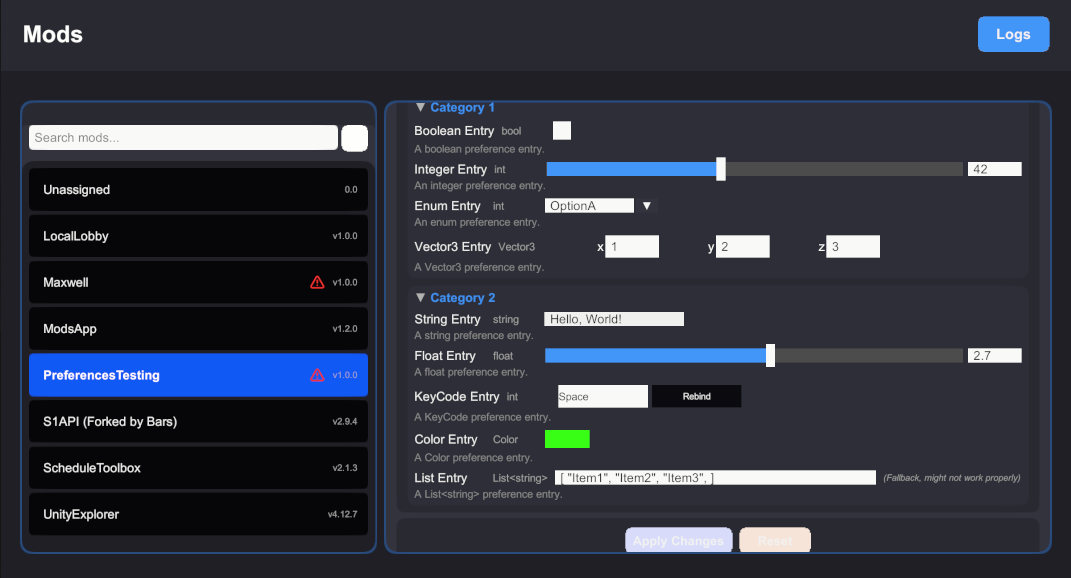
- Comprehensive preference management:
- Support for multiple data types (boolean, integer, enum, vector3, string, float, keycode, color)
- Organized categories for better preference organization
- Real-time editing with type-appropriate input controls
- Apply/Reset functionality for easy preference management
- Smart heuristics to automatically match preferences and configurations to their respective mods
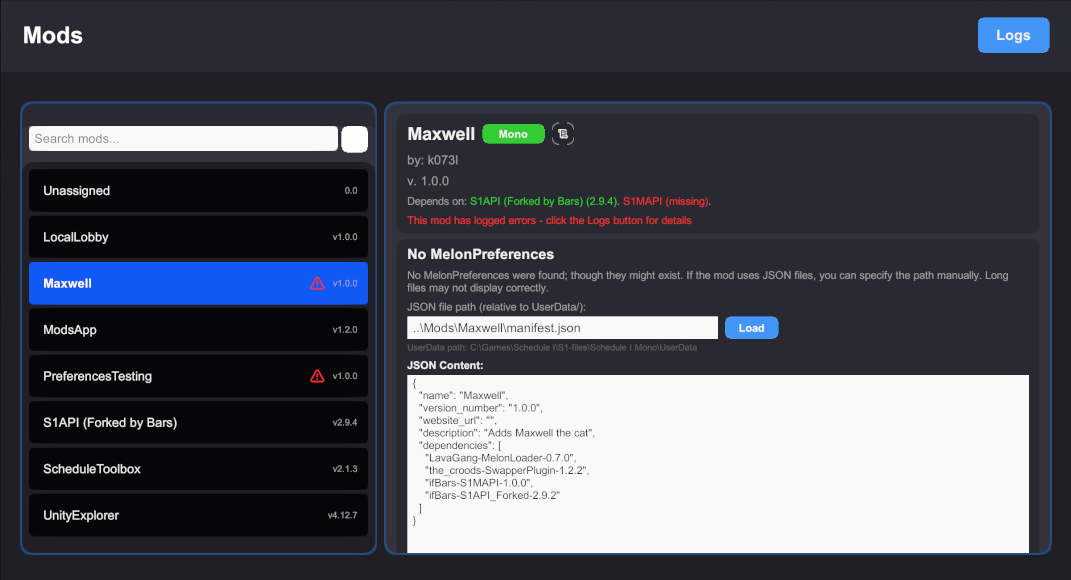
- JSON configuration support for mods without MelonPreferences
- Manual JSON file path specification and live editing
- Clean, intuitive interface
- Text size scaling options for accessibility
- Collapsible categories for better organization
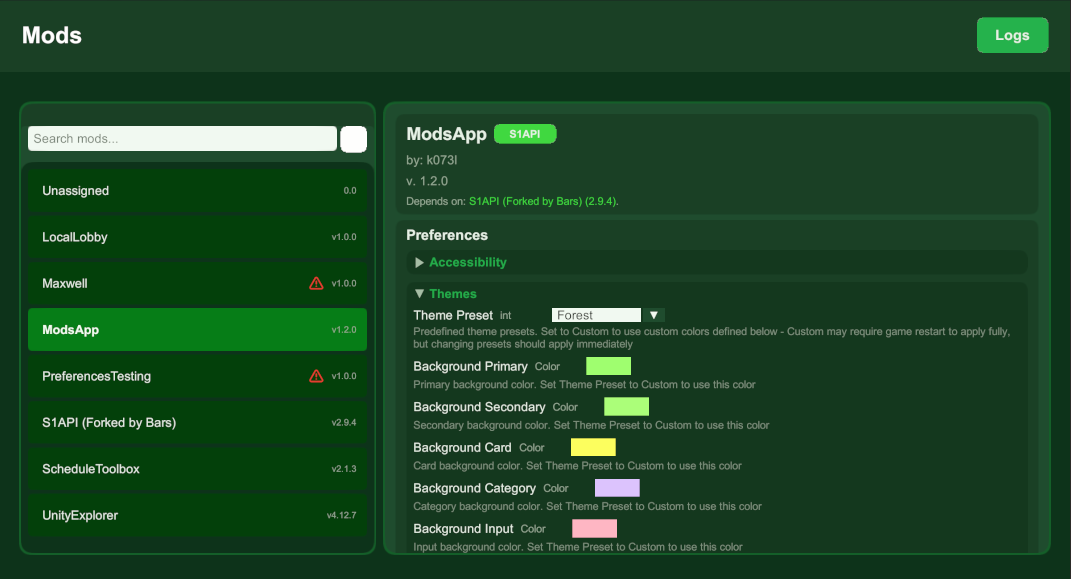
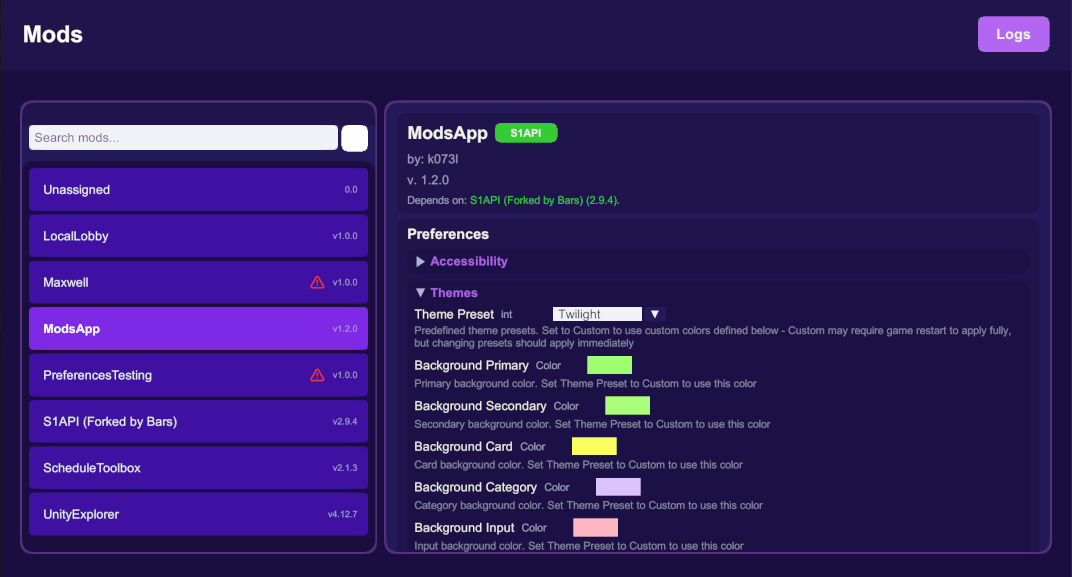
- Theme presets and custom theming options for personalization
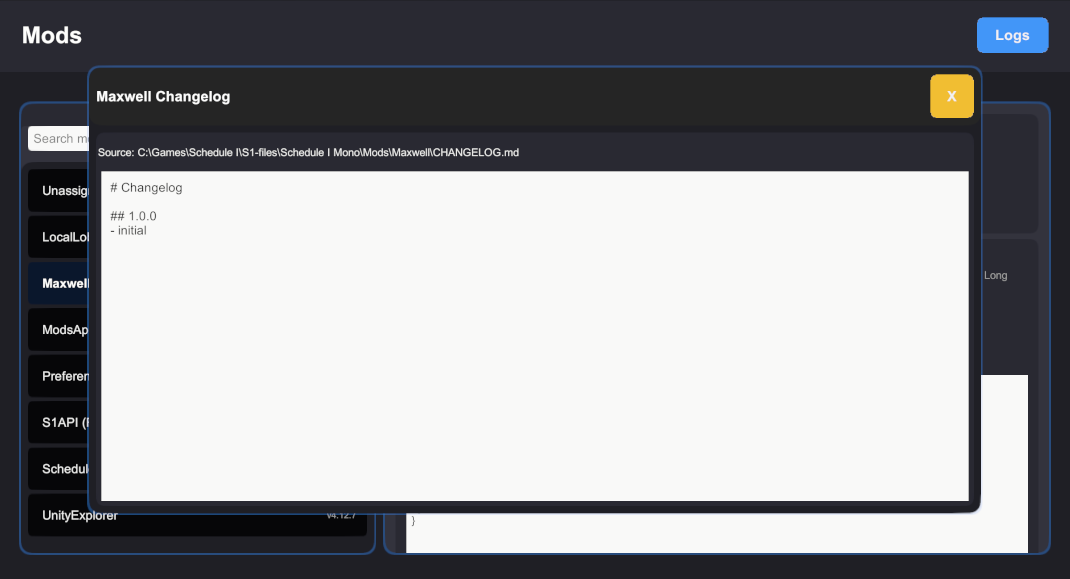
- Mod changelog viewer for easy access to update information
- Dependency tracking to see which mods require others to function properly
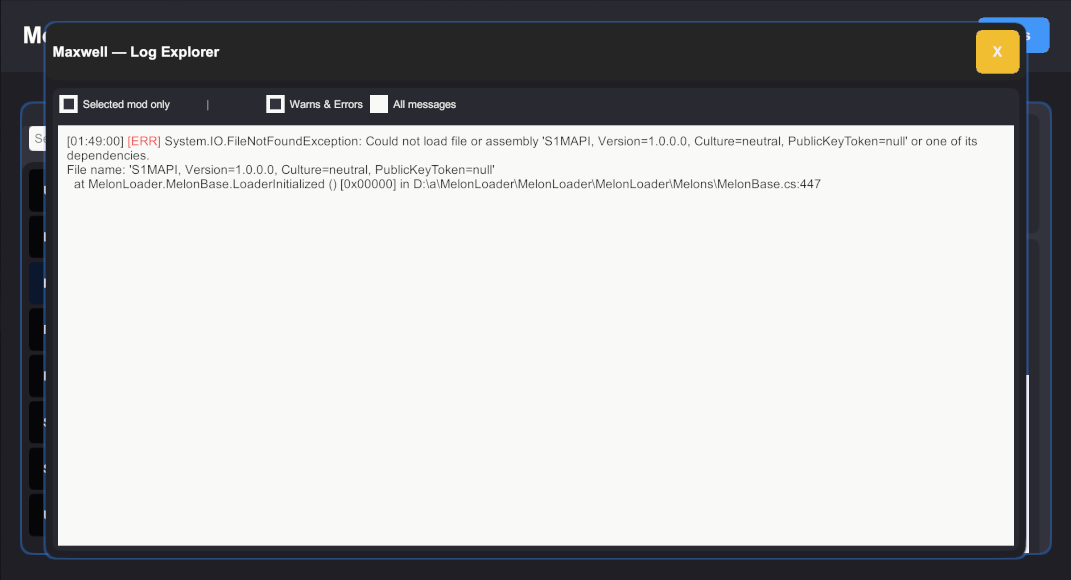
- In-app log explorer to view mod logs and errors without leaving the app
- Open source (MIT License)
Important Notes
Preference Changes: When you modify preferences through this app, other mods may not immediately reflect the changes. The app will remind you when a restart might be necessary for changes to take effect. This depends on how individual mods handle preference updates.
If you're a mod developer, check out the preferences guide.
Enabling/Disabling Mods: This app does not support enabling or disabling mods. This is by design - MelonLoader doesn't support dynamic mod loading/unloading and the restart would be required anyway. I'd recommend using a dedicated, mod platform aware mod manager, like r2modman, Gale or Vortex just to name a few. They can handle loading/unloading mods, updates and some even have mod profile support.
Backup Your Configs: Always back up your configuration files before making changes. While the app is designed to be safe, unexpected issues can arise.
Screenshots
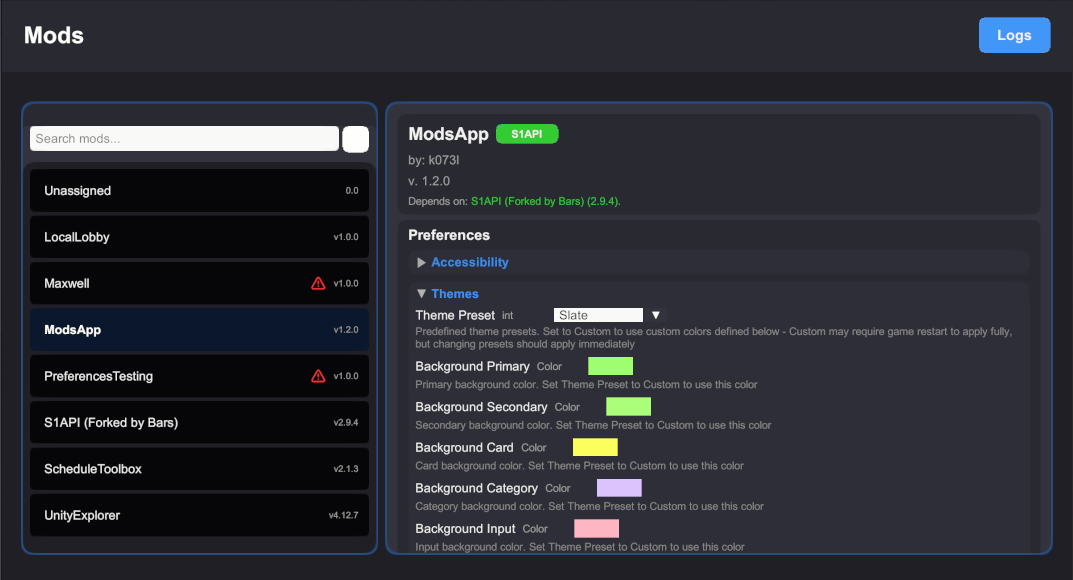
Select different themes:
Preferences Types Supported
MelonPreferences
- Boolean - checkbox
- Integer/Float - number input, with optional slider if the entry uses a Validator with a specified range
- String - text input
- Enum - dropdown
- Color - color wheel picker
- KeyCode - key binding input
- Vector3/other float structs - three number inputs
There's also a fallback for unsupported types (like List, Dictionary, custom classes) that's a text input. It may not work properly for all types.
JSON
Fallback to JSON configuration for mods that don't use MelonPreferences.
You can specify the path in the appropriate field. It's relative to UserData.
If the file exists and is a valid JSON, you can edit it directly in the app.
Changes are applied to the file on save (if valid JSON).
Installation
- Install MelonLoader
- Install Bars' fork of S1API (>=v2.8.8).
- Extract the zip file
- Place the dll file into the
Modsdirectory - Launch the game
Credits
- Bars for forking S1API, continuing its development and providing support. Also for helping with making this mod compatible with IL2CPP.
- All the open source projects that made this possible (MelonLoader, S1API and many more).
- Original wrench icon from FontAwesome
- Original warning and scroll icon from Lucide, ISC License
CHANGELOG
Changelog
1.2.2
- Removed the width limit on slider input field
- Improved Color Picker by adding RGB sliders and hex input
- Added a notification badge with number of mods that report errors or dot if there are new/updated mods
- Changed default category collapse - categories now start collapse if they'd take up too much vertical space
- Add README to CHANGELOG viewer - together as docs button (if either is found)
- Added options for input field alignment, entry spacing and copy to custom theme
- Fixed an issue with dropdowns where they didn't close on mod switch/scroll
- Improved the JSON editor by adding syntax highlighting (new editor, experimental)
- Added mod toggle support (enable/disable mods) (requires restart)
- Changed bool entries to use toggles instead of checkboxes
1.2.1
- Fixed a bug where the phone wasn't closing with Tab, only Esc after using a slider
- Fixed compatibility bug where LogManager would crash the Melon init on ML 0.7.2
- Improved robustness of matching heuristics by checking the assembly name as well
- Improved section matching in Log Explorer by checking assembly names and allowing partial matches
1.2.0
- Improved UI visually by implementing panel corners
- Added theme presets and custom theming options
- Added sliders for numeric inputs validated via IValueRange
- Implemented collapsible categories that are remembered across sessions
- Added a Dependencies line to mod headers that shows which mods are required for it to work
- Fixed scroll sensitivity being too low (thanks HODL!)
- Added an in-app log explorer that shows logs and errors for the current mod
1.1.1
- Added more cases to check when determining category ownership
1.1.0
- Added a search box for searching through the mod list
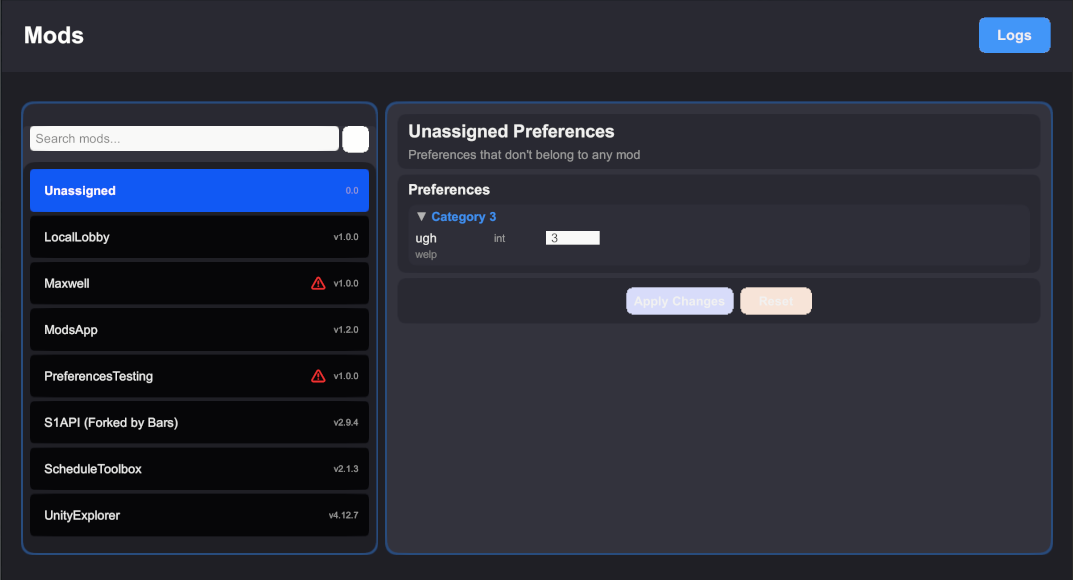
- Added unassigned preferences handling for preferences that are loaded by a mod, but weren't matched to it
- Added text scaling options as presets via MelonPreferences
1.0.1
- Manifest update (dependency)
1.0.0
- initial
