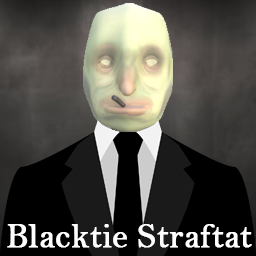
Blacktie Straftat
This is a cosmetic mod that adds an ever expanding library of suits, hats, and cigs to Straftat
| Last updated | 2 weeks ago |
| Total downloads | 611 |
| Total rating | 0 |
| Categories | Mods |
| Dependency string | BlacktieTeam-Blacktie_Straftat-1.1.0 |
| Dependants | 0 other packages depend on this package |
This mod requires the following mods to function

BepInEx-BepInExPack
BepInEx pack for Mono Unity games. Preconfigured and ready to use.
Preferred version: 5.4.2304
README
Contents of this mod:
- This "mod" contains a Cosmetic Bundle created using Kestrel's Fancy mod.
How to Contact Me:
If you have a skin idea/request, please send them to me at the below places:
- My Discord Tag: aahemjetrhino
- My Youtube: https://www.youtube.com/@jimjamdoesthings
How to Install Mods:
Installing with a Mod Manager
This is the recommended way to install BlackTie Straftat to the game.
- Download and install Thunderstore Mod Manager.
- Click the Install with Mod Manager button on the top of JetRhino's page.
- Run the game via the mod manager.
Installing Manually
- Install BepInExPack and Fancy by pressing 'Manual Download' and following their respective README files.
- Install BlackTie Straftat by pressing 'Manual Download' and extract the contents into a folder. Do not extract into the game folder!
- Move the contents of the extracted folder into the game folder, specifically, the contents of
BlacktieStraftat/BepInEx/plugins/CosmeticBundlesinto your game'sBepInEx/plugins/CosmeticBundlesfolder. - Run the game. If everything was done correctly, you will see the BepInEx console appear on your desktop, the game will launch, and the cosmetics will appear at the bottom of each cosmetic category.
IMPORTANT
The console will display a code from the Fancy mod when you launch Straftat. All players need to have the same code or there will be a conflict. If someone has a different code to you, it means they are missing a file or have alternative files in their `CosmeticBundles` folder.
Enjoy!