

OfflineCompanions
Hire AI companions with their own health, stamina, food, and inventory. They fight alongside you, gather wood/stone/ore, auto-repair gear, and follow you across the world.
| Last updated | a day ago |
| Total downloads | 229 |
| Total rating | 0 |
| Categories | Misc Utility NPCs Ashlands Update Bog Witch Update |
| Dependency string | ProfMags-OfflineCompanions-0.0.1 |
| Dependants | 1 other package depends on this package |
This mod requires the following mods to function

denikson-BepInExPack_Valheim
BepInEx pack for Valheim. Preconfigured and includes unstripped Unity DLLs.
Preferred version: 5.4.2200
ProfMags-TraderOverhaul
Unified custom trader UI overhaul for Haldor, Hildir, and Bog Witch with balanced, fair prices, boss progression support, and Haldor custom buy/sell logic preserved.
Preferred version: 0.0.1README
Offline Companions
Hire NPC companions from Haldor's shop - persistent allies with their own AI, inventory, combat, and gathering systems.






|
This is an early development build intended for testing. Expect bugs, rough edges, and incomplete features. Saves should be safe, but back up your world before installing. Feedback and bug reports are greatly appreciated. You're helping shape the mod by testing it now! |

|

|
Offline Companions adds persistent NPC allies to Valheim through Haldor's trader shop. Companions cost 2,000 coins and come with their own inventory, equipment, stamina, food system, and custom AI. They aren't pets or tames, they're teammates. Customize their appearance at purchase, gear them up with weapons and armor, feed them food for bonus stats, and command them through a radial wheel or point-and-click hotkey system. They'll fight beside you, gather resources while you build, haul your cart, repair their own gear, sit by the fire with you, and sleep in beds when you tell them to. Everything persists across sessions, zone transitions, server restarts, and player deaths. |

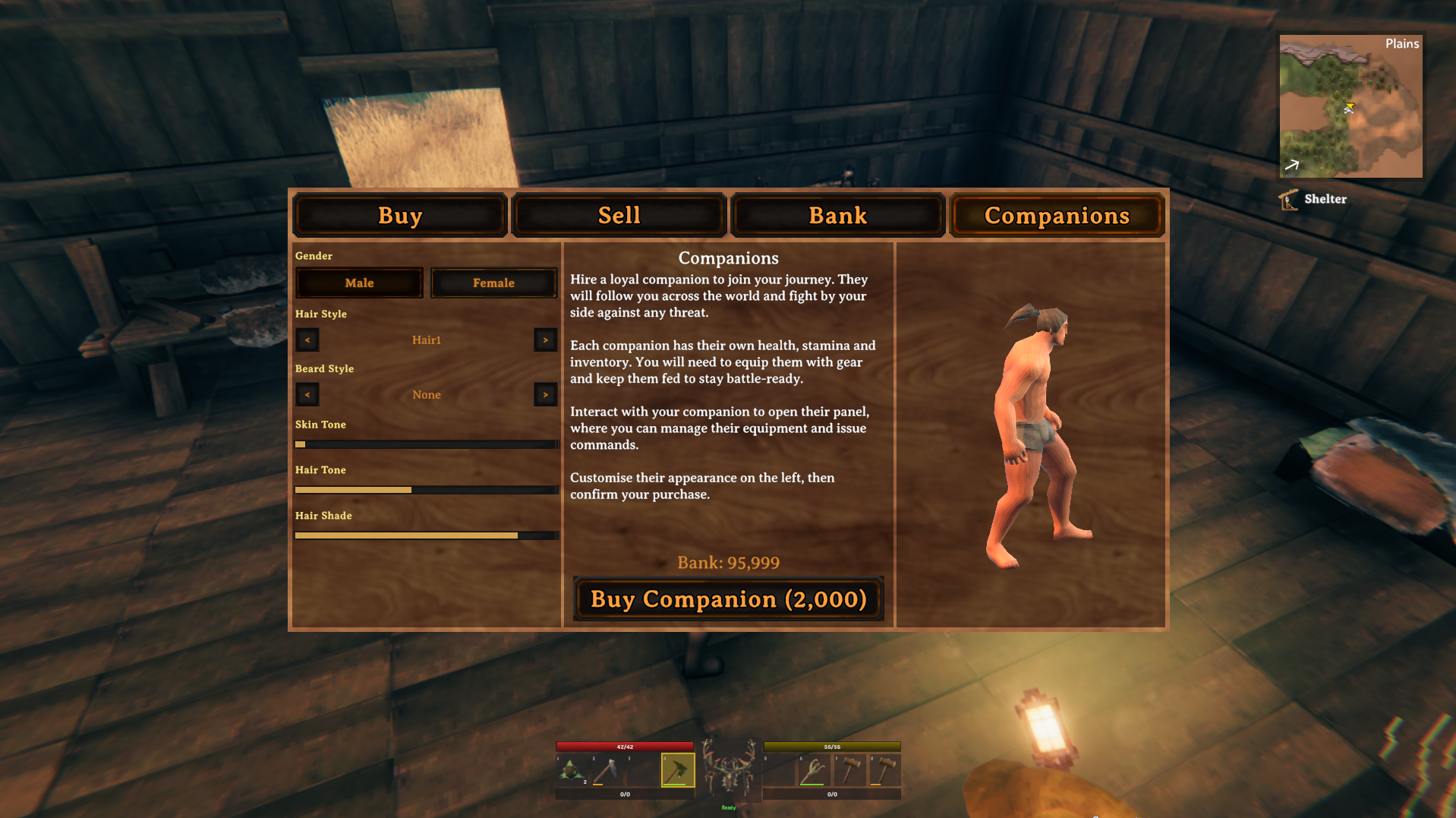
PurchaseVisit Haldor and open the Companions tab to recruit a new companion. Each costs 2,000 coins from your bank balance. Customize their gender, hair, beard, skin tone, and hair color in the 3D preview before confirming. InteractTap E on your companion to open their inventory panel. Manage gear, feed food, rename them. Hold E (or X on gamepad) to open the radial command wheel for quick access to all action modes and toggles. CommandPoint your crosshair at objects in the world and press the command hotkey to issue contextual orders. The companion figures out what to do based on what you're looking at. |

|
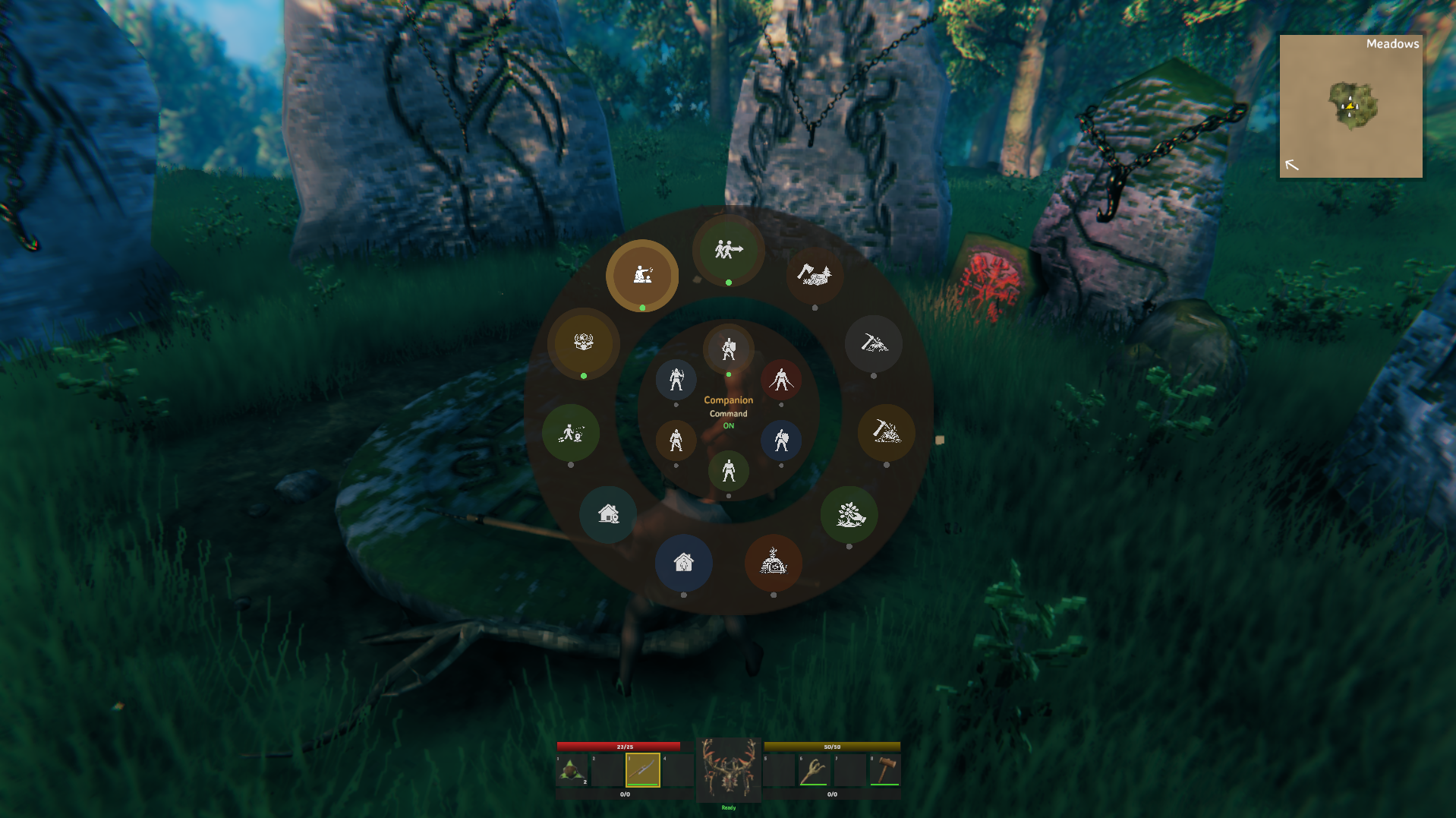
Hold E (keyboard) or X (gamepad) on a companion to open the radial command wheel. Move the mouse or gamepad stick to highlight an option, then click or press E to select. You can select multiple options before closing. Press Escape or B to close. The companion's name is shown in the center. Active toggles show their current ON/OFF state.
|

|
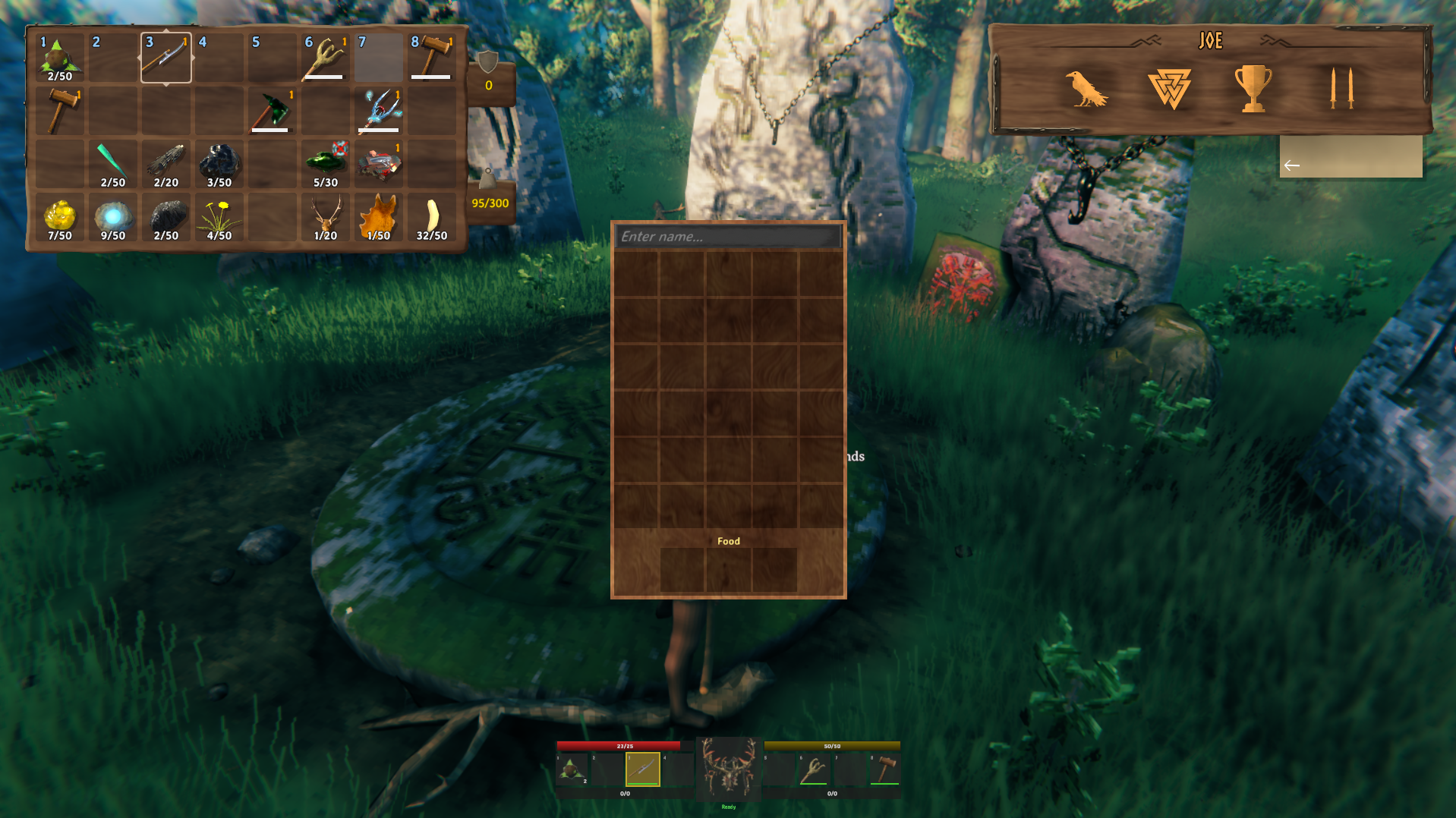
Tap E on a companion to open the inventory panel alongside the standard inventory GUI. The panel shows:
Companions auto-equip the best gear from their inventory: best weapon, shield, chest, legs, helmet, shoulder, and utility item. Items equip one at a time with proper animation. Broken items (0 durability) are skipped and unequipped. Right-click an item to use/equip it. Right-click food to feed it to the companion. Drag items between your inventory and theirs using vanilla drag-and-drop. |

|
Companions run on a custom AI system ( Follow & FormationWhen following you, each companion is assigned a formation slot. Multiple companions spread out around you instead of stacking on top of each other. When far away (>15m), they sprint straight to you; when close, they maintain formation offset. They use vanilla pathfinding and navigation mesh for movement. Target ManagementCompanions scan for enemies every 2-6 seconds depending on distance from you. Once they lock onto a target, they commit and won't bounce between enemies. A directed target from the command hotkey locks for 10 seconds. In gather modes, targeting is suppressed unless an enemy enters self-defense range (10m). Sleep & WakeCompanions support Valheim's sleep/wake RPC system. They can be directed to sleep in beds and will wake automatically when enemies approach. Stuck DetectionBuilt-in stuck detection nudges companions clear of furniture colliders, beds, and chairs that block pathfinding. Door handling detects when a companion is stuck behind a closed door and automatically opens, passes through, and closes it. Stay Home PatrolWhen Stay Home is active, the AI switches from following you to patrolling the home position. Combined with gather modes, they'll autonomously harvest resources near home without you being present. |

|
Companions use a defensive-first combat system. They actively scan for incoming threats and react before attacking. Melee Combat
Ranged Combat
Combat Behavior
Stamina SystemCompanions have their own stamina pool (base 25 + food bonus) with regeneration. Stamina is consumed by attacks, blocking, running, and swimming. When stamina hits zero, attacks fail and blocks don't hold. |

|
Set a companion to Gather Wood, Gather Stone, or Gather Ore via the radial wheel or directed command. They'll autonomously find, walk to, and harvest nearby resources. Gather Behavior
Smart Tool UseThe companion automatically equips the best matching tool from their inventory. Axe for wood, pickaxe for stone and ore. The tool stays equipped until gathering stops. Drop CollectionAfter destroying a resource, the companion scans within 8m for item drops and picks them all up before moving to the next target. OverweightGathering stops automatically at 298/300 weight. The companion reverts to Follow mode and announces they're overweight. Self-DefenseIf an enemy enters within 10m during gathering, the companion pauses to fight, then resumes gathering once the threat is gone.
|

|
Point your crosshair at objects in the world and press the command hotkey to issue contextual orders. All owned commandable companions receive the command simultaneously.
Long press the command hotkey (0.4s) to recall all companions. Cancels everything and restores follow mode. They'll say "Coming!" and head straight to you.
|

|
Toggle Stay Home in the radial to anchor a companion near their home position. Use Set Home to mark where they should stay. They'll patrol within range instead of following you. Combine Stay Home + Gather mode and they'll harvest resources near home autonomously. When their inventory fills up (298 weight), direct them to a chest and they'll walk over and deposit everything except equipped gear, food, and weapons, then go right back to gathering. Toggle Wander to control patrol range:
|

|
Companions periodically scan their equipped gear. When any item drops below 50% durability, they'll walk to the nearest compatible crafting station (workbench, forge, etc.) and repair everything they can. Point at a specific crafting station and press the command hotkey to direct them there immediately, regardless of durability threshold. |

|
Companions have three food slots that work exactly like player food. Same bonuses, same burn timers, same front-loaded curve.
Feed food by right-clicking consumables in the companion's inventory, or let auto-consume handle it. They'll speak up when hungry. |

|
Companion gear works like player gear:
|

|
Companions detect when they're stuck behind a closed door and automatically open it, walk through, and close it behind them. They also proactively scan for doors when circling a building trying to reach you. Respects ward protection and locked doors. Companions won't open doors they shouldn't.
|

Campfire SittingWhen you sit by a burning campfire (using the sit emote), nearby companions in Follow mode will join you. They walk to the fire and sit down facing it. They'll stand up if you do, if enemies appear, or if the fire goes out. Point at a fireplace and press the command hotkey to explicitly tell them to sit. Bed SleepingPoint at a bed and press the command hotkey to tell companions to sleep. They'll walk to the bed, lie down, and stay asleep until you wake them (same command again) or enemies appear. Resting BenefitsWhile sitting or sleeping, companions heal 2 HP/sec and their stamina regeneration is doubled. |

|
Companions have context-aware overhead speech that plays every 20-40 seconds. Lines are chosen based on what's happening:
Each directed command type (attack, sit, sleep, repair, deposit, etc.) also triggers its own immediate speech line. |

|
When looking at a companion, the vanilla enemy HUD is extended with two extra bars below the health bar:
This lets you check a companion's status at a glance from a distance. |

|

|
Everything about a companion is stored in ZDO and persists across:
Saved state includes: appearance, name, inventory, equipment, action mode, home position, all toggle states, food timers, and ownership. Follow targets are automatically restored after player respawn. |

|
1. Install BepInEx for Valheim |
[!IMPORTANT] Trader Overhaul must be installed first. The Companions tab is injected into its custom trader UI.

|

|

|
Built on BepInEx and Harmony
|


Forged for the Valheim community ❤️ Skol, Vikings.
