
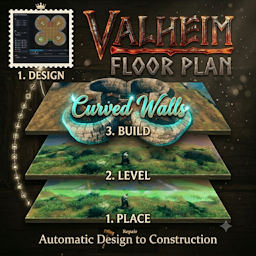
OpenTop config option: when true, leaves the topmost scaffold level open to the sky — no roof deck, no beams, and no vertical scaffolding on the external walls of the topmost level, regardless of ScaffoldingFloors or RoofStyle. Hearth chimneys still rise through the open level. Staircases are clamped to the highest real floor deck. Works consistently for 2-level and 3-level builds.RoofScaffoldingType replaced by RoofStyle + OpenTop: RoofStyle controls the deck shape (Gable / Flat); OpenTop is a separate boolean that overrides all topmost-level placement. Automatic migration: on first load the mod reads any existing RoofScaffoldingType value, writes the equivalent RoofStyle / OpenTop values, removes the old key, and saves the config. No manual config editing required. Legacy .vpfset preset files are also migrated in memory when loaded.woodiron_pole columns are placed at the corners of each Hearth chimney shaft, one column per scaffold level, spanning the full configured floor height for that level. This anchors the chimney walls to the floor at every level and is applied regardless of OpenTop or RoofStyle.New FlexiWall tool in the Designer: draw curved or straight walls of any shape — arcs, circles, sweeping curves — that are not constrained to the rectangular grid. Select the tool, click a start cell, click an end cell, then drag the midpoint handle to bend the arc into shape. Endpoints snap automatically to the correct cell-edge boundary so adjacent FlexiWalls meet without gaps.
Full circle support: placing start and end in adjacent cells and dragging the midpoint to the opposite side of the circle produces a closed ring wall — both in the Designer preview and the in-game build.
New InternalWallHeightLevel1/2/3 config parameters: FlexiWalls whose control points lie strictly inside the layout perimeter are now treated as interior walls and stacked to the new InternalWallHeightLevel height instead of the external wall height. Set it lower than ExternalWallHeightLevel for half-height room dividers, or match it for uniform wall height throughout.
Fixed: Gable roofs no longer have gaps caused by openings below. Staircases, Hearths, and other upper-level openings could previously block or punch holes through Gable roof panels, leaving the roof incomplete. The Gable roof now always builds as a full, continuous surface across the entire footprint regardless of what's underneath it.
Fixed: Staircases no longer leave holes in the roof above them. Roof tiles directly over a staircase shaft were being destroyed during cleanup even though staircases don't need an opening through the roof — they're now left intact, so the roof stays solid above stairwells.
Fixed: Hearth chimneys now properly clear Gable roofs. Chimney stacks — including those on the ground floor — now measure their height against the actual roof apex and clear away any surrounding roof and deck tiles, so the chimney extends cleanly above the roofline instead of being blocked or clipped by it.
Designer: Excel-style row/column reference labels. Numeric grid references now run along all four edges of the canvas (top/bottom for columns, left/right for rows), matching the same 0-based col/row numbering used internally and in .vfp files, making it much easier to line up placements by eye or by coordinate.
Designer: furniture pieces are now selectable, movable, and rotatable after placement. Bed, Staircase, Hearth, and Workbench pieces show a small handle at their centre once placed (or loaded from a file). Drag the handle to move the piece, click it to select it, then use the arrow keys or mouse wheel to rotate it in place — no need to delete and re-place a piece just to nudge or turn it.
Designer: reworked right-click and deletion to prevent accidental removals. Right-click (and Escape) now simply cancels whatever's active — an in-progress FlexiWall draw, a piece selection/drag, or the current tool — without deleting anything. To delete a piece, hover it and press Delete/Backspace; this also removes the currently selected piece if one is selected. Escape also now reliably clears tool selection and any in-progress interaction, returning the cursor to normal.
Designer: FlexiWalls use the same select-then-delete flow as furniture pieces. Placed FlexiWalls show a midpoint handle that can be clicked at any time (no need to have the FlexiWall tool active) to select the wall — shown with the same dashed yellow outline used for selected furniture — and then removed with Delete/Backspace. Right-click on a FlexiWall handle no longer deletes it; right-click is now purely a cancel action everywhere, matching Escape. While the FlexiWall tool is active, the handle still drags to reshape the curve as before.
Designer: selecting a placed piece via its handle also activates the matching tool. Clicking a furniture piece's or FlexiWall's handle switches the active tool radio to that piece's type — for FlexiWalls, this is what re-enables the handle's drag-to-reshape behavior immediately after selecting it.
Designer: Delete/Backspace removal is now scoped to the active tool's piece type. With the Hearth tool selected, for example, Delete/Backspace can only remove Hearth pieces — Floors, Walls, and other types under the cursor are left alone, preventing accidental removal of the wrong piece type while focused on one kind. With no tool selected, any piece type can still be removed.
Designer: the piece Delete/Backspace would remove is now highlighted as you hover. When a tool is active (or a piece/FlexiWall is selected), the exact piece that the next Delete/Backspace press would remove is outlined and tinted in red on the canvas, so you can see precisely what's targeted before committing to the deletion.
New FloorPlanDirectory config option: Set this to a folder path and the FloorPlanFile, FloorPlanFileLevel2, and FloorPlanFileLevel3 fields can then be bare filenames instead of full paths. Preset bundles are also read from and written to this folder when set. Existing deployments with full paths in the file fields continue to work unchanged — full absolute paths are always used as-is regardless of this setting.
Minor Staircase Tweaks: Minor changes to Step Height and Rotation Angle to make the climb up the steps smoother. Step parameters are now exposed in the config.
Support for Upper Level Hearths: An extra horizontal scaffolding support is added underneath the Hearth to prevent it from collapsing when they are on upper levels. May not work in every case but if you place the Hearth near a wall (wood or stone) it should be stable now.
Designer Graphics Improved: Improved graphics to help with placement including better overlap detection.
Designer Help Expanded: An attempt to build a Valheim Complete Workbench Matrix describing Workbenches, their build material requirements and related Boss info. All intended to help with layout design.
Upper-level preview bands: when FloorPlanLevels is 2 or 3, the in-world build preview now shows a red floating rectangle at the height of each upper floor (based on ScaffoldingFloorHeight / ScaffoldingFloorHeight#2), so you can see the full multi-storey footprint before confirming placement.
Keep-terrain undo mode (Ctrl+F9): a new hotkey (configurable via UndoKeepTerrainHotkey, default Ctrl+F9) starts a piece-only undo that removes VFP pieces but discards the terrain snapshot, so leveled ground is preserved. Confirmation works the same as normal undo — the mode is latched so you can confirm with either Ctrl+F9 or F9 within the 5-second window.
In-game preset bundle manager (.vpfset): added timestamped export (Ctrl+F8) and interactive timed import selection (Alt+F8) for sharing/reloading full build presets (layout files + non-key config settings). Export file names now use <BundleName>-YYYYMMDD-HHMMSS.vpfset, and after import the config BundleName is normalized back to the imported preset prefix (timestamp removed). Import selection shows bundle name plus index (X of N), supports Right/Left navigation, Enter to confirm import, Escape to cancel, and auto-cancels on timeout.
3 Level Build Demo video published: https://youtu.be/jz39KSSfhJ0
Critical bug fix — terrain levelling restored: A long-standing coordinate offset error in TerrainLeveler caused all stamp positions to be calculated hundreds of metres away from the actual build site whenever the player was not near world origin. As a result, terrain levelling was silently skipped on virtually all real-world builds. This has been corrected; levelling now works correctly at any world position.
Designer now supports 3 in-memory level layouts with quick switching (Level 1/2/3), per-level file/dirty state, and overlay checkboxes for cross-level visual planning.
Overlay clash hints are now directional and content-aware: bright red dotted outlines flag overlap candidates across visible levels, with lower-level Staircase/Hearth projecting upward while non-vertical tools do not.
Bed pieces now show a head-direction arrow in the Designer, and are placed in-game with the correct head orientation matching the Designer layout.
Expanded multi-floor support for 2nd and 3rd floor plans, including upper-level staircase placement.
Multi-level builds now place pieces level-by-level with route-critical parts first (staircases/hearths), then remaining pieces.
Stair and chimney shafts are now treated as protected vertical routes so higher-level pieces do not block those paths.
Upper-level floor tiles from plan files are skipped when scaffold decks already provide those floors, avoiding duplicate overlap.
Improved clash feedback for upper levels:
Improved upper-level wall behavior:
ExternalWallHeightLevel1/2/3) with dynamic per-level caps.Added StaircaseReachMode config (ToTheNextLevelOnly / AllTheWay) to control whether staircases climb only to the next level or continue to the highest available level.
Fixed staircase shaft punch-through so deck/beam openings and higher-level staircase-shaft blocking now respect StaircaseReachMode (no extra holes above the configured reach).
Improved validation and warnings for invalid upper-floor layout files and bounds mismatches.
Updated and expanded user/developer documentation to describe current multi-level behavior.
ScaffoldingLevels is set above 1, TransverseScaffoldingBeams and LongitudinalScaffoldingBeams are automatically forced to true and written back to config so the saved settings match the required build behavior.ExternalWallHeight is now capped at ScaffoldingLevels x ScaffoldingFloorHeight, and oversized values are clamped back to the maximum allowed by the current scaffold setup.ScaffoldingFloorHeight#2 and ScaffoldingFloorHeight#3 so each scaffold story can use its own validated height, and ExternalWallHeight now caps against the sum of the active scaffold floor heights.RoofScaffoldingType with Gable (default) and Flat options for the topmost scaffold level when ScaffoldingFloors is enabled.RoofScaffoldingGableFlooring for RoofScaffoldingType=Gable, with RoofWithFloorUnderlay (default) and RoofOnly options.Workbench tool can be placed in the Designer with rotation support and is built in-game using the mapped workstation footprint.Hearth (4x3) and basic Bed (2x4) footprints.woodiron_pole / woodiron_beam, with 4m columns built from stacked 2m vertical segments.ScaffoldingFloorHeight now allows 2, 4, or 6 metres between scaffold levels so wood-iron support segments stack cleanly.wood_roof_top instead of floor pieces.BuildOriginForwardOffset is now only an optional extra clearance.ExternalWallHeight can now be configured up to 18 levels.DisableWelcomePost config option: center welcome signage can now be disabled when it is not wanted.ScaffoldingLevels option (1-3): when roof scaffolding is enabled, scaffold generation now repeats the full vertical/perimeter/transverse/longitudinal pattern per level at +4m increments.ScaffoldingFloors option: when roof scaffolding is enabled, wood floor decks can now be toggled on or off for scaffolding levels. Default is false.BuildRotationSnapDegrees, RotateStepDegrees, and FineRotateStepDegrees are now restricted to 22.5, 45, or 90 degrees to prevent broken off-axis combinations.Q rotate left, G rotate right, E confirm, Esc cancel, with LeftShift as the fine-adjust modifier.TransverseScaffoldingBeams and LongitudinalScaffoldingBeams for horizontal beam runs between interior scaffold poles.RoofScaffolding config option..vfp file cannot be loaded (preview or direct build), an on-screen centre message now explains the failure instead of silently doing nothing.LeftShift) for precise positioning.UndoRadius config option (range 5–150 m, default 15 m) to control the undo search radius.+/- (or numpad equivalents) adjusts the radius by 5 m; the new value is saved to config and highlights/boundary circle refresh immediately.+/- adjustment hint, and RMB/Esc cancel reminder.ValheimFloorPlanPlugin.Instance static property and SetUndoRadius() helper to support live config write-back from FloorPlanBuilder.denikson-BepInExPack_Valheim-5.4.2333.>) with plain bold "Note/IMPORTANT" lines for better Thunderstore dark-theme readability.ValheimFloorPlan-1.0.3.zip) including mod DLL + Designer app.images/.Shell layout generation so doorways are placed first and walls no longer overlap doorway footprints.ValheimFloorPlan-1.0.2.zip) including mod DLL + Designer app.TerrainHighPointDelta (Highest + Delta, 0.0 to 4.0).com.alexdroz.valheimfloorplan.