
Please disclose if any significant portion of your mod was created using AI tools by adding the 'AI Generated' category. Failing to do so may result in the mod being removed from Thunderstore.
ValheimFloorPlan
Valheim Floor Plan mod with in-game terrain-aware placement plus bundled Floor Plan Designer web app for creating .vfp plans.
| Date uploaded | a day ago |
| Version | 1.0.4 |
| Download link | RetiredCoders-ValheimFloorPlan-1.0.4.zip |
| Downloads | 33 |
| Dependency string | RetiredCoders-ValheimFloorPlan-1.0.4 |
This mod requires the following mods to function

denikson-BepInExPack_Valheim
BepInEx pack for Valheim. Preconfigured with the correct entry point for mods and preferred defaults for the community.
Preferred version: 5.4.2333README
Valheim Floor Plan
Build structures in Valheim from pre-designed floor plans.
Anyone who has spent time building in Valheim knows the real work starts before the first wall goes up — clearing uneven ground, wrestling with terrain, nudging pieces into alignment one agonising centimetre at a time. Valheim Floor Plan takes that grind away. Design your layout once in the included browser-based Designer, save it as a .vfp plan file, and the mod handles the rest: it levels the terrain, snaps a snapshot for easy undo, and constructs your entire foundation in seconds. No more tedious ground prep or painstaking piece-by-piece placement — just load your plan, pick your spot, and build.
This package includes two components:
- ValheimFloorPlan mod — a BepInEx plugin that reads
.vfpplan files and builds them in-game. - Valheim Floor Plan Designer — a browser-based app (included) for creating and editing
.vfpplan files.
Included in this package:
- The mod DLL (installed automatically under
BepInEx/plugins) - The Designer web app (
BepInEx/plugins/ValheimFloorPlan/Designer/) - Sample
.vfpplans to get started immediately
Creating Floor Plans
-
Open the Designer to create or edit a plan. It is a local web page installed by Thunderstore Mod Manager. Copy the path below and paste it into your browser address bar to open it (replace
v1.0.3if a newer version is installed):%APPDATA%\Thunderstore Mod Manager\DataFolder\Valheim\cache\RetiredCoders-ValheimFloorPlan\v1.0.3\BepInEx\plugins\ValheimFloorPlan\Designer\index.html e.g. C:\Users\{Username}\AppData\Roaming\Thunderstore Mod Manager\DataFolder\Valheim\cache\RetiredCoders-ValheimFloorPlan\v1.0.3\BepInEx\plugins\ValheimFloorPlan\Designer\index.html -
Save/export a
.vfpfile. -
Point the mod config
FloorPlanFileto that.vfpfile. -
In game, press the build hotkey (default F8) and place the design. A terrain snapshot is taken automatically before placement.
While the preview is active, use these keys to adjust placement:
Key Action ↑↓←→Move the plan forward / backward / left / right QRotate left (45°) RRotate right (45°) Left Shift(hold)Fine-adjust mode — smaller move/rotate steps EConfirm and build at current position RMB/EscapeCancel placement Note: All keys are configurable in the BepInEx config file.
While positioning the plan, watch for these visual markers in the world:
- White rectangle — the inner leveled pad: the exact area of ground that will be raised and flattened to sit your foundation on.
- Green rectangle — the outer terrain-change boundary: terrain blending extends to this edge, giving a smooth transition rather than a hard cliff.
- Tall yellow flagpole — the exact placement origin point at the centre of the plan. The pole rises 10 m above the terrain surface so it remains visible even when the ground is underwater or underground.
- Orange diamond markers — terrain edge risk warnings. These appear when the surrounding terrain is uneven enough that the leveled edge may produce visible tears or spikes. Move or rotate the plan until they disappear (or reduce) for the cleanest result. Markers turn red when risk is high.
Note: A HUD message also reports the current risk level (
LOW/MEDIUM/HIGH) along withstep(the steepest cross-edge height jump) andrelief(total height range around the footprint) to help you judge whether to nudge the plan before building. -
To undo, press the undo hotkey (default F9). A 5-second confirmation window opens showing:
- Red rings around every VFP piece within the search radius so you can see exactly what will be removed.
- Orange boundary circle on the ground marking the edge of the search radius.
During the confirmation window you can:
Key Action +/-(or numpad)Increase / decrease the search radius by 5 m. The new radius is saved to config. F9(undo hotkey again)Confirm — removes all marked pieces and restores terrain. RMB/EscapeCancel — clears all highlights without removing anything. The HUD message shows the current radius and remaining time throughout the window.
IMPORTANT: Terrain can only be restored within the current session — if you leave the area or reload, the terrain snapshot is lost. Building pieces can be undone across sessions because they are tagged as built by Valheim Floor Plan.
Config Options
Config file path:
BepInEx/config/com.alexdroz.valheimfloorplan.cfg
All values below are configurable in that file.
General
| Option | Default | Allowed values | What it does |
|---|---|---|---|
FloorPlanFile |
(empty) | Any valid file path | Full path to the .vfp file exported by the Designer. |
BuildHotkey |
F8 |
Any valid KeyboardShortcut |
Starts plan preview/build flow. |
UndoHotkey |
F9 |
Any valid KeyboardShortcut |
Removes placed VFP-tagged pieces and restores terrain snapshot. |
UndoRadius |
15 |
5 to 150 |
Search radius in metres around the player when scanning for VFP pieces to remove on Undo. Adjustable live during the confirmation window with +/-. |
ProgressMessagePosition |
CenterLeft |
Valheim MessageHud positions (Center, TopLeft, TopRight, etc.) |
HUD slot for build-progress messages. CenterLeft is accepted as an alias and maps to Center. |
WarningMessagePosition |
TopLeft |
Valheim MessageHud positions (Center, TopLeft, TopRight, etc.) |
HUD slot for warnings/risk messages. CenterLeft is accepted as an alias and maps to Center. |
BuildOriginForwardOffset |
12 |
10 to 20 |
Initial preview origin distance in front of the player (meters). |
Terrain
| Option | Default | Allowed values | What it does |
|---|---|---|---|
TerrainLevelPasses |
2 |
1 to 5 |
Main leveling pass count before spike cleanup. Lower is faster; higher can smooth stubborn terrain. |
TerrainSpikeCleanupPasses |
2 |
1 to 5 |
Post-leveling spike cleanup pass count. |
TerrainStampRadius |
3.0 |
3.0 to 6.0 |
Radius of each terrain stamp disc (meters). Also controls outer terrain blend reach. |
TerrainHighPointDelta |
0.0 |
0.0 to 4.0 |
Extra height added to sampled highest point (targetY = highest + delta). |
TerrainUseStagedRaise |
false |
true / false |
Experimental staged vertical raise mode instead of single full-height raise. |
TerrainRaiseStepHeight |
0.5 |
0.15 to 1.5 |
Max vertical raise per stage when staged raise is enabled (meters). |
TerrainMaxRaiseStages |
1 |
1 to 16 |
Hard cap on number of staged raises when staged mode is enabled. |
TerrainSkipSatisfiedCenterStamps |
true |
true / false |
Skips center stamps where sampled terrain is already at/above target height. |
Building
| Option | Default | Allowed values | What it does |
|---|---|---|---|
ExternalWallHeight |
1 |
1 to 4 |
Stacks outer-perimeter Wall/Pillar pieces vertically to this many levels. |
WallPillarMaterial |
Stone |
Stone, Wood |
Chooses material set used for Wall and Pillar types. |
Preview Movement/Rotation
| Option | Default | Allowed values | What it does |
|---|---|---|---|
MoveStep |
2.0 |
0.25 to 10.0 |
Nudge distance per move key press (meters). |
FineMoveStep |
0.5 |
0.05 to 5.0 |
Nudge distance per move key press while fine-adjust key is held (meters). |
RotateStepDegrees |
15 |
1 to 90 |
Rotation applied per rotate key press (degrees). |
FineRotateStepDegrees |
5 |
1 to 45 |
Rotation applied per rotate key press while fine-adjust key is held (degrees). |
Preview Keys
| Option | Default | What it does |
|---|---|---|
MoveForwardKey |
UpArrow |
Move preview origin forward relative to camera. |
MoveBackwardKey |
DownArrow |
Move preview origin backward relative to camera. |
MoveLeftKey |
LeftArrow |
Move preview origin left relative to camera. |
MoveRightKey |
RightArrow |
Move preview origin right relative to camera. |
RotateLeftKey |
Q |
Rotate preview counter-clockwise. |
RotateRightKey |
R |
Rotate preview clockwise. |
ConfirmKey |
E |
Confirm current preview placement and start build. |
CancelKey |
Escape |
Cancel preview. (Right-click cancels too.) |
FineAdjustKey |
LeftShift |
Hold for fine movement and fine rotation. |
Sample Plans
The samples/ folder contains ready-to-use .vfp examples:
samples/myfloorplan4x4.vfpsamples/myfloorplan8x8.vfpsamples/myfloorplan12x12.vfpsamples/myfloorplan16x16.vfpsamples/myfloorplan20x20.vfpsamples/myfloorplan24x24.vfpsamples/myfloorplan28x28.vfp
Examples
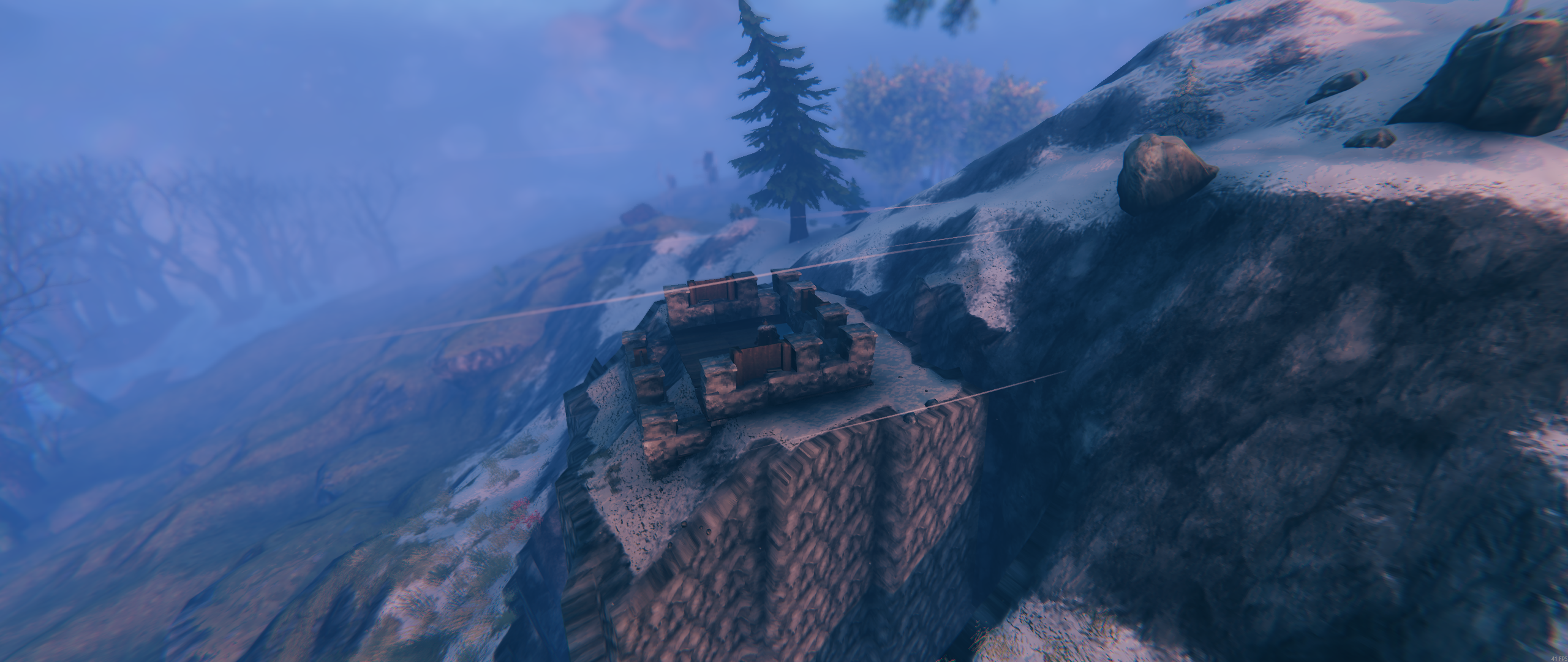
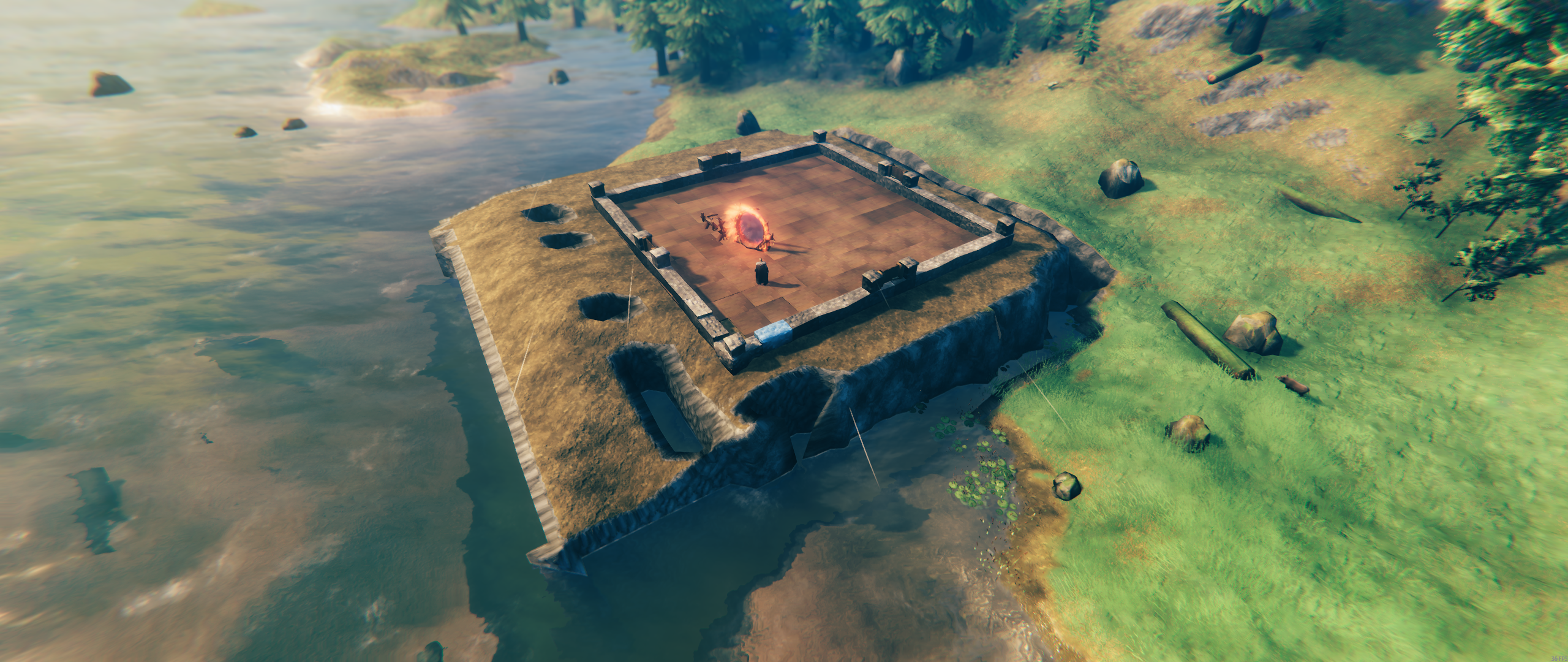
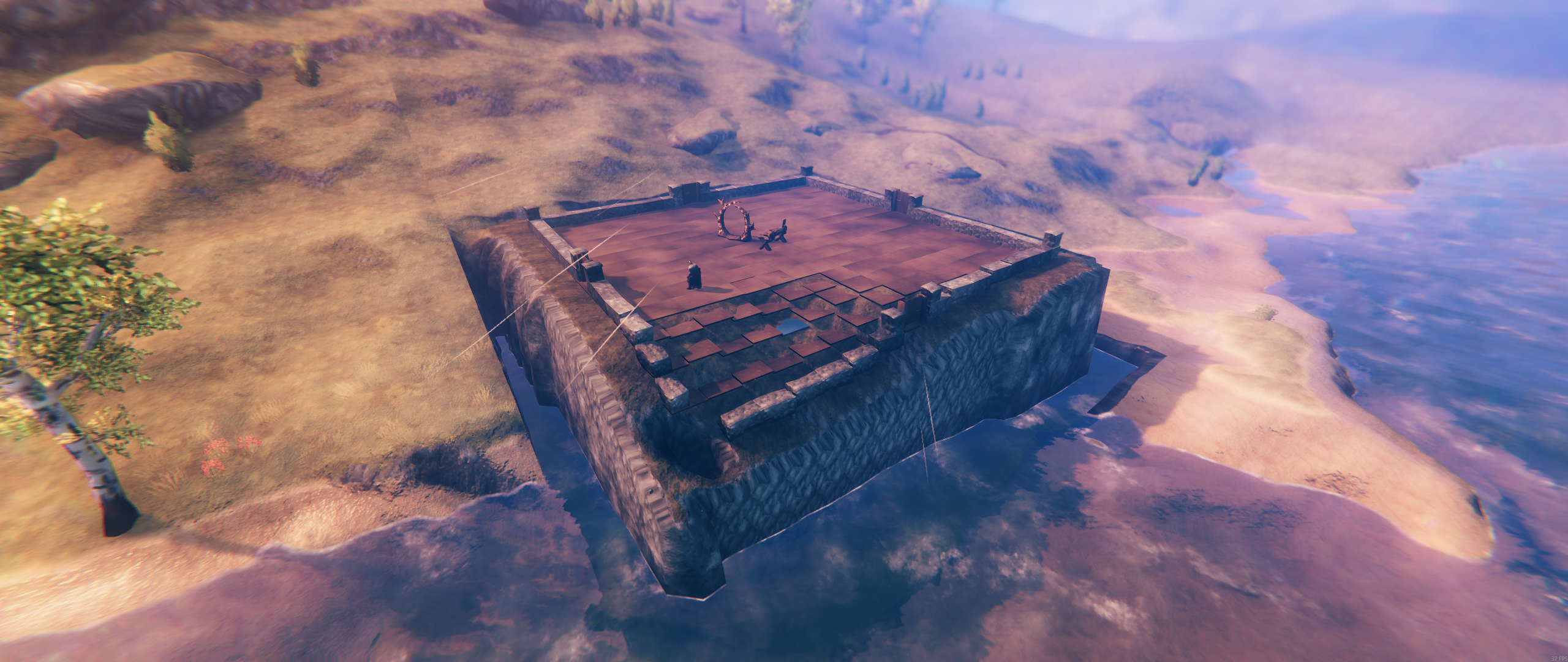
Screenshots
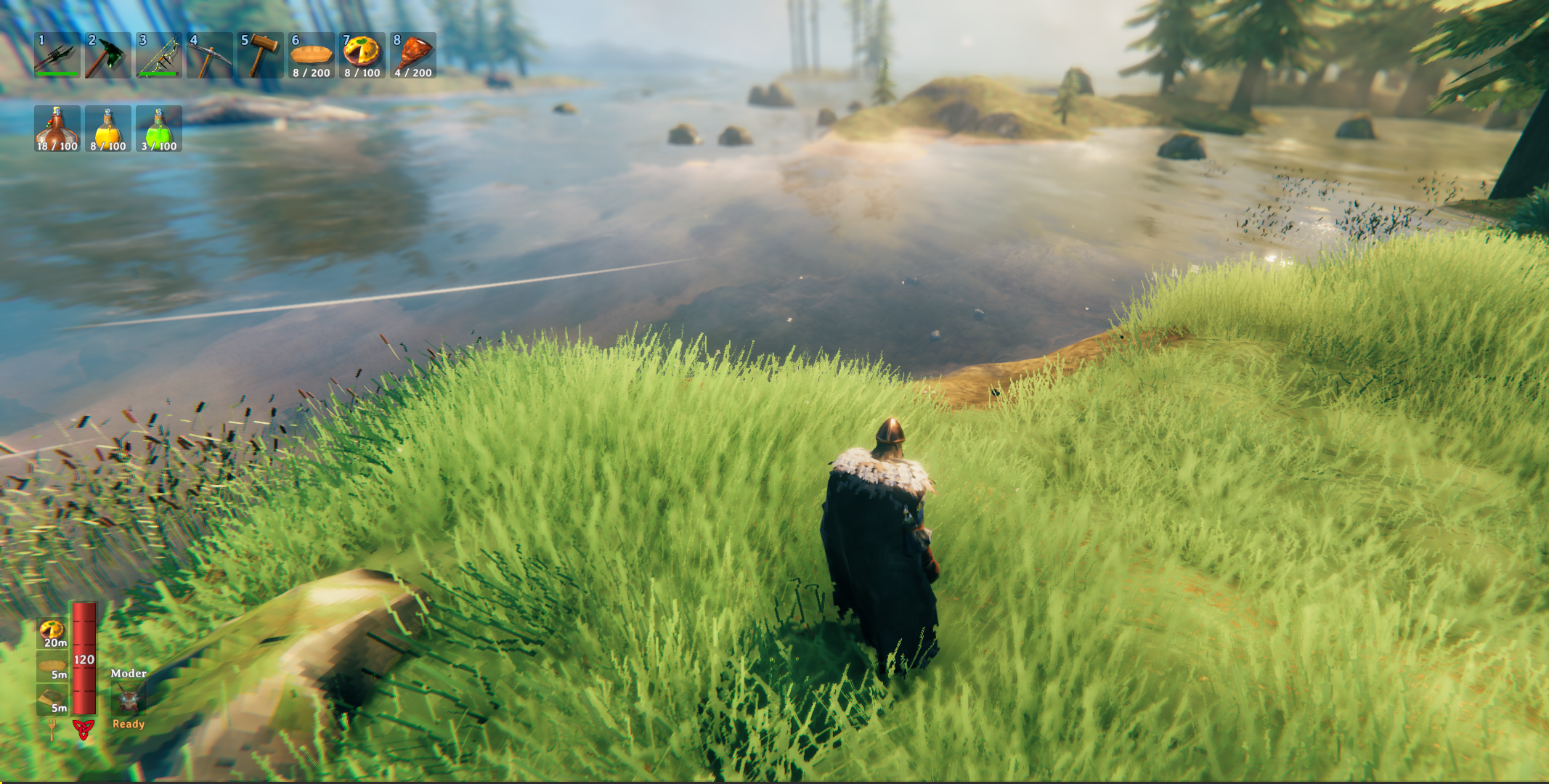
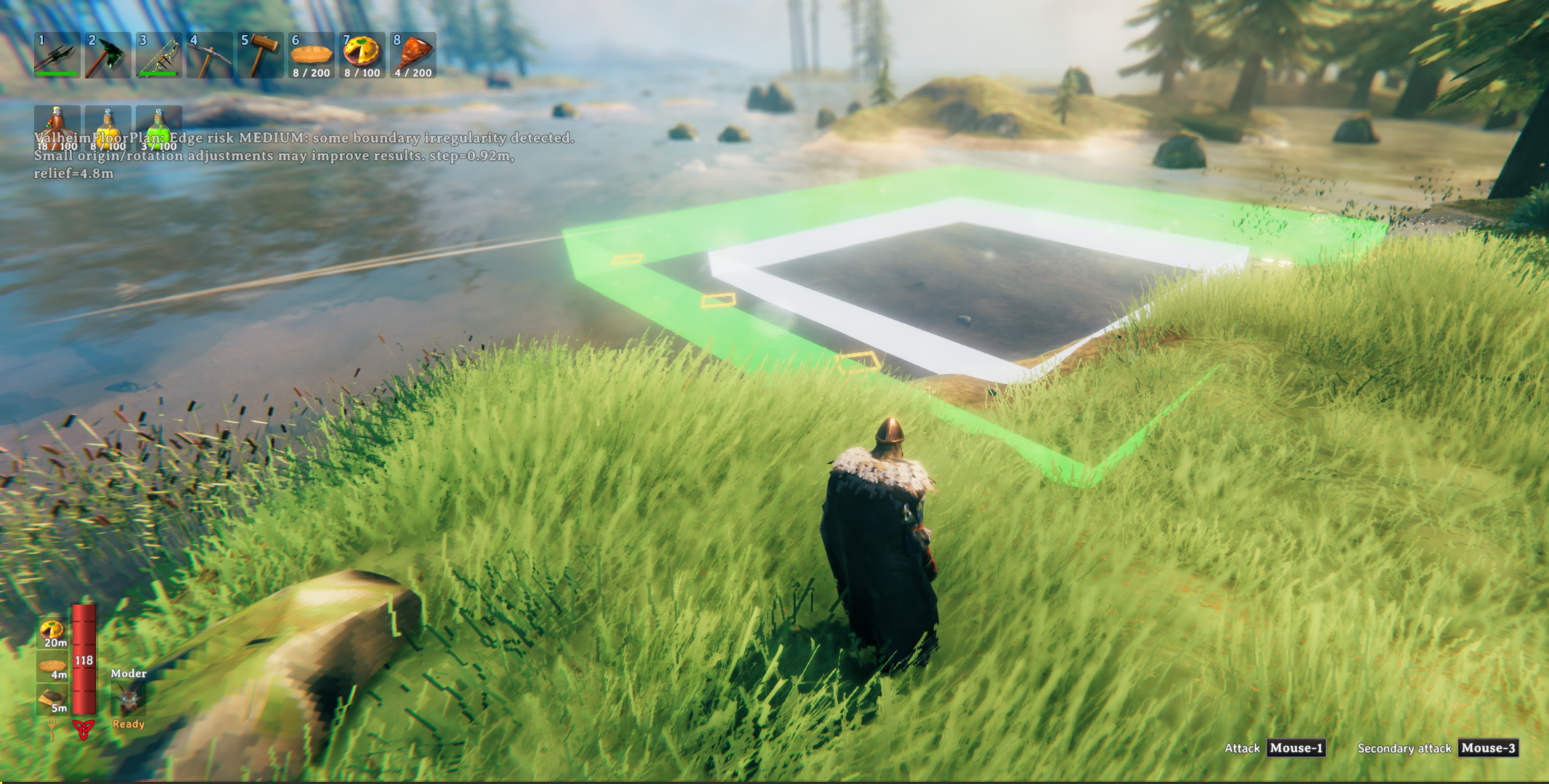
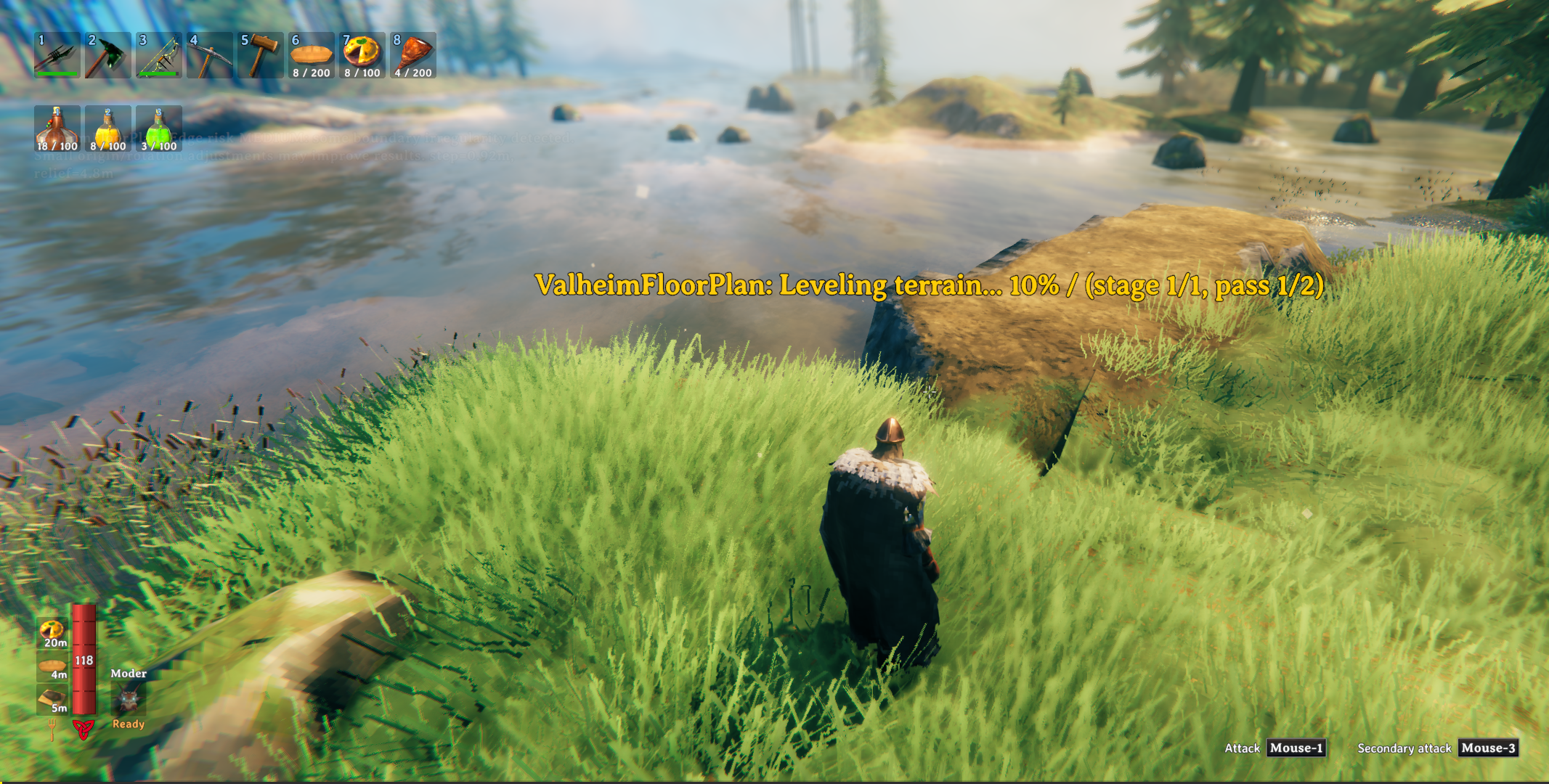
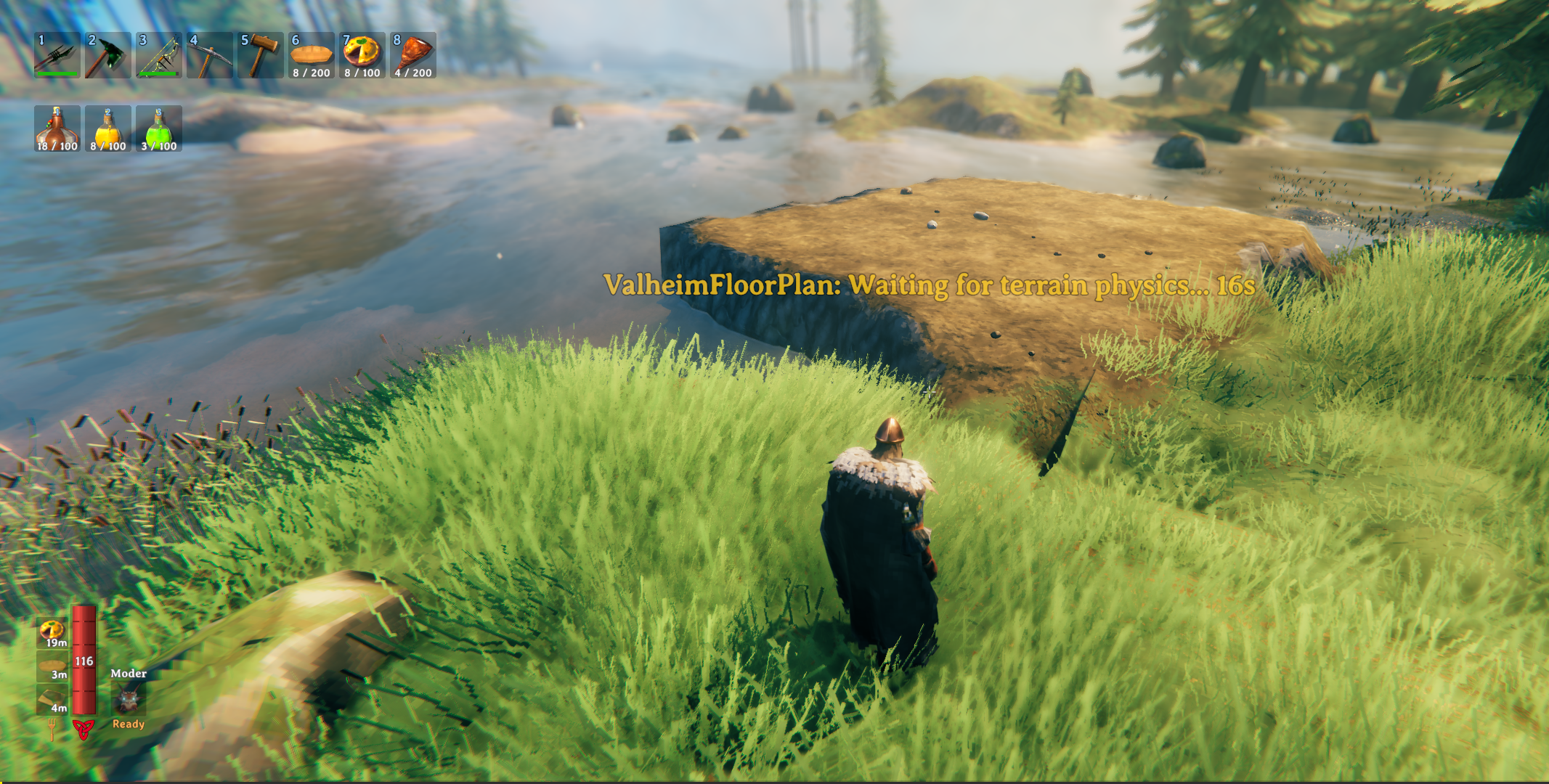
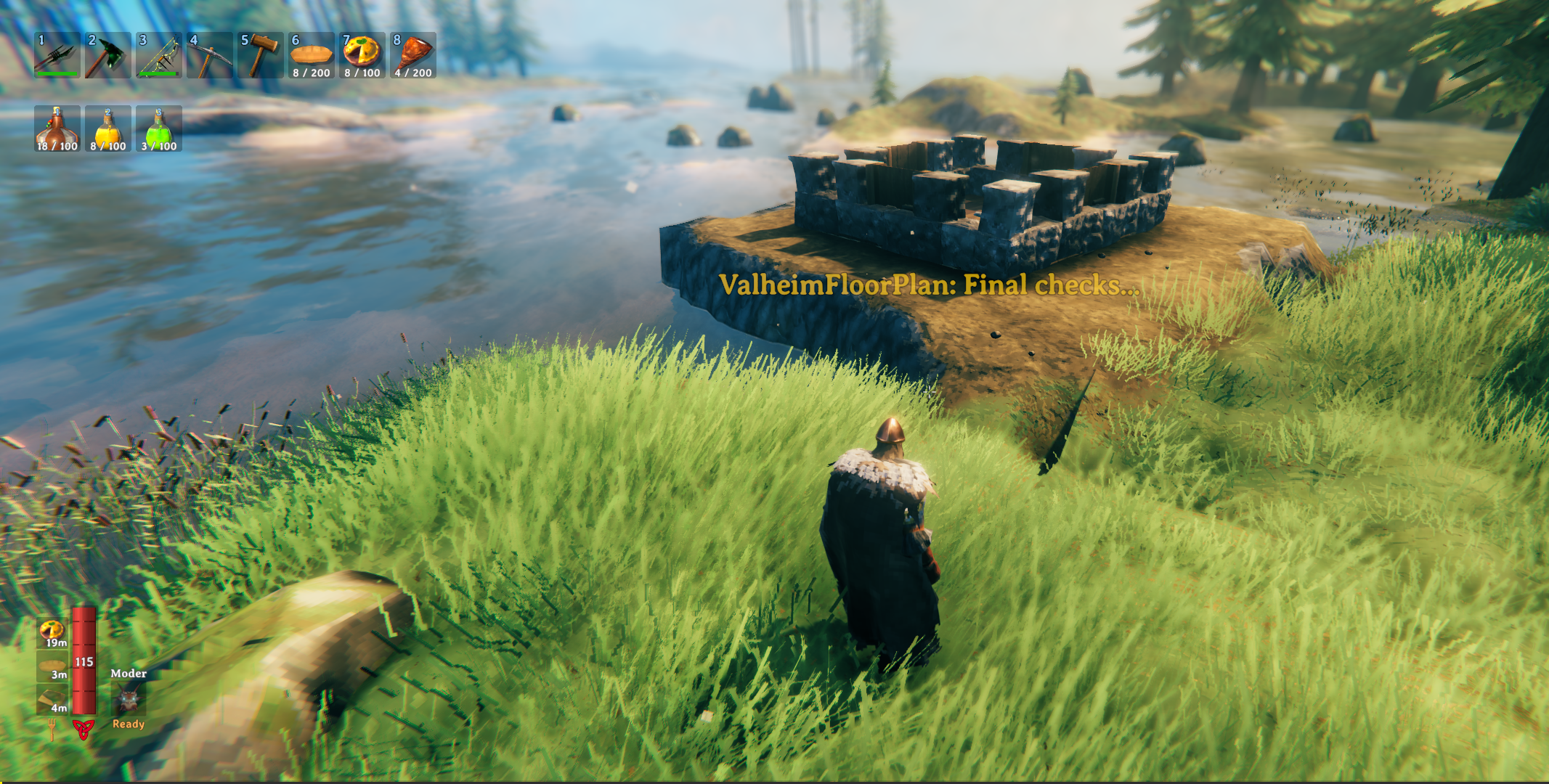
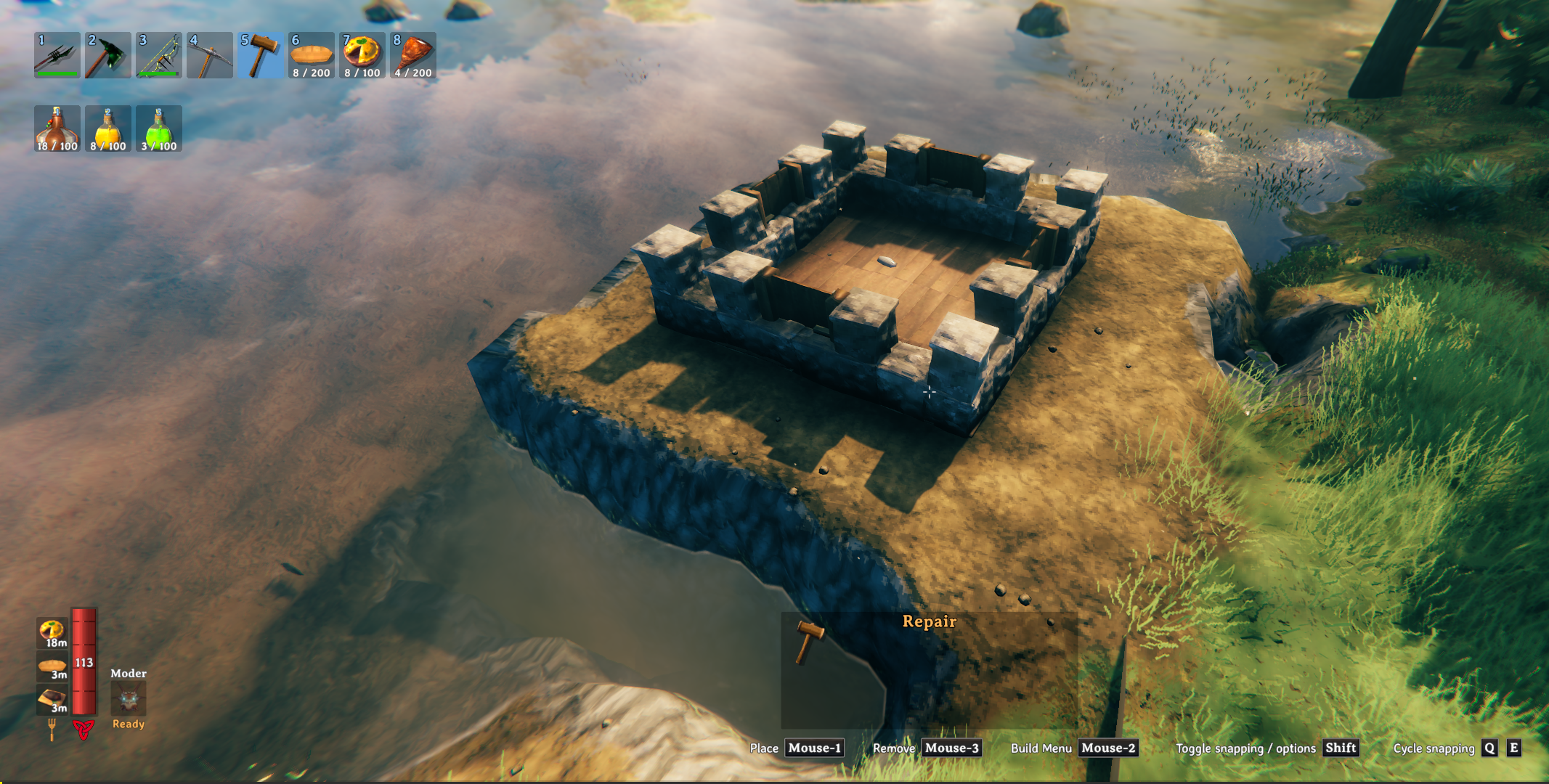

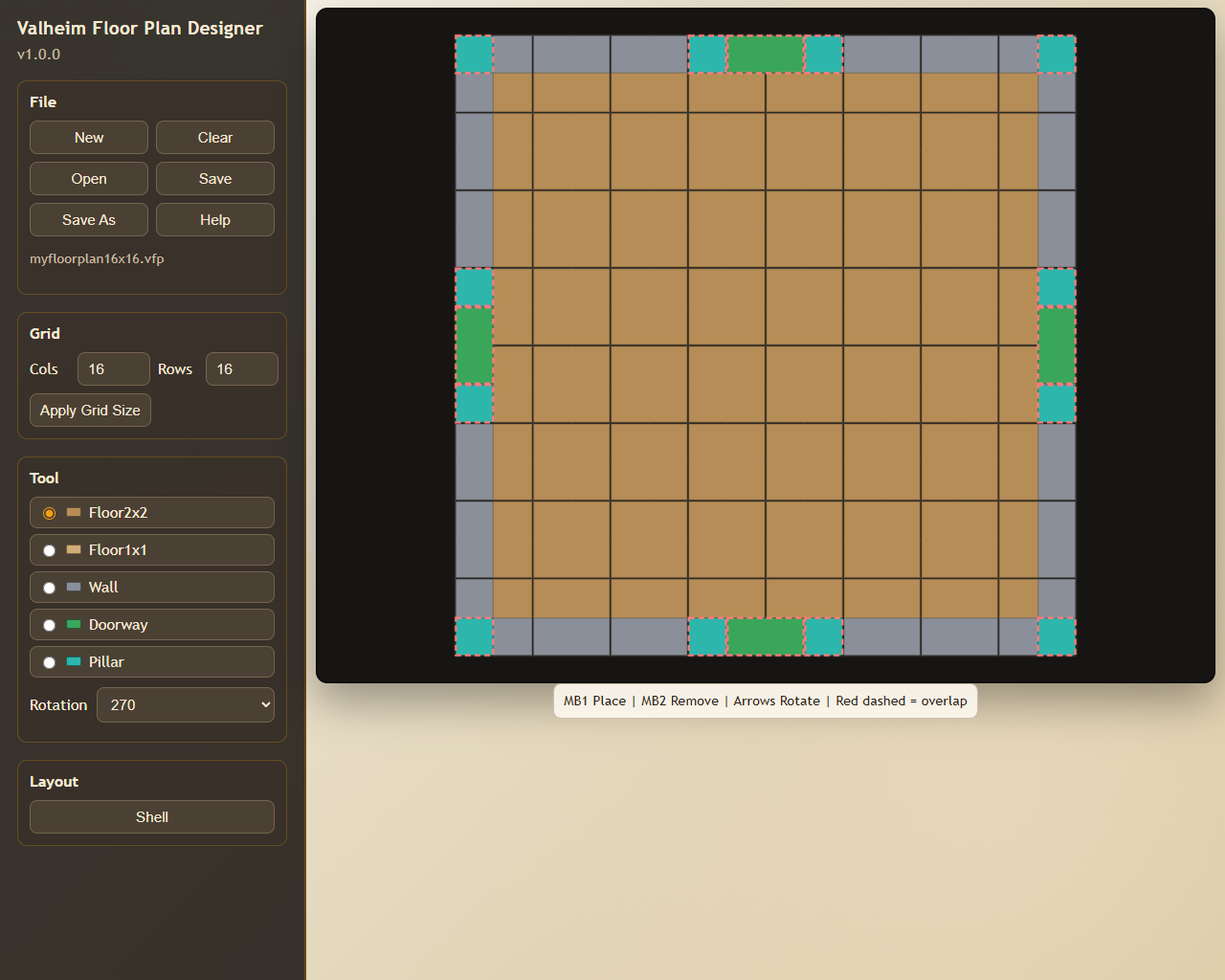
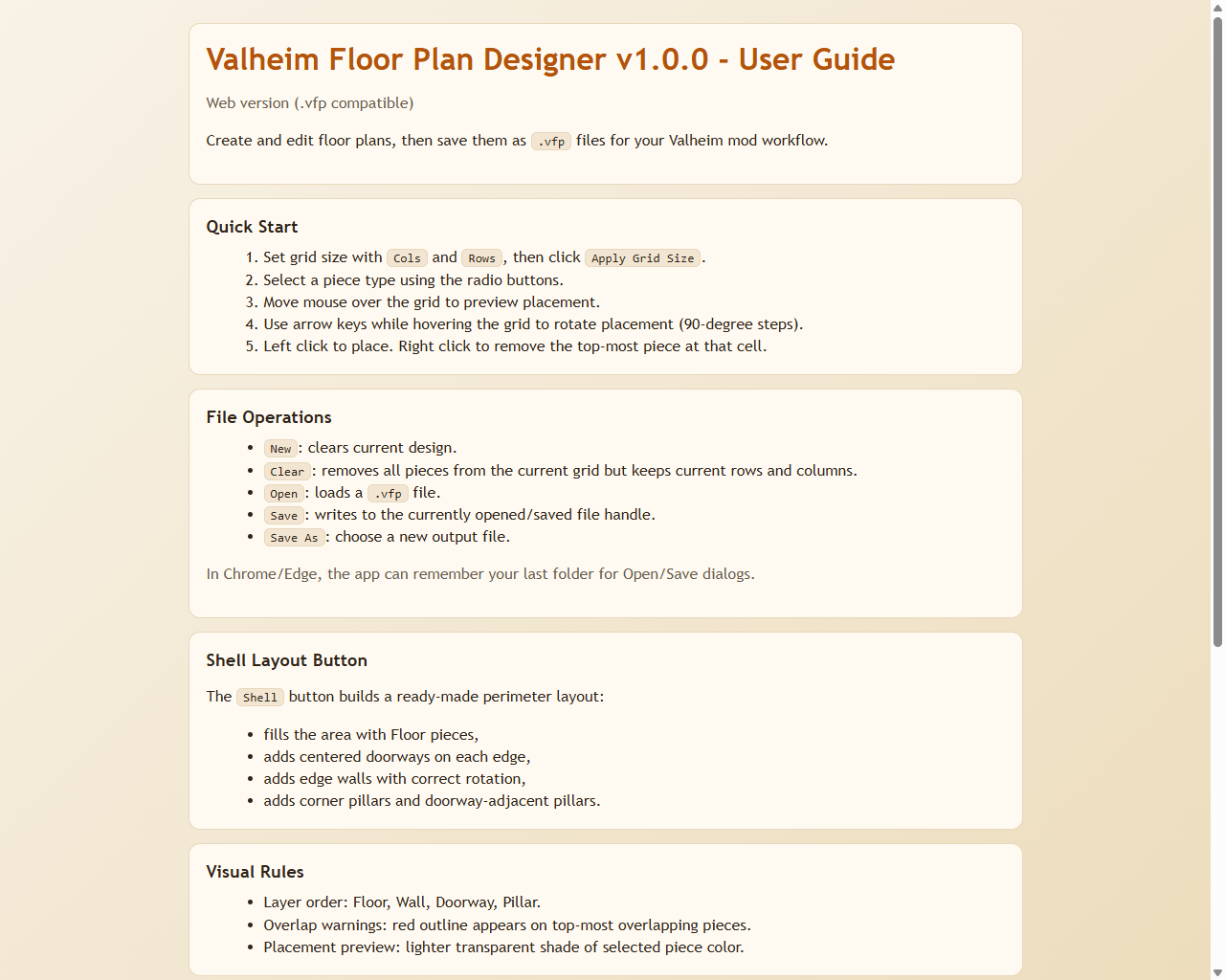
Package contents include:
BepInEx/plugins/ValheimFloorPlan/ValheimFloorPlan.dllBepInEx/plugins/ValheimFloorPlan/Designer/...images/...(included in the package archive)samples/...(example.vfpplans)
Notes
.vfpis the contract between the Designer and the mod.- Keep the format stable when changing either project.
- If you evolve the format, update both parser and exporter together.
Acknowledgements
Development of the Valheim Floor Plan mod and the Valheim Floor Plan Designer web app used:
- Visual Studio Code
- GitHub Copilot
- Various auto-selected AI models during implementation and refinement
CHANGELOG
Changelog
1.0.5
- Undo confirmation circle is now movable: During the undo confirmation window, press arrow keys (configurable preview move keys) to move the search circle centre and reselect which pieces to target for removal.
- Arrow key movement in undo confirmation respects camera angle (like preview mode) and supports fine-adjust modifier (default
LeftShift) for precise positioning. - All undo adjustments (radius or circle centre movement) now restart the 5-second confirmation timer, giving the player a full window after each change.
- Updated undo confirmation HUD message to indicate "Arrow keys to move circle center" as a control hint.
- Documentation: correction to Desiger path
- New user guide and example images
1.0.4
- Replaced the flat X origin marker with a tall vertical flagpole (10 m, bright yellow) so the build origin is visible above terrain, water, and underground surfaces during preview.
- Undo confirmation now shows per-piece red highlight rings around every VFP piece within the undo radius so the player can see exactly what will be removed.
- Undo confirmation now shows an orange boundary circle on the terrain at the full undo search radius edge.
- Reduced the default undo search radius from 75 m to 15 m.
- Added
UndoRadiusconfig option (range 5–150 m, default 15 m) to control the undo search radius. - During the undo confirmation window, pressing
+/-(or numpad equivalents) adjusts the radius by 5 m; the new value is saved to config and highlights/boundary circle refresh immediately. - Pressing RMB or Escape during the undo confirmation window cancels the undo and clears all highlights.
- Undo confirmation HUD message now shows the current radius,
+/-adjustment hint, and RMB/Esc cancel reminder. - Added
ValheimFloorPlanPlugin.Instancestatic property andSetUndoRadius()helper to support live config write-back fromFloorPlanBuilder.
1.0.3
- Bumped mod, manifest, and Designer app version numbers from 1.0.2 to 1.0.3.
- Updated Thunderstore dependency to
denikson-BepInExPack_Valheim-5.4.2333. - Added a comprehensive README Config Options section documenting all BepInEx settings, defaults, ranges, and preview keybinds.
- Updated README callout formatting by replacing blockquote notes (
>) with plain bold "Note/IMPORTANT" lines for better Thunderstore dark-theme readability. - Rebuilt and repackaged Thunderstore release (
ValheimFloorPlan-1.0.3.zip) including mod DLL + Designer app.
1.0.2
- Expanded the README package description/introduction for clearer context and feature overview.
- Added additional README notes for in-game build placement controls (preview movement/rotation/confirm/cancel keys).
- Updated README with a new Examples section using three new screenshots from
images/. - Fixed Designer
Shelllayout generation so doorways are placed first and walls no longer overlap doorway footprints. - Improved Shell edge placement behavior on odd-sized grids by skipping wall segments that intersect doorway area.
- Rebuilt and repackaged Thunderstore release (
ValheimFloorPlan-1.0.2.zip) including mod DLL + Designer app.
1.0.1
- Documentation change only; fixed broken README image links.
1.0.0
- First stable release.
- Added configurable terrain target offset:
TerrainHighPointDelta(Highest + Delta,0.0to4.0). - Preview walls and risk markers now reflect adjusted target height.
- Undo confirmation feedback now appears immediately on first key press.
- Finalized stable plugin GUID:
com.alexdroz.valheimfloorplan. - Added and documented partner Designer app workflow.
- Included Designer app in Thunderstore package contents.
- Development used Visual Studio Code, GitHub Copilot, and various auto-selected AI models.
