
WeatherBias80
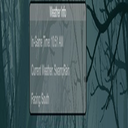
Increases rain and snow frequency and adds a draggable overlay showing in‑game time, weather, and facing direction. Includes configurable keybind and overlay position.
By SweetSZN
| Last updated | 15 hours ago |
| Total downloads | 8 |
| Total rating | 0 |
| Categories | Server-side Client-side Utility Bog Witch Update |
| Dependency string | SweetSZN-WeatherBias80-1.5.0 |
| Dependants | 0 other packages depend on this package |
This mod requires the following mods to function

denikson-BepInExPack_Valheim
BepInEx pack for Valheim. Preconfigured and includes unstripped Unity DLLs.
Preferred version: 5.4.2100README
Weather Bias 80%
Weather Bias 80% is a lightweight Valheim mod that increases the frequency of rain and snow while providing a clean, draggable on‑screen overlay showing in‑game time, current weather, and the direction you're facing. The overlay position and toggle key are fully configurable.
This mod uses Valheim’s built‑in weather commands for maximum compatibility with current and future game versions. No Harmony patches or internal API calls are used.
Features
🌧 Weather Biasing
- Increases the chance of rain in most biomes.
- Increases the chance of snow/blizzard in the Mountains.
- Uses
envandresetenvconsole commands for stable, version‑proof behavior.
🧭 Draggable Overlay
- Displays:
- In‑game time (12‑hour AM/PM format)
- Current weather
- Facing direction (North, East, South, West)
- Fully draggable anywhere on the screen.
- Overlay position is saved automatically to the config.
🎮 Configurable Keybind
- Toggle the overlay on/off with a configurable key (default: F7).
⚙ Configurable Settings
A config file is automatically generated at: BepInEx/config/com.yourname.weatherbias80.cfg
You can adjust:
- Rain chance
- Snow chance
- Overlay visibility
- Overlay X/Y position
- Toggle keybind
Installation
- Install BepInEx for Valheim.
- Place
WeatherBias80.dllinto: Valheim/BepInEx/plugins/ - Launch the game.
- The config file will be created automatically.
Compatibility
- Works in singleplayer and multiplayer.
- Safe to add or remove at any time.
- Does not modify world files.
- Uses only public, stable Valheim APIs.
Notes
- Overlay defaults to top‑middle of the screen on first launch.
- Drag the overlay to reposition it; the new position is saved instantly.
- Weather forcing only occurs when Valheim naturally changes weather.
Credits
Created by SweetSzn
Built for stability, simplicity, and immersion.
