
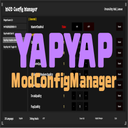
ModConfigManager
A universal configuration manager UI for YAPYAP mods. Supports real-time editing, tooltips, and multilingual UI. 制作:哔哩哔哩-华丽的小柠檬
| Last updated | 3 weeks ago |
| Total downloads | 2266 |
| Total rating | 0 |
| Categories | Mods Tools Libraries Misc Client Side Quality Of Life |
| Dependency string | lemon666-ModConfigManager-1.0.6 |
| Dependants | 1 other package depends on this package |
This mod requires the following mods to function

BepInEx-BepInExPack
BepInEx pack for Mono Unity games. Preconfigured and ready to use.
Preferred version: 5.4.2304README
YAPYAP MOD 通用配置框架 (ModConfigManager)
制作:哔哩哔哩-华丽的小柠檬
这是一个为 YAPYAP 开发的通用配置管理框架,旨在为 MOD 开发者提供一个统一、美观且易用的 UI 界面,让玩家可以直接在游戏中修改各个 MOD 的 BepInEx 配置项,而无需手动编辑 .cfg 文件。
功能特性
- 即时生效:在 UI 中修改数值后点击“保存”即可实时应用配置(需 MOD 支持)。
- 多语言支持:界面支持中英双语,并可根据游戏语言自动切换。
- 数值自定义:支持布尔值、数字(滑块/输入框)、枚举(下拉菜单)等多种类型。
- 重置功能:支持单个配置项独立重置为默认值。
- 悬浮提示:鼠标悬停在配置项上可实时读取并显示配置文件中的描述信息。
- 调试模式:内置双语调试日志系统,方便开发者调试。
开发者使用指南 (Developer API)
如果你希望你的 MOD 能更好地适配本框架,或者需要根据配置界面的显示状态调整 MOD 逻辑:
-
添加引用与依赖
- 将
ModConfigManager.dll添加到你的 C# 项目引用(Reference)中。 - 在你的插件类(继承自
BaseUnityPlugin)上声明硬依赖:[BepInDependency("com.hali.yapyap.modconfigmanager")]
- 将
-
自动扫描机制
- 本框架会自动扫描所有继承自
BaseUnityPlugin的 MOD,并提取其通过Config.Bind()注册的所有配置项。 - 建议为你的配置项提供清晰的
Description(支持中英双语,建议格式:"中文描述 | English Description"),框架会自动解析并作为悬浮提示显示。
- 本框架会自动扫描所有继承自
-
监听配置变更
- 为了实现“即时生效”而不必重启游戏,建议监听配置项的变更事件:
var myConfig = Config.Bind("General", "Speed", 1.0f, "移动速度");
myConfig.SettingChanged += (sender, args) => {
    // 在这里编写配置变更后的逻辑
    Debug.Log("配置已更新!");
};
- 为了实现“即时生效”而不必重启游戏,建议监听配置项的变更事件:
-
判断 UI 是否显示
- 如果你的 MOD 在配置时需要暂停某些逻辑(如屏蔽游戏输入),可以通过以下属性判断:
if (ModConfigManager.ModConfigManager.IsUIShown) {
    // UI 正在显示,执行相关逻辑
}
- 如果你的 MOD 在配置时需要暂停某些逻辑(如屏蔽游戏输入),可以通过以下属性判断:
-
手动刷新 MOD 列表
- 正常情况下框架会自动处理。如果你有动态加载 MOD 的需求,可以通过
ModConfigUI.Instance.RefreshModList()手动触发 UI 刷新。
- 正常情况下框架会自动处理。如果你有动态加载 MOD 的需求,可以通过
安装方法 (玩家)
- 安装 BepInEx。
- 将
ModConfigManager.dll放入BepInEx/plugins文件夹。 - 进入游戏主菜单,点击左下角的 MOD 配置 按钮即可打开界面。
YAPYAP Universal Mod Config Framework (ModConfigManager)
Created by: Bilibili - 华丽的小柠檬
A universal configuration management framework for YAPYAP mods. It provides a unified, clean, and user-friendly UI for mod developers, allowing players to modify BepInEx configurations directly in-game without manual .cfg file editing.
Features
- Instant Apply: Real-time configuration updates after clicking "Save" (requires mod support).
- Multilingual Support: Supports Chinese and English, automatically switching based on game language.
- Customizable Values: Supports booleans, numbers (sliders/input fields), enums (dropdowns), and more.
- Reset Function: Independent reset buttons for individual configuration entries.
- Tooltips: Real-time display of descriptions from the config file on mouse hover.
- Debug Mode: Built-in bilingual debug logging system for developers.
Developer API Guide
To better integrate your mod with this framework or adjust logic based on the UI state:
-
Add Reference & Dependency
- Add
ModConfigManager.dllto your C# project references. - Declare a hard dependency in your
BaseUnityPluginclass:[BepInDependency("com.hali.yapyap.modconfigmanager")]
- Add
-
Automatic Scanning
- The framework automatically scans all
BaseUnityPluginmods and extracts all entries registered viaConfig.Bind(). - Provide clear
Descriptionfor your entries (supports bilingual format:"Chinese Description | English Description").
- The framework automatically scans all
-
Listen for Changes
- For instant application without restarts, listen to the
SettingChangedevent:var myConfig = Config.Bind("General", "Speed", 1.0f, "Move Speed"); myConfig.SettingChanged += (sender, args) => { // Your logic here };
- For instant application without restarts, listen to the
-
Check UI Visibility
- To pause logic or block inputs when the config UI is open:
if (ModConfigManager.ModConfigManager.IsUIShown) {
    // UI is open
}
- To pause logic or block inputs when the config UI is open:
Installation (Players)
- Install BepInEx.
- Place
ModConfigManager.dllinto theBepInEx/pluginsfolder. - In the main menu, click the MOD CONFIG button at the bottom left to open the UI.
Powered by ModConfigManager Framework | 制作:哔哩哔哩-华丽的小柠檬
