
You are viewing a potentially older version of this package. View Latest Version
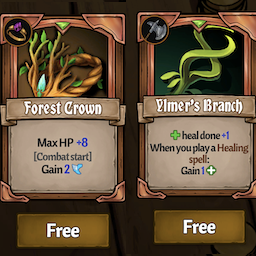
This is a simple mod that allows you to find duplicates of drop-only items after seeing them once.
To change the configs, just open up the config menu by pressing F5 and then changing the appropriate values. Restarting the game is only necessary when enabling/disabling the mod.
Let me know if you have any other options you would like to add to the mod!
This has not been tested in multiplayer yet, so let me know if there are any issues!
| Config | Default | Explanation |
|---|---|---|
| EnableMod | true | Enables the mod. Restart the game after changing this. |
| EnableDebugging | false | Enables debugging for if errors occur. Please enable this before submitting a LogOutput.log |
| UnlockAsYouGo | true | Whenever you see a drop-only item, it will be set to not drop-only, so you can see it in future shops. |
| NoDropOnlyItems | false | If true, all drop-only items will be set to not drop-only when the game launches. Requires restart. |
This has been updated for Across the Obelisk version 1.6.0.
Hope you enjoy it and if have any issues, ping me in Discord or make a post in the modding #support-and-requests channel of the official Across the Obelisk Discord.
Please do not donate to me. If you wish to support me, I would prefer it if you just gave me feedback.
