
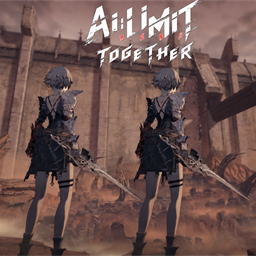
AI LIMIT Coop
Online co-op for AI LIMIT, up to 8 players over Steam or direct connection. Shared enemies and bosses, revives, DLC modes, a game browser with join codes, co-op spells, a PvP arena, controller menus and photo mode.AI LIMIT Together
Play AI LIMIT with friends: online co-op for up to 8 players, over Steam or a direct connection. Explore, fight bosses, run the Furnace of War and duel each other, each on your own save.
Back up your save first: %USERPROFILE%\AppData\LocalLow\SenseGames\AILIMIT\Archive
Install
- Install with a mod manager (r2modman or Thunderstore Mod Manager)
- The first start can take a few minutes; let it finish.
- The party menu opens at startup. Press F5 (or hold View on a controller) to close it before using the title menu.
Playing together
Load a save first, then open the party menu with F5 (or hold View).
- Steam: choose Host over Steam, then Invite friends. Friends accept the invite or join from the party menu. No port forwarding needed.
- Find games: FIND GAMES lists every game running the mod, with area, level, difficulty, players and ping. Turn on PUBLIC GAME when you host and anyone can join you from the list, not just your friends.
- Join codes: every Steam host gets a 5-character code. Others enter it under FIND GAMES > JOIN WITH A CODE.
- Who can join: with Ask before joining (on by default), someone who isn't your Steam friend waits until you accept them. LOCK GAME stops anyone new from joining.
- Direct connection: the host chooses Host under Direct connection. Others enter the host's
address:port(default port 7777) and click Join. Over the internet the host has to forward UDP port 7777.
Features
The world, together
- You see each other's gear, weapons, animations and spells.
- Shared enemies and bosses, including executions, backstabs and boss weak points.
- Shared boss drops for everyone connected.
- Furnace of War runs and Boss Rush can be played together.
- Difficulty presets chosen by the host: Balanced, Hard, Challenge or Custom.
Your party
- Spectate and revive: a fallen player watches a teammate (F9, or LB/RB) and comes back when a living teammate rests or the boss dies.
- Co-op spells at Grayrhino Grocery: Kindred Mending heals you and nearby allies, Kindred Oath raises their Attack and Defense.
- Party chat (Enter) and pings (T, or LT + R3 on a controller).
- Party cards with your own colour and emblem, ping, signal bars and a packet loss mark.
PvP
- Opt-in PvP: nobody can hurt you unless you both turn it on.
- A PvP Arena, The Abyssal Dial (rest point > Teleport > PvP > PvP Arena).
Extras
- Photo mode (AI LIMIT Photo Mode, included): free camera, depth of field, filters, poses and photos. Your pose shows on your teammates' screens.
- Controller support for the party menu: hold View to open it, with an on-screen keyboard and Xbox or PlayStation button prompts.
- Menus follow the game's language (English or Simplified Chinese).
- Seasonal head items
Controls
| Key | Controller | Action |
|---|---|---|
| F5 | Hold View | Party menu |
| F6 | Host | |
| F7 | Join | |
| F8 | Leave | |
| F9 | LB / RB | Switch who you watch while spectating |
| Enter | Party chat | |
| T | LT + R3 | Ping |
| F10 | View + A | Photo mode |
| F11 | Quick photo, with the game's interface |
Your save
- Your character, items and level stay your own.
- Some world progress from the host (shortcuts, bosses beaten together) can carry over to your save.
- Without the mod your save still loads
Thanks
BepInEx, LiteNetLib (RevenantX) and SenseGames.