GridLock
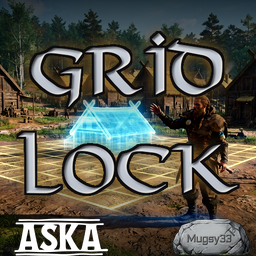
Align your settlement to a global grid. Structures, fences, and terrain fields snap in the build preview - position and rotation - and fences join post-to-post. Hold Shift to place off-grid.Grid Lock
Align your whole settlement to a single global grid. Grid Lock snaps the building placement preview - both position and rotation - so what you see is exactly what you place, and every structure lines up with the next.
It also snaps the Terrain Level Field and farm-field start point, so the ground you flatten lines up with the buildings you put on it. When you want to break the grid, hold a key to place freely and let go to snap back.
Features
- Snaps structure placement to a global grid - position and rotation - in the live preview.
- Snaps the Terrain Level Field / farm-field start point so leveled ground aligns with your builds.
- Hold Shift to place freely off the grid.
- Configurable grid spacing, rotation increment, and post-snap distance.
- A laser alignment overlay on the build ghost: blue lasers on the ghost, yellow on nearby placed structures, green where a blue and yellow laser line up.
Usage
Build as normal. The placement ghost steps to the grid in both position and rotation. Hold Shift (default) to move off-grid freely, then release to snap to the nearest grid pose. For terrain, place the Terrain Level Field's start point - it snaps, and the field extends from there on the grid.
While placing a structure, laser guides extend from its footprint edges: blue for the ghost,
yellow for nearby placed structures, and green wherever a blue and yellow laser coincide -
the green segment runs the full length of both lasers, showing the two walls are collinear.
Lasers follow the terrain about 0.25 m above it and climb a structure's side where it cuts
into a hill. An on-grid structure at a right-angle rotation shows its lasers on the grid
lines; a rotated or free-placed structure shows its actual footprint edges. Without holding
Shift, rotating a ghost within half a metre of a parallel placed wall pulls it onto that
wall, so a row of angled structures can share a collinear wall the square grid alone cannot
reach; AlignmentSnap turns this off. Red crosses mark nearby grid points around the ghost
and hide while Shift is held. Furniture built inside a structure, small markers, and flags
draw no lines. Each laser has a soft glow around its core line; LaserHaloScale = 0 gives
flat lines with no glow.
Configuration
After first launch, edit BepInEx\config\mugsy33.gridlock.cfg, section [Grid], with the
game closed:
| Setting | Default | Description |
|---|---|---|
Enabled |
true |
Master switch. When false the mod snaps nothing. |
SnapTerrain |
true |
Snap the Terrain Level Field start point to the grid. |
SnapSkewed |
true |
Snap fences, gates, and hedges too (grid, rotation, and post-to-post join). Set false to leave them vanilla. |
Spacing |
0.5 |
Snap increment in terraforming squares. One square is 2 world units, so 0.5 = a 1.0-unit step. |
RotationStep |
15 |
Rotation snap increment, in degrees. |
PostSnapRadius |
1.0 |
Distance within which a fence/gate/hedge pole snaps onto an existing pole (and at which the join releases). 0 disables it. |
FreeMoveKey |
LeftShift |
Hold to move the ghost freely off the grid. |
Section [Laser] controls the alignment overlay:
| Setting | Default | Description |
|---|---|---|
Enabled |
true |
Draw the alignment laser overlay while a build ghost is live. The [Grid] Enabled master switch gates it as well. |
LaserExtensionLength |
10.0 |
How far each footprint edge's laser reaches past the structure, in world units. |
AlignmentDetectionDistance |
20.0 |
Radius around the ghost, in world units, within which already-placed structures contribute alignment guides. |
AlignmentTolerance |
0.05 |
Largest perpendicular gap between two edge lines that still counts as aligned, in world units. |
LaserVisualThickness |
0.05 |
Laser line width in world units. |
LaserGlowIntensity |
1.5 |
Sets the halo strength: halo alpha is 0.25 times this value, clamped to 0.05..1. Does not affect the laser's core line. |
SnapIndicatorSize |
0.08 |
Total length of each cross segment of a red snap-point indicator, in world units. |
LaserHeightLimit |
3.0 |
Highest a draped line may float above the ground it follows, in world units. |
SnapIndicatorRadius |
15.0 |
Half-width, in world units, of the square of red snap crosses drawn around the ghost. Lower this on slower machines to draw fewer crosses. |
MinFootprintHalfExtent |
0.75 |
Smallest footprint half extent, in world units, that still draws guides. A placed structure below this on both axes - a flag, marker, or small prop - contributes nothing. |
AlignmentSnap |
true |
Pull an angled build ghost onto a parallel guide of an already-placed structure. Never applies to a cardinal (0/90/180/270) ghost, to fences, gates, and hedges, or while the free-move key is held. |
AlignmentSnapCapture |
0.5 |
Largest perpendicular gap, in world units, at which a ghost edge is pulled onto a parallel guide; also the distance at which the pull releases as you move away. |
LaserHaloScale |
4.0 |
Width of the soft halo drawn under each laser, as a multiple of LaserVisualThickness. 0 draws the line on its own, with no halo. |
LaserPulse |
false |
Pulse the brightness of every laser's inner line by 8%, one cycle per second. The halo and the snap crosses never pulse. |
SnapIndicatorThickness |
0.02 |
Line width of the red snap crosses, in world units, independent of LaserVisualThickness. |
Requirements
- BepInEx (IL2CPP build) - install it into the game folder first. Follow the official BepInEx installation guide (use the IL2CPP build for this game).
Installation
- Install BepInEx (IL2CPP) first, if you haven't already.
- Extract this mod into your Aska game folder (the same folder as
Aska.exe), so the DLL ends up atBepInEx\plugins\GridLock\GridLock.dll. - Launch the game.
Known issues
Incompatible with GridSnap - remove it first. Grid Lock was created to replace GridSnap (apologies to guilhermu) so it works with my other mod Tidy Terrain. Do not run both. GridSnap snaps placements to its own grid and silently overrides Grid Lock, so structures land off the ghost and fences will not join to a post. Uninstall GridSnap and use only Grid Lock.
Grymm's Builder Buddy - the Shift key overlaps. Grid Lock uses Shift for free placement (turn snapping off in game). Builder Buddy uses Shift as its slow-rotation modifier. If both mods are active, holding Shift triggers both features at once. You can disable the modifier in Builder Buddy's config or change the key for Grid Lock in this config.
Footprint Grid Snapping clashes. The footprint mod overrides Grid Lock's snapping. Though I think rotation still works. They are mostly redundant anyway.
The new wall tool does not snap yet. The wall/fence placement tool added in the "Halls and Feasts" update places freely. The original fence, gate, and hedge tools still snap and join post-to-post. Support for the new tool is planned for a later update.
Farm and terrain field rotation does not snap yet. Farm fields and the Terrain Level Field snap their position to the grid, but not their rotation. This is planned for a later update.
Lasers pass under platforms and decks. The alignment lasers follow the terrain surface, so on a raised platform, deck, or anything else standing on the ground, the laser lines draw underneath it rather than at its height.
Multiplayer
Treat multiplayer as untested.