AtlyssSeasons
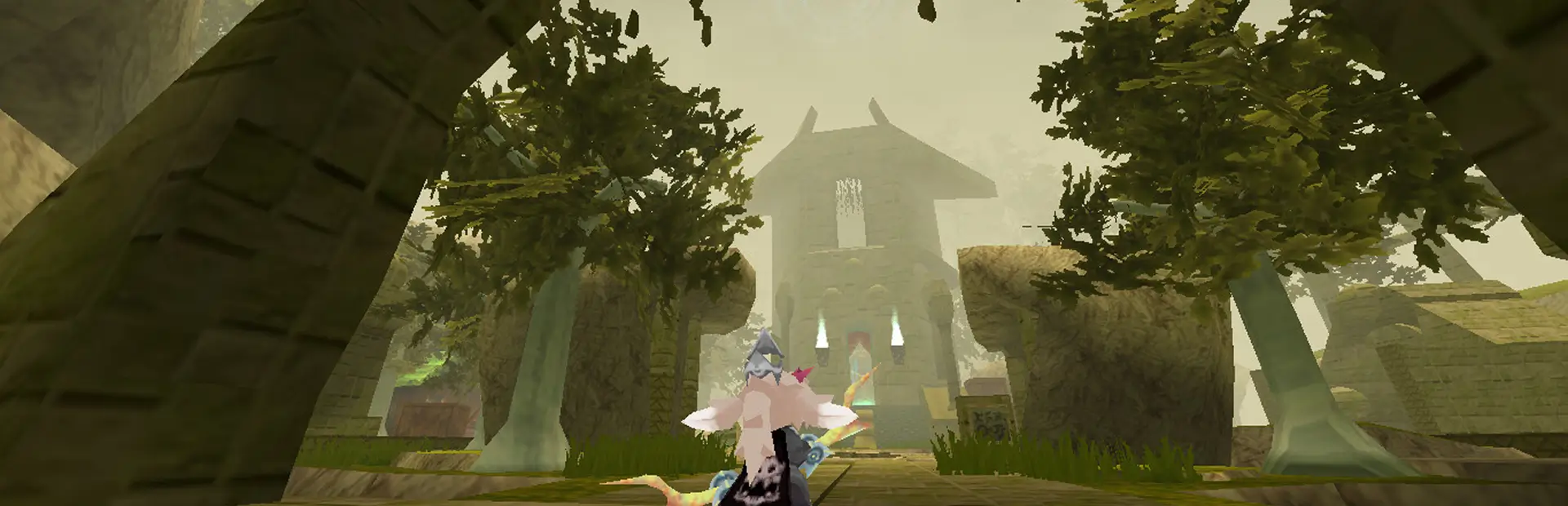
Four seasons for ATLYSS: autumn leaves, winter snow, spring blossom, fog, mist and night souls, with host-controlled day, night and rain for everyone. A day that lifts through dawn, per-place looks, look sharing, and an in-game panel.ATLYSS Seasons
Four seasons for ATLYSS. Trees turn gold in autumn and pale in winter, snow falls instead of rain, fog and mist roll in, and souls rise from the ground on autumn nights. The host can also choose how long days and nights last and when it rains, for everyone on the server.
Every section below starts simple. Click a More about… line to open the detail.
What you get
- Four seasons that change on their own, once every real week by default.
- New colors for each season on trees, ground, scenery and sky, keeping each map's own look.
- Weather: snow instead of rain in winter, more rain in spring, less in summer, and fog or ground mist on some days.
- Effects: falling leaves and petals, fireflies and fairies in caves, rays of sunlight, snow glints, and souls on autumn nights.
- Holidays: Halloween, Christmas and Easter bring their season with them, and Halloween night has a look of its own.
- Day, night and rain for everyone: the host can make days longer, nights shorter, stop the clock or force rain, and even players without the mod see it.
- A day that turns: the world lifts through dawn and settles through dusk instead of switching over at six.
- Places with looks of their own: any map or region can carry its own colors, boosts, fog, snow, vines and rain.
- Share My Look: offer your whole look to another player, or take theirs, with ten slots to keep looks in.
- Rain that darkens the world as it falls, by as much as you like, and by its own amount in places you name.
- Hold any effect out of a map without turning it off everywhere.
- An in-game panel with every setting, a search box, a color wheel on every color row, and a "more info" button.
- Ops and co-hosts, so trusted players can help run the world.
- Dedicated servers, with the same commands typed into the server console.
More about how it works
- The mod drives what ATLYSS already has, the world clock and the rain, rather than adding a clock or weather of its own. That is why players without the mod still see the host's day, night and rain.
- Seasonal colors tint each map's own colors instead of replacing them, so every map keeps its identity.
- Colors are applied with material property blocks, so the game's shared materials are never changed, and switching the mod off puts everything back.
- Snow is the mod's own round flakes. While it snows, the game's rain is simply stopped; its files are never touched.
- Four small Harmony patches, and nothing else is patched: the weather roll, clicks on the panel, keys typed into the panel, and, only on a dedicated server,
/seasonstyped into the server console.
Getting started
- Install it with a mod manager. Everything it needs is installed with it.
- In game, open the settings menu:
Open Panel Keyis the first thing on the Seasons tab. Bind it, or type/seasonsto open the panel without a key. - Play. The season changes by itself, and the bottom of the panel shows the season and how long until the next one.
Everything lives in the panel: the settings menu holds the same values, but the panel lays them out, searches them and explains each one.
More about what a fresh install does
- On from the start: the seasons themselves, tree and ground colors, the day cycle, fog, mist, falling leaves in autumn and spring, cave fireflies and fairies, rays of sunlight, ground souls on autumn nights, winter snow and shimmers, Catacombs dust, wind gusts, the blossom garden, scenery props and snow on scenery.
- The clock and rain start as the game has them, with two gentle changes: days run a little longer in spring and summer and nights longer in autumn and winter, and it rains more in spring and less in summer. Set the per-season day and night lengths (World/Time/Weather > Time > Advanced) to 1 for the game's own clock.
- Off until you turn them on:
Heat Wave,Heavy Snow,Embers,Soul Lights (spring nights),Bare Trees,Summer Sheds Leaves,Winter Sheds Leaves,Wild Leaf Colors,Color Grass,Freeze Water In WinterandSeasonal Water Colors. - Your settings are kept through updates. A new version only moves a setting that is still on an old default.
Playing together
| With the mod | Without the mod | |
|---|---|---|
| Day and night lengths the host set | Yes | Yes |
| Rain the host forced on or off | Yes | Yes |
| Seasonal colors, snow, fog and effects | Yes | No, they see the normal game |
| Changing the season | The host, and ops the host allows | No |
- The host decides the season, the clock and the weather for everyone.
- Players with the mod follow the host's season, fog and mist, so everyone sees the same world, down to which trees are in blossom.
- Each player still chooses their own effects, such as how thick the snow is or whether leaves fall.
More about playing together
- ATLYSS already shares the world clock and the rain with every player, which is how players without the mod see the host's day, night and rain.
- Players with the mod receive the host's season, tint strength, map lists, fog, mist and holiday look, and its placed light shafts if the host shares them. Settings the host controls are greyed out in their panel.
- Placed shafts are limited to three per map by default (
Most Shafts Per Map), since they are put into the world by hand and anyone opped for the look can place them. My Own Seasonlets a player pick their own season without changing anyone else's.My Own Look Settingskeeps their own colors, fog and mist. Both are under Start here in the settings menu.- Each tree is picked by where it stands, so every player sees the same trees in blossom, turning, or bare.
- When the map you stand in gets no seasons, the panel says why under the clock, and whether that is the host's setting or yours.
- The host's state is compressed, so it fits well within CodeTalker's size limit even with co-hosts.
/seasons resync, or the Resync button in the panel, asks the host for everything straight away.
Share My Look
- Offer your whole look to another player from the Share My Look tab, or
Push My Look To All Clientswhile hosting. - An offer is only ever an offer. Nothing changes until you accept it, and what you accept is your own look alone — the host's world is not touched.
Reload Old Settingsputs back what you had before you took anyone's.- Ten preset slots keep looks of your own, with a name and the date each was saved.
More about sharing a look
- A look carries the colors, the effects, the fog and mist, the day cycle's shape and the places you have set. It does not carry your keys, your window, anything that decides how hard your machine works, or who may share with you.
Accept Shared Looksis the switch; off refuses every offer silently.Blocked From Sharingblocks one person, andWait Between Offersstops anyone asking twice in a row.- While hosting,
Send My Look Livekeeps players on your look as you change it, andHost Offer Waitis the shorter wait that uses. Take The Host's Look Without Askingis off by default: following the host is already how this mod works, and a look is a large change to make without seeing it first.- Places travel with a look only if you let them.
Share My Regionsdecides whether yours go out andTake Regions From Shared Lookswhether somebody's arrive. Under the first is a list of your places, each reading Shared or Kept back, so you can send some and hold the rest; aShare All Of Thembutton puts every one back to shared. - A place that arrives is merged, not swapped in: a place they sent is added or updated and every other place of yours is left alone.
Take The Host's Regionsdecides whether the host's list is used while you follow them, which is the same answerMy Own Look Settingsgives for the rest of the look.- Loading a preset names which of your own places it is about to write over before you press again.
The seasons
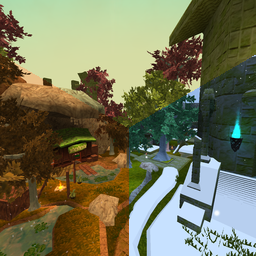
One place, all four seasons.
Spring
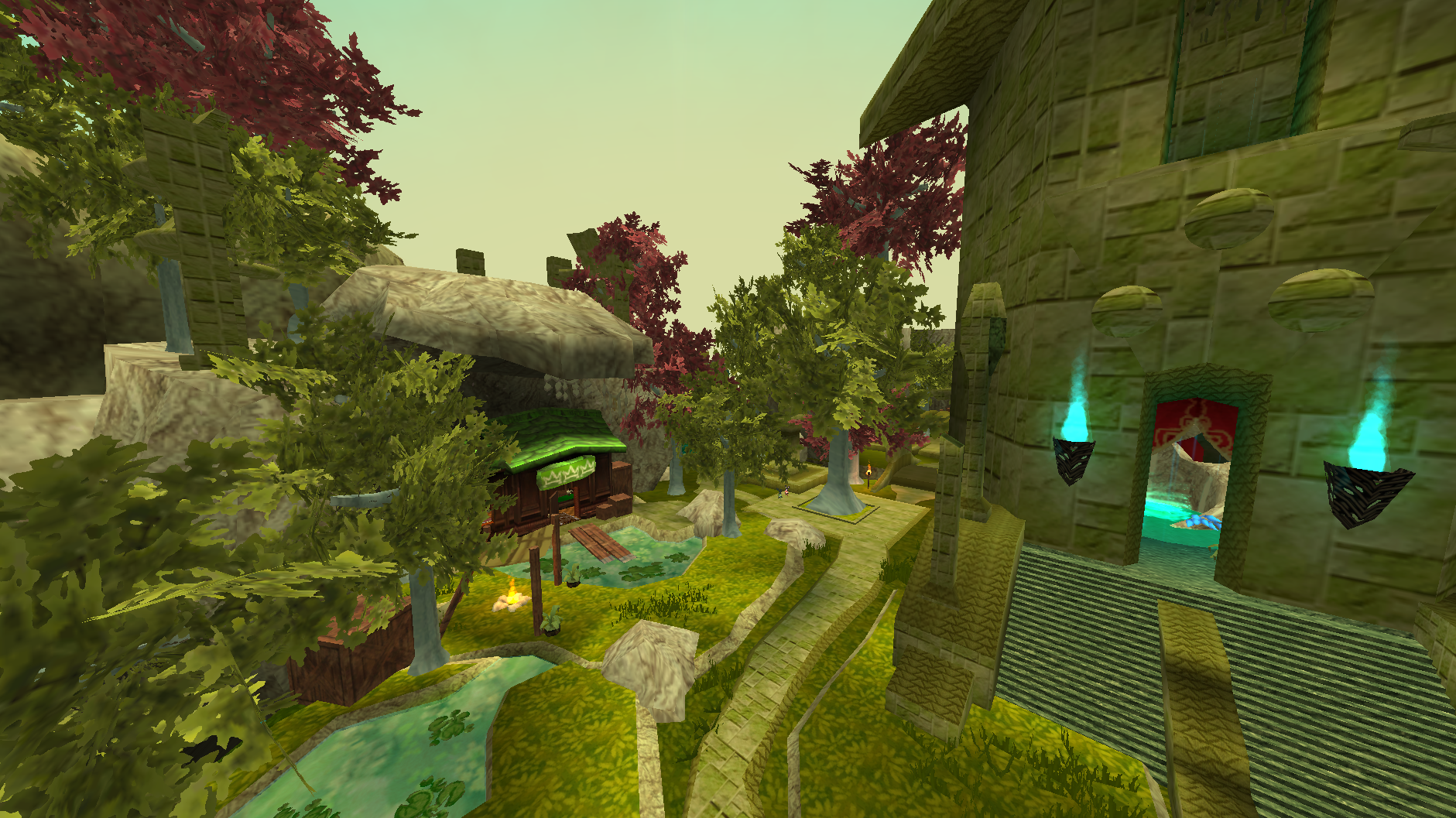
Soft green canopies with about a third of the trees in blossom, fresh green ground, and rain more often than usual. Petals fall from the trees that are flowering, and fairies drift in the caves.
Summer
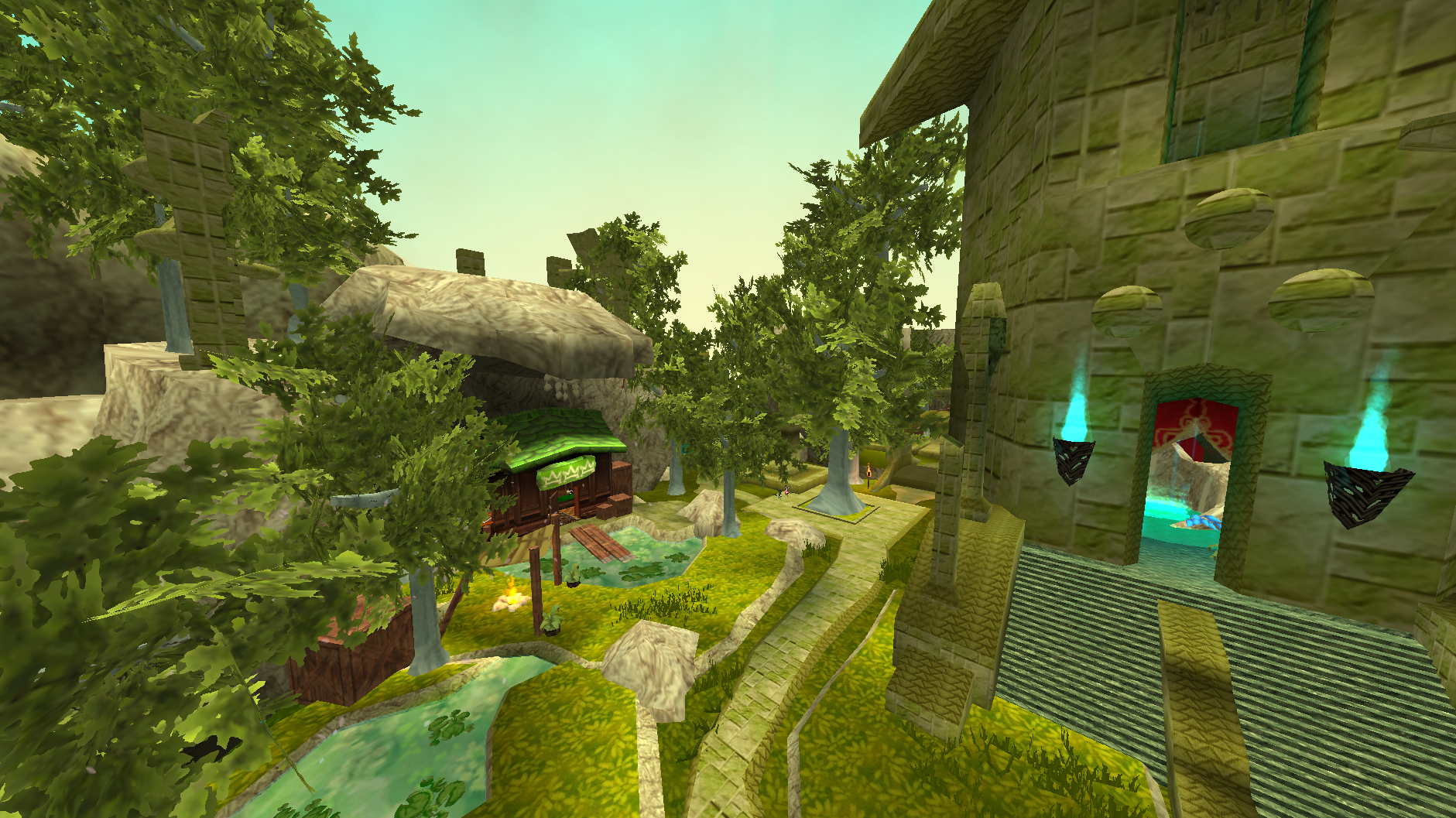
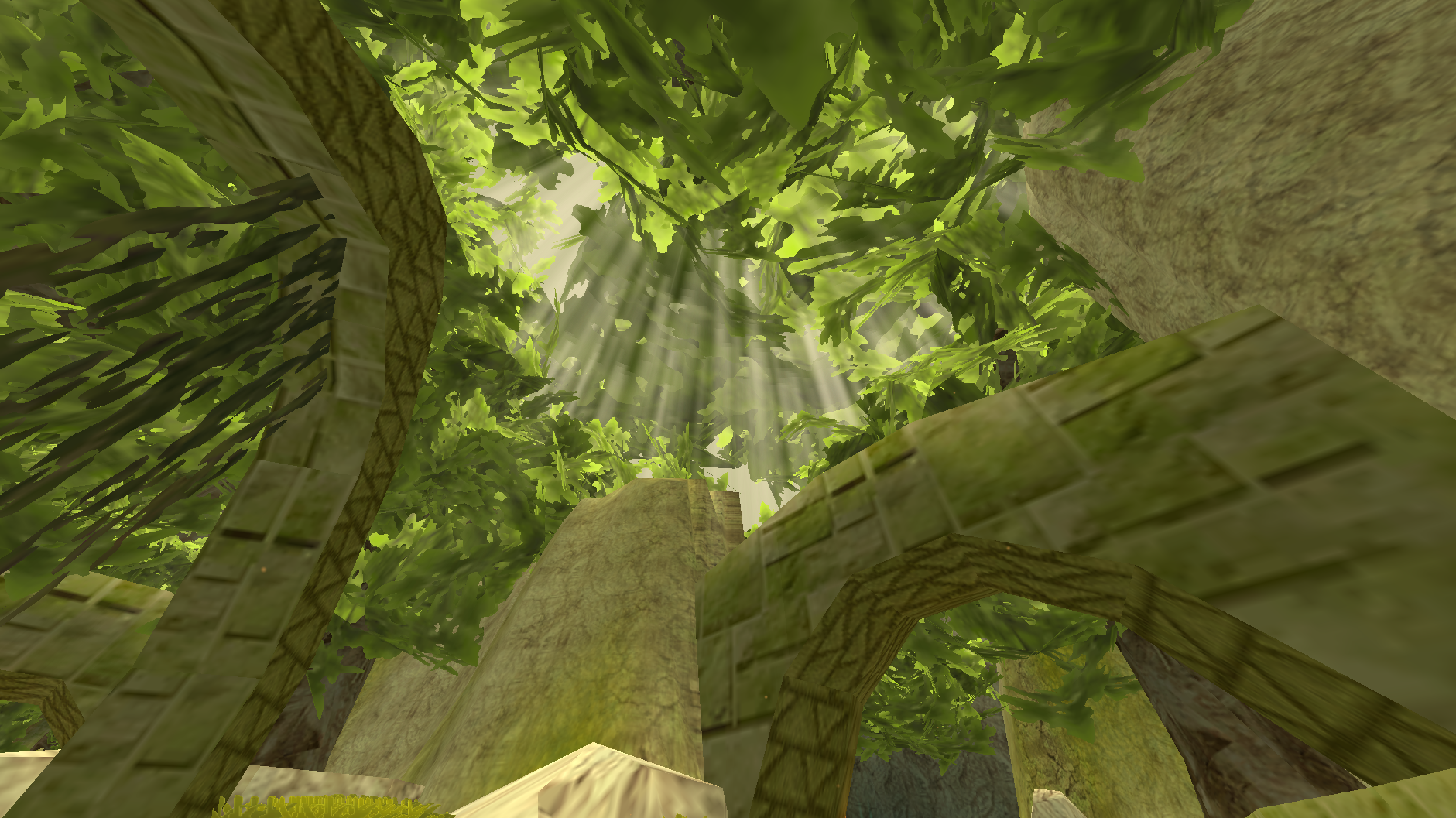
A brighter green everywhere, sun-bleached ground and the driest season of the year. Shafts of light come down through the canopy, fireflies wander the caves, and heat haze is there for anyone who wants it.
Autumn
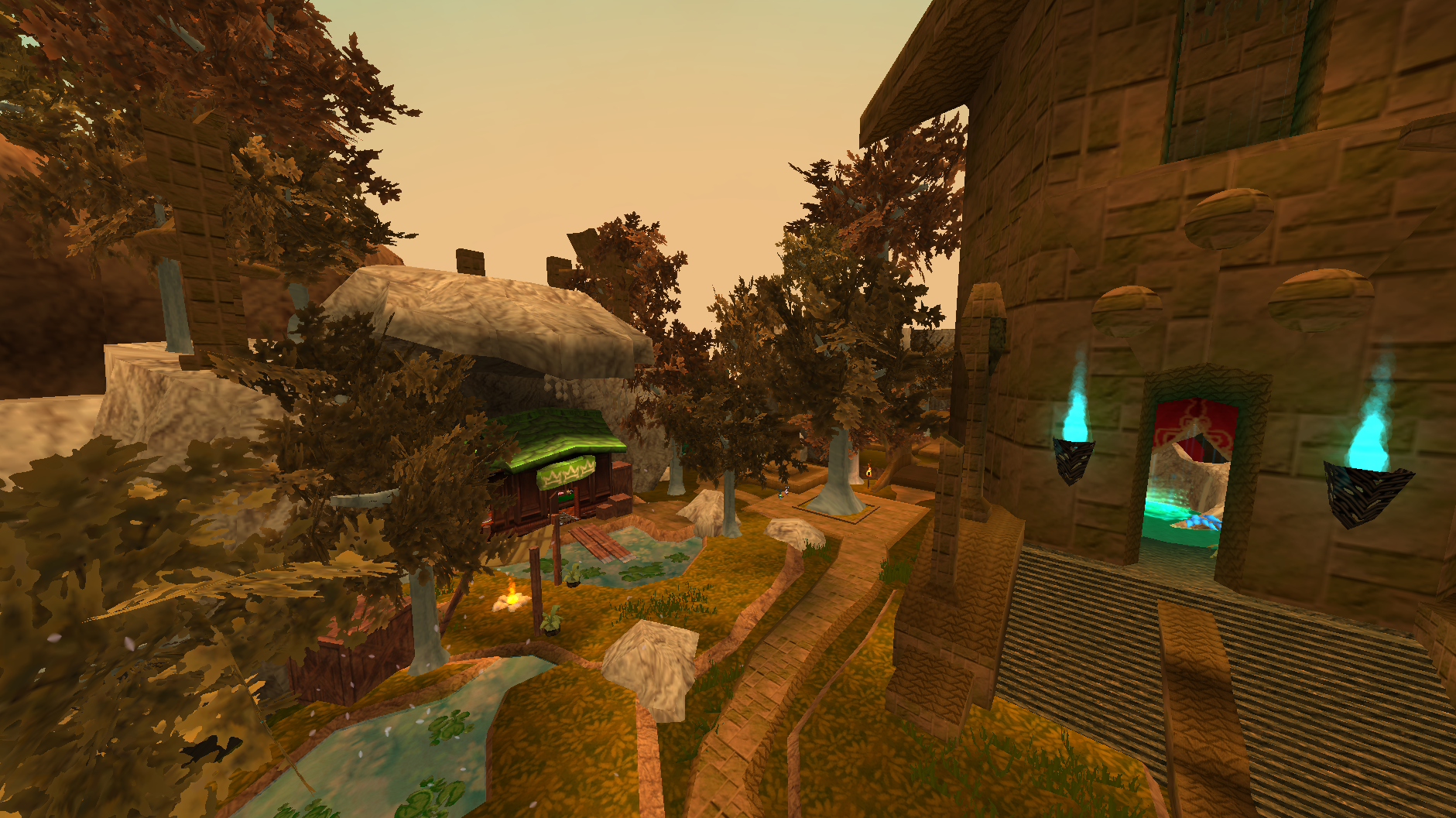
Reds, golds and browns, each tree picked by where it stands so a wood reads as mixed rather than repainted. Leaves come down, fog and mist are at their most likely, and souls rise from the ground at night.
Winter
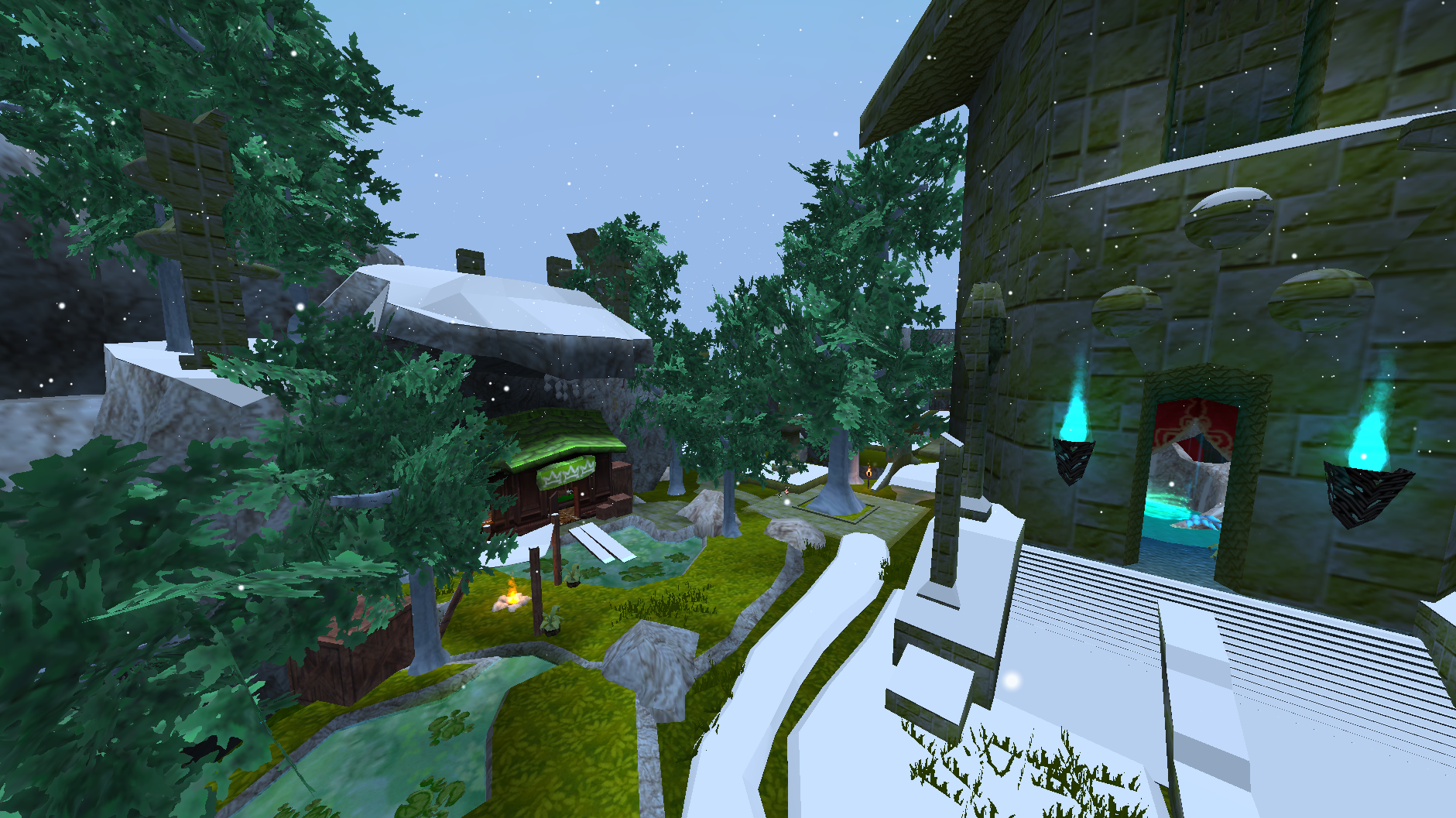
Pale frosted canopies, snow-white ground and snow falling in place of rain. Glints catch in the snow, and a foggy winter day turns into a blizzard.
More about the seasons
- How they change:
Season Advancedecides. Real Minutes (the default) moves on every real week, Game Days after a number of in-game days, Real Date follows the calendar (withSouthern Hemispherefor December summers), and Manual waits for you./seasons set,/seasons nextand the Current Season buttons change it straight away. - Season order can be changed, to skip or repeat a season. A holiday pauses the season while it runs rather than banking the time.
- The world clock is saved by the host, so after a restart the world picks up at the same hour and the same point in the season.
- Trees in ATLYSS are one mesh, trunk and leaves together, so colors are kept soft: a bright color would land on the bark as well.
Foliage Tint Strength(0.78) leaves a little of the game's own color showing, and the canopy keeps its texture. - Ground is tinted toward each season's ground color. Grass, meaning anything named or textured as grass, takes it only while
Color Grassis on, though grass that is part of the floor still turns white in winter. In winter the ground turns white and snow caps sit on its flat tops, and on scenery you can stand on (Snow Caps On Scenery).Max Snow Capsis the caps alone; the white floor isGround SnowandGround Snow Strength. - Rain and snow: in winter the game's rain becomes snow (
Snow Replaces Rain). Snow density, size, speed, area and drift can all be tuned. - Places with their own look keep it: Red Woud, Tuul Enclave, the cherry blossom garden and any area you mark yourself. Falling leaves take the color of the canopy they came off, whatever decided it.
- Under a roof the snow and rain stop around you, and the rain's sound drops. The mod looks up for a ceiling, and inside places such as the Catacombs and Crescent Keep it also takes a small picture straight up to find ceilings the game cannot see.
/seasons diag roofshows what it found. - Excluded maps keep their normal look entirely. Maps added by MapLoader get no seasons unless
Affect Other Maps(Experimental) is on, and even then no fog or mist unlessFog And Mist On Other Mapsis on too. Time cannot be excluded: ATLYSS has one clock for the whole world.
The day cycle
- The world brightens through dawn and dims through dusk rather than changing over in one step.
- The ground, the canopies and the scenery are what move. The sky, the sunlight and the ambient are left to the game, which already blends its own way between day and night.
- It follows the host's clock, so a long day is a long sunrise.
More about the day cycle
Dawn From HourandDawn To Hourset when the morning ramp runs, andDusk From HourandDusk To Hourthe evening one. They ship at half six to half twelve and half one to half eight, so there is an hour of flat daylight between them.Night Dimmingis how much darker the world goes at the depth of night: the ground, the canopies and the scenery, with bark, small plants and uncolored ground darkened by the same amount and nothing else. Anything held out of the season by name, region or boundary keeps its own color. At zero nothing dims and the cycle does nothing.- The blend is stepped rather than smooth, so a whole dusk costs a handful of repaints instead of one a frame. No single step moves the world by more than one shade.
Color Fade Secondsis for a color with no clock to follow — rain starting and stopping being the one that has none. Zero is the hard change it was before.Day Cycleis the switch, in case it costs you frames, andLow Spec Modeturns it off whatever the switch says.
Regions and places
- The Regions tab holds every place with a look of its own, and gives each one a page per season.
- Red Woud, Tuul Enclave and the Crescent Cove cave ship with looks already set. Add a map or region of your own by name.
- A place can name a region rather than a whole map, so a cave inside a map can look different from the map around it.
More about places
- Per place and per season: the place's own color, its canopy, bark, vine, snow and accent colors, how bright it is by day and after dark, how long its fog lasts, how much rain changes its light, and how far past its own edge the look reaches.
Night Starts From Daytime Lightingis the only way to keep somewhere readable after dark, because a multiplier on an already-dark color cannot brighten it. Tuul Enclave's autumn ships with it on.A Region, Not A Whole Mapstops a region's row claiming a custom map that happens to share its name.Also Apply To Maplends one place's look to maps that have no row of their own, by name, several at a time.Place Color Strengthis how far canopies shift toward a place's color rather than the season's. 1 carries it exactly.Global Region Paddingis one reach for every region; a place can give its own instead, which beats it. A region that wants none can say zero.- Water, fog and mist all have per-region lists of their own, and a themed region can keep its look in as many seasons as you like.
- A place that came with the mod cannot be removed, since it would come back on the next update; anything you added can be.
Effects
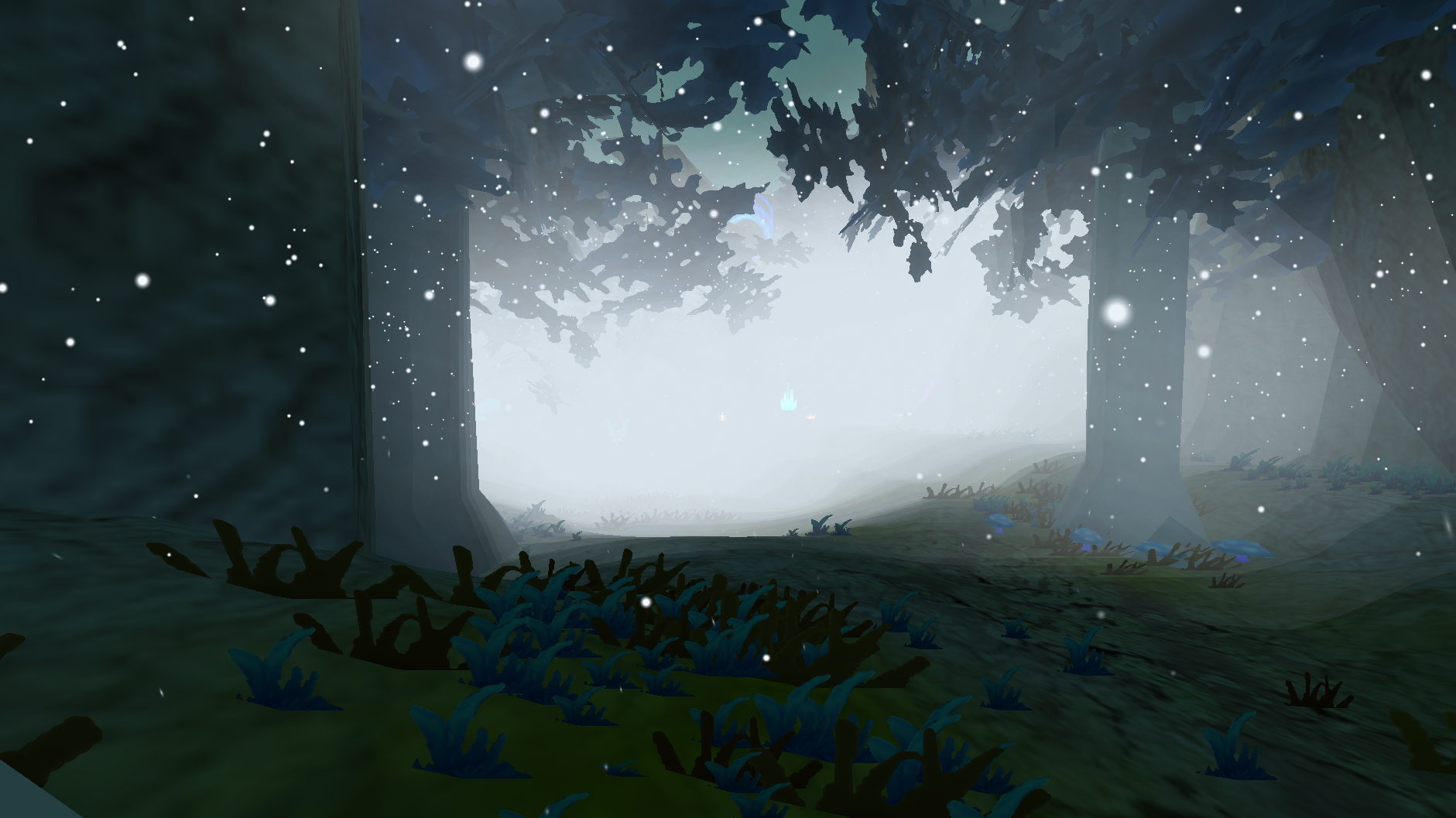
- Each effect belongs to a season, and most can be switched on or off in the panel under Effects.
- They share one particle budget, so turning more on does not add to the cost.
- Changing an effect never changes what anyone else sees. It is your own world you are setting.
- The other way round is not true: a host can send its fog, mist, colors and places to everyone. Switch that effect off yourself, or turn on
My Own Look Settings, and yours is kept.
More about the effects
- Spring: petals falling from trees, fairies in caves, and soul lights on spring nights (off by default). Luvora Garden's cherry blossom stays in bloom all year.
- Summer: fireflies in caves, rays of sunlight, embers (off by default), and heat haze (off by default, with
Heat Wave At Nightto keep it after dark). - Autumn: falling leaves, and ground souls at night.
Ground Souls Stylepicks how they look: rising wisps, soul fire, a purple mist, all three, or (the default) a different one each night, the same night for every player.Soul Mist ChanceandWhole Soul Mist Nightsdecide how much of the ground mist takes the souls' colors. - Winter: snow, a far layer of snow, snow on the ground, glints in the snow, and blizzards when winter is foggy.
Heavy Snowis off by default. - Any season: dust in the Catacombs, wind gusts that push everything together, and
Effects In Every Season(Experimental) to see any effect all year round. - Every effect has density, size, area and particle life settings, and a list of maps it appears in.
- Never In lists stop an effect you already have from appearing somewhere. Cave fireflies, fairies, soul lights, embers, heat haze, ground souls, winter shimmers and dust each have one, alongside the god rays list that always had one. Nothing new is added to the world by them; they only hold things back.
- Spring and summer shed leaves of their own now, alongside autumn's, each with their own switch.
- Rays of sunlight stop while it rains, because sunlight through a downpour reads wrong — with a list of places that keep theirs anyway.
Scenery and colors
- Every color row in the panel opens a color wheel, with a square, three sliders and the hex if you would rather type it.
- Statues and standing scenery take the season too. Anything that is part of a player or a monster is left exactly as the game drew it.
- Each season can have three canopy colors rather than one, so a wood reads as mixed.
- Some trees stand bare in winter, the same trees for everyone in the world.
More about the colors
Bare Tree Percentis how many trees in a hundred go bare, andBare Tree Seasonswhich seasons they do it in. Trunks, a blossom garden's wood and anything a place has claimed are left alone.- Bark keeps its own color everywhere unless a place asks for one, and only darkens at night with everything else. The game marks some objects as wood, which finds a trunk no keyword names, and
Bark By Ground Typeuses it. - Vines can be colored apart from the trunks beside them, which is the only way to color one without the other. What counts as a vine is a keyword list, with a list of materials held out of it.
Wild Leaf Colorsspreads every canopy as wide as it goes in one press, and a place can ask for it on its own instead.Disco Trees, on the Experimental tab, steps the canopies through twelve colors, withDisco Trees Secondsfor how long each is held.Scenery Tint Strengthis lower than the ground's on purpose: a statue tinted as hard as the grass stops reading as stone. It goes up to 3 for anyone who wants it stronger, andScenery Never Inkeeps a place out of it.Scenery Keywords,Scenery Excluded NamesandScenery Also Includedecide what counts as scenery, by name or by the material it wears.Color Grasslets the season reach grass, meaning anything named or textured as grass. The tufts, quads and patches take it atGrass Tint Strength, a strength of their own, and grass that is part of the floor takes the ground's color. Off, which is how it ships, grass keeps the game's own color. A map whose green is its terrain is painted as ground either way.- Each season also has its own light color, blank by default so the season's own palette decides.
Fog and mist
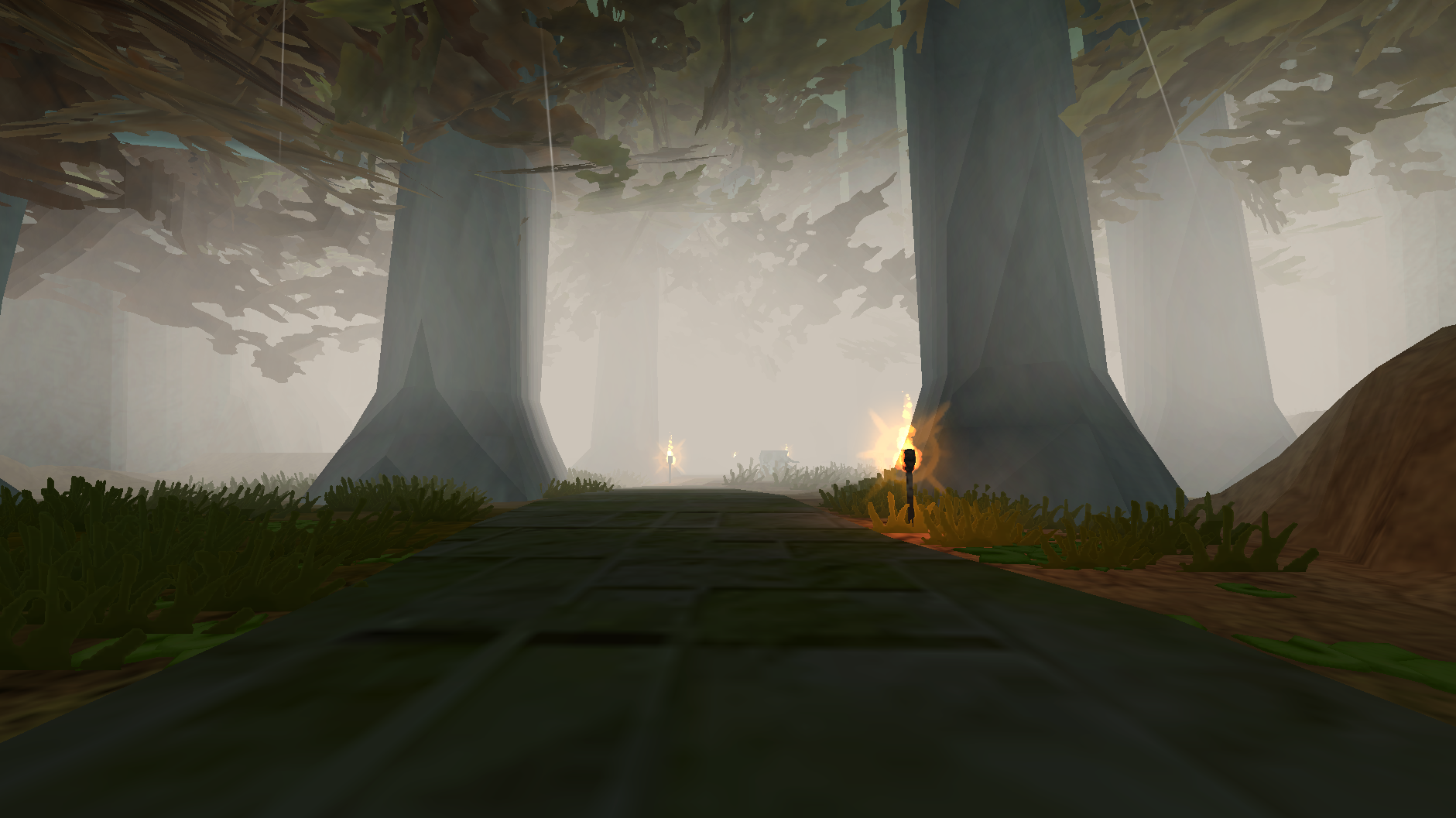
- Some days are foggy or misty, more often in autumn. Each map rolls once a day.
- Fog is placed on real ground around you and stays where it is, so you walk through it.
- Mist sits low along the ground, and can be kept to night time only.
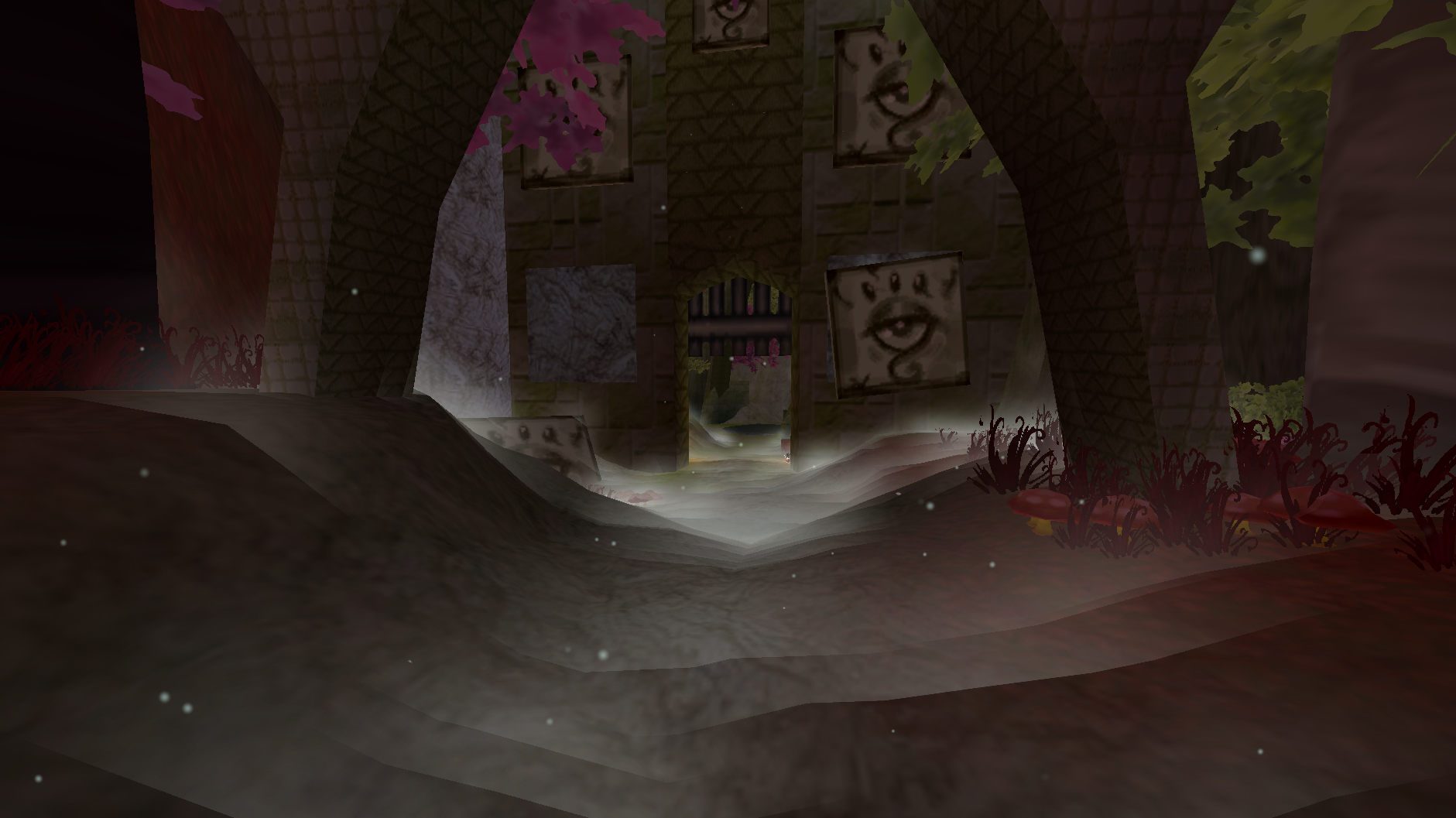
More about fog and mist
- Fog and mist have a chance per season, a separate chance at night, a color per season, and settings for density, size, how far they reach, how thick the layer is, and how long each piece lasts.
Hold Fog When Standing Stillkeeps the fog you stand in from churning.- Places can have fog and mist of their own: Red Woud is foggy every autumn day, and its mist rolls in there by day while mist elsewhere waits for the night. A row for a place can say
dayornightfor its mist, and the panel writes each row out as it understood it, so a bar in the wrong place is visible rather than silently ignored. - While hosting, your fog and mist settings are sent to players by default, so everyone sees the same fog on the same days.
- Fog, mist, soul mist and heat haze are drawn in a fixed order, so where they overlap the colors do not flash as you move.
Water
- Water has a tab of its own under Ambience, where it used to sit on the Experimental page.
- Water can take a color per season, freeze over in winter, and carry a color of its own per region.
More about water
Seasonal Water Colorsgives each season its own, andWater Per Regionsets one for a named place and season, which beats the seasonal color there.Rows Color Their Own Placesdecides whether a place's own palette row colors its water too, or only theWater Per Regionlist does.Freeze Water In Winterreplaces the surface with ice. Ice solidity, the frost tile size, the ice color and a list of maps never to freeze are all settings, and the ice borrows a shader that is known to light correctly here rather than guessing at one.- Water is found by the game's own ground marking rather than by name, so a library floor cannot be mistaken for a lake.
Light shafts
- A light shaft marks where sunlight lands: stand on the spot, face the way it should lean, and place one.
- A shaft can be renamed and recolored after it is placed, moved to where you are standing, or deleted.
- They are the host's, saved in the host's config, and players see them while
Send Placed Shafts To Playersis on.
More about shafts
- Every new shaft takes the width, length, lean, tilt, sides, brightness, opacity and color set above the list, and whether it is a box, whether it shows at night and whether it leans the way you are facing.
Most Shafts Per Map(3) limits how many a map may hold, since anyone opped for the look can place one. Zero means no limit.Shafts Cast Lightadds a real light at the shaft rather than only the beam./seasons ray add <name> [at <player>],ray list,ray removeandray cleardo the same from the chat box.
Holidays
- Halloween (31 Oct): autumn for the week before, and on the night itself purple trees, souls rising from the ground, thicker fog and a night that does not end.
- Christmas (25 Dec): winter for the week before.
- Easter (its date changes each year): spring for the week before.
More about holidays
- The calendar is one setting,
Holiday Calendar, written as Name|MM-DD|Season|days before|special, separated by semicolons. Anything in the last field gives that holiday a look of its own on the day. - The panel shows, for each holiday, when its season starts and the day its look shows.
- Holiday Look Now (in the panel, or
/seasons holiday nowand/seasons holiday off) shows Halloween's look today, whatever season it is, without touching the calendar. It is not saved, and Spring Cleaning puts it away. - The host's holidays are everyone's: a date changed on the host moves the holiday for every player.
- The tree color, the souls' colors, their size, how many there are and how thick and how see-through the fog is can all be changed. Souls come in blue, purple, green and orange on the day, larger and denser than on an ordinary night, and they keep whichever
Ground Souls Styleyou have chosen. The ground mist keeps its own colors unlessHoliday Mist Colorsis switched on.
The panel
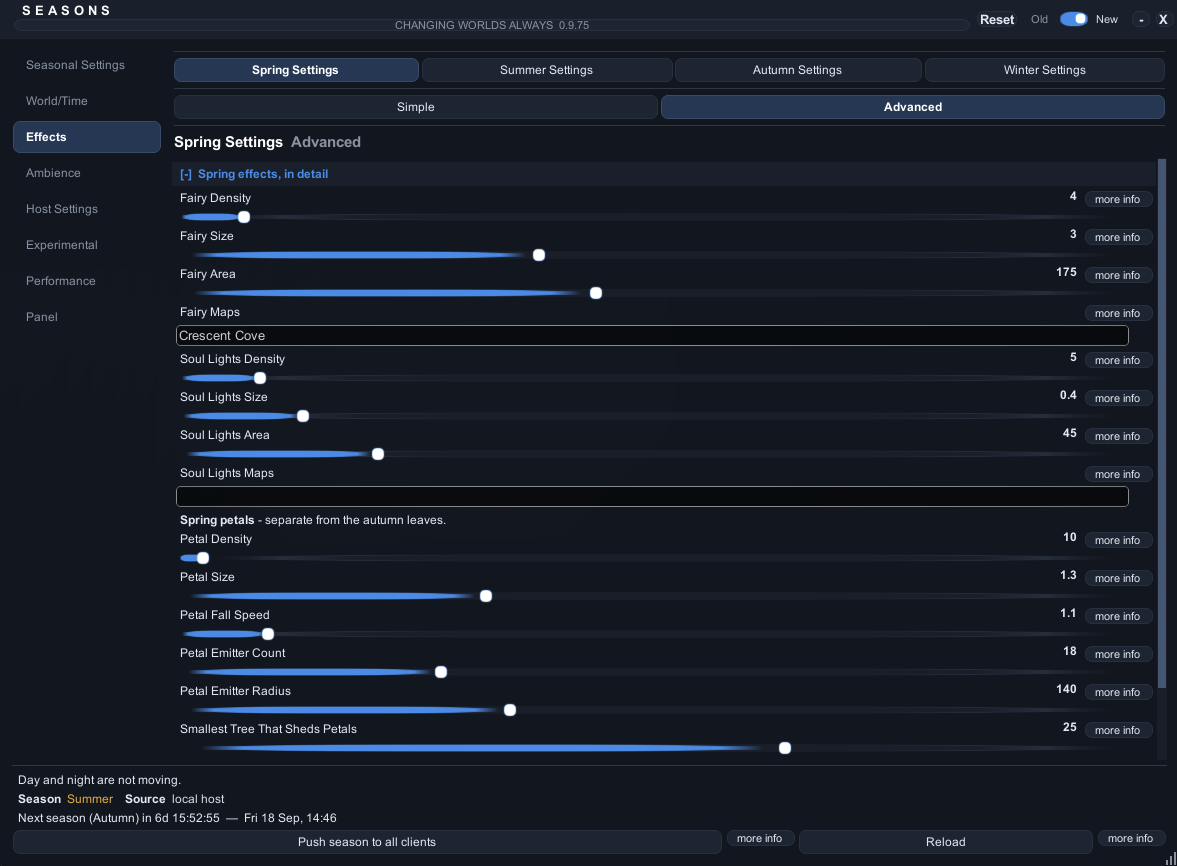
- Type
/seasons, or press the key you bound at the top of the settings menu's Seasons tab. - Search: type into the box at the top of the tab list, then click a result to go straight to that setting.
- Every setting has a more info button that explains it, and a reset button once you change it.
- Simple or Advanced is one switch beside the heading, so every page shows either the few settings that matter or all of them.
More about the panel
- The panel and the settings menu change the same settings, so they always agree.
- Search matches a setting's name, the page it is on and its description. Colour and color, and grey and gray, find the same things. The setting you pick is lit up for a moment.
- An old or new look, an accent color, a size and a scale can all be chosen under the Panel tab. The accent can follow the season, so the panel changes with the year. The corner grip resizes the window and the title bar drags it.
- Every color row opens a color wheel in a window of its own, which can be dragged off the panel.
- Opening the panel takes the mouse and holds the camera still, the way the game's own menus do, and holding the right mouse button hands the camera back while you look around. Both have a switch under the Panel tab: if another mod's interface will not open while the panel is up, turn one off, and
/seasons diaghas a panel holds line saying exactly what the panel is doing. - While a text box in the panel has the keyboard, typing does not move your character and Enter does not open chat. Click off the panel or press Escape to give the keyboard back.
Enabled, at the top of Seasonal Settings > General, switches the whole mod off and on, and the panel key keeps working while it is off.- Spring Cleaning, under Performance, puts groups of settings back to how they shipped, with an undo.
Commands
| Command | What it does |
|---|---|
/seasons |
Opens or closes the panel |
/seasons status |
Season, clock, weather and who is opped |
/seasons set autumn |
Changes the season (host) |
/seasons next |
Moves on to the next season (host) |
/seasons day or /seasons night |
Jumps to day or night (host) |
/seasons weather on |
Forces rain on; off stops it, vanilla hands it back to the game (host) |
/seasons holiday now |
Shows a holiday's own look today; off puts it away (host) |
/seasons report |
Opens the bug report window |
/seasons help |
Lists everything you can run |
Every command
/season works too. Commands that change the world are the host's; an opped player's go to the host, who checks their permissions. On a dedicated server, type the same commands into the server console.
/seasons status,/seasons diag,/seasons diag near,/seasons diag roof,/seasons diag perf,/seasons diag perf reset/seasons report,/seasons report <what happened>/seasons set <spring|summer|autumn|winter>,/seasons next/seasons length <30m|12h|7d|2w>,/seasons advance <manual|realminutes|gamedays|realdate>/seasons holiday,/seasons holiday now,/seasons holiday off/seasons day,/seasons night/seasons time <day|night|freeze|resume>,/seasons time <1-12> <am|pm>/seasons time mode <vanilla|host|frozen>,/seasons time daylength <seconds>,/seasons time nightlength <seconds>,/seasons time scale <season> <day|night> <0.25-4>/seasons weather <on|off|vanilla>/seasons tint <0-1>,/seasons preset <vanilla|extended|realtime|custom>/seasons ray add <name> [at <player>],/seasons ray list,/seasons ray remove <name>,/seasons ray clear/seasons zone ...marks an area with a color of its own, and/seasons boundary ...keeps the seasons out of one/seasons op list|add|remove|powers|universal|on|off|servers,/seasons op copy <server name>/seasons cohost <player>/seasons requests,/seasons approve <number|all>,/seasons deny <number|all>/seasons config <Key> [value],/seasons config find <words>/seasons snow <never|winter|always>,/seasons test <snow|rain|leaves|off>,/seasons fog <on|off|auto>(your own, not the host's)/seasons resync,/seasons resetstate,/seasons debug,/seasons help
Ops and co-hosts
- The host can let trusted players help. It is off until the host turns on
Let Opped Players Help. - An op asks the host for a change, and the host (or a co-host) approves it.
- A co-host can change what the host can, and approve ops' requests.
More about ops and co-hosts
- Permissions come in four parts: season, weather, time and look. Every op gets the universal permissions unless given their own.
- An op's changes wait in their panel until they press Send, and arrive as one request under Host Settings > Requests.
Changes That Need ApprovalandOp Request Cooldowndecide what waits and how often they can ask. - Ops are picked in the panel under Host Settings > Ops, or with
/seasons op add <player>and/seasons cohost <player>. - One ops list serves every server you host, so the same world hosted from the menu and as a dedicated server keeps its ops. With
Ops Lists Per Serveron, each server name keeps its own list instead; a new name starts with the ops you already had, and/seasons op serversand/seasons op copy <server name>bring back another server's list.
Dedicated servers
- Works with the AtlyssDedicatedServer mod. Nothing is drawn on a headless server; it keeps the clock, the season and the weather for everyone.
- When hosting starts, the console shows the season, the clock and who is opped.
- Type
/seasons helpinto the server console for the commands.
More about dedicated servers
- The world clock and season are saved and picked up again after a restart, including a restart the server does by itself.
- Ops are kept in the config, one list for every server name unless
Ops Lists Per Serveris on. - Requests from ops show in the console: answer them with
/seasons approve <number>or/seasons deny <number>. /seasons diagon a server prints what a server can know: the season, the clock, the weather, ops and what was last sent to players.
Performance
- If frames drop, turn on
Low Spec Modeunder Performance. It turns off falling snow, falling leaves and snow on the ground, and keeps the colors. - Falling snow costs the most.
Snow Area SizeandSnow Max Particleslower it the most. /seasons diag perfshows exactly what the mod costs, and where.
More about performance
Spread Heavy Work Over Frames(off) colors a newly entered area a bit each frame instead of all at once. Turn it on if entering an area stutters.Work Per Frameis how much of a frame that may take: higher finishes sooner and takes bigger frames doing it.Ambient Max Particles(3000) is the one budget every effect shares.- Colors are only worked out again when something actually changes.
- The host sends its state when something changes, when a map loads, and every 15 seconds, and sends nothing while nobody else is connected.
- A headless server skips every visual.
Bug reports
- Click Report at the top of the panel, or type
/seasons report, while the problem is still on screen. - Reports are only saved on your computer. Nothing is sent anywhere; share the file yourself.
More about bug reports
- The report window has undo and redo, find and replace, word wrap, line numbers, text size, a fixed width font, the date and time (F5) and a template. It can add where you are and what
diagsaw. /seasons report <what happened>saves one straight away.- Reports are saved in two places, so an update of the mod cannot lose them:
BepInEx/plugins/<the mod's folder>/Bug Reports/
BepInEx/AtlyssSeasons Bug Reports (backup)/
Where things are saved
More about the files
BepInEx/config/<the mod's GUID>.cfg                 every setting
BepInEx/config/AtlyssSeasons/worldstate.json        the saved season and clock
BepInEx/config/AtlyssSeasons/ops-by-server.json     each server's last ops list
/seasons resetstateclears the saved season and clock./seasons config <Key> [value]reads or changes any setting by its config name, and/seasons config find <words>finds one.
Known limits
- Trees are one mesh with their bark, so their colors stay soft.
- Snow on the ground is a color, not snow piling up.
- Heat haze is drawn with particles rather than a real shimmer, which is why it is off by default.
- Players without the mod see the host's clock and rain, but none of the seasons.
- A player still on 1.0.0 will not share seasons with this version. Both sides need updating.
Credits
- Amy is the lead tester. Nine builds, session after session of notes, screenshots and patient re-tests: most of what this mod does well is here because they asked for it, and most of what it no longer does wrong is because they found it.
- Vale and Eleen were an amazing help alongside them, with suggestions, ideas and a good number of bugs found while playing.
- Thank you to everyone who hosted a world, ran a dedicated server, or left the seasons running to see what happened.
Dependencies
Installed automatically by Thunderstore:
- BepInEx-BepInExPack-5.4.2100
- Soggy_Pancake-CodeYapper-2.2.2
- Soggy_Pancake-AtlyssCommandLib-0.0.7
- Nessie-EasySettings-1.3.0