ServX by Bob from IT
ServerExtras is a mod that provides detailed real-time server statistics including player ping, TPS (Ticks Per Second), and visual performance graphs.
This is my first mod for Unity, so there are bound to be mistakes or inaccuracies with my code. I have plans for further updates to allow configuration options, after which I will upload the source code to Github.
If you have any suggestions or issues, feel free to reach out to me on Discord: bobfromit
Features
- Real-time Ping and TPS Monitoring
- Displays live player ping and server TPS values dynamically.
- Colored indicators for TPS to highlight performance.
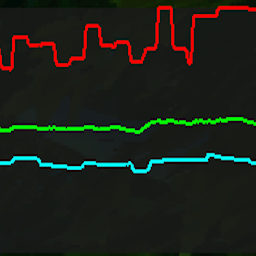
- Graph Visualization
- Visual graph tracking average, max, and min ping values.
- Smooth scrolling lines for an intuitive performance overview.
- Session Tracking
- Calculates and displays session averages for player ping, TPS, and time elapsed.
- Optimized for Performance
- Line pooling system to minimize object creation and maintain smooth gameplay.
Installing
-
Install BepInEx
- Download and install the latest version of BepInEx 5.
-
Download ServerX
- Download this mod (ServerX.dll).
-
Locate Game Directory
- Find the game’s main directory (where
ATLYSS.exe is located).
-
Add the Mod
- Go to the
BepInEx/plugins folder (ATLYSS/BepInEx/plugins/).
- Place the
ServerX.dll file in the plugins folder.
Requirements
Usage Instructions
- Open the in-game Who Menu to view real-time ping, TPS, and graph visualization.
- Close and reopen the menu as needed to refresh or track new sessions.
- Check the session summary in the console for detailed statistics after closing the menu.