

FlatWalk
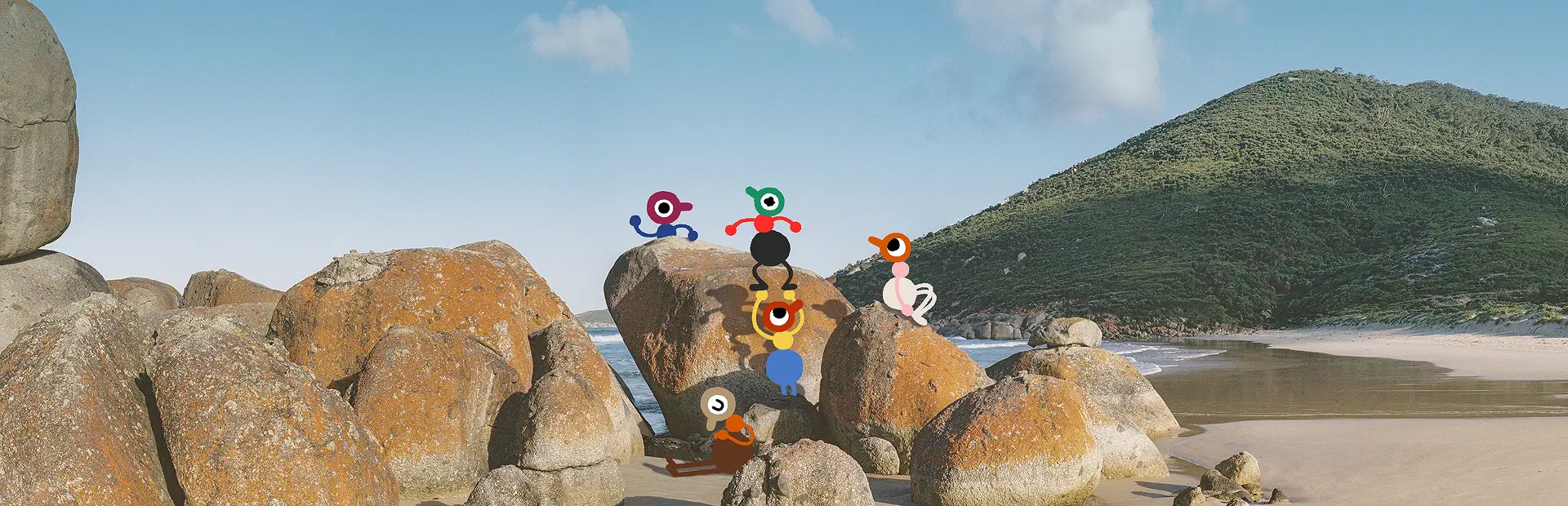
Gives players a flat, hand-drawn appearance like in Big Walk's promotional art.Flat Walk
Changes the appearance of players to better match the flat, rough art style used in the game's promotional materials. Players will have a bright, solid-color appearance. While they aren't lit in 3D any more, they'll still dim to match the surrounding light level. Backpacks and belts also match this flat art style when equipped. By default, HBAO is disabled globally to better accommodate the unshaded style. You can re-enable HBAO if you'd like.
Manual Installation
- Install BepInEx
- Extract FlatWalk.dll to
BepInEx/plugins/
Options
Modify from the com.xanderfrangos.bigwalk.flatwalk.cfg config file or using Mod Settings Menu.
| Key | Default | Description |
|---|---|---|
Enabled |
true |
Activates the custom shaders from this mod. |
HBAOEnabled |
false |
Restore the game's original HBAO ambient occlusion for the world and players. A stylistic choice. |
LightingOcclusion |
true |
Allow players to dim when indoors or behind objects. Disabling may help with performance on very low-end CPUs. |
ReceiveShadows |
false |
Allow players to receive real-time shadows from the main light. A stylistic choice. |