

PhotoStorage
Increases the capacity of the phone camera.BRC-PhotoStorage
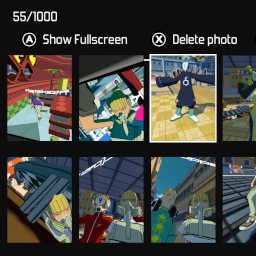
BepInEx plugin that increases the phone camera storage in Bomb Rush Cyberfunk.

Configuration
A documented BepInEx configuration file will be created the first time you run the mod, called "com.LazyDuchess.BRC.PhotoStorage.cfg". You can use r2modman to more easily edit it. Here you can edit the amount of photos you can save, set to 1000 by default.
This configuration file also has an option to disable Cloud saving. You should consider turning it on, as the Cloud capacity for the game is very low and increased photo storage will likely hit it. Without enabling this setting saving too many photos will cause an error even if your Steam Cloud is disaabled.
Building from source
You will need to provide a publicized version of the "Assembly-CSharp.dll" file which can be found in your "Bomb Rush Cyberfunk_Data/Managed" folder. To publicize it, you can use the BepInEx.AssemblyPublicizer tool, and paste the result into "lib/Assembly-CSharp-publicized.dll" in this project's root directory.
You will also need to provide the Unity.TextMeshPro.dll assembly in the "/lib" folder, which can also be found in "Bomb Rush Cyberfunk_Data/Managed".