Game Boy Emulator
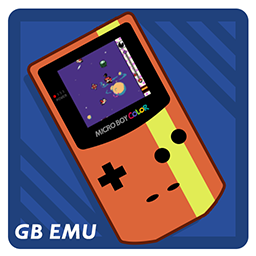
Adds a Game Boy Emulator to your phone.BRC CODE-DMG
This mod is a port of BotRandomness' GB emulator, CODE-DMG, into Bomb Rush Cyberfunk. It features new additions, including audio emulation and Game Boy Color support. Comes with the open-source homebrew game, Tobu Tobu Girl DX!

Features
- Full GB/GBC experience within BRC
- SGB/GBC Compatibility
- Auto Save and Auto Load, letting you quickly resume games
- Ability to remap controls and add a pixel grid filter
FAQs
> How Do I Load Other Game ROMs?
- Boot BRC with the plugin installed to generate the config file. It's named "transrights.codedmg.cfg".
- Access the config file using the Config editor in r2modman.
- Under "Change Game Rom" set the RomPath to the game you want to load. For example, "C:\Users\TransRights\Desktop\ROMs\Rom Name Here.gbc".
- Hit Save in the upper right-hand corner.
- If you're in-game, close the app, then re-open it. The new game will start.
TIP: If you ever need to change controls or settings, close the app on your phone, then reopen it. Each time the app is opened, it will re-read your config file.
> Where do I get Game ROMs?
There's a lot of great Game Boy and Game Boy Color Homebrew ROMs on itch.io!
> What are the Controls?
Main Controls
- D-Pad = Joystick
- A Button = A Button
- B Button = B Button
- Start = X Button
- Select = Y Button
Keyboard Controls
- D-Pad = WASD Keys
- A Button = Period Key
- B Button = Comma Key
- Start = Enter Key
- Select = Right Shift Key
Special Thanks
- Bot Randomness, for making his CODE-DMG emulator open source, it has been an invaluable starting point
- Tangram Games, for making Tobu Tobu Girl DX free and open source, which is included in the app
- c-sp, for compiling GB Test Roms to find and address compatibility issues (also Blargg's Test Roms)
- Marat Fayzullin, for Pan Docs
- Gekkio, for TCAGBD and the Mooneye GB Test Suite
- LIJI32, for SameBoy, which was referenced frequently hardware accuracy and serial/link cable behavior
- mpostaire, for gbmulator, whos link cable implementation was a monumental reference for the local dual-emulator approach used for multiplayer support
Notes
- Link Cable/Multiplayer is still in beta and requires All City Network.
- IR emulation is currently not supported.
MIT License
Copyright (c) Absentminded / Bot Randomness
Permission is hereby granted, free of charge, to any person obtaining a copy of this software and associated documentation files (the "Software"), to deal in the Software without restriction, including without limitation the rights to use, copy, modify, merge, publish, distribute, sublicense, and/or sell copies of the Software, and to permit persons to whom the Software is furnished to do so, subject to the following conditions:
The above copyright notice and this permission notice shall be included in all copies or substantial portions of the Software.
THE SOFTWARE IS PROVIDED "AS IS", WITHOUT WARRANTY OF ANY KIND, EXPRESS OR IMPLIED, INCLUDING BUT NOT LIMITED TO THE WARRANTIES OF MERCHANTABILITY, FITNESS FOR A PARTICULAR PURPOSE AND NONINFRINGEMENT. IN NO EVENT SHALL THE AUTHORS OR COPYRIGHT HOLDERS BE LIABLE FOR ANY CLAIM, DAMAGES OR OTHER LIABILITY, WHETHER IN AN ACTION OF CONTRACT, TORT OR OTHERWISE, ARISING FROM, OUT OF OR IN CONNECTION WITH THE SOFTWARE OR THE USE OR OTHER DEALINGS IN THE SOFTWARE.