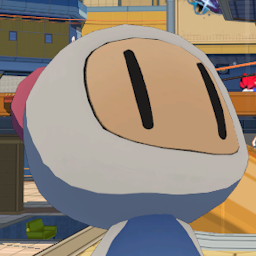
This mod replaces Base with Bomberman.
If you want to change the character go into your game directory and go to BepInEx\Config\Modelreplacement.cfg and at the top where it says "charaToReplace = #" change one number less than the corresponding character
number in here https://files.catbox.moe/vhda8a.png (EX: For Vinyl the number would be 0 instead of 1 as it states in the image
or Base would be 17 instead of 18)
CURRENT ISSUES:
- Bomberman is a little low in the ground when standing
- Inline Skates appear to be missing
- Bombermans position on movestyles is incorrect
INSTALLATION GUIDE:
PREREQUISITE LINKS
PREREQUISITE INSTALLATION
BEPINEX INSTALLATION
- You need to have BepInEx and Modelreplacement downloaded. BepInEx can be downloaded through r2modman or on the thunderstore or you can manually download the mod. Modelreplacement on the other hand has to be manually downloaded whether or not you're using r2modman.
- If you want to manually install BepInEx, download it and open the zip. Then open the "BepInExPack" folder and drop everything inside of it into your games root directory. Your games directory varies depending on what version of the game you have (Steam/Gog/Etc.) It should then look like "Root game folder\BepInEx" along with the other two files from the zip.
MODELREPLACEMENT INSTALLATION
(Manual)
- Once thats installed, to manually install Modelreplacement you will need to install the zip, open it up, and drop the "BepInEx" folder into your root game directory.
(R2ModMan)
- In your R2ModMan program go to settings and then under all settings scroll down to "Browse Profile Folder" and click on it. Then drop the BepInEx folder inside the Modelreplacement zip into your profile folder that you've just opened.
BOMBERMAN MOD INSTALLATION
(Manual)
- Once you've downloaded the mod open the zip and open the "Mod Content" folder. Drop the BepInEx folder into your games root directory and bam you're done.
(R2ModMan)
- Since I don't understand thunderstore the r2modman installation is broken for now for whatever reason so you'll have to manually install the mod. To install it simply click "Manual Download" on the thunderstore page and open up the zip, then open the "Mod Content" folder. Drop the BepInEx folder into your profile folder and bam you're done. If you're unsure where your profile folder is, go to settings in R2ModMan and scroll down to where it says "Browse Profile Folder".
UPDATE LOGS:
0.9.1:
- Updated thunderstore link
0.9.2:
- Updated README adding list of issues to be fixed and update logs
0.9.3:
- Added detailed installation guide to the thunderstore page/readme
- Updated Prerequisites
0.9.4
- Forgot to get rid of the placeholder in the 0.9.3 update log :skull:
Made by Pand3rBear (PikaYeet) for Cob