
WristHub Quest
WristHubOS 4.0.1 standalone Quest BETA improves Fusion room discovery, server portals, watch placement, performance, and reliability.WristHubV4
Your wrist is no longer just a menu. It is an operating system.
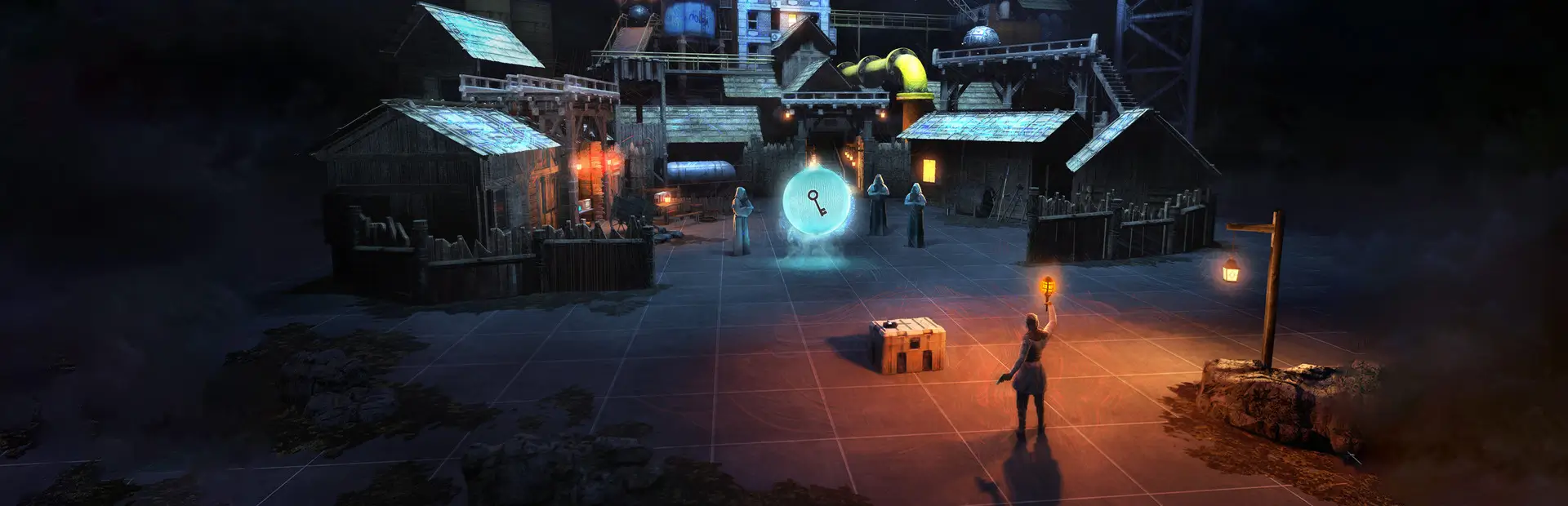
WristHubV4 introduces WristHubOS: a complete holographic command center built directly onto your BONELAB wrist.
Wake the live smart watch, tap the clock, and watch an entire interface project from your arm. Browse thousands of avatars, control compatible code mods, find Fusion lobbies, track players on a live mini map, navigate with a calibrated compass, and open shared portals—all without constantly digging through flat menus.
This is the biggest WristHub update yet. It is still a BETA, but it is designed to feel less like a code mod and more like a piece of technology that belongs inside BONELAB.
Found a bug or have an idea for an app? Message me on Discord: @parzival3d
Six apps. One wrist.
Avatars
- Browse every installed avatar or organize them by mod pack.
- Search BONELAB mod.io without entering an API key.
- Download packs with live progress, cancellation, retry, and platform checks.
- View a contained full-color 3D preview and the avatar's real pre-equip gameplay height.
- Equip normally or grab the preview and release it at the holographic chest target.
- Delete complete packs through recoverable trash protection.
- Register downloaded packs with ModioModNetworker for eligible Fusion peer downloads.
Fusion
- Browse multiple public Fusion rooms from your wrist.
- View room artwork, player information, descriptions, and availability.
- Quick Join, enter a server code, or prepare a server portal.
- Open Fusion's full native interface directly in front of you when you need every advanced control.
- Keep normal Fusion permissions, safety rules, and connection behavior.
Mod Apps
- Control supported BoneMenu pages through a cleaner wrist layout.
- Use native WristHubOS apps built with the included public SDK.
- Open complex managers such as ModioModNetworker and Thunderstore Mod Assistant through their original interfaces, centered at a comfortable reading distance.
- One broken third-party page is isolated so it cannot take down the entire OS.
Mini Map
- See a colored 2D capture of the nearby level instead of a basic radar grid.
- Track yourself and valid Fusion players with smooth directional paper-airplane icons.
- See host and permission roles with distinct colors.
- Switch orientation and adjust range in 10-meter steps.
- Player icons update separately from map capture so the level image never erases them.
Compass
- Use a compact projected compass with a smooth needle, degrees, and eight-direction labels.
- Set your own north for each level.
- Recent calibrations are remembered automatically.
Portals
- Point with your controller and place animated cyan portals on valid surfaces.
- Create local two-way links around a level.
- Search, download, and open compatible BONELAB maps.
- Browse Fusion servers and use a portal as a cinematic join point.
- Shared portal state uses Fusion when available; full custom visuals require WristHubV4 on each viewer.
The WristHubOS experience
- A high-contrast circular smart watch with live time, date, status, and download progress.
- One-second gaze wake, instant touch activation, and tap-again closing.
- A cinematic hologram opening and reverse-collapse animation.
- Head-facing WristHubOS pages that stay readable when your wrist twists.
- A watch and projector that remain aligned near the wrist and use the final XR pose to reduce visual trailing.
- Six isolated apps with consistent Home, Back, Downloads, Settings, and Close controls.
- Cyan, Graphite, Crimson, Emerald, Violet, and Amber themes.
- 12-hour and 24-hour clocks.
- Left- or right-wrist support, manual scale, brightness, Reduced Motion, and recentering.
- Performance scaling for PCVR, standalone Quest, and sustained frame pressure.
How to use it
- Install the correct WristHubV4 package for your platform and launch BONELAB.
- Look at your wrist for one second to wake the clock.
- Tap the circular clock with your fingertip or controller tip.
- Watch WristHubOS project from your wrist.
- Touch an app icon to open it.
- Use Home or Back to navigate.
- Tap the watch again—or press X—to collapse the interface.
The left wrist is the default. Wrist side, interface scale, theme, clock format, hologram brightness, and Reduced Motion can all be changed in Settings.
Choose the correct package
- Windows PCVR through Steam, Oculus, Link, or Air Link: install WristHubV4.
- Standalone Quest 2, Quest 3, or Quest 3S: install WristHubV4 Quest on a LemonLoader-patched headset.
PCVR and standalone Quest use different DLLs. Do not manually place the Windows build on a standalone headset.
Multiplayer and downloads
WristHubV4 uses LabFusion and ModioModNetworker rather than creating a competing multiplayer downloader. When you equip an eligible downloaded avatar, WristHub registers the exact pallet and lets Fusion's normal avatar sender announce it. Other players still control their own auto-download, maturity, blacklist, size, and platform settings.
A PC-only pack cannot appear on Quest unless its author uploaded a Quest build. WristHub labels platform availability instead of pretending missing files exist.
Custom WristHub holograms can only be rendered for players who have WristHubV4. Where possible, shared actions use normal Fusion behavior or a simpler Fusion-visible fallback for players without the mod.
Built for large libraries
WristHubV4 has been tested with thousands of avatar crates. Expensive preview work is delayed during rapid paging, stale jobs are cancelled, level and player overlays are separated, procedural visuals are pooled, and repeated failures are throttled. Heavy library discovery happens once after BONELAB's Asset Warehouse becomes ready instead of continuously while you play.
Every download still passes archive, traversal, executable-content, integrity, dependency, platform, and storage checks before installation.
Beta notice
WristHubV4 is an ambitious beta interacting with community avatars, levels, code mods, Fusion, mod.io, and two hardware platforms. Community content can be malformed or platform-limited. WristHub uses guarded fallbacks and recoverable operations, but please report anything strange with the newest file from BONELAB/MelonLoader/Logs.
Do not post API keys or private account information in bug reports.
Manual installation
- Install MelonLoader or LemonLoader, BoneLib, LabFusion, and ModioModNetworker for your platform.
- Copy
WristHub.dll,WristHub.Core.dll, andWristHub.SDK.dllinto the game'sModsfolder. - Remove old
BoneHub.dllandBoneHub.Core.dllfiles if they are still installed. - Launch BONELAB and tap the watch.
Compatible settings and history from older WristHub/BoneHub releases migrate automatically.
The beginning of WristHubOS
V4 is the foundation, not the finish line. WristHubOS now has an app router and public SDK so future updates—and eventually other developers—can add experiences that feel native to the same wrist interface.
I worked hard to make this feel genuinely different. If you try it, tell me what you want WristHubOS to become next.
Discord: @parzival3d
WristHub is an independent community project and is not affiliated with Stress Level Zero, mod.io, Thunderstore, BoneLib, LabFusion, or ModioModNetworker.