
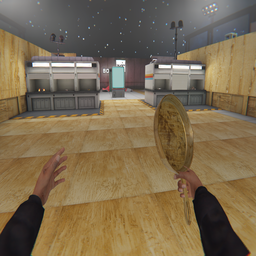
GoldenPan
GoldenPan Mod turns the pan into well a golden pan but it also turns some objects into gold when touched.WideEye
Important Note: This mod does not change the actual field of view (FOV) of your VR headset.
WideEye is a BONELAB mod that tweaks the spectator camera, allowing for FOV control, post-processing effects, and more! It enhances the spectator camera visuals and optimizes settings for content creation, giving users tools to customize details to their liking.
Features
-
FOV Control
-
Preferences Saving
-
Auto-Apply Settings
-
Offset :
- Position
- Rotation
-
Smoothing :
- Position
- Rotation
-
Camera Modes :
- Head : Camera moves with the player's head
- Pinned : Camera stays in place
-
Avatar Mesh Control (On | Off) :
- Hair Meshes
- Head Meshes
-
Post-Processing Control :
- Auto Exposure
- Chromatic Aberration
- Lens Distortion
Requirements
- PC
- BONELAB Patch 5+
- MelonLoader 0.6+
- BoneLib-3.1.1
Installation
- Download the latest WideEye release from Thunderstore.
- Extract the downloaded file.
- Move the extracted
WideEye.dllto yourModsfolder in your BONELAB installation directory.
Issues, Feedback, and Contributing
WideEye is open-source and invites contributions! If you have ideas for improvement, fork the GitHub repository, make your changes, and submit a pull request. Thank you for helping make WideEye better!
Use the WideEye GitHub issues page to report any issues you run into, or make any suggestions you have to improve it. All of these comments help make WideEye a better experience for everyone.
Thanks for using WideEye!
Contributions
This project has benefitted from the following people:
- WaveSmash (Smoothing, Rotation offset) [Suggestion]
- xDraxxis (Position offset, Preferences) [Suggestions]
Thank you to all contributors for your valuable input!
Credits
- Aiden - BONELAB Icon Template
- TrevTV - MelonLoader Mod Template
Future Plans
- Handheld Mode
- Presets System
- MKGlow Settings
- Custom UI
ChangeLog
[2.0.0] Major Update
Added
-
Preferences Saving
-
Camera Auto-Finding
-
Position Offset
-
Post-Processing Control :
- Auto Exposure
- Chromatic Aberration
- Lens Distortion
-
Camera Modes :
- Pinned
- Head
-
Avatar Mesh Control (On | Off) :
- Hair Meshes
- Head Meshes
Changed
- UI Improvements
Fixed
- Levels with scene chunks no longer un-finds the camera
[1.2.0] Regular Update
Added
- Smoothing
- Rotation Offset
- Support Page
- Reset All Button
- Notifications
Known Issues
- Position smoothing may cause the spectator camera to clip through head meshes.
- Levels with scene chunks may un-find the camera but it won't affect the modifications the mod made
[1.1.0] Regular Update
Added
- Added ability to toggle post-processing.
- Added Colors to the mod's menu
Changed
- Changing values won't be accessible when the camera is not found, reducing confusion.
Known Issues
- Levels with scene chunks may un-find the cam but it won't affect the modifications the mod made
[1.0.0]
- Initial Release