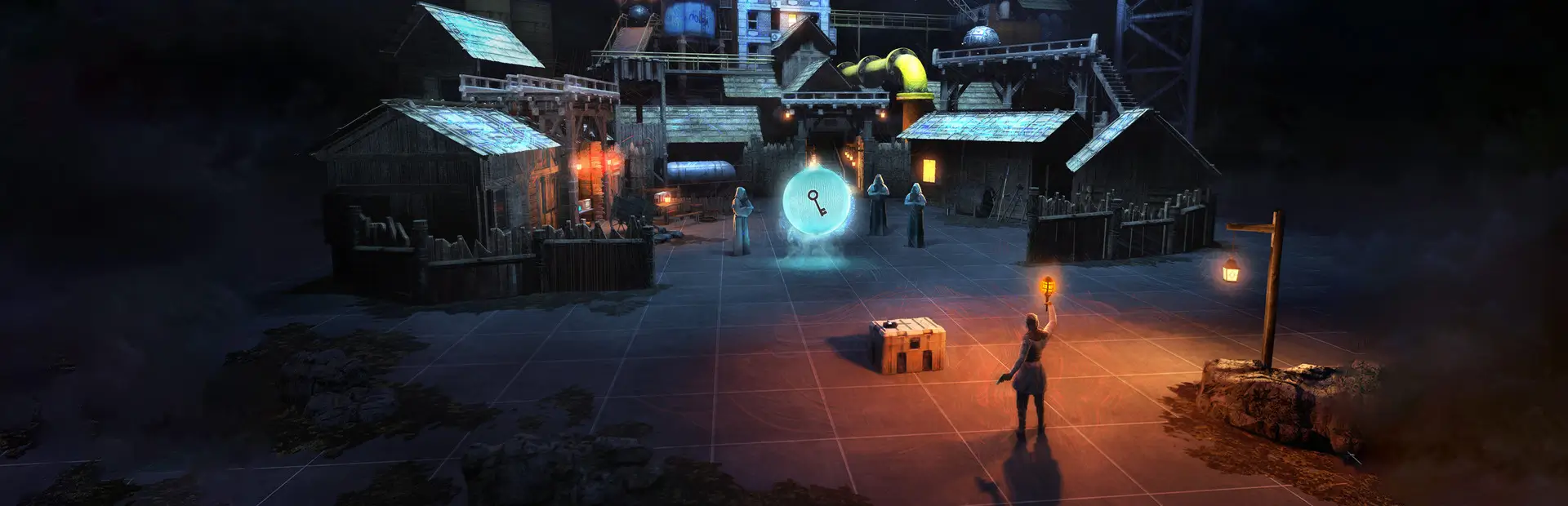
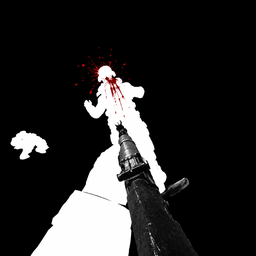
WigglesBW Timeline Add On
All-in-one BONELAB pack: AC-130 gunship, flyable helicopter, C-RAM air defence gun, FPV/kamikaze drones, grapple, sling, gun jamming and Timeline clone deaths. Fusion + Timeline synced.WigglesBW (Timeline Add On)
WigglesBW (Timeline Add On): every Wiggles code mod in one DLL. One Wiggles BW button on your BoneMenu opens all of them. Works on Quest and PC. Synced over Fusion and recorded by Timeline when you have them installed.
Install
- Install MelonLoader (0.6.5 or newer: the Quest version works, PC 0.7 works too) and BoneLib (3.2.2 or newer).
- Put
WigglesBW.dlldirectly in yourBONELAB/Modsfolder:Mods/WigglesBW.dll. Not inside another folder (Mods/WigglesBW/WigglesBW.dllorMods/Mods/...won't load), and not the zip itself. With a mod manager (r2modman / Thunderstore) this is done for you. - If you used the old separate mods, delete
AC130.dll,FpvDrones.dll,Grapple.dll,Sling.dll,TimelineClones.dll,QuestGraphics.dll,MenuManager.dllandGunJam.dll(otherwise everything runs twice).
Optional: LabFusion (multiplayer sync) and Timeline (recording + clones).
Optional: Misc Explosive Devices (BaBaCorp): used for explosions when installed, built-in ones otherwise.
In a Fusion lobby, everyone needs the same version of WigglesBW.dll.
AC-130
Spawn an AC-130 gunship that circles the map. You're teleported inside and can walk around while it flies.
- Spawn / Teleport Into / Despawn from the menu. Change orbit distance, altitude and speed any time.
- Jump out the open rear ramp, or hold B + X to bail out, then pull your parachute: hand on your chest + trigger (or grip). Parachutes can be turned off in the AC-130 menu. You glide where you look; look down to dive. The chute disappears when you land.
- Gunner station: touch the green console screen (front left) or use the menu.
- Aim with your right controller, right trigger fires, left trigger switches weapon, B leaves.
- Right stick up/down zooms, right stick click switches white-hot / black-hot thermal.
| Weapon | Fire rate |
|---|---|
| 25 mm cannon | Rapid fire, infinite |
| Mini missiles | 2 every 15 seconds |
| Big missile | 1 every 2 minutes |
Missile cooldowns are shared by everyone on the guns. Hits damage players, NPCs and Timeline clones.
- Lock-On RPG (menu → Equip Lock-On RPG): point at an AC-130, wait for the steady tone (locked), right trigger. A hit sets the plane on fire; it spirals down with the alert sounding, explodes and disappears.
Helicopter (MH-X Silent Hawk)
- Spawn Helicopter (menu): it lands on the nearest flat, open spot in front of you.
- Climb in through either open door (there's a step under each), or use Get In Pilot Seat in the menu. Only the left front seat flies it (anywhere in the left half of the cockpit counts); you get a "You have the controls" message when you're in it. You're locked in the seat while flying: hold Y (or the menu's Leave Pilot Seat) to get out.
- Center console buttons (just right of the pilot, push with either hand; also in the Helicopter menu):
- START: engine on/off. The rotor spins up for a few seconds before it can lift off.
- HOVER: holds its position and height whenever you're not touching the controls.
- ROPES: drops a fast-rope out of each door. They're grapple ropes: grab, hang, slide and climb them exactly like the grapple, and your grip rides along with the helicopter.
- CRASH: only the player who spawned it can use this.
- Flying: grab the stick between your legs with your right hand (grip), or just use the right joystick: forward = go forward, back = slow/reverse, left/right = bank. Left stick up/down = climb/descend, left/right = turn. (Snap turning is paused while you fly.)
- Everyone inside rides along: banking and turning won't throw you out.
- It can be shot down: the Lock-On RPG (one hit; it locks onto helicopters too, equip it from the Helicopter or AC-130 menu), guns (about 34 rounds), mini missiles (2), a big missile or drone blast, the AC-130 cannon. Hitting something hard, or its rotor hitting a wall or tree, also brings it down: it spins, then explodes.
- Fusion: everyone sees it; whoever sits in the left seat flies it for everyone. Timeline: recorded and replayed.
C-RAM (air defence gun)
- Place C-RAM In Front Of Me (Wiggles BW > C-RAM): it's set down on the ground right in front of you, gun facing the way you look. One per player.
- Walk onto the glowing green ring behind it and you're locked in as the operator (or use Get On Nearest C-RAM). Hold Y (or Get Off) to step off. The ring turns orange while someone is on it.
- Aim with your right controller: the turret spins a full 360° and the gun tilts up and down on its own pivot (two separate mechanisms), both swinging after your aim like a real mount. Turn your body and it turns.
- Right trigger fires (30 rounds a second). Every round is a glowing tracer, so the fire is easy to see at night.
- Gun camera: a camera on top of the barrel (same system as the FPV drones). It turns on when you get on; press A to switch between it and your own eyes. The sight shows a gap crosshair with mil ticks, azimuth tape, elevation scale, laser range, boxes on every aircraft in view (track number + range), rounds fired and time.
- Muzzle flash and tracers use real flash/tracer photos.
- Rounds are proximity-fuzed (they burst next to aircraft, with a flash and HIT on the sight). Brings down helicopters (about 12 rounds), AC-130s (10 hits) and drones (one hit): they crash and explode.
- Fusion: everyone sees it turn and fire, and anyone can operate anyone's C-RAM. Timeline: recorded and replayed.
Night lights
The AC-130 (big lights), helicopters and every drone (FPV, War Drone, Kamikaze Wing; small lights) have aircraft lights: red on the left tip, green on the right tip, white on the tail, a flashing red beacon on top and a white strobe underneath.
FPV Drones
- FPV Drone, War Drone (explodes on impact) and Kamikaze Wing (delta wing, 300 mph, adjustable).
- Drones: Angle / Acro modes, full stick setup in the menu. Right trigger = detonate, left trigger = disconnect, hold both grips 1 s = emergency exit.
- Kamikaze Wing: left stick up/down = nose up/down, right stick left/right = bank and turn.
Timeline Clones
Clones played back by Timeline get real bodies:
- Hitboxes, blood, knives that stick in.
- Health like players: head = 1 shot, body = 3 shots, arms/legs = 6 shots. Then they drop as a ragdoll right where they stand, and Timeline records the fall. Explosions, drones and the AC-130 hurt them too.
- Dead clones drop their weapons and their guns stop shooting, even if the recording had them firing later.
- Fist & Melee Combat (setting, off by default): turn it on and choose how many punches and how many melee hits (knives, bats, swords... anything you hold that isn't a gun) it takes to ragdoll a clone.
- Grab and drag ragdolled clones (recorded by Timeline).
- Ragdoll Stiffness: sliders for the whole body, head, spine, and each arm and leg (0% floppy, 100% rigid).
Also inside
- Grapple: grappling rope you can swing on and climb (and others can climb yours online).
- Sling: carry guns on a two-point sling (webbing strap with metal end loops and a slider buckle). Set its length and its Max Stretch Length in the Sling menu; it never stretches past that, stops at walls, and stays out of your face when you aim.
- Gun Jamming: visible gun jams.
- Quest Graphics+: optional graphics tweaks for Quest. Off by default: pick a preset in its page to use it.
- Menu Manager: hide other mods' buttons from your main BoneMenu. Hidden ones all go on one Hidden Mods screen, where you can still open them or show them again. The mods keep running.
Settings
Everything is on the Wiggles BW page of the BoneMenu and is saved in UserData/MelonPreferences.cfg.
Troubleshooting
Wiggles BW tells you what's wrong. If something is breaking it, a red "WIGGLES BW - PROBLEM FOUND" panel appears in front of you when you load into a level (and a notification), saying what the problem is and how to fix it. The full list is also in BoneMenu > Wiggles BW > Problems. It catches:
- Old separate mods still installed (AC130, FpvDrones, Grapple, Sling, TimelineClones, QuestGraphics, MenuManager, GunJam): delete those DLLs. Until you do, Wiggles BW skips its own copy of them so nothing clashes.
- Wiggles BW installed twice (e.g. manually and with a mod manager): delete one. Only one copy runs.
- BoneLib too old: install BoneLib 3.2.2 or newer.
- LabFusion / Timeline version different from what this version was made for (LabFusion 1.14.2, Timeline 0.5.2).
- A part of the pack failed to start, with the error.
- The Wiggles BW button was removed by another mod (e.g. another menu manager): it's put back automatically.
Kicked when joining a Fusion server: fixed in 1.3.0. Wiggles BW now waits until you've fully joined before it sends anything, so the server no longer disconnects you while loading in. Everyone should update to the same version.
Game closes while starting or loading in: Wiggles BW protects itself.
- It doesn't touch the game's code while the game is starting: its game hooks go in one at a time a few seconds after you're standing in a level, and each game method is hooked only once (hooking the same method several times is a known way to crash Quest).
- It remembers what it was doing. If the game ever crashes while a part of Wiggles BW is starting, just that part is turned off on the next launch, the rest works, and the problem panel names it.
- Crashes it can't pin on one part: 1st time Quest Graphics+ is turned off, 2nd time in a row Safe Mode (all features off) so the game loads.
- Updating Wiggles BW clears Safe Mode and anything that was turned off, so an old crash can't keep it switched off.
- Turn things back on any time: BoneMenu > Wiggles BW > Turn Everything Back On (or set
SafeMode = falseandTurnedOffAfterCrash = ""under[WigglesBW]inUserData/MelonPreferences.cfg).
Duplicate installs are fixed automatically (1.6.5+). Wiggles BW starts before every other mod and checks
your Mods folder. Extra copies of Wiggles BW (only the newest is kept), the old separate Wiggles mods, and exact
duplicate DLLs of any mod are moved to a Mods_Disabled_By_WigglesBW folder next to Mods (nothing is deleted).
The problem panel tells you what was moved: restart the game once and it loads clean. Two different versions of
some other mod are reported so you can delete the old one.
Installed it but there's no Wiggles BW button:
- Check the DLL is directly in
Mods(see Install), only once, and that MelonLoader and BoneLib are installed and up to date. - Open
MelonLoader/Latest.logand search forWiggles BW. If it isn't there, MelonLoader isn't loading the file (wrong folder or old MelonLoader). If it says Safe Mode or "turned off", see above. - Still stuck: send
MelonLoader/Latest.log(on Quest:Android/data/com.StressLevelZero.BONELAB/files/MelonLoader/Latest.log) to the mod author, it says exactly what went wrong.
Changelog
1.6.9
- PC: same startup fix as Quest, plus the packed Fusion/Timeline parts now also find LabFusion/Timeline/BoneLib when PC MelonLoader keeps mods separated. One DLL for Quest and PC (MelonLoader 0.6.5 or newer).
1.6.8
- Quest crash on startup fixed (players without LabFusion or Timeline). When MelonLoader starts, it reads through every part of each mod. On Quest that crashes the game if part of a mod is built on a mod that isn't installed, and Wiggles BW had 38 such parts (Fusion multiplayer messages and Timeline recorders). Those now live in two small separate libraries packed inside WigglesBW.dll and only loaded when used, so the startup scan never touches them. LabFusion and Timeline are optional again.
1.6.7
- Quest: nothing is registered with the game while it starts anymore (the Timeline clone hitbox type is now set up the first time a clone needs it, and turns itself off if it ever crashes).
- The MelonLoader log now shows each Wiggles BW startup step (
[startup] ...), so a crash log shows exactly where it stopped.
1.6.6
- Quest crash / missing menu fixed: earlier builds were made against the PC MelonLoader (0.7.3) and required its newer libraries, which Quest's MelonLoader 0.6.5 doesn't have, so the mod couldn't run there. It's now built against MelonLoader 0.6.5, and it runs on Quest and PC.
1.6.5
- Fixes the crash on load and the missing menu button caused by duplicate installs: Wiggles BW now starts first,
keeps only the newest copy of itself, and moves extra copies, the old separate Wiggles mods and exact duplicate
DLLs out of Mods (into
Mods_Disabled_By_WigglesBW). Restart once after it tells you. - Old and new copies can no longer block each other from loading (the new version always loads, so updates actually take effect), and only one copy ever runs.
1.6.4
- Startup crash fix: the pack no longer hooks the game's code while the game is starting. Hooks go in one at a time once you're in a level, and methods that several features hooked separately (walking: helicopter, AC-130, C-RAM, drones; gun firing: Gun Jamming, Timeline Clones) are now hooked once and shared.
- If something still crashes while starting, only that part turns itself off (named on the problem panel) instead of crashing every launch. Updating clears old Safe Mode / turned-off parts, so nobody stays stuck with nothing.
- Clearer install and "no button" troubleshooting in this README.
1.6.3
- C-RAM: aiming follows your controller while using the gun camera. Proximity-fuzed rounds: helicopters, AC-130s and drones now go down (crash and explode) much faster, with an airburst flash and HIT marker.
- Lights: the AC-130 now has big nav lights, beacon and strobe; drone lights are smaller.
1.6.2
- C-RAM: gun camera on the barrel with a realistic fire-control sight (A toggles it). New muzzle flash and tracers made from real photos.
- Sling: can be set much shorter (Sling Length and Max Stretch Length now go down to 30 cm).
1.6.1
- Sling: new look like a real two-point sling (thick webbing, swivel loops at both ends, slider buckle with the strap doubled back). New Max Stretch Length setting: the strap never gets longer than that. The strap stops at walls instead of going through them, and stays out of your face and line of sight when you aim.
1.6.0
- New: C-RAM air defence gun (your model): place it in front of you, walk onto its ring to operate it, aim with the right controller, right trigger to fire glowing tracers. Shoots down helicopters, AC-130s and drones. Fusion and Timeline synced.
- Helicopters and drones now have night lights (nav lights, flashing beacon and strobe).
1.5.3
- Helicopter: you're locked in the pilot seat while flying (hold Y or the menu to get out); no collision on the cockpit seats/dashboard (no more arms glitching); fast-ropes are climbable even with the grapple switched off, and much lighter (no lag).
1.5.2
- Helicopter: fixed it not being detected (couldn't fly, get in or despawn it). If any part of it fails to build, the rest still works and the Problems page says what failed. Despawn also clears leftover helicopters.
1.5.1
- Helicopter: easier to fly (bigger pilot area, Get In Pilot Seat, right joystick works, menu controls, sturdier buttons, door steps). Despawn fixed.
- Lock-On RPG now locks onto helicopters (one hit brings one down).
1.5.0
- New: flyable MH-X Silent Hawk helicopter (pilot seat, stick + collective, start/hover/ropes/crash buttons, fast-ropes using the grapple, passengers, can be shot down, Fusion + Timeline).
- AC-130: hold B + X to bail out; parachutes can be turned on/off.
1.4.0
- Fixed the game closing while loading in for many players: Quest Graphics+ no longer changes your graphics unless you turn it on (it forced full-resolution textures and 4x anti-aliasing, which can run Quests out of memory).
- Crash protection: after a crash while loading, the next launch turns the risky part off; after two, Safe Mode.
- Sounds load the first time they're needed instead of at startup.
1.3.0
- Fixed getting kicked from Fusion servers while loading in.
- In-game problem report: a panel + notification + "Problems" page tell you what's breaking the mod (conflicting/old mods, duplicate install, BoneLib/LabFusion/Timeline versions, startup errors).
- The Wiggles BW menu button is restored automatically if another mod removes it.
1.2.0
- Dead clones drop their weapons, and their guns stop shooting.
- Clones shot dead drop in place instead of flying back.
- Fist & Melee Combat setting: choose how many punches / melee hits ragdoll a clone.
- Safer startup: old separate mod DLLs are detected (no clashes), and the menu always shows up.
1.1.0
- One Wiggles BW button on the BoneMenu holds all the mods.
- Custom sounds (drone, AC-130 engines, alert) now play.
1.0.0
- All mods merged into one pack.
- AC-130: lock-on RPG, plane crash and explosion, textured thermal view.
- Timeline clones: health, deaths and ragdolls; damage from explosions, drones and the AC-130.
- Menu Manager: hidden mods all on one screen.