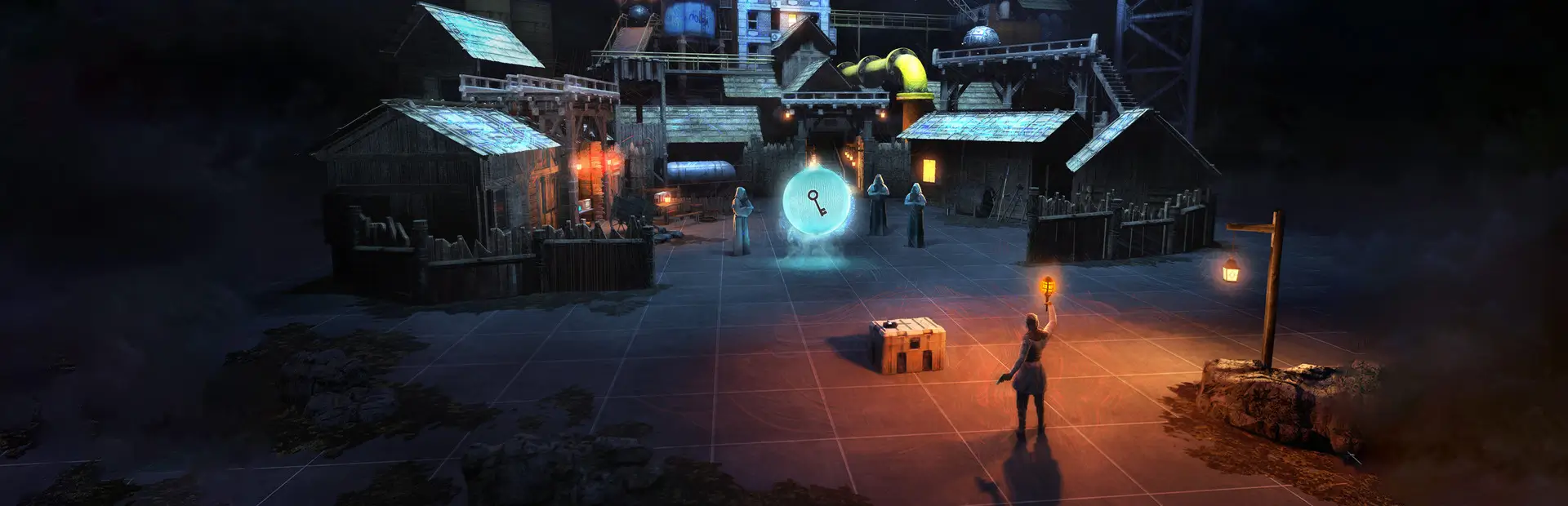
WigglesBW Timeline Add On
All-in-one BONELAB pack: AC-130, helicopter, C-RAM, Stinger, FPV drones, grapple, sling, gun jamming, air racking, ragdoll reload, bullet flyby, guided mini missile, No NPCs and Timeline clone deaths. Fusion + Timeline synced.WigglesBW (Timeline Add On)
WigglesBW (Timeline Add On): every Wiggles code mod in one DLL. One Wiggles BW button on your BoneMenu opens all of them. Works on Quest and PC. Synced over Fusion and recorded by Timeline when you have them installed.
Install
-
Install MelonLoader (0.6.5 or newer: the Quest version works, PC 0.7 works too) and BoneLib (3.2.2 or newer).
-
Put the three files in your BONELAB folder (with a mod manager like r2modman this is done for you):
Mods/WigglesBW.dllgoes directly inBONELAB/Mods(not inside another folder, and not the zip itself).UserLibs/WigglesBW.Fusion.dllandUserLibs/WigglesBW.Timeline.dllgo inBONELAB/UserLibs.
Copy the files, not the folders. Many file managers (on Quest especially) REPLACE a folder when you paste one with the same name over it, and every other mod in your
Modsfolder is gone. Open yourModsfolder and put the file in it. See My other mods disappeared.On Quest the BONELAB folder is
Android/data/com.StressLevelZero.BONELAB/files/(orMelonLoader/com.StressLevelZero.BONELAB/on newer MelonLoader). The two UserLibs files are the parts that talk to LabFusion and Timeline. They must be in UserLibs, not Mods: MelonLoader scans every DLL in Mods at startup, and on Quest that scan crashes the game when LabFusion or Timeline isn't installed. If they're missing, the problem panel tells you. -
If you used the old separate mods, delete
AC130.dll,FpvDrones.dll,Grapple.dll,Sling.dll,TimelineClones.dll,QuestGraphics.dll,MenuManager.dllandGunJam.dll(otherwise everything runs twice).
Optional: LabFusion (multiplayer sync) and Timeline (recording + clones).
Optional: Misc Explosive Devices (BaBaCorp): used for explosions when installed, built-in ones otherwise.
In a Fusion lobby, everyone needs the same version of WigglesBW.dll.
AC-130
Spawn an AC-130 gunship that circles the map. You're teleported inside and can walk around while it flies.
-
Things inside fly with it: anything you spawn, drop or throw in the cabin moves with the plane and stays where it is, like you do. Throw something out of the ramp and it keeps the plane's speed as it falls away. (Items Fly With The Plane in the AC-130 menu turns this off.)
-
Spawn / Teleport Into / Despawn from the menu. Change orbit distance, altitude and speed any time.
-
Jump out the open rear ramp, or hold B + X to bail out, then pull your parachute: hand on your chest + trigger (or grip). Parachutes can be turned off in the AC-130 menu. You glide where you look; look down to dive. The chute disappears when you land. Pull the ripcord again to cut it away and free-fall (pull once more for a new one). Parachute Glide Speed and Fall Speed in the AC-130 menu make it faster or slower.
-
Gunner station: touch the green console screen (front left) or use the menu.
- Aim with your right controller, right trigger fires, left trigger switches weapon, B leaves.
- Right stick up/down zooms, right stick click switches white-hot / black-hot thermal.
| Weapon | Fire rate |
|---|---|
| 25 mm cannon | Rapid fire, infinite |
| Mini missiles | 2 every 15 seconds |
| Big missile | 1 every 2 minutes |
Missile cooldowns are shared by everyone on the guns. Hits damage players, NPCs and Timeline clones.
-
25 mm impacts: each round throws up the game's own bullet-impact debris for that surface (dust, chips, sparks, splinters), 3x bigger to match the shell. A puff of smoke rises, spreads and fades away over a few seconds, tinted by the ground's dust colour.
-
FIM-92 Stinger (menu → Equip Stinger (Lock-On)): point at an AC-130 or helicopter, wait for the steady tone (locked), right trigger. 30 second reload between shots (the sight light turns grey while reloading). A hit sets the plane on fire; it spirals down with the alert sounding, explodes and disappears.
Helicopter (MH-X Silent Hawk)
- Spawn Helicopter (menu): it lands on the nearest flat, open spot in front of you.
- Climb in through either open door (there's a step under each), or use Get In Pilot Seat in the menu. Only the left front seat flies it (anywhere in the left half of the cockpit counts); you get a "You have the controls" message when you're in it. You're locked in the seat while flying: hold Y (or the menu's Leave Pilot Seat) to get out.
- Center console buttons (just right of the pilot, push with either hand; also in the Helicopter menu):
- START: engine on/off. The rotor spins up for a few seconds before it can lift off.
- HOVER: holds its position and height whenever you're not touching the controls.
- ROPES: drops a fast-rope out of each door. They're grapple ropes: grab, hang, slide and climb them exactly like the grapple, and your grip rides along with the helicopter.
- CRASH: only the player who spawned it can use this.
- Flying: grab the stick between your legs with your right hand (grip), or just use the right joystick: forward = go forward, back = slow/reverse, left/right = bank. Left stick up/down = climb/descend, left/right = turn. (Snap turning is paused while you fly.)
- Everyone inside rides along: banking and turning won't throw you out.
- It can be shot down: the Stinger (one hit; it locks onto helicopters too, equip it from the Helicopter or AC-130 menu), guns (about 34 rounds), mini missiles (2), a big missile or drone blast, the AC-130 cannon. Hitting something hard, or its rotor hitting a wall or tree, also brings it down: it spins, then explodes.
- You sit tall enough to see where you're flying: in the pilot seat your eyes are held at a pilot's height, well over the dashboard and in the middle of the windshield, whether you play standing (you're crouched just part of the way) or sitting down (the seat lifts you up). It fits itself in the first few seconds after you sit down and then stays put, so leaning to look around doesn't move you. Pilot Eye Height (cm) in the Helicopter menu sets how high (default 128 cm above the cockpit floor; raise it to sit taller). The right stick flies the helicopter and never crouches or stands you up.
- Fusion: everyone sees it; whoever sits in the left seat flies it for everyone. Timeline: recorded and replayed.
C-RAM (air defence gun)
- Place C-RAM In Front Of Me (Wiggles BW > C-RAM): it's set down on the ground right in front of you, gun facing the way you look. One per player.
- Walk onto the glowing green ring behind it and you're locked in as the operator (or use Get On Nearest C-RAM). Hold Y (or Get Off) to step off. The ring turns orange while someone is on it.
- Right stick left/right spins the turret a full 360° (snap turning is paused while you're on it).
- Aim with your right controller: the turret spins a full 360° and the gun tilts up and down on its own pivot (two separate mechanisms), both swinging after your aim like a real mount. Turn your body and it turns.
- Right trigger fires (30 rounds a second). Every round is a glowing tracer, so the fire is easy to see at night.
- Gun camera: a camera on top of the barrel (same system as the FPV drones). It turns on when you get on; press A to switch between it and your own eyes. The sight shows a gap crosshair with mil ticks, azimuth tape, elevation scale, laser range, boxes on every aircraft in view (track number + range), rounds fired and time.
- Muzzle flash and tracers use real flash/tracer photos.
- Rounds are proximity-fuzed (they burst next to aircraft, with a flash and HIT on the sight). Brings down helicopters (about 12 rounds), AC-130s (10 hits) and drones (one hit): they crash and explode.
- Fusion: everyone sees it turn and fire, and anyone can operate anyone's C-RAM. Timeline: recorded and replayed.
Night lights
The AC-130 (big lights), helicopters and every drone (FPV, War Drone, Kamikaze Wing; small lights) have aircraft lights: red on the left tip, green on the right tip, white on the tail, a flashing red beacon on top and a white strobe underneath.
No NPCs
- Wiggles BW > No NPCs > Remove Map NPCs: play maps that have NPCs/enemies without them. Every NPC is removed (sent back to the game's pool) right after the map loads, and any that spawn later are removed within a second.
- Remove NPCs Now clears them instantly. Turn the toggle off to spawn NPCs yourself again (reload the map to get the map's own NPCs back).
- Fusion: only the host removes NPCs, so everyone in the lobby sees the same thing. Timeline clones and other players are never touched.
Bullet Flyby
- When a bullet passes close to your head, you hear it go by. Rifle rounds crack and whistle, pistol rounds zip, and the AC-130's 25 mm and the C-RAM make a heavy ripping crack.
- Every gun counts: NPCs, friends in Fusion, Timeline clones (replays only play the gunshot sound, and that's caught too), modded guns, the AC-130 and the C-RAM.
- Not your own shots: your gun, or the AC-130 / C-RAM while you're on it. Those bullets fly away from you. To hear it, be on the receiving end: an NPC, a friend, or a Timeline replay of you shooting near where you stand.
- The sound comes from where the bullet passed you, at the moment it got there, and it's louder the closer it was. A shot that hits a wall first makes no flyby.
- Wiggles BW > Bullet Flyby: volume up to 10 (above 1 the sound is layered to go past full volume; default 4), how close counts (Near Miss Distance, default 3 m), and Test Flyby buttons. Each sends a pretend bullet past your head through the same steps a real one takes.
Night Vision
- Wiggles BW > Night Vision, or touch your forehead with an empty hand and squeeze grip (flip the goggles down / up).
- It really brightens what you see, up to 64x, like a real image intensifier: dark corners come up in green, with a little grain. It reads how much light there is where you stand, so a dark room is lifted a lot and a bright one hardly at all, and it adjusts as you walk between them. Turn Auto Brightness off for a fixed level.
- Brightness slider in the menu: raise it if a map is still too dark, lower it if it's washed out.
- Light Up Pitch Black Maps: where there's no light at all there's nothing to brighten, so the map gets even light while the goggles are on. Walls and floors show up flat, and moving things show as dark shapes. Off in the menu if you don't want it.
- Fusion: other players see the goggles on your head, flipping down and up with yours, with green lenses that glow in the dark. They need this pack too. If a map is dark for them, they still need their own goggles down.
- Timeline: a take remembers your goggles. Its clone wears them and flips them at the same moments, and your view goes night vision while a replay has them down (Follow Timeline Replays in the menu). While you're recording a new take, your view is only your own.
- On PC you also get a real light on your head and colour grading on top.
Air Racking
- Rack rifles one-handed, without touching the charging handle or pump: AKMs, M4s and other rifles, SMGs and pump shotguns.
- Pistols only rack with a hand on the slide, the normal way. Short full-auto guns (Uzi, MP5K, Vector...) count as SMGs and still air rack. To air rack pistols too, turn on Air Rack Pistols.
- Jab: push the gun forward along the barrel fast and stop sharply. Flick: snap the muzzle up or down with your wrist.
- The slide moves, the rack sounds play, the old casing or round comes out and the next round is chambered. It also clears Gun Jamming jams.
- Only When Needed (on by default) racks a gun only when it needs it: slide locked back, empty chamber with ammo in the mag, or jammed. A loaded gun never throws a live round out. Turn it off to air rack any time.
- The motion is read from your real controller, so heavy rifles rack as easily as pistols, and walking or turning doesn't count. Shots don't count either: recoil never racks the gun.
- Every air rack is written to the MelonLoader log (what the gun was like before and after), so a problem with one gun can be checked.
- Wiggles BW > Air Racking: turn jab or flick on or off, and set the Sensitivity (higher means a softer motion racks).
Crouch Pose
- Take a knee: crouch (with the stick or for real) and your avatar kneels like a soldier: one foot steps back onto its toes so that knee comes down, the other foot plants forward with its knee up. Stand up and it blends back to normal. It never kicks in while you walk, sit in a seat, fly the helicopter or are ragdolled.
- It runs by itself in the background, on Quest and PC: nothing to press. Only how your legs look changes; your body, hands, head and collisions move exactly as before.
- How: the feet are moved right before the game builds your legs, and the game's own leg system bends the knees, so the legs always look like the game's own. This is the approach of the PC mod Body Overhaul, made safe for Quest: every foot position and angle is a fixed target (so nothing can add up into spinning), each foot stays under its own hip (so the legs can't cross), and if a foot ever jumps around anyway, the kneel turns itself off for that player instead of glitching.
- Other players (Fusion) kneel the same way, worked out on your end from how they move (they don't need the pack).
- Wiggles BW > Crouch Pose: on/off, Kneel On (right or left knee), Kneel Starts At (% crouch) (default 35%), Back Foot On Toes (default 45 degrees), Other Players Too, and Show Leg Info (how deep your crouch is and how far into the kneel, if something looks off).
Ragdoll Reload
- Reload while ragdolled (Ragdoll Player's arm-control mode, Ragdoll Utility, Fusion knockouts, or any mod that ragdolls you). While ragdolled, a magazine won't slide into the gun you're holding the way it does standing up.
- How: take a magazine from your pouch as usual. Hold it at your gun's magwell (within about 12 cm and roughly lined up), and it goes in.
- Works on Quest and PC. This uses the same approach as DFort2's Ragdoll Reload (a PC-only mod), built into Wiggles BW. Having DFort2's mod installed too is fine.
- If Ragdoll Utility's Drop Held Items is on, you drop your gun when you ragdoll. Pick it up again, then reload.
- Standing up, nothing changes. Turn it off with Wiggles BW > Ragdoll Reload > Enabled.
Sling
Grab a long gun and a two-point sling clips onto its stock and handguard.
-
Looks like a real padded sling: woven nylon webbing you can actually see (a bold twill weave that catches the light, bound edges with a stitch line down each side), a padded shoulder section (wider, thicker and domed, with a moulded pattern of linked hexagons and a raised, stitched rim), black QD swivels (push-button cups and rounded loops, with the strap's end folded back and sewn down) and black matte plastic tri-glides with rounded corners (one on the front, one where the pad meets the webbing). Every colour has its own version: Olive Green, Green And Black, Black, Coyote Tan and Leather (stitched brown leather). Still one mesh and one draw call, with small textures made once, so it stays light on Quest. Wear it on your shoulder, chest, stomach or side (Wiggles BW > Sling); let go of the gun and it hangs from you. Grab the strap with an empty hand and pull it away from you to take it off; let go of it against your body to put it back on.
-
Place Clip Points (Laser): choose where the strap clips on. Hold the gun and press the button: a laser comes out of your free hand. Point it at the back of the gun and pull that hand's trigger (red dot), then at the front (green dot). The strap moves there, and every gun of that kind uses those points from then on (saved). Reset Clip Points goes back to the automatic spots. Press Place Clip Points again to cancel.
-
Stretch: Stretchiness sets how elastic the strap is (a stretchy strap pulls in a little when relaxed, like a bungee sling). Max Stretch (%) is the most it can ever get longer than its length, however hard you pull it or however much the hanging gun bounces (default 8%).
-
Out of your face: the strap keeps clear of your eyes (measured from the headset): never inside your head or across the space right in front of your face, and any bit that still ends up at your eyes isn't drawn.
-
Light on Quest: the strap's maths runs inside the mod, and walls and floors take one check per frame unless something solid is right next to the strap. It slides along walls and the floor instead of sticking.
-
Grab it anywhere along its length (not just near its joints) to take it off or put it on.
-
Other people: the strap rests against other players' bodies instead of passing through them.
-
Without placed points, the front clip follows your second hand on the handguard until you lock it with A / X.
FPV Drones
- FPV Drone, War Drone (explodes on impact) and Kamikaze Wing (delta wing, 300 mph, adjustable).
- Drones: Angle / Acro / Travel modes (Y cycles them), full stick setup in the menu. Right trigger = detonate, left trigger = disconnect, hold both grips 1 s = emergency exit.
- Travel mode (the easy way to get somewhere): one stick moves the drone forward/back and sideways the way it faces, the other climbs/descends and turns. Pick which stick moves it with Travel Move Stick (left or right). Let go and it stops and hovers.
- Kamikaze Wing: left stick up/down = nose up/down, right stick left/right = bank and turn.
Misc Explosive Devices: Guided Mini Missile
- Wiggles BW > Misc Explosive Devices > Launch Guided Mini Missile. A mini missile appears high above you, nose down toward the ground ahead. You see through the camera in its nose and steer it in acro mode, like an FPV drone.
- Right stick up/down = nose down/up. Right stick left/right = yaw. Left stick left/right = roll. Left stick up = boost, down = slow down. Let go of the sticks and it holds its heading.
- Right trigger = detonate. Left trigger = let go: your view comes back and the missile flies on straight. Hold both grips for 1 second = emergency exit.
- It blows up on whatever it hits, using the Misc Explosive Devices explosions (BaBaCorp's pack). Pick the Warhead in the menu. Without the pack, a built-in explosion plays instead.
- With Misc Explosive Devices installed, the missile looks like that pack's Mini Missile. If it ever flies backwards, turn on Flip Missile Model. Without the pack it uses a built-in mini missile.
- Menu settings: Missile Speed (mph), Launch Height (how far above you it appears), Turn Rate, Invert Pitch.
- Steer With: Right Controller steers the missile with your right hand like a joystick: tilt it down/up = nose down/up, turn it = turn, twist it = roll, from how you held it at launch. The left stick still boosts and slows.
- Friends see it in Fusion, and Timeline records it.
Nuke Phone
Wiggles BW > Nuke Phone > Get Phone puts a phone in your free hand. Press the top button on that hand (Y on the left, B on the right):
- The screen quickly types out the launch code like a terminal (satellite uplink, auth key, target grid, arming bar), with key clicks. The phone lies in your palm and turns with your hand; turn your palm toward you to read it (Flip Phone Screen if it's on the wrong side).
- Launch confirmed: the phone goes away and the countdown starts (20 s by default). It lands where you were standing when you pressed the button.
- For the last 6 seconds the bomb falls out of the sky, whistling. With Misc Explosive Devices it's the pack's Timed Nuke.
- The rescue: before it hits, an AC-130 swoops in low from where you're looking, with a rope off its open ramp and a bright orange hook on the end. As it passes over you the hook catches you and yanks you up into the air. You swing on the end of the rope behind the plane while it circles the blast and climbs, so you watch the mushroom cloud go up. About 20 seconds after the blast it lets go and your parachute opens (look where you want to glide). You can't be hurt from the moment you're hooked until you land.
- The blast: a long white flash that leaves the sky glowing red-orange, the pack's Timed Nuke explosion, and a mushroom cloud that glows like fire: a white-hot core in a churning orange cap, a thick burning stem and a red-hot dust surge rolling along the ground, slowly cooling to dark smoke. A shock ring races across the ground, the boom arrives at the speed of sound, and your ears ring. Everything inside the Blast Radius (150 m by default) is destroyed: NPCs, Timeline clones, helicopters, your AC-130 if it's overhead, and you, if you're still there. Loose objects get thrown.
Settings: AC-130 Rescue (turn it off and you'd better run), Countdown, Blast Radius, Kill NPCs, Volume, Flip Phone Screen. Abort Launch cancels a launch; Put Phone Away hides the phone.
Voice line: when you launch, a voice line plays from the phone (one comes with the mod) and the code types out
at whatever speed makes it finish right as the voice line ends. To use your own, put a sound file in
UserData/WigglesBW/NukeVoice/ (the folder is made for you the first time you play; the MelonLoader log shows
exactly where; on Quest it's inside the game's files/UserData folder). A 16-bit .wav works everywhere; an .mp3
or .ogg is tried with the game's own loader, and if that can't read it the built-in line plays instead. Voice
Start / Voice End play just part of the file. A new or changed file is picked up within a few seconds.
Online and in Timeline: in a Fusion lobby everyone sees the bomb fall and the blast at the same moment, it hurts them (and the NPCs) if they're inside, and they see the AC-130 drag you away on its rope. Timeline records it all: the replay drops the bomb, sets off the blast and flies the plane with the recorded you on the rope (replays never hurt anyone). The rescue uses the pack's AC-130 and parachute, so the AC-130 part has to be on.
Timeline replays of the AC-130, helicopter and C-RAM
- When you play back a take, your real AC-130, helicopter or C-RAM follows the recording, with no second copy. Everything on it still works: walk inside, gunner station, ramp, the helicopter's ropes and panel, the C-RAM operator spot.
- It despawns when the playback ends, so nothing is left behind.
- If it isn't out any more (or it's a friend's), a replay copy flies the recording instead and is removed at the end.
- If you're flying the helicopter or operating the C-RAM yourself, the replay leaves it alone.
- Recording a new take while an old one plays doesn't record the replayed path a second time.
- Parachutes: everyone's parachute is recorded (yours and every Fusion player's), and each one floats down again on replay.
Timeline Clones
Clones played back by Timeline get real bodies:
- Hitboxes, blood, knives that stick in.
- Health like players: head = 1 shot, body = 3 shots, arms/legs = 6 shots. Then they drop as a ragdoll right where they stand, and Timeline records the fall. Explosions, drones and the AC-130 hurt them too.
- Dead clones drop their weapons and their guns stop shooting, even if the recording had them firing later. A sling recorded on that gun drops with it: it hangs from the gun and lies on the floor next to it.
- Holsters stay on the body: with Timeline's holsters on rigs turned on, a dead clone's holsters, ammo pouch and body log go down with it instead of staying in the air.
- Shot Reactions (Timeline Clones > Shot Reactions, both off by default): what the shot that kills a clone does
to it. Set Shots To Kill to 1 if you want it on every shot. Both can be on, and Timeline records the flight.
- Fly Back When Shot: it's thrown back, the way the bullet was going. Fly Back Speed is how hard.
- Fly On When Running: shot while walking or running, it goes flying the way it was going, also when you've paused the take. Running Boost is how many times faster than it was moving.
- Cars: cars pass through living clones (Cars Pass Through), so they never launch a car, but a ragdoll lands on cars and gets hit by them. If it died in a seat, the parts it's inside of only become solid once it's out of them.
- Fist & Melee Combat (setting, off by default): turn it on and choose how many punches and how many melee hits (knives, bats, swords... anything you hold that isn't a gun) it takes to ragdoll a clone.
- Grab and drag ragdolled clones (recorded by Timeline).
- Shots To Kill: choose how many shots it takes in the head, the body and the arms/legs (default 1, 3 and 6).
- Knife stabs bleed hard, keep bleeding for a few seconds, and count as a melee hit. The blade slides into the body without pushing it (standing, ragdolled or replayed), so it never throws you around or knocks the body into the floor.
- Ragdoll Stiffness: sliders for the whole body, head, spine, and each arm and leg, in 5% steps (0% floppy, 100% rigid).
- Ragdoll Weight (kg): how heavy ragdolled clones are, in steps of 10 kg. Shared across the body in human proportions. Heavier clones get knocked around less and are harder to drag.
- Legs buckle like a person's: knees fold up to about 150° and hips swing about 125° forward.
- Hands relax: when a clone goes limp, its fingers open up instead of staying clenched around its gun.
Gore on Timeline clones
Wiggles BW > Timeline Clones > Gore. It works on any avatar a clone wears.
- Shoot a head or limb off (1 shot for a head, 2 for an arm or leg, both sliders). Hands go with the forearm, feet with the shin.
- Cut with any blade: a real swing takes a limb off at the elbow, shoulder, knee or thigh, and a swing at the neck takes the head.
- Tear: grab a ragdoll's limb and yank it. Tear Strength sets how hard (lower = easier). You keep hold of the limb.
- Explosions: close ones take a limb or two, very close ones take them all.
- Losing the head or a leg kills the clone. Losing an arm drops what it holds and it keeps going.
- Stumps are torn meat with fat, broken bone and ragged skin (a neck shows the spine and windpipe). Arteries pump blood in beats that weaken and end in drips, and it pools on the floor. Whole arms and legs bend at the elbow and knee.
- Pieces have physics, you can pick them up, and they go away after Pieces Last seconds (16 at most at once).
- Timeline: a take records every cut and the piece's flight, also while you carry it, and replays them at the same moment. Scrub back before a cut and the limb is back.
Gore on Fusion players
Wiggles BW > Player Gore. The same stumps, pieces and blood as Timeline clones, on real players in a lobby. Everyone needs this pack to see it.
- Shoot a head or limb off (2 shots each by default, both sliders). Cut with a blade swing. Tear: squeeze grip on someone's limb and yank your hand away fast. An empty hand keeps hold of what it tore off (Yank Speed sets how hard).
- It comes off on everyone's screen, including theirs. It's only gone to look at: their hand still moves and can still hold things, it just isn't there any more.
- Losing a leg: they fall. Their legs go limp and they can't walk, but their arms still work, so they can only drag themselves. Losing the head: they die.
- Everything comes back when they respawn. Changing avatar doesn't bring it back. Put My Limbs Back in the menu fixes yours if you can't die (god mode).
- Pieces are physics on each person's own screen, so they land in slightly different places for each player.
Cars in Timeline
Timeline records the car your seat belongs to. Some cars used to leave you floating in the air on replay with no car. Wiggles BW fixes these when Timeline is installed:
- The replayed car takes a while to load (big modded cars, or you started recording already seated): the clone gets in as soon as the car is there, instead of floating around without it for the rest of the take.
- The seat is a separate part joined to the rest of the car: everything joined to it is recorded too.
- The car has no Marrow entity at all (common on modded and map cars, Timeline can't record those): Wiggles BW records it itself and replays it. A car placed in the map moves back to where it started when the replay ends. A spawned one that's gone by then (the map was reloaded) comes back as a replay copy.
- Each time you sit down while recording, the log says what it found:
Timeline: you sat in .... If a car still doesn't work, send that line and the car's name to the mod author.
Also inside
- Grapple: grappling rope you can swing on and climb (and others can climb yours online).
- Sling: see Sling above.
- Gun Jamming: visible gun jams.
- Menu Manager: hide other mods' buttons from your main BoneMenu, one at a time. Hidden ones all go on one Hidden Mods screen, where you can still open them or show them again. The mods keep running, and while anything is hidden the main page has a Hidden Mods (N) button that takes you there.
Settings
Everything is on the Wiggles BW page of the BoneMenu and is saved in UserData/MelonPreferences.cfg.
Troubleshooting
Wiggles BW tells you what's wrong. If something is breaking it, a red "WIGGLES BW - PROBLEM FOUND" panel appears in front of you when you load into a level (and a notification), saying what the problem is and how to fix it. The full list is also in BoneMenu > Wiggles BW > Problems. It catches:
- Old separate mods still installed (AC130, FpvDrones, Grapple, Sling, TimelineClones, QuestGraphics, MenuManager, GunJam): delete those DLLs. Until you do, Wiggles BW skips its own copy of them so nothing clashes.
- Wiggles BW installed twice (e.g. manually and with a mod manager): delete one. Only one copy runs.
- BoneLib too old: install BoneLib 3.2.2 or newer.
- LabFusion / Timeline version different from what this version was made for (LabFusion 1.14.2, Timeline 0.5.2).
- A part of the pack failed to start, with the error.
- The Wiggles BW button was removed by another mod (e.g. another menu manager): it's put back automatically.
Kicked when joining a Fusion server: fixed in 1.3.0. Wiggles BW now waits until you've fully joined before it sends anything, so the server no longer disconnects you while loading in. Everyone should update to the same version.
My other mods disappeared
Wiggles BW never moves or deletes files: it only reads the list of mods MelonLoader reports, and the log lists them
(search Latest.log for Other mods MelonLoader loaded). Where they usually went:
- Their buttons are gone from the BoneMenu, but the mods still work: that was Menu Manager's old Hide All Others button, one tap and everything was hidden. It's gone now and this version brings every button back once. After that, anything you hide yourself is on the Hidden Mods (N) button on the main page.
- The mods are really gone from the folder: your
Modsfolder was replaced by the zip's when it was pasted over. Copy the files, not the folders (see Install). On Quest that folder can also hold your avatars, maps and spawnables. They can't be brought back by a mod, so reinstall them. - You installed this with a mod manager (r2modman, Thunderstore): it runs the game from its own profile, and mods you installed by hand aren't in that profile. They're still in the game folder. Install them in the profile as well, or start the game without the mod manager.
- You just installed MelonLoader on Quest: that reinstalls the game, which wipes its files. Back up your
Modsfolder before you do that.
Crashes
Game closes when you load a modded map: Wiggles BW used to spawn the Misc Explosive Devices missile and Timed Nuke far below you in every map you loaded, just to copy how they look. That's gone: nothing is spawned when a map loads, and their looks are read from the pack the first time you use them. Hooks also wait until the map has finished loading. If it still happens, the next launch shows the map's name on the Problems page (Last Session). Send that and the log.
Mag Palming is gone (people crashed with it). Its settings are simply ignored.
Game closes randomly while playing: while you play, Wiggles BW notes what's going on (flying the helicopter, AC-130
out, sling on a gun, kneeling...). If the game closes without quitting normally, the next launch writes what you were
doing to the log and the Problems page (Last Session). Send that and the MelonLoader log of the session that
crashed (in MelonLoader/Logs) to the mod author so it can be fixed.
Game closes while starting or loading in: Wiggles BW protects itself.
- It doesn't touch the game's code while the game is starting: its game hooks go in one at a time several seconds after you're standing in a level and the game runs smoothly, and each game method is hooked only once (hooking the same method several times is a known way to crash Quest). Hooks a feature only sometimes needs go in the first time you use it (flying the helicopter, a gun's first jam, your first clone), so you don't carry what you don't use.
- It remembers what it was doing. If the game ever crashes while a part of Wiggles BW is starting, just that part is turned off on the next launch, the rest works, and the problem panel names it.
- Crashes it can't pin on one part: 2nd time in a row Safe Mode (all features off) so the game loads.
- Updating Wiggles BW clears Safe Mode and anything that was turned off, so an old crash can't keep it switched off.
- Turn things back on any time: BoneMenu > Wiggles BW > Turn Everything Back On (or set
SafeMode = falseandTurnedOffAfterCrash = ""under[WigglesBW]inUserData/MelonPreferences.cfg).
Install problems
Duplicate installs are detected automatically. Wiggles BW checks MelonLoader's list of loaded mods. If Wiggles BW is installed twice (e.g. manually and with a mod manager), only the newest copy runs. If an old separate Wiggles mod (AC-130, FPV Drones, Sling, ...) or any other mod is installed twice, the problem panel tells you exactly which file to delete. Wiggles BW never moves or deletes files itself.
Installed it but there's no Wiggles BW button:
- Check the DLL is directly in
Mods(see Install), only once, and that MelonLoader and BoneLib are installed and up to date. - Open
MelonLoader/Latest.logand search forWiggles BW. If it isn't there, MelonLoader isn't loading the file (wrong folder or old MelonLoader). If it says Safe Mode or "turned off", see above. - Still stuck: send
MelonLoader/Latest.log(on Quest:Android/data/com.StressLevelZero.BONELAB/files/MelonLoader/Latest.log) to the mod author, it says exactly what went wrong.
Changelog
2.16.2
- Blood and gore: the code that runs on a first hit is now prepared while the map loads as well, with a full rehearsal, and the graphics are warmed again on every map. A popup says when it's ready, and the version you're running.
- Fusion gore: fixed being thrown when you lose a leg (the severed leg touched the colliders your limp legs switch on), and you're put back if it ever happens anyway. You go down before the piece appears.
- Fusion gore: a head or limb that's come off stays where it fell when the player respawns, instead of vanishing with the cut, and can no longer be hidden by its culling box.
- Fusion gore: if someone you cut doesn't answer, a popup says they need the same version.
2.16.1
- Blood and gore now load while the map loads, not on the first shot.
- Fusion gore: shooting someone's leg no longer sends them out of bounds. They fall with limp legs and can't walk.
- A head that's been shot off now shows up on the screen of the player who lost it.
2.16.0
- New: Gore on Fusion players: shoot, cut or tear limbs and heads off other players, synced so everyone sees it. They can still move a missing arm but it isn't there. A missing leg stops them walking, and a missing head kills them. Back when they respawn.
2.15.0
- Gore looks real now: torn stumps with muscle, fat and broken bone instead of a ball, arteries that pump in beats and then drip, blood pooling on the floor, skin that closes flat instead of tapering to a point, and limbs that bend at the joint.
- Timeline Colliders (the Timeline Clones part of this pack) is also available as its own mod for people who only want that. It switches itself off if this pack is installed, because the pack already has it.
2.14.0
- New: Gore on Timeline clones, on any avatar: shoot, cut and tear heads and limbs off, explosions gib them, and it's all recorded in the take. Wiggles BW > Timeline Clones > Gore.
2.13.2
- Timeline Clones: a clone killed by a stab no longer falls through the floor and bounces. Its ragdoll was being built at a moment when Unity won't remove objects, which left the bones with nothing to land on.
2.13.1
- Fixed the crash from spawning melee weapons on Quest. The pack's hook in the game's knife code went on a function too small for it and damaged the function next to it, so the game crashed as soon as a melee weapon touched anything. The hook now sits on a bigger function, and the pack refuses to hook anything that small.
2.13.0
- Night Vision rebuilt: it used to be a green tint and a light the game doesn't draw on Quest, so it didn't help. It now really brightens the picture, up to 64x, and adjusts to how dark it is where you stand. Pitch black maps get even light while the goggles are on.
- Night Vision is synced: Fusion players see your goggles, and Timeline takes record them. Clones wear them and your view follows the replay.
2.12.0
- Mag Palming removed (people crashed with it).
- Crash on modded maps: nothing is spawned when a map loads any more. The pack used to spawn Misc Explosive Devices' missile and a real Timed Nuke far below you in every map, just to copy their looks. Those looks are now read from the crate, without spawning it, when you first use them. If you've got that pack, this was the most likely cause.
- Fewer crash risks in general: hooks wait longer after you're in a level and never go in while the game is hitching.
Hooks only some features need go in when you first use them, so someone who never flies never gets the walking hook,
and
Gun.Fire(LabFusion hooks it too) stays untouched until a gun actually jams. If the game closes, the next launch also says which map it was on. - "All my other mods disappeared": Wiggles BW never deletes anything, but Menu Manager had a one-tap Hide All Others
button. It's gone, every hidden button comes back once with this update, and a Hidden Mods (N) button shows on the main
page while anything is hidden. The install steps now warn about pasting the
Modsfolder over yours, which wipes it. - Holsters on dead clones: with Timeline's holsters on rigs, they stay on the body instead of floating where it died.
- Timeline audio: voices and the reference track jumped back into step every time they were 0.1 s off, which on Quest is all the time, and each jump is a skip you can hear. Now they only jump when they're 0.35 s off, and a voice slightly off is eased back unheard. Bullet Flyby also stopped taking sound voices from everything else (32 at top priority, now 12 at low priority), which cut out clones' voices and gunshots in firefights.
- Ragdolls no longer fall through cars: they land on them and get hit by them. Living clones still pass through.
- Cars in Timeline: a clone no longer floats around without its car when the car loads late, cars whose seat is a separate part record all their parts, and cars with no Marrow entity (Timeline can't record those) are recorded by the pack. See Cars in Timeline.
- New: Timeline Clones > Shot Reactions. Fly Back When Shot throws a clone back from the shot that kills it, and Fly On When Running sends it flying the way it was walking or running. Both are off by default.
2.11.4
- Timeline sling on a dead clone, for real this time: the drop only looked at slings Timeline had just updated, and Timeline doesn't update replays while it's paused. So killing a clone while paused left its sling in the air, silently. Now any sling that's showing counts, paused or playing. As a backup, each replayed sling also remembers which gun it's on and checks every frame whether that gun has been dropped.
- The log now always says what happened:
Timeline: the replayed sling is on <gun>when a replay finds its gun, andTimeline: a dead clone dropped <gun>; ...(with whether a sling was on it) whenever a clone drops a gun.
2.11.3
- Timeline sling fixed properly: a replayed sling was left floating in the air when its part of the take was over, because Timeline stops updating a replay at that point without telling it. It also stayed there after reloading the map. Now a replay Timeline stops updating is hidden (pausing doesn't hide it), and every replayed sling is removed when a map loads.
- A dead clone's dropped gun now finds its sling reliably: the gun is measured by its model (a replayed gun's colliders can be off, which made 2.11.2 miss it). The sling then hangs from the gun and lies on the floor next to it, also after the take has ended. If a gun is dropped but no sling is found on it, the log says how far off it was.
2.11.2
- Timeline sling on a dead clone: when a clone dies and drops its gun, the sling you recorded on it now drops with the gun (it hangs from the gun's clips, falls with it and lies on the floor next to it) instead of staying in the air where the recording had it. Scrub back before the death and it replays as recorded again.
2.11.1
- Crouch Pose: feet fixed. In 2.11.0 the kneel itself worked but both feet were bent way too far. The feet were turned by the game's "toe" value, which isn't the way the foot points, so they were twisted by the wrong amount. Now each foot keeps the exact turn it had while you stood (taken from where it's planted, which doesn't change as the knee bends), and only gets its own extra on top: the back foot tips onto its toes and turns out a little, the front foot stays flat. The back ankle is lifted so the toes rest on the floor instead of going into it.
- Back Foot On Toes now defaults to 45 degrees (was 55). The log notes once how the game hands over the toe, to help if anything still looks off.
2.11.0
- Crouch Pose rebuilt on the approach of the PC mod Body Overhaul: the feet are moved right before the game builds your legs, and the game's own leg system bends the knees (instead of bending the avatar's bones afterwards, which crossed the legs or didn't show on Quest). Made safe for Quest: every foot position and turn is a fixed target worked out from your hips and the floor, so nothing can build up into spinning (what crossed and spun the legs on Quest, for Body Overhaul too); each foot stays under its own hip; the floor and the feet's resting shape are taken while you stand. If a foot still jumps around, the kneel turns itself off for that player instead of glitching.
- It also starts at a normal crouch now (35% crouch, like Body Overhaul), not only a very deep one.
- New settings: Kneel Starts At, Back Foot On Toes, Show Leg Info. Other players kneel too, without the pack.
2.10.2
- Crouch Pose works again: 2.10.1 took the kneel off again just before your avatar was drawn, so you never saw it. The game's own leg pose is now only put back at the start of the next frame, and only on bones that still hold the kneel. The legs still can't cross or spin like in 2.10.0. The log notes once how the game times this, to help if anything still looks off.
2.10.1
- Crouch Pose fixed: legs no longer cross, spin or glitch when you stand up. The floor is now where the game plants your feet (the old floor check could hit your own body and fold your legs while standing), and the game's own leg pose is put back at the start of every frame, so the kneel can never build up or stay behind.
- Sling hardware like a real sling: black matte plastic tri-glides with rounded corners and a centre bar (a second one where the pad meets the webbing), black QD swivels with rounded loops, and the strap ends folded back and sewn down in the strap's own colour.
2.10.0
- Quest crashes: Wiggles BW no longer hooks the same game methods as LabFusion. Five of its hooks doubled up on methods Fusion (and BoneLib) already hook: the gun-shot method and the four ragdoll methods, which run whenever anyone fires or ragdolls. Two mods hooking one method is a known way to crash Quest. Gun Jamming and Air Racking now use BoneLib's shot event, and Ragdoll Reload reads your rig's state instead.
- Crash safety: anything the pack moves your body or objects by (AC-130 / helicopter / C-RAM ride-along, exfil, items in the plane, the kneel pose) is checked for broken numbers first, a classic cause of physics crashes.
- A friend's sling no longer leaves a mesh behind every time they let go of a gun (it built up over a long Fusion session).
- If the game closes without quitting normally, the next launch says what you were doing (log and Problems page).
- Crouch Pose (new): crouch low and your avatar takes a knee like a soldier. Automatic, works on Quest, other players with the pack kneel too.
- Mag Palming: choose where the second mag sits: pinky side, thumb side, lower in hand, V grip, or your own spot (show it once by holding two mags how you want them; mirrored for your other hand). Spots fit any magazine shape.
- Sling: a real padded sling look. Visible woven webbing, a stitched padded shoulder section with a moulded hexagon pattern, QD swivels, and its own textures for every colour (normal-mapped so the weave catches the light). Still one mesh and one draw call.
- Helicopter: no more deep crouch in the pilot seat. Your eyes are held at a pilot's height so you can see out of the windshield (crouching part of the way if you stand, raising the seat if you sit). New Pilot Eye Height setting.
2.9.5
- AC-130: things you spawn or drop inside the plane stay put and fly along with it instead of sliding out of the ramp. Anything that leaves the cabin keeps the plane's speed. New menu toggle: Items Fly With The Plane (on).
2.9.4
- Nuke Phone: the voice line plays now (it didn't in 2.9.3). It's built into the mod the same way as the pack's other sounds, so it plays on Quest and PC. It's also trimmed to the speech, so the typing ends right as the voice does.
- Timeline Clones, stabbing: stabbing a standing clone no longer makes the body fall into the ground and bounce, and stabbing a ragdolled clone no longer flings you. The game's own stab lock doesn't grab clones any more (it kept coming back and pinning the knife to the wrong place), and a knife you hold inside a body that just died doesn't start pushing it again after a second.
2.9.3
- Nuke Phone: the launch voice line now comes with the mod and plays on its own (no setup); the code on the phone finishes typing exactly when it ends. Your own file in UserData/WigglesBW/NukeVoice/ still replaces it.
2.9.2
- Nuke Phone: your own voice line. Put a sound file in UserData/WigglesBW/NukeVoice/ and it plays when you launch; the code on the phone types out in time with it and finishes exactly when it ends. Voice Start / Voice End pick part of the file.
2.9.1
- Timeline Clones: stabbing a ragdolled clone no longer breaks the game. The knife's stab sensors kept locking it onto the body after the first second (and a ragdoll being replayed by Timeline is moved by the recording, so that lock broke things); the lock is now kept off for as long as the knife is in.
- Parachute: cut it away - pull the ripcord again (hand on chest + trigger or grip) and the canopy flies off so you free-fall; pull once more for a fresh one. Also Cut Away Parachute in Wiggles BW > AC-130.
- Parachute: Parachute Glide Speed and Parachute Fall Speed in Wiggles BW > AC-130 (0.25x to 5x).
2.9.0
- Timeline Clones, stabbing: fixed bodies sinking into the ground and bouncing after a stab (it happened when the stab killed the clone: the game's stab lock then pinned the knife and the body to a fixed point in the world), and fixed getting thrown around when stabbing ragdolls. A knife you let go of inside a dead body stays in; grab it again and it comes out instead of dragging the body around.
- Nuke Phone: synced. Fusion players all see the bomb fall, the blast and your rescue plane, and the blast hurts them; Timeline records and replays the whole thing.
- Nuke Phone: the bomb is the Misc Explosive Devices Timed Nuke, and the blast uses its Timed Nuke explosion.
- Nuke Phone: new fiery mushroom cloud (white-hot core, orange cap, burning stem, red-hot ground surge, cooling to smoke), no orange sphere, a longer flash with a red-orange glow after, ringing ears, no siren.
- Nuke Phone: the phone lies in your palm and turns with your hand in every direction. The launch code types out about twice as fast.
- Sling: grab it anywhere along the strap, and it rests against other players instead of going through them.
- Mag Palming, much better: the old magazine glides into your palm with a click you feel; after the fresh one goes in it becomes a real grab you can pouch or holster; new mag catching with an empty hand under the magwell; works from a bit further away.
2.8.2
- Sling: fixed the front of the strap freezing and then snapping to where it had been. The keep-out zone in front of your eyes reached out to the gun's front clip, so while you aimed the strap next to the clip kept getting held at the edge of it. That zone now only covers the space right in front of your face, and the strap next to each clip always just follows the gun, like before 2.7.0. Everything else from 2.7.0 stays (laser clip points, lighter, capped stretch, out of your face).
2.8.1
- Timeline Clones: stabbing fixed. The knife now goes into the body instead of fighting it: it stops colliding with that clone until you pull it back out, and the game's stab lock on a living clone is removed. No more being thrown around, and stabbed bodies no longer sink halfway into the ground and bounce. A knife stuck in a dead body comes out with an easier pull.
- Nuke Phone: the phone disappears once the nuke is called in, and the red ring and beam marking the spot are gone.
- Nuke Phone rescue: your arms no longer bend back into a U while you're dragged at speed (your whole body now moves at the speed you're flying, instead of being stopped every physics step).
2.8.0
- New: Nuke Phone (Wiggles BW > Nuke Phone). Get the phone, press Y or B on that hand, and the launch code types out on its screen. Then a bomb drops where you stood. Just before it hits, an AC-130 hooks you with a rope and drags you into the air to watch the mushroom cloud, then lets you go with your parachute open.
- AC-130 parachute: the pack can now open it for you (used when the rescue rope lets go).
2.7.0
- Sling: Place Clip Points with a laser. Point at the back of the gun and pull the trigger, then the front. Saved for every gun of that kind; Reset Clip Points goes back to automatic.
- Sling: much lighter on Quest. Its maths used to go through the game for every step (thousands of calls a frame); now it runs inside the mod, and walls and floors cost one check per frame unless the strap is touching something. It slides along walls and the floor instead of sticking.
- Sling: out of your face. It's measured from your eyes now (it used the physics head, which sits lower and further back), keeps clear of your face and your line of sight, and isn't drawn right at your eyes. The shoulder spot moved out toward your arm, away from your neck.
- Sling: stretchy without getting long. Max Stretch (%) (default 8%) replaces Max Stretch Length, and the limit now holds along the whole strap and on a hanging, bouncing gun. Stretchy straps pull in a little when relaxed.
- Friends' and Timeline slings use the same lighter maths.
- Timeline Clones: lighter with lots of clones. Simpler hitbox physics, the voice check runs twice a second instead of every frame, the vehicle search runs every 10 s, and dropped-weapon checks only run in the 3 s after a clone goes down.
2.6.0
- New: Night Vision goggles (Wiggles BW > Night Vision, or touch your forehead + grip). Green view with goggle-tube edges, and an infrared light so dark maps become visible. Real colour grading where the game supports it.
- FPV drones: new Travel flight mode. One stick (left or right, your choice) moves the drone forward, back and sideways, the other climbs and turns, so it's easy to fly to places. Y cycles Angle / Acro / Travel.
- Guided Mini Missile: Steer With: Right Controller. Tilt your right hand like a joystick to steer it.
2.5.0
- New: Mag Palming. Hold a fresh mag at the magwell, drop the gun's mag, and it lands in the same hand beside the fresh one. Slide the fresh one in; let go and the old one drops.
- No more problem popup every time you load in. Problems go to the log and the Wiggles BW > Problems page; a popup only shows when the whole pack is switched off (broken install, Safe Mode).
- Bullet Flyby: much louder. The volume goes up to 10 (default 4); above 1 the sound is layered to go past full volume.
- Timeline Clones: darker blood (droplets, mist and pools).
- Timeline Clones: choose how many shots kill a clone, for the head, the body and the arms/legs.
- Timeline Clones: knife stabs bleed hard and keep bleeding, and count as a melee hit. A knife in a living clone pops out when the clone moves instead of throwing you around.
2.4.0
- Timeline: no more duplicate AC-130s, helicopters or C-RAMs on playback. If yours is still out, the replay drives that one, so its interactions still work (walk inside, gunner station, ramp, the helicopter's ropes and panel, the C-RAM operator spot). When the playback ends it's despawned. Without it, a replay copy is used and removed at the end. A helicopter you're flying or a C-RAM you're operating is left to you.
- Timeline: everyone's parachute is recorded now (yours and every Fusion player's), not just one person's, and they all float down again on replay.
2.3.1
- Bullet Flyby fixes:
- Timeline clones now count. Timeline replays a recorded shot by playing only its gunshot sound, with no bullet, so clone shots were never noticed. Every gunshot sound is now caught too (the same shot is counted once).
- Shots that hit you still crack past. NPCs aim at your body, so before, their shots almost never made a sound.
- Plays through the same game sound channel as the drones, which is known to work.
- Works at any distance (it stopped at 800 m), and the default Near Miss Distance is now 3 m.
- The Test Flyby buttons send a pretend bullet past your head through the same steps as a real one, with a popup. Every flyby is written to the MelonLoader log.
2.3.0
- New: Bullet Flyby. Bullets passing close to your head make a sound: rifle rounds crack and whistle, pistol rounds zip, the AC-130 25 mm and the C-RAM rip past. It works for every gun (NPCs, Fusion friends, Timeline clones, modded guns) but not your own. The sound comes from where the bullet passed, timed to when it got there. Wiggles BW > Bullet Flyby has the volume, the distance and Test buttons.
- AC-130: removed the white sphere that flashed where 25 mm rounds hit. The game's debris and the smoke stay.
2.2.0
- AC-130: 25 mm rounds now throw up the game's own bullet-impact debris for whatever they hit (dust, chips, sparks, splinters), 3x bigger to match the shell. Each hit also leaves a puff of smoke that rises, spreads and fades away, tinted by the ground's dust colour.
- Removed Quest Graphics+. It only changed graphics settings while the game ran, so nothing is left behind.
2.1.0
- New: Guided Mini Missile (Wiggles BW > Misc Explosive Devices). It appears high above you. You fly it from its nose camera in acro, like an FPV drone: right stick = pitch/yaw, left stick = roll and boost, right trigger = detonate. It explodes on impact with the Misc Explosive Devices explosions, and looks like that pack's Mini Missile when the pack is installed. Speed, launch height, turn rate and warhead are in the menu. Synced over Fusion and recorded by Timeline.
- Timeline Clones: Ragdoll Weight (kg) slider, in steps of 10, for how heavy ragdolled clones are.
- Timeline Clones: ragdoll stiffness sliders now move in 5% steps instead of 10%.
- Timeline Clones: a clone's hands open up when it goes limp instead of staying clenched in the last grip.
- Timeline Clones: legs buckle like a person's. Knees are real hinges that fold up to ~150°, hips swing ~125° forward. Before, they stopped at 45-90° and could bend sideways.
2.0.5
- Ragdoll Reload rebuilt around the real problem: while ragdolled, the magazine wouldn't go into the gun. Now, with a gun in one hand and a magazine in the other, holding the magazine at the magwell (within about 12 cm, roughly lined up, a magazine that fits) puts it in with the game's own insert step. Works on Quest and PC. Same approach as DFort2's PC-only Ragdoll Reload mod.
- Fixed: Wiggles BW's Ragdoll Reload switched itself off when DFort2's "Ragdoll Reload" mod was installed, because the two had the same name. It now has its own name, and both can be installed.
- Removed the hip-squeeze magazine spawning, the auto-load, the test button and the Ragdoll Reload popups. The pouch already works while ragdolled.
2.0.4
- Ragdoll Reload now notices every kind of ragdoll. It hooks the game's own ragdoll and shutdown calls on your rig, so Ragdoll Player, Ragdoll Utility and Fusion knockouts all count, as well as checking the rig's state.
- New Give Me A Magazine (test) button: puts a magazine for the gun you hold into your other hand right away, ragdolled or not.
- Hint popups (once per ragdoll) when the reload can't start: no gun in your other hand, or your hand too far from your hip.
- More detail in the MelonLoader log for every squeeze at your hip.
2.0.3
- Ragdoll Reload: no more "0 magazines". With no reserve ammo for that gun's ammo type, the pouch has nothing to give. It's now skipped and the gun's own magazine is put in your hand instead.
- Any magazine that reaches your hand during a ragdoll reload is checked and filled to its size if it came empty. A popup shows how many rounds it has.
2.0.2
- Air Racking: pistols only rack with a hand on the slide, the normal way. Rifles, SMGs and shotguns still air rack. Short full-auto guns (Uzi, MP5K, Vector...) count as SMGs. Air Rack Pistols turns pistol air racking back on.
- Ragdoll Reload, reworked:
- If the pouch doesn't give a magazine, the gun's own magazine is now spawned in your palm and put in your hand. It uses the same steps LabFusion uses to make a player hold an item.
- If that fails, the gun is reloaded for you.
- Letting go of the floor uses the game's proper release, so the magazine can take the hand.
- Your hand can be a bit further from your body (hip, belly or chest).
- Ragdoll Reload popups: one when you're ragdolled holding a gun (so you know it noticed), and one for what each reload did. Turn them off with Wiggles BW > Ragdoll Reload > Popups.
2.0.1
- Air Racking works: the jab and flick are now read from your real controller. Before, they were read from the gun's physics, which lags behind your hand and is speed-limited, so the motion almost never counted. Walking and turning still don't count, and neither does recoil.
- Air Racking checks that the gun really has a round chambered after the rack, and chambers it directly (two different ways) if the game didn't.
- Ragdoll Reload works every time, not just once:
- The grip is read straight from the controller.
- Lying down, your hand grabbing the floor no longer blocks it: it lets go of the floor and takes the magazine.
- It tries the pouch three ways before loading the gun for you.
- An error can no longer switch it off for the rest of the session.
- Both write each attempt to the MelonLoader log, so anything still wrong can be pinned down from one log.
2.0.0
- New: Air Racking. Rack any gun one-handed, without touching the slide: jab it forward and stop, or flick the muzzle up or down. Works on pistols, AKMs, M4s, SMGs and pump shotguns. It uses the game's own slide steps, so the slide moves, the sounds play and the round is chambered; it also clears Gun Jamming jams. By default it only racks a gun that needs it (slide locked back, empty chamber, jammed), and recoil never triggers it. Wiggles BW > Air Racking has the settings.
- New: Ragdoll Reload. While ragdolled (Ragdoll Player arm control, Fusion knockouts), hold a gun, reach your free hand to your hip, belly or chest and squeeze grip to get a magazine from your ammo pouch. If the pouch can't give one, the gun is reloaded and chambered for you.
1.9.9
- Timeline Clones: melee works. Hits used to depend on the game reporting a physics collision between your weapon and the clone, which often never came. Melee now works like punching: every frame, the weapon you're holding (anything that isn't a gun) is checked against the clone's body parts. A swing that reaches one at swinging speed is a hit (damage, blood and a knock), measured at the point that connects, so the tip of a sword or bat counts.
- One swing is one hit: the weapon has to come in from outside the body, so a blade left stuck in a clone doesn't keep hurting it, and holding a weapon with both hands doesn't hit twice. Fast swings that would pass through a thin arm between two frames still count. Ragdolled clones get knocked around by hits as before.
1.9.8
- Timeline Clones: blood shows on replays. Timeline doesn't record blood (and replayed shots aren't real bullets), so a new "Clone Blood" recorder stores every blood hit in the take and plays it again at that moment, on moving clones and ragdolls alike.
- The game's own blood effects play again on replays: 1.9.6 skipped every replayed effect near a dead clone (to stop casings), which included blood. Blood, wounds and impact effects are never skipped now.
- Shooting a ragdolled clone makes the game's own blood: its body parts now carry the game's flesh surface.
- Melee: when a hit kills a clone, the weapon in your hand doesn't touch its body for a second (it was usually inside it, and the body parts were shoved out violently), and joints the game's stab puts on the clone are removed properly so the ragdoll isn't left half frozen.
1.9.7
- Timeline Clones: no more casings (or mags ejected on a reload) after a clone dies. Casings are full recorded objects in Timeline, not quick effects, so they weren't covered before. Timeline tags everything recorded in a take with the player who recorded it; anything from a dead clone's take that starts after its death is now not spawned at all. Scrub back before the death and it all plays again.
- Melee: a clone killed with a knife or sword stuck in it no longer shakes, sinks through the floor or becomes ungrabbable. The blade's joint (ours or the game's own stab) used to end up pinned to empty space when the clone went limp; it's now moved to the ragdoll's body part at the same spot, so the blade stays in and you can grab and drag the body. The floor safety check only uses the level's real floors now.
1.9.6
- Timeline Clones: no more casings (or flares) shooting out once a clone is down, including the shots right at the moment it ragdolls.
- Ragdolled clones don't fall through the floor any more (e.g. when hit with a melee weapon): stricter collision on their body parts, and if one is pushed under the floor it's put back on top.
- Clone arms collide again: forearms and hands no longer pass through the body (only the parts that overlap when standing ignore each other), and hands have their own hitboxes.
- Helicopter: the right stick can't stand you up in the pilot seat (the game's crouch input is held neutral while you fly), and you're kept crouched. The crouch value calibrates itself the first time you sit in the seat (no need to crouch with the stick first).
1.9.5
- Timeline Clones: weapon dropping rebuilt from how Timeline actually replays items.
- No more stand-in copy (that was the broken AK): the real gun and mags drop. Replayed items are often "hibernated" Marrow bodies with no physics at all; Marrow is now asked to wake them up, so they really fall, tumble and land. A mag in the gun stays in it and falls with it.
- A dead clone's gun is completely quiet: every recorded event of it (gunshot sounds, slide/reload, re-attaching to the hand) is skipped, not just some of them. Its later muzzle flashes and casings are skipped too.
- Playing a take again / scrubbing back: the gun goes back in the clone's hand and follows it. Drops are undone by the playhead, so it works even when Timeline respawns everything on replay (before, the gun stayed dropped).
- Replayed casings and mags fall properly (moved through their physics position when the game freezes them).
1.9.4
- Fixed muzzle flashes lingering on every gun (1.9.3 gave some flash effects physics by mistake). Only replayed shell casings and mags fall now; flashes, smoke and sparks are never touched.
- Timeline Clones: a dead clone's pistol and mag now really drop. The game keeps Timeline's replayed objects frozen, so the real item is hidden and a copy of how it looks (with normal physics) falls, tumbles and lands in its place. A mag inside the gun drops too. Scrub back before the death and the copy goes away and the original is back.
- The MelonLoader log lists what each clone dropped and each kind of replayed spawn, to track down anything left.
1.9.3
- Timeline Clones: dead clones' pistols and mags now actually fall to the floor instead of hanging in the air, and replayed bullet casings drop too. They fall with physics when the game allows it; when the game keeps them frozen, Wiggles BW lowers them to the floor itself (the old fallback measured the floor through the gun's own collider and thought it was already on the ground).
1.9.2
- Timeline Clones: fixed dead clones' guns still floating, flashing and reloading. A clone's hands are now remembered when it's set up (the hand lookup could fail once the clone had gone limp, so nothing was found to drop). While a clone is down, any gun or mag still floating near it (and not in a living clone's hand) is dropped and silenced too, and dropped items are made to fall even if the game tries to keep them frozen.
- The MelonLoader log now says what each clone dropped ("Clone N went down: dropped X held item(s)").
1.9.1
- Timeline Clones: when a clone from an earlier take replays its death (e.g. recording a second time), its gun now drops too. Timeline plays that gun loose at its recorded spot instead of attached to the hand, so it wasn't recognised and kept floating, firing (muzzle flash, casings) and reloading. A loose gun right in the dying clone's hand (and not closer to another living clone) now counts as held, so it falls and goes silent.
- Replayed shell casings without physics of their own get some, so they fall instead of hanging in the air.
1.9.0
- The lock-on launcher is now an FIM-92 Stinger (your model, optimised for Quest: 64,570 -> 7,606 triangles, small textures) with a 30 second reload. The missile leaves the real muzzle; the lock light sits on the sight.
- C-RAM: right stick spins it a full 360°; a bigger muzzle fireball with a glow and a flickering light at night; much less lag (model 19,178 -> 6,161 triangles, tracers no longer rebuild a buffer every frame, gun camera screen redrawn less often).
- Helicopter: you really stay crouched in the pilot seat now. The game reads the right stick and crouch directly, so they're now held every frame while you fly (the right stick never stands you up). The crouched height is learned the first time you crouch with the right stick and remembered.
1.8.3
- Timeline Clones: guns no longer get stuck floating in front of clones. "What a clone is holding" now uses Timeline's own attachment to the clone's hand (before, anything within reach counted, which could freeze a nearby clone's gun). When a clone dies its gun comes off the hand properly and falls, and Timeline can't re-attach it; scrub back and it's back in the hand exactly as recorded.
- Replayed shell casings (and dropped mags) fall to the ground instead of hanging in the air.
1.8.2
- Timeline Clones: a dead / ragdolled clone's gun no longer shows muzzle flashes (or ejects casings) for the shots it would have fired later in the recording. Scrub back before the death and it flashes again.
- Safer installs: if the two UserLibs files are from a different version than WigglesBW.dll (e.g. only WigglesBW.dll was replaced in a manual update), Wiggles BW stays off and the problem panel says to copy both folders from the same zip, instead of running mismatched parts.
1.8.1
- No assembly-loading code anywhere: the UserLibs check only looks for the two files (MelonLoader loads them itself), Timeline is detected from MelonLoader's mod list, and nothing reads, fingerprints or moves DLL files.
- Duplicate installs are now only reported (using MelonLoader's own list of loaded mods): if Wiggles BW is installed twice, only the newest copy runs and the problem panel says which file to delete.
1.8.0
- New: No NPCs (Wiggles BW > No NPCs > Remove Map NPCs). Play maps that have NPCs without them: every NPC is despawned right after the map loads and whenever one spawns later. Turn it off to spawn NPCs yourself again. In a Fusion lobby only the host removes NPCs (so everyone stays in sync).
- Timeline Clones: dead / ragdolled clones stop talking (their recorded voice is muted; scrub back and they talk again).
1.7.4
- Timeline Clones: guns and mags held by clones no longer float in front of them. Recorded objects (guns, mags, props) now pass through the clones' hitboxes instead of being pushed by them (bullets still hit clones).
- Ragdolled clones no longer shake/glitch: their own body parts don't push each other, and the animation is switched off while they're a physics ragdoll. They drop what's in their hands reliably.
1.7.3
- Timeline Clones: a clone's later recorded gunshots no longer happen once it's ragdolled for ANY reason (killed in this take, grabbed while standing, or a ragdoll replaying from an earlier take). Scrub back and it shoots again.
- AC-130: leave the gunner seat with Y on the left controller (B on the right still works).
- Helicopter: in the pilot seat you're kept crouched (seated); moving the right stick to fly can't stand you up.
1.7.2
- The Fusion and Timeline parts now ship as two normal files in
UserLibs(WigglesBW.Fusion.dll,WigglesBW.Timeline.dll) instead of being packed inside WigglesBW.dll, and the custom loading code is gone: MelonLoader finds them itself. Easier to review, same Quest/PC fix. - If the UserLibs files are missing or from another version, Wiggles BW stays off and tells you what to copy. If they were put in Mods by mistake, they're moved to UserLibs.
1.7.1
- Duplicate cleanup only touches Wiggles BW's own files now (its old copies and the old separate Wiggles mods). Other mods installed twice are only reported on the problem panel, never moved.
1.7.0
- Same as 1.6.9 (Quest + PC startup fixes), re-released as a new version.
1.6.9
- PC: same startup fix as Quest, plus the packed Fusion/Timeline parts now also find LabFusion/Timeline/BoneLib when PC MelonLoader keeps mods separated. One DLL for Quest and PC (MelonLoader 0.6.5 or newer).
1.6.8
- Quest crash on startup fixed (players without LabFusion or Timeline). When MelonLoader starts, it reads through every part of each mod. On Quest that crashes the game if part of a mod is built on a mod that isn't installed, and Wiggles BW had 38 such parts (Fusion multiplayer messages and Timeline recorders). Those now live in two small separate libraries packed inside WigglesBW.dll and only loaded when used, so the startup scan never touches them. LabFusion and Timeline are optional again.
1.6.7
- Quest: nothing is registered with the game while it starts anymore (the Timeline clone hitbox type is now set up the first time a clone needs it, and turns itself off if it ever crashes).
- The MelonLoader log now shows each Wiggles BW startup step (
[startup] ...), so a crash log shows exactly where it stopped.
1.6.6
- Quest crash / missing menu fixed: earlier builds were made against the PC MelonLoader (0.7.3) and required its newer libraries, which Quest's MelonLoader 0.6.5 doesn't have, so the mod couldn't run there. It's now built against MelonLoader 0.6.5, and it runs on Quest and PC.
1.6.5
- Fixes the crash on load and the missing menu button caused by duplicate installs: Wiggles BW now starts first,
keeps only the newest copy of itself, and moves extra copies, the old separate Wiggles mods and exact duplicate
DLLs out of Mods (into
Mods_Disabled_By_WigglesBW). Restart once after it tells you. - Old and new copies can no longer block each other from loading (the new version always loads, so updates actually take effect), and only one copy ever runs.
1.6.4
- Startup crash fix: the pack no longer hooks the game's code while the game is starting. Hooks go in one at a time once you're in a level, and methods that several features hooked separately (walking: helicopter, AC-130, C-RAM, drones; gun firing: Gun Jamming, Timeline Clones) are now hooked once and shared.
- If something still crashes while starting, only that part turns itself off (named on the problem panel) instead of crashing every launch. Updating clears old Safe Mode / turned-off parts, so nobody stays stuck with nothing.
- Clearer install and "no button" troubleshooting in this README.
1.6.3
- C-RAM: aiming follows your controller while using the gun camera. Proximity-fuzed rounds: helicopters, AC-130s and drones now go down (crash and explode) much faster, with an airburst flash and HIT marker.
- Lights: the AC-130 now has big nav lights, beacon and strobe; drone lights are smaller.
1.6.2
- C-RAM: gun camera on the barrel with a realistic fire-control sight (A toggles it). New muzzle flash and tracers made from real photos.
- Sling: can be set much shorter (Sling Length and Max Stretch Length now go down to 30 cm).
1.6.1
- Sling: new look like a real two-point sling (thick webbing, swivel loops at both ends, slider buckle with the strap doubled back). New Max Stretch Length setting: the strap never gets longer than that. The strap stops at walls instead of going through them, and stays out of your face and line of sight when you aim.
1.6.0
- New: C-RAM air defence gun (your model): place it in front of you, walk onto its ring to operate it, aim with the right controller, right trigger to fire glowing tracers. Shoots down helicopters, AC-130s and drones. Fusion and Timeline synced.
- Helicopters and drones now have night lights (nav lights, flashing beacon and strobe).
1.5.3
- Helicopter: you're locked in the pilot seat while flying (hold Y or the menu to get out); no collision on the cockpit seats/dashboard (no more arms glitching); fast-ropes are climbable even with the grapple switched off, and much lighter (no lag).
1.5.2
- Helicopter: fixed it not being detected (couldn't fly, get in or despawn it). If any part of it fails to build, the rest still works and the Problems page says what failed. Despawn also clears leftover helicopters.
1.5.1
- Helicopter: easier to fly (bigger pilot area, Get In Pilot Seat, right joystick works, menu controls, sturdier buttons, door steps). Despawn fixed.
- Lock-On RPG now locks onto helicopters (one hit brings one down).
1.5.0
- New: flyable MH-X Silent Hawk helicopter (pilot seat, stick + collective, start/hover/ropes/crash buttons, fast-ropes using the grapple, passengers, can be shot down, Fusion + Timeline).
- AC-130: hold B + X to bail out; parachutes can be turned on/off.
1.4.0
- Fixed the game closing while loading in for many players: Quest Graphics+ no longer changes your graphics unless you turn it on (it forced full-resolution textures and 4x anti-aliasing, which can run Quests out of memory).
- Crash protection: after a crash while loading, the next launch turns the risky part off; after two, Safe Mode.
- Sounds load the first time they're needed instead of at startup.
1.3.0
- Fixed getting kicked from Fusion servers while loading in.
- In-game problem report: a panel + notification + "Problems" page tell you what's breaking the mod (conflicting/old mods, duplicate install, BoneLib/LabFusion/Timeline versions, startup errors).
- The Wiggles BW menu button is restored automatically if another mod removes it.
1.2.0
- Dead clones drop their weapons, and their guns stop shooting.
- Clones shot dead drop in place instead of flying back.
- Fist & Melee Combat setting: choose how many punches / melee hits ragdoll a clone.
- Safer startup: old separate mod DLLs are detected (no clashes), and the menu always shows up.
1.1.0
- One Wiggles BW button on the BoneMenu holds all the mods.
- Custom sounds (drone, AC-130 engines, alert) now play.
1.0.0
- All mods merged into one pack.
- AC-130: lock-on RPG, plane crash and explosion, textured thermal view.
- Timeline clones: health, deaths and ragdolls; damage from explosions, drones and the AC-130.
- Menu Manager: hidden mods all on one screen.