You are viewing a potentially older version of this package. View Latest Version



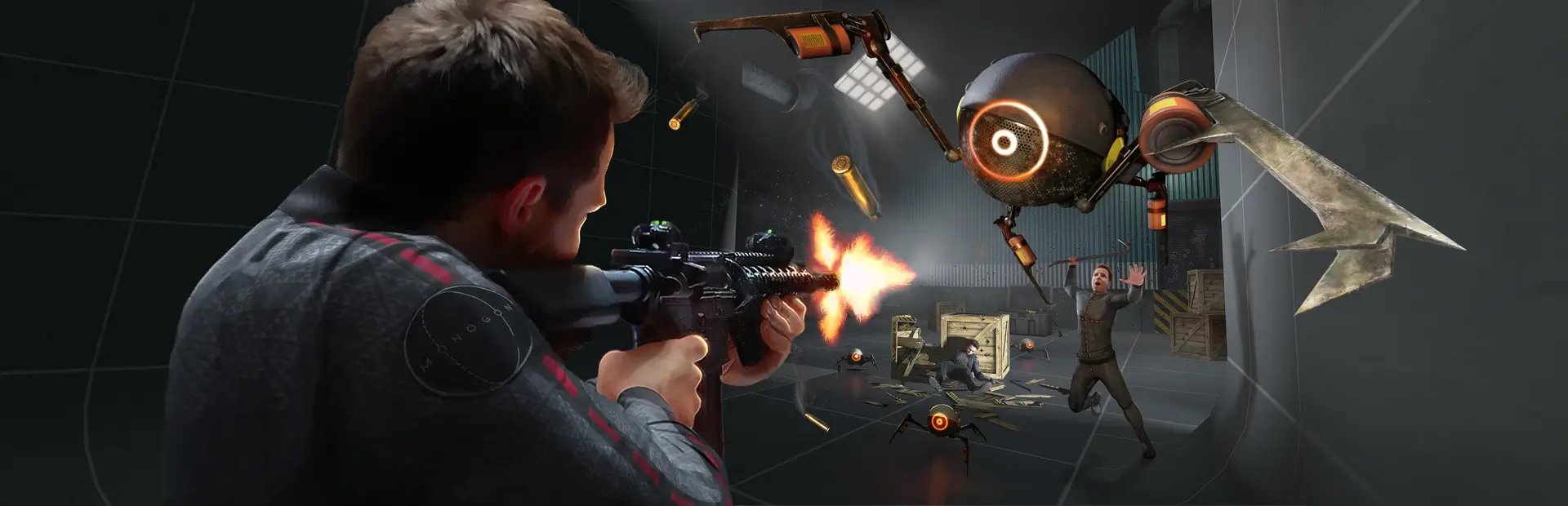
It's essentially ChaosModV, but for a VR Physics game. This mod has various "effects" that, when activated, will do a variety of different things, ranging from flinging you into the air, to changing the appearance of a bunch of ingame objects, to making the game foggy.
It will run these effects every 30 seconds (if you want it to), and you can customize the effects that run, depending on if your computer is powerful or if you've felt the touch of a non-familial woman if you're playing a campaign map or if you're boring, and if you're playing with friends using Entanglement or if you're lonely.
Drag BWChaos.dll into your mods folder, that's basically it. If you'd like to know more about this mod, keep reading.
To configure BW Chaos, use BoneMenu or MelonPreferences.cfg, but note that BoneMenu is missing some options that are present in MelonPreferences.
If you want, you can install BWChaosLite instead of normal, the only difference is that Lite has less effect resources (Videos/Textures).
The omission of a large portion of videos and textures means your game will start faster and also use less RAM/VRAM.
Audience interaction is optional, meaning you can play alone if you want, just set randomEffectOnNoVotes to true.
This mod supports two methods of audience interaction, via Discord and Twitch.
To enable this, set enableRemoteVoting to true in MelonPreferences.
Please know that if you've got an antivirus, it may kill the voting process without telling you, and you'll only know from the mod saying that it disconnected (I've written a bit more in the 2.0.0 changelog and FAQ about it)
Generate a Twitch OAuth2 token by going to this Twitch Chat OAuth Generator
Paste it into the token field in MelonPreferences
Put your channel name in the channel field in MelonPreferences
It's recommended that you set showCandidatesOnScreen to true so that your viewer can see what they're voting for
Go to the Discord developer portal
Create a new application, give it whatever name you want, it do not matter.
Open the application, go into the Bot tab, and create new bot user
Copy its token and paste it into the token field in MelonPreferences
Go back into the General Information tab and copy the Application ID
Paste it into this "template", replacing <APPLICATION_ID> with your application ID: https://discord.com/oauth2/authorize?client_id=<APPLICATION_ID>&scope=bot&permissions=1024
Open that link and select the server you want to add the bot to, and add it
The hard part's over. Now open your Discord app
Go into the settings page
Enter the Advanced tab, it's the last one in the App Settings category, 6th from the bottom.
Enable developer mode
Go to the channel you want people to vote in, make a new one if you want, because that channel will likely be flooded.
Right click the channel in the channel list, and click "Copy ID"
Paste the channel ID into the MelonPreferences field channel
This version, unlike the Legacy version, has sensible defaults, meaning the game's main campaign is playable from first install.
There are "crazier" effects, like the legendary 'Change Steam name for 2m', but that is behind a MelonPreferences entry
Here is a brief overview of the configurable values in MelonPreferences:
token: The authentication code for the bot
channel: The name of the Twitch channel or Discord channel for the bot to listen to, assuming enableRemoteVoting is true
randomEffectOnNoVotes: Determines if the mod will run effects when there were no votes.
useGravityEffects: Enables or disables effects that change the game's gravity value. Effects that change gravity are likely to crash the game on campaign levels.
useLaggyEffects: Enables or disabled the more processing intensive effects, intended for people that can stomach low framerates, because there wasn't a year spent on optimizing it.
useSteamProfileEffects: Determines if effects changing your Steam profile will run, like "Change Steam name for 5m".
useMetaEffects: Enables or disables effects that change the way the mod behaves, like changing the time between effects.
syncEffectsViaEntanglement: Determines whether the Entanglement module is enabled or disabled.
When enabled, if you're the host, any effects that you run will attempt to be ran on the other clients.
If you're a client, then any effect the host runs will attempt to be ran. If you have that effect disabled, it will inform you what was going to run.
ignoreRepeatVotesFromSameUser: Determines whether spamming is an effective method of bumping up vote counts.
proportionalVoting: Determines if proportional voting is enabled or not. If yes, an effect with 60% of votes has a 60% chance of winning, if no, the top voted effect wins.
enableRemoteVoting: Enables taking votes from Discord/Twitch.
showWristUI: Determines whether or not the list of previous effects and voting timer should appear on your wrist.
showCandidatesOnScreen: Shows the candidate effects on screen, with the numbers that need to be voted for each one.
sendCandidatesInChannel: Only available to Discord remote voting. It will send a list of the effects that users can vote for into the specified channel.
forceEnabledEffects: A list of effects that will be in the effect pool, regardless of whether or not they adhere to the other preferences.
forceDisabledEffects: A list of effects that will never be in the effect pool, regardless of whether or not they adhere to the other preferences.
Some effects have configurable values. These values will be placed in ChaosConfig.cfg, but most can also be changed in BoneMenu.
These values are intended to be inside certain ranges, however, and changing them too drastically may result in unintended behavior.
These ranges are displayed above the value in a comment, looking like "# 0 to 1" or "# 0.125 to 2"
If you don't see those comments, update MelonLoader.
If there are some aspects of an effect you think should be configurable, feel free to tell me in the BW server.
If you don't know what names line up to what effect, go into the Debug category in BoneMenu and select the option to dump the 'type' names for each effect, and then check the log.
The mod is open source, so if you see an effect and want to know what it does, just go to the GitHub repository.
Odds are it's in either the Misc or Player folders, and the file may have a different name than ingame.
If an effect is laggy and not marked as such, tell me and I'll try to optimize it or I'll mark it as laggy. Tell me your specs too, please.
If there's a serious, game-breaking issue, please, TELL ME! Ping me in the BONEWORKS fan server! Preferably in the #mod-general channel, my username and tag are extraes#2048!
If you somehow find a way to break the Twitch bot or Discord bot, or hack them in some way, please tell me so I can troll people before I fix it.
Errors appearing in the console on a scene transition (changing level)
This is harmless. It just means that an effect failed to "properly" stop. The error actually appearing means that the effect was forcefully stopped by MelonLoader before anything bad could happen. Thanks MelonLoader! (I'd die on the spot if I got a nullref in unmanaged code)
This shows up as something along the lines of "Exception in coroutine of type BWChaos.EffectHandler+<Timer>" and usually contains the term "System.NullReferenceException"
Even though I know why this happens, it is very tedious to hunt down every instance by myself, so if you told me which effect caused it, I would be grateful.
You can find this information by either giving me your log file or telling me the first few lines of the error, where it says "[ERROR]" and the first few "at BWChaos.Effects..."
If you give me a screenshot of your log file, I will place a pipe bomb in your mailbox, or a comedically timed lit stick of dynamite.
BWChaos does not work for some people on certain configurations of the Steam version, specifically the "ChaosModStartupException"/"ChaosModRuntimeException" errors
Why does the mod take so long to start?
Because with the way I created the mod, It's easy to install, being a single DLL with no external libraries needing to be put in MelonLoader/Managed.
I use Unity's native assetbundles because they offer compression and are closely integrated with the engine.
'Garble some textures' and 'Swap textures at random' lag the game when they start!
Garble some textures has a chance to make the scene dark/a random color!
'Video Textures' lags my game when it's active!
I didn't have that issue but someone with a 1060 6G did, so it's 100% a skill GPU bound issue. It's a nice effect that I think is funny as fuck, but it does tax the GPU more than I'd like, so I had to mark it as LAGGY, no matter how much I would've loved to see it get used more. I guess get a new GPU or force disable it.
Also you should probably not spam it if you have less than 6G of VRAM, to be honest.
The texture effects keep ballooning my VRAM usage! (Hi WNP!)
That's cause they set the texture of each mesh renderer they encounter, meaning they create a new Material for each object they hit. This is probably a memory leak, but it's a memory leak that's fixable by reloading the scene.
Originally these effects loaded their textures and set the textures of each material they encounter, but that made them persist between scenes, and one of my goals with this mod is to make no changes that are not reversible via a scene change, so they create new materials which are deleted on scene change/reload.
Vine boom sound effects keeps going after it ends! And it's inconsistent in what it does do!
It was a bitch to even do what it currently does, so count your blessings.
No, but for real, it doesn't look for inactive gameobjects, which I may change in the future.
Does Get Fucking Doxxed show my real IP?
The music effects are too loud/overwhelming!
An effect doesn't work on the Oculus version of the game!
Please tell me what effect it is! Give me a log, or send me the first few lines of the error, where it says "[ERROR]" and the first few "at BWChaos.Effects..."
I try to make the mod compatible between the Steam and Oculus versions, but I'm not Rich Uncle Pennybags, so I can't buy the game multiple times for the niche of people that use an Oculus copy, but if you help me test, then we can all sing Kumbaya.
The Entanglement module doesn't work!
It only syncs the running of effects, not what those effects do. Yes, It's basic, but it's also, to my knowledge, the first mod to have its own entanglement module, so you can't expect it to be magic on the first go.
That said, there is "proper" syncing planned, with effects able to send and recieve data over the wire.
As of writing, I'm working on per-effect syncing. If you think an effect could be synced but isn't, or should be synced differently, please tell me your ideas! (SpawnDogAds cannot be synced, it gets dog pics from a website, so I can't do much about that)
There are some effects which cannot be synced, or would take too much effort to sync. (Like SpawnDogAds. I could take the texture and send the entire thing over Entanglement, but that seems a touch too tedious for me, especially given the 1250 byte packet size limit)
The remote voting process doesn't work!
Yeah. Enable it in preferences.
If you see that it disconnects and asks if its killed without you having done anything, its most likely that an antivirus program killed the process because it thinks its suspicious.
What do "Meta" effects do?
Something's wrong with the Entanglement module!
I don't like some of the videos in My Meme Folder/Video Textures!
Some videos in My Meme Folder don't have sound!
What does framesToWait mean for RepulsivePlayer and MagneticPlayer?
To prevent the game from slowing to a crawl when these effects are active, I implemented some optimizations.
You didn't ask for an explanation of the other preferences, but you get it anyway.
framesToWait: For every object they are on, I make that object wait a given number of frames before moving towards/away from the player. This means that increasing the number will make the effect seem "weaker", because there's more time between movements, and the opposite is true for decreasing the number.
radius: As another optimization measure, I make the objects not do anything if they are more than a given distance away from you.
forceMultiplier: Does what it says, makes it stronger the higher it is, weaker the lower it is.
Why did you force this unholy hell spawn upon the world?
Code modders: occasional help and ideas (shoutouts to trev for rewriting my original code, creating a better foundation to base Chaos off of)
Sychke: Testing the Twitch bot and providing much needed testing and feedback.
Alfie: Making the mod's icon, over 4 months go, in July. Sorry it took me this long!
ZCubed & Lakatrazz: Making Entanglement so I don't have to make my own way of sending data over the wire.
Goldensliv: Invaluable help with testing and putting up with my shit, especially when it comes to the Entanglement module. (And suffering through the Legacy version, sorry lol)
Chap: Making ModThatIsNotMod actually nah screw that guy for making his namespace so damn long.
MelonLoader Team: Making a great framework for mod development, including persistent data/preferences, coroutine running, IL2CPP type injection, automatic harmony instance creation and patching, and of course, being the first universal Unity modloader that worked in IL2CPP games. Oh and, including a zip file library that I could yoink use.
Samboy: I haven't directly interacted with them but Tomlet is great and I'm using it for a personal project and I don't think I'll return to JSON, and CPP2IL, while not perfect, is magic for what it's already capable of.
UCLA, and Garrett Johnson: Making the wireframe shader that I yoinked, and making it single pass instanced. It's unlicensed, so if UCLA has any high priced lawyers, please know that I almost never respond to emails and I have DMs disabled, so come get me for my $2 in nickels, if you dare. This effect was cut. :(
If you want to add another effect, by all means feel free to do so. Make a Pull Request on the GitHub repo and add a new effect.
If you want to change the UI, you can make a PR for that too, since the Unity project I use for building the UI is in the git repo too.
If you want to add a new image, instruction, or video, do that through the Unity project too. (Or just send it in the BW server's meme channel and ping me to add it, and I may do it)
I don't have a code of coduct or anything, so feel free to evade taxes and stuff after making a PR.
New in 2.2.0
Something something webserver. Just know that if you're a streamer, I might say hi :)
Added per-effect configuration, so that things like how strong an effect is can be changed via BoneMenu and ChaosConfig.
A trailer, because I feel like sending a link to a video is a lot easier than trying to quantify everything this mod does. (And setup guide cause some people dont want to READ the README)
Of course, more than 20 new effects!
New in 2.1.1
New in 2.1.0
Fix various things for MelonLoader 0.5, making 0.5 the new minimum version for Chaos.
Add per-effect Entanglement syncing to many effects.
Change underlying effect running, at the risk of decreasing performance and increasing memory usage, but makes Entanglement syncing easier and lets effects have their own timers each time they're ran.
Remote voting process (the Discord/Twitch bot) is now zip compressed, allowing me to add even more resources for effects to use.
Various other changes which you can see here, these changes are the ones made in December.
New in 2.0.0
Entirely new codebase
Written with a focus on stability without relying on the try-catch crutch that the Legacy release did.
Also made with extra attention paid to external dependencies, like the WatsonWebsocket DLL and NodeJS. Those are no longer needed, so now the mod is a single DLL that will not attempt to install any external software.
Foundation was written by a competent programmer, Trev, and I was able to, I think at least, effectively "inherit" it, learn from it, and expand upon it.