

You are viewing a potentially older version of this package. View Latest Version
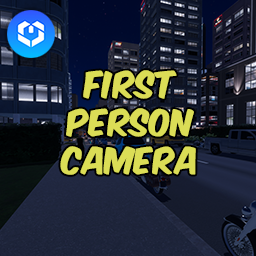
FirstPersonCamera
Adds a first person camera to the game. Toggle with CTRL + F.FirstPersonCamera
Enhance your Cities Skylines 2 experience with FirstPersonCamera, a mod that introduces a smoother and more realistic first-person camera mode, easily toggleable and designed for immersion.
Features
- First-Person View: Dive into a first-person perspective of your city.
- Toggle with Ease: Activate the camera with a simple
CTRL+Fcommand. - Enhanced Camera Control: Experience a more realistic and smoother camera movement compared to the vanilla game's photo mode.
Installation Requirements
- Cities Skylines 2: This mod is specifically designed for Cities Skylines 2.
- BepInEx v5: Ensure you have BepInEx v5 installed in your game. This is a necessary prerequisite for the mod to function correctly.
Installation Guide
- Download the Mod: Click on the download link provided.
- Locate the Game's Plugin Folder: Find the
Cities Skylines 2/BepInEx/pluginsfolder in your game directory. - Install the Mod: Copy the downloaded
FirstPersonCamera.dllfile into the plugins folder. - Enjoy: Start the game, and press
CTRL+Fto toggle the first-person camera.
Usage
- Toggle the first-person camera on and off in-game using the
CTRL+Fshortcut. - Enjoy a new perspective and more realistic camera movements as you explore your city.
Compatibility
- Designed to be compatible with most other Cities Skylines 2 mods. If issues arise, please report them for support.
License
- This mod is released under the GNU General Public License v2 (GPLv2). For more details, see the included LICENSE file.
Support and Feedback
- For support, questions, or feedback, feel free to reach out through the Thunderstore.io mod page.
GitHub
- The source code can be found at GitHub
Acknowledgements
- Thanks to the Cities Skylines community and all the contributors and supporters of this project.