
You are viewing a potentially older version of this package. View Latest Version
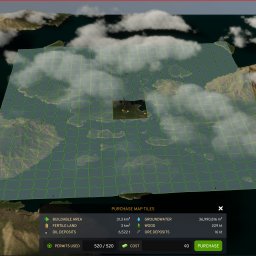
Unlocks all 529 tiles for Cities Skylines II maps and reduces their cost to $0.
The tiles will be available for "purchase" after hitting the first XP milestone.
Remove BepInEx 5 if you have that installed. Otherwise, proceed to step 2
BepInEx folder, the doorstop_config.ini file, and the winhttp.dll file from your game's installation directoryInstall BepInEx 6 Bleeding Edge build
The pre-release version of BepInEx 6 available on their GitHub release page is quite outdated (dated August 2022) and does not support loading this mod. Please download the Bleeding Edge version from their website
Download BepInEx-Unity.Mono-win-x64-6.0.0-be.674+82077ec.zip (or a newer version), and unzip all of its contents into the game's installation directory, typically C:/Program Files (x86)/Steam/steamapps/common/Cities Skylines II
The installation directory should now have the BepInEx folder, the doorstop_config.ini file, and the winhttp.dll file
Run the game once, then close it. You can close it when the main menu appears
Download the mod from the release page. Unzip it into the Cities Skylines II/BepInEx/plugins folder
Launch the game, mods should be loaded automatically
You may need to add and link the Unity libraries yourself. They are not included in this repo, as I do not have the rights to do so. optimus-code's template mod repo has good instructions on how to obtain and set these up for the build process.
Also, make sure the Cities2_Location property in the .csproj is set to the correct value for your game install. It is set to C:/Program Files (x86)/Steam/steamapps/common/Cities Skylines II by default.
(This mod is largely untested and I take absolutely no responsibility if it somehow ends up breaking your saves)