
CloverPitRPC
Adds a Rich Presence to Discord to show how much debt, coins, and the deadline you are on.Cloverpit Discord Rich Presence
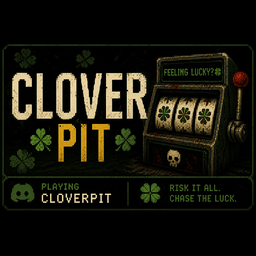
Show off your Cloverpit gambling addiction to your Discord friends! This mod displays your current game stats in Discord, including your coins, debt, and deadline progress.

What This Mod Does
When you play Cloverpit, your Discord status will automatically show:
- 💰 Your current coins
- 💀 Your current debt
- 🎯 Which deadline you're on and how many rounds left
- ⏰ How long you've been playing
Example Discord Status:
Playing Cloverpit
Deadline 3 - 8 rounds left
💰 1.24M | 💀 500.00K
Installation
Step 1: Install BepInEx
- Download BepInEx from: https://github.com/BepInEx/BepInEx/releases
- Get
BepInEx_x64_5.4.X.zip(latest version)
- Get
- Extract the ZIP into your Cloverpit game folder
- Steam:
C:\Program Files (x86)\Steam\steamapps\common\Cloverpit\
- Steam:
- Run the game once to generate BepInEx folders, then close it
Step 2: Install Discord RPC Library
- Download
discord-rpc.dllfrom: https://github.com/discord/discord-rpc/releases (or it is in the zip already)- Look for
discord-rpc-win.zipin the latest release
- Look for
- Extract
discord-rpc.dllfrom the ZIP - Place it in:
Cloverpit/BepInEx/plugins/
Step 3: Install This Mods
- Download the latest release from thunderstore of this mod
- Extract
CloverPitRPC.dll - Place it in:
Cloverpit/BepInEx/plugins/
Step 4: Launch and Play!
- Make sure Discord is running
- Launch Cloverpit
- Your Discord status should update automatically!
Troubleshooting
Discord Status Not Showing
- Make sure Discord is running before you start the game
- Check Activity Status is enabled in Discord:
- Discord Settings → Activity Privacy → "Display current activity as a status message" is ON
"discord-rpc.dll NOT FOUND" Error
- Make sure
discord-rpc.dllis in the correct folder:BepInEx/plugins/discord-rpc.dll - Download the correct version (Windows x64)
FAQ
Q: Is this safe to use?
A: Yes! This mod only reads your game stats and sends them to Discord. It doesn't modify your save files or game data.
Q: Does this work with other mods?
A: Yes! This mod should be compatible with other BepInEx mods.
Q: Can I customize what's displayed?
A: Not currently, but future versions may add customization options.
Q: Why does it show "In Menu" when I'm in the game?
A: The mod only displays stats when you're actively playing a run. Menu and shop screens show "Preparing to gamble."
Credits
- Created by dwimpus
- Uses BepInEx
- Uses Discord RPC library
Version History
v2.0.1 (Current)
- Initial public release
- Displays coins, debt, deadline info
- Automatic status updates every 3 seconds
- Tracks total play time
License
MIT License - Free to use and modify