

This package has been deprecated and may no longer be maintained. We recommend looking for an alternative.
ModSettingsExtender
Framework that allows customizing mod settings inside the in-game settings menu.Mod Settings Extender
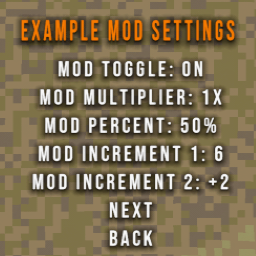
Mod Settings Extender gives CloverPit modders a plug-in framework for adding adjustable mod settings into a newly created "Mods" menu inside the game's settings.
This will not show the MODS settings menu until at least one mod uses it!
Quick Setup
- Reference
ModSettingsExtender(copy the DLL or add the project). - Bind your config entries, then register a page from your plugin instance:
using BepInEx;
using BepInEx.Configuration;

namespace YourModExample
{
    [BepInPlugin("com.example.modsettings.demo", "Example Mod", "1.0.0")]
    public class ExampleMod : BaseUnityPlugin
    {
        private ConfigEntry<bool> toggleDisplay = null!;
        private ConfigEntry<int> luckModifier = null!;
        private ConfigEntry<float> tripleSixChance = null!;
        private ConfigEntry<float> coinMultiplier = null!;
        private ConfigEntry<string> difficultyMode = null!;

        private void Awake()
        {
            toggleDisplay = Config.Bind("General", "Toggle Display", true, "Turns the mod on/off");
            luckModifier = Config.Bind("General", "Luck Modifier", 0, "Adds base luck (0-15).");
            tripleSixChance = Config.Bind("General", "Triple 666 Chance", 1.5f, "Percent chance for Triple 666 to occur.");
            coinMultiplier = Config.Bind("General", "Coin Multiplier", 1f, "Applies a coin multiplier between 0.5x and 4x.");
            difficultyMode = Config.Bind("General", "Difficulty Mode", "Harder", "Cycle through difficulty presets.");

            // Registers your page using your plugin's GUID, so conflicting pages with other mods are handled
            ModSettingsRegistry.RegisterPage(this, "Example Mod", page =>
            {
                page.OnOff("Toggle Display", toggleDisplay);
                page.Int("Luck Modifier", luckModifier, min: 0, max: 15, step: 1);
                page.Percent("Triple 666 Chance", tripleSixChance, minPercent: 0f, maxPercent: 30f, step: 0.5f);
                page.Multiplier("Coin Multiplier", coinMultiplier, minMultiplier: 0.5f, maxMultiplier: 4f, step: 0.5f);
                page.Cycle("Difficulty Mode", difficultyMode, "Harder", "Better", "Faster", "Stronger");
            });
        }
    }
}
PageBuilder Helpers
OnOff(label, entry)— Boolean toggle with"On"/"Off"suffixes.Int(label, entry, min?, max?, step?)— Integer stepper; left/right click adjusts.Percent(label, entry, step?, min?, max?)— Formats the value as<value>%.Multiplier(label, entry, minMultiplier, maxMultiplier, step, ...)— Float stepper rendered as<value>x; pass an options list if you prefer discrete presets.Cycle(label, entry, values...)— Loops through custom string or enum options.AddToggle(...)/AddIntStepper(...)— Lower-level hooks for custom labels, wrap, and callbacks.AddItem(labelFunc, onSelect, onAdjust)— Full-control entry for bespoke menu behavior.
Notes:
Each plugin can register multiple pages by calling RegisterPage more than once. Re-registering the same page name replaces the previous entry for that plugin, and duplicate names from different plugins will automatically be handled by appending mod name to page name in the UI.
All config files created through BepInEx end up in the BepInEx/config directory.