

You are viewing a potentially older version of this package. View Latest Version
MicMeter
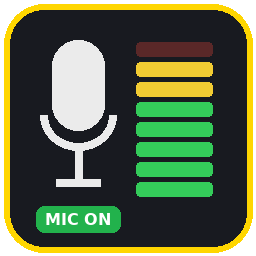
Shows whether your voice chat mic is ON or OFF, plus a live input level meter that keeps working while muted. Toggle with F8. Client-side only.MicMeter
Author: U-FESNOS
Shows your voice chat state and microphone input level on screen.
- MIC ON / MIC OFF: the real transmit state the game uses, so you can tell whether push-to-talk or toggle mode is currently sending your voice.
- Voice mode: Open mic / Push-to-talk / Toggle / Voice off.
- Level meter: green / yellow (-18 dB) / red (-6 dB), peak hold and CLIP indicator.
- The meter keeps working while you are muted (dimmed), so you can spot mic noise or hum before others hear it.
Client-side only. Other players do not need it. Marked as vanilla compatible.
Settings
BepInEx/config/U-FESNOS.MicMeter.cfg
| Key | Default | |
|---|---|---|
| ToggleKey | F8 | Show / hide |
| Corner, OffsetX, OffsetY | TopRight, 16, 16 | Position |
| Scale | 1.0 | Size |
| FloorDb | -60 | Left end of the meter |
| DimWhenOff | true | Dim the meter while not transmitting |
日本語
ボイスチャットの送信状態 (MIC ON / OFF) と、マイク入力の音量メーターを画面に表示します。
- 押して話す / 切り替え式でも、今実際に声が送られているかが分かります
- ミュート中もメーターは動くので、マイクのノイズに気付けます
- F8 で表示 / 非表示。設定は
BepInEx/config/U-FESNOS.MicMeter.cfg - クライアントのみで動作します (他の人が入れていなくても使えます)