
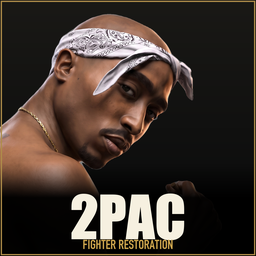
2PAC Fighter Restoration Mod
2PAC as a fighter, with bespoke animations, voice lines, model, and textures. Three selectable outfits in-game.2PAC Fighter Restoration Mod
Adds 2PAC as a selectable custom fighter in Def Jam: Fight for NY Recompiled, with three outfits and a complete set of custom presentation assets. Originally based off of whoonthetrack's 2Pac texture work and reddit post , upscaled and integrated into the game to showcase the Custom Fighter support in the recomp project.
This mod is a work-in-progress, and we plan to continue refining the fighter with improved modelling, voice, animation, and fighting style improvements.
What's included
- Three selectable outfits: Shirtless, Red Wings, and Birdie.
- Custom 3D appearance: a sculpted head, custom textures, tattoos, clothing, and accessories.
- Custom entrance and victory animations: Authored lip sync and hand gesture animations, using Method Man's animations as a starting point.
- Custom combat voice: 27 recordings mapped across 81 voice slots, covering Blazin', taunts, weapon interactions, environmental interactions, and related fighter reactions.
- Custom UI artwork: fighter portraits, loading and results artwork, and Team-selection cards.
All three outfits share the fighter's combat settings, animations, and voice lines. The pack adds a custom fighter; it does not globally replace Blaze.
Requirements
- Def Jam Recompiled 1.2.1 or later, set up with your own supported Xbox game dump.
- The other HD texture, portrait, and menu packs are optional.
This package targets the native Recompiled game. It is not an emulator or original-console mod.
Install through the in-game mod catalogue
Requires Def Jam Recompiled 1.2.1 or newer.
- Open the Def Jam Recompiled launcher.
- Go to Mods → Fighters and click Refresh catalogue.
- Select 2PAC Fighter Restoration Mod.
- Click Install and enable and wait for installation to finish.
- Click Play, then select 2PAC from the fighter roster.
The pack includes all three outfits, custom animations, voice lines and UI artwork. No separate Thunderstore download or manual file copying is needed.
Installation via ZIP file
- Download the fighter ZIP from this page.
- Open the Def Jam Recompiled launcher and go to Mods → Fighters.
- Select or drop the ZIP, then choose Install or update from ZIP.
- Enable the fighter pack and launch the game.
- Choose 2PAC in fighter selection. Use the game's clothing selector to switch between Shirtless, Red Wings, and Birdie.
Import the ZIP through the game's Fighter controls. Thunderstore's generic mod-manager button does not replace these steps.
If you previously installed a private Review build, disable that older test pack before enabling this release. The public pack has a new package identity and is treated as a separate installation.
The first launch after enabling or updating may take longer while the game prepares fighter resources. Later launches reuse the prepared cache. A reported longer Steam Deck launch delay is being investigated in issue #292, including the case where the custom fighter is disabled; its cause is not yet confirmed.
Editing
The separate editable .ffnyfighter project opens in Fighter Workshop 0.3.1 or later. Use a compatible game 1.2.1+ compiler when exporting the authored victory and hand animation.
Credits
- whoonthetrack: original texture work and initial modpack. Original creator on Reddit.
- vyanhursky: UI and animation work.
Original Def Jam: Fight for NY game content remains attributable to its respective creators and rights holders. The credits above identify the mod contributors; they do not assign a new redistribution license.
Version 1.6.36
Includes the approved custom entrance, victory lip sync, full-duration hand gesture, three outfits, Team artwork, and full combat voice-slot coverage.
Focused native testing covers the default CAF outfit on macOS at Terrordome through entrance, combat, victory, and results. This is not exhaustive qualification of every outfit, venue, match type, voice variant, or platform.