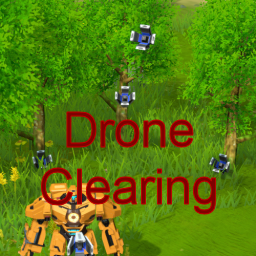
Drone Clearing for Dyson Sphere Program
DSP Drone Clearing is a mod for the Unity game Dyson Sphere Program developed by Youthcat Studio and published by Gamera Game. The game is available on here.
This mod will use mecha drones to clear trees and stones. Ever get annoyed tripping over rocks? This mod is for you.
Enable and disable the clearing functionality in-game with this toggle button on your HUD.

Config File
Configuration settings or loaded when you game is loaded. So if you want to change the settings file, quit the game, but don't exit to desktop, then continue your game.
Settings include
- Mod enable flag.
- Collect resources, or quickly clear the area.
- Limit the number of drones used when clearing.
- Control of clearing distance from mecha.
- Conserve energy when Icarus' energy gets too low.
- Clearing during walking and optionally while flying.
- Inventory space limitations.
- Control over clearing of rocks, trees, small rocks and ice.
- Control over planet types clearing is performed on.
The configuration file is called greyhak.dysonsphereprogram.droneclearing.cfg. It is generated the first time you run the game with this mod installed. On Windows 10 it is located at
"%PROGRAMFILES(X86)%\Steam\steamapps\common\Dyson Sphere Program\BepInEx\config\greyhak.dysonsphereprogram.droneclearing.cfg".
Installation
This mod uses the BepInEx mod plugin framework. So BepInEx must be installed to use this mod. Find details for installing BepInEx in their user guide. This mod was tested with BepInEx x64 5.4.5.0 and Dyson Sphere Program 0.6.16.5775 on Windows 10.
To manually install this mod, add the DysonSphereDroneClearing.dll to your %PROGRAMFILES(X86)%\Steam\steamapps\common\Dyson Sphere Program\BepInEx\plugins\ folder.
This mod can also be installed using ebkr's r2modman dsp mod manager by clicking "Install with Mod Manager" on the DSP Modding site.
Open Source
The source code for this mod is available for download, review and forking on GitHub here under the BSD 3 clause license.
Change Log
v1.2.2
- Fixed bug when loading the game with the mod for the first time. (Bug added in v1.2.0 with the config reload functionality.)
- Replaced deprecated function call.
- Manifest description updated.
v1.2.1
- Fixed a bug where tasks were being assigned when drones weren't available. This was causing configured energy constraints to be violated. This issue was emphasized when fewer drones were available.
- Small revision to the appearance of the enable/disable HUD image.
v1.2.0
- Added a button to the game HUD to enable and disable drone clearing.
- Added a config setting to explicitly enable or disable the mod.
- Reload configuration settings on each game start.
- Reduced debug log messages.
v1.1.1
- Fixed compatibility with Windows10CE's DSP Cheats's Instant-Build feature to make instant clearing.
v1.1.0
- Fixed bug with drones getting locked up when Icarus completes their task first.
- Clearing tasks no longer save. This is a compromise to avoid issues when disabling/removing the mod.
- Fixed bug when performing Quit Game that wasn't removing drone clearing tasks.
- Improvement in drone usage calculation. This provides a cleaner cut-off when clearing is shutoff due to drone count usage or energy availability.
- Disable clearing when mecha energy level is too low (configurable).
- Optimized mechanic for holding drone still while working.
v1.0.0