

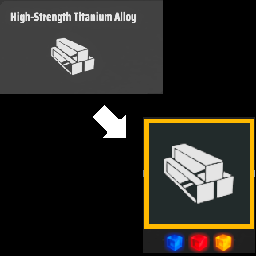
DSPTechTreeUXOverhaul
A compact, searchable replacement for DSP's Technology and Upgrades screens with clearer research state, matrix requirements, filters and dependency highlighting.DSP Tech Tree UX
A compact replacement for Dyson Sphere Program's Technology and Upgrades screens, focused on making research requirements, dependencies and current state easier to understand at a glance.
Current release: 0.9.0
This is the first public pre-1.0 release. The core feature set is in place and intended for normal play, but there are still interaction, persistence and compatibility items planned before 1.0.
Features
- Compact technology and upgrade nodes with clear state colours:
- Orange — prerequisites are not yet satisfied
- Green — ready to research or validly queued
- Blue — completed
- Yellow — selected
- Matrix requirements shown directly on nodes using the actual matrix icons.
- Search by technology, unlocked recipe and unlocked item name.
- Matrix-tier filtering, including cumulative filters and White Matrix-only filtering.
- Combat filtering with a utility mode that preserves Battlefield Analysis Base progression while hiding unrelated combat research.
- Dependency highlighting that includes normal, implicit and inferred research requirements.
- Selected paths stop at already-satisfied prerequisites so only research still required is highlighted.
- Research queue validation uses the displayed dependency map, preventing misleading queue states caused by hidden/inferred requirements.
- Multi-level and repeatable research displays completed levels rather than DSP's internal "current level" counter.
- Partial research percentage remains visible on the node if research is interrupted.
- Selected active research shows a vanilla-style progress bar, current hash rate, estimated completion time and hash progress in the details panel.
- Main research progression from Electromagnetism to Mission Completed is highlighted separately.
- Mouse-friendly navigation:
- click empty space to deselect
- right-click to close the Technology screen
- Independent Technology/Upgrades pan and zoom state.
- Filtered layouts compact empty rows while preserving intentional section spacing.
Configuration
The current release exposes two appearance settings:
LineThickness— thickness of ordinary dependency lines. Default:5.0MainLineThickness— thickness of the main research progression line. Default:9.0
The configuration file is created by BepInEx after the mod has been run once.
Installation
Mod manager
Install DSP Tech Tree UX through Thunderstore Mod Manager or r2modman.
Manual
- Install BepInEx for Dyson Sphere Program.
- Copy
DSPTechTreeUX.dllinto:Dyson Sphere Program/BepInEx/plugins/DSPTechTreeUX/ - Start the game.
Compatibility
Built for Dyson Sphere Program 0.10.34.x using BepInEx 5 / HarmonyX.
No CommonAPI or LDBTool dependency is required.
Road to 1.0
The core functionality is present. The 0.9.x releases will focus on interaction polish, persistence and compatibility before promoting the mod to 1.0:
- Collapsible details panel — when nothing is selected, collapse the large details panel down to a small
Please select a technologyprompt. - Collapsible search/filter controls — replace the permanently visible search/filter strip with a compact top-edge control that expands when needed.
- Replace filter cycles with explicit controls — change Matrix and Combat filter cycling buttons to clearer dropdowns, checkboxes or equivalent controls.
- Research directly from nodes — add a quick research action to each node, likely as a small hover/selection research wing, with double-click as a possible supplementary shortcut.
- Improve selection dimming — selecting a prerequisite should not make valid downstream technologies look disabled.
- Per-save view-state persistence — remember the selected page, Matrix/Combat filters, zoom and pan position separately for each save.
- Fine-tune level and partial-research percentage positioning.
- Review element scaling across the full zoom range and decide which parts should receive configurable zoom compensation.
- Tidy the White Matrix-only upgrade layout where surviving nodes can still look sparse or awkward.
- Test more resolutions/UI scales and a wider range of early-, mid- and late-game saves.
- Test localisation more thoroughly.
- Final compatibility/regression pass against DSP 0.10.34.x before promoting the mod to 1.0.
Possible post-1.0 additions
- Vanilla Enhanced mode — retain the original large DSP nodes while adding the search, filters, matrix requirements, state borders and dependency improvements from this mod.
- Additional appearance and zoom-scaling controls.
- Optional alternative/grouped layouts beyond the current vanilla-derived positioning.
Feedback and bug reports
Feedback, bug reports and suggestions are very welcome.
- Dyson Sphere Program Steam forums: Nekogod
- Discord: Nekogod
- GitHub: Nekogod-dev — issues and source for this mod live in this repository.
Notes
The mod intentionally keeps the vanilla technology positions as its starting layout rather than attempting to redesign the entire research tree. Filtering may compact empty rows and recentre the visible result.
Normal and implicit DSP prerequisites are used directly. The mod also infers some item/recipe unlock dependencies that are required in practice but are not represented by the vanilla visible dependency graph.
Building from source
The repository does not redistribute Dyson Sphere Program, Unity or BepInEx assemblies.
The included project expects a local DSP installation. Either edit DSPGameDir in the project file or pass it as an MSBuild property:
dotnet build -c Release -p:DSPGameDir="C:\Program Files (x86)\Steam\steamapps\common\Dyson Sphere Program"
The supplied build-release.ps1 builds the DLL and creates a Thunderstore-ready ZIP under dist/.